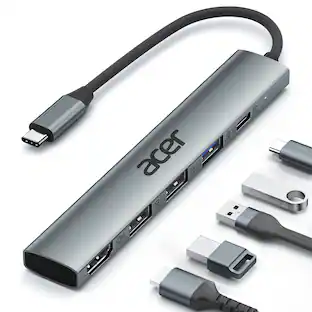
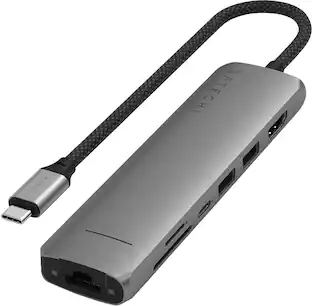
Satechi - Type-C Multi-Port Adapter V2-4K HDMI, Ethernet, USB-C, SD/Micro, USB 3.0 - MacBook Pro, MacBook Air, Windows Laptops - Space Gray
Customers are saying
Customers appreciate the Type-C Multi-Port Adapter for its HDMI port and ease of use. Users find that it fulfills their need for extra USB and HDMI ports. Additionally, customers report connecting their devices to their Mac without any issues.
Features
Compatible with most USB Type-C devices with Power Delivery protocol
For wide-ranging use.
Thunderbolt 3 support
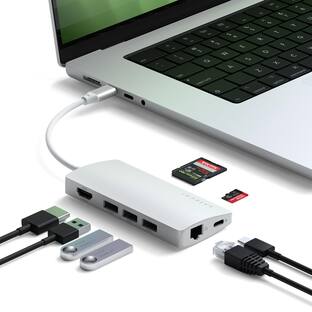
Expands connection capabilities of your laptop using only one port, and provides top speeds, pixel, and power specifications in a single, compact dock.
Power delivery
Supports USB Type-C upstream charging and Power Delivery via an AC power supply.
Sleek aluminum body
Ensures durability and creates a stylish look.
HDMI output
Lets you connect 4K 30Hz monitors to improve the performance of your workstation.
USB Type-A ports
Connect multiple peripherals to your laptop, such as a USB HDD/SSD, keyboard, mouse, or printer.
Gigabit Ethernet port
Enables reliable network connectivity.
SD and microSD card reader
Allows external memory access.
Apple, the Apple logo, and iTunes are trademarks of Apple Computer, Inc., registered in the U.S. and other countries. iPod is a trademark of Apple Computer, Inc.
Specifications
- Maximum Number of Displays Supported1Maximum Supported Resolution4K (2160p)Number of DisplayPort Outputs (Total)0Number of Thunderbolt Ports (Total)0Passthrough PowerYes
Reviews
Rating 4.4 out of 5 stars with 28 reviews
- HDMI (6)
- Ease of use (4)
Customer Images
The vast majority of our reviews come from verified purchases. Reviews from customers may include My Best Buy members, employees, and Tech Insider Network members (as tagged). Select reviewers may receive discounted products, promotional considerations or entries into drawings for honest, helpful reviews.


Compare similar products
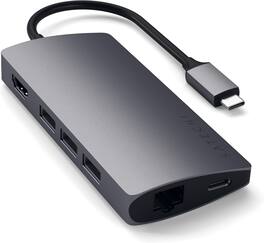
Enjoy fast data transfer and charging speeds with this Satechi Type-C multi-port adapter. The aluminum casing on the connector helps protect circuit boards, increasing durability, while the Gigabit Ethernet port offers seamless connection to wired networks. This Satechi Type-C multi-port adapter has a microSD slot and USB 3.0, USB Type-C and HDMI ports for connecting a wide array of devices.

Connect additional ports to your device with this Satechi USB-C multi-port adapter. The two USB-A 3.0 ports transfer data from storage drives, while the USB-C port supports fast charging. This Satechi USB-C multi-port adapter features a compact design to seamlessly fit in your backpack, and the HDMI port connects external displays to show 4K videos.
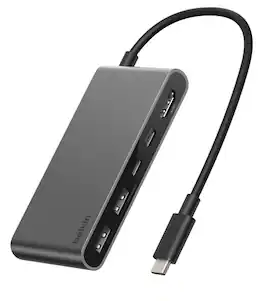
Hybrid working professionals on the go can instantly expand the number of USB-C and USB-A ports on their laptops to connect up to five devices and optimize workstations. Upgraded HDMI 2.0 delivers crystal clear monitor resolutions, fast data transfer speeds reach up to 5Gbps and a USB-C port delivers up to 100W PD to your host device. This portable USB-C hub goes with you when you’re at the office or at home.

Connect your laptop to a 4K monitor, projector, and other devices with our USB-C 4-in-1 Multiport Adapter. This compact USB-C adapter is the perfect solution for home, the office, or in-between workstations. It features two USB-A ports to charge and connect your smartphone, tablet, keyboard, thumb drive, mouse, or other high consumption device while its HDMI port connects your MacBook Pro, Chromebook, or other USB-C laptop to a display with up to 4K resolutions. This Belkin USB-C Hub supports pass-through charging up to 100W so you don’t have to choose between port expansion and power. Gain up to 5 Gbps of bandwidth between connected devices, for quick data transfer between computer and peripheral devices. This computer docking station also supports high-definition display resolutions up to 4K through the HDMI Port. Encased in a sleek aluminum finishing that matches popular devices, this compact USB port hub is a stylish addition for your work, study, or play setup.
| Pros for Satechi - Type-C Multi-Port Adapter V2-4K HDMI, Ethernet, USB-C, SD/Micro, USB 3.0 - MacBook Pro, MacBook Air, Windows Laptops - Space Gray | |||
|---|---|---|---|
| HDMI, Ease of use | Overall Performance, Connectivity, Portability, Port Selection, Heat Dissipation | Connectivity, Overall Performance | Overall Performance, Ease of use, HDMI, Connectivity, Ports |
| Cons for Satechi - Type-C Multi-Port Adapter V2-4K HDMI, Ethernet, USB-C, SD/Micro, USB 3.0 - MacBook Pro, MacBook Air, Windows Laptops - Space Gray | |||
| There were no cons for this product— | Cable Length, Compatibility | There were no cons for this product— | Cable Length, Price, Heat |
Specs
Questions & Answers
It appears there is only one Thunderbolt port that can be used to power another device. I would like to be able to charge both my laptop (65 watts) and my Galaxy S20 phone from the Satechi Hub. Is there a way to do this? If so, how? Thank you folks!
Answered by Satechi SupportHello, Unfortunately the Multi-Port Adapter V2 does not support charging of devices as the ports are designed specifically for data transfer. We can confirm that the USB-C port will allow you to connect your laptop's power adapter for pass-through charging to your computer without occupying another USB-C port. We hope this information helps! Feel free to contact us if you have any other questions or concerns.

I have an older Dell XPS laptop. Will this adapter work with my laptop? It only has USB 3.0 port available. If it does work, what cable would i need to connect the laptop to the adapter?
Answered by Satechi SupportHello Russ, Keep in mind that our hubs and adapters require a direct connection to the host device to ensure peak performance. Utilizing an adapter or converter is not advisable, as it may compromise the signal quality or render it inoperable. For any additional questions or concerns please reach out to us directly at support@satechi.com or call us at +1(858)268-1800 (US). We look forward to hearing from you!
Will this work on my iPad Pro m4?
Answered by Satechi SupportHello! Yes, we can confirm that the Type-C Multiport adapter V2 is compatible with the iPad Pro latest line-up including the iPad Pro 12.9-inch/13-inch (3rd generation to M4). For any additional questions or concerns you may email us at support@satechi.com or call us at +1(858)268-1800 (US). We look forward to hearing from you!
Can I connect a monitor to this adapter?
Yes, the HDMI output allows you to connect a 4K monitor with 30Hz refresh rate.
This question and answer was generated by AI based on customer and product data.What is the maximum data speed this adapter supports?
This adapter supports a maximum data speed of 5000 megabits per second.
This question and answer was generated by AI based on customer and product data.
Customers often buy these together
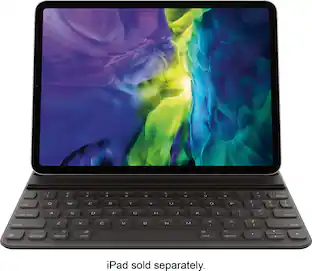
Apple Smart Keyboard Folio for 11-inch iPad Pro (1st Generation) (2nd Generation)
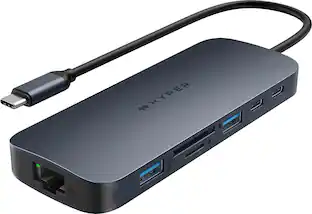
$89.99The price was $179.00Hyper HyperDrive Next 10 Port USB-C Hub, 4K HDMI, Ethernet, 2 USB-C, 2 USB-A, microSD/SD, travel dock for MacBook/PC
Clearance$69.99The price was $99.99
Customers ultimately bought
Hyper HyperDrive Next 10 Port USB-C Hub, 4K HDMI, Ethernet, 2 USB-C, 2 USB-A, microSD/SD, travel dock for MacBook/PC
Clearance$69.99The price was $99.99
Explore tech essentials Sponsored
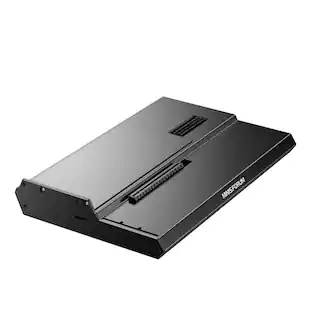
Minisforum DEG1 eGPU Dock, OCuLink 4i PCIe 4.0x4, ATX/SFX PSU, PCIe x16 GPU, Signal Amplifier, Follow Startup
$119.00The price was $139.00

Discover related products
Plugable USB C to HDMI adapter, HDMI 2.0, USB4 / Thunderbolt Adapter for 4K Monitor up to 4K 60Hz
$19.99The price was $24.95
Keep exploring
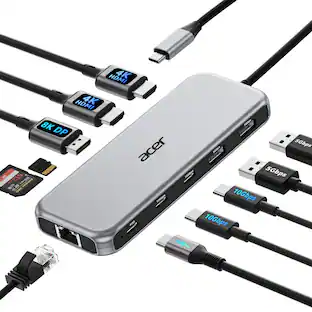
Acer USB C Docking Station With 2 HDMI, 9-IN-1 Docking Hub with USB A&C 3.0, SD/Micro SD, 100W Charging
$42.99The price was $47.99