Appreciation EventEnds Sunday. Limited quantities. No rainchecks.Shop now

Skip to contentGo to Product Search
Main Content

McAfee - McAfee+ Premium Family (Unlimited Devices) Antivirus Software, Scam Protection (1-Year Subscription with Auto-Renewal) - Windows, Mac OS, Chrome, Apple iOS, Android [Digital]

Model: MCA950800V005
SKU: 6517332
Sold byBest Buy

Customers are saying

Customers have good things to say about McAfee+ Premium Family. Many users found the installation process to be easy, especially on PCs, and appreciate the overall performance and protection it offers. The software is also praised for its ease of use and automatic features, as well as its VPN performance with 24/7 monitoring. Additionally, customers have noted its compatibility with devices like PCs running Windows 10.

Generated by AI based on customer reviews.
Features
  • Instant code download

    Digital code and activation instructions will be emailed to you after purchase.

  • McAfee+ Premium is all-in-one protection

    Protect all your family's compatible devices with award-winning antivirus, 24/7 Identity Monitoring, Secure VPN, and Parental Controls.

  • Avoid scams automatically

    Protect yourself from financial fraud and misinformation with AI-powered scam protection that identifies email, text, video, and QR code scams.

  • Personal Data Cleanup (scans)

    Take control of your online privacy. Our Personal Data Cleanup scans the web for your personal information and helps you remove it from data broker sites, reducing your risk of identity theft.

  • Social Privacy Manager

    Stay in control of your social media privacy settings. Our Social Privacy Manager helps you adjust over 100 settings to safeguard your personal information and protect your privacy on social media platforms.

  • Online Account Cleanup (scans)

    Keep your online accounts secure and organized. Our Online Account Cleanup scans for old, unused accounts and helps you delete them, reducing your risk of compromised accounts and potential security breaches.

  • Secure VPN

    Protect your online privacy automatically when you need it with VPN that safeguards your personal data and activity as you bank, shop, and browse online by turning an unsecure, public Wi-Fi network into your own personal, secure connection.

  • Identity monitoring

    We'll monitor your personal info on the dark web. We’ll look for signs of breaches in everything from email addresses to IDs and phone numbers. If your info is found, we’ll notify you so you can take action.

  • Safe browsing

    Browse the internet safely and securely. Our Safe Browsing feature warns you of potentially dangerous or malicious websites before you click, helping you avoid phishing scams and malware.

  • Password manager

    Simplify and secure your online accounts with our password manager. Generate strong, unique passwords for all your accounts and store them securely in one place, making it easy to access and manage your passwords without compromising security.

  • Family subscription

    Protects up to 2 adults and 4 children (under 18) with individual logins, Scam Detector, and identity monitoring—giving every family member tailored identity, privacy, and device protection.

  • 24/7 customer support

    Provides access to customer support 24 hours a day, 7 days a week, to help you with any issues or questions you may have.

  • Subscription and Auto-Renewal notice

    Subscription automatically renews annually to provide hassle-free protection. A payment method is required to complete activation, but don't worry, you won't be charged at that time.

  • You will be charged 30 days before the subscription ends and annually thereafter at the renewal price applicable. We will remind you 30 days before you are charged. You can cancel any time from your 'My Account' page by logging in to mcafee.com.

See all features
Specifications
  • Number of Devices
    Unlimited
    Operating System Compatibility
    Windows, Mac OS, Chrome, Apple iOS, Android
    Software Format
    Digital
    Subscription Period
    1 Year
Sponsored

Reviews

Customers are sayingCustomers have good things to say about McAfee+ Premium Family. Many users found the installation process to be easy, especially on PCs, and appreciate the overall performance and protection it offers. The software is also praised for its ease of use and automatic features, as well as its VPN performance with 24/7 monitoring. Additionally, customers have noted its compatibility with devices like PCs running Windows 10.
This summary was generated by AI based on customer reviews.
  • Overall Performance (28)
  • Installation (27)
  • Protection (19)
  • Ease of Use (14)
  • VPN Performance (10)

Customer Images

The vast majority of our reviews come from verified purchases. Reviews from customers may include My Best Buy members, employees, and Tech Insider Network members (as tagged). Select reviewers may receive discounted products, promotional considerations or entries into drawings for honest, helpful reviews.

  • Rated 4 out of 5 stars

    Robust suite with extras

    Summary: The product has very much improved this year in usability. On PC, Android and iOS, the features are easy to navigate and robust. On MacOS I found installation to be troublesome on Ventura but eventually got it working. Like many security products, there are ads for upgrades and many of the features are web based. With unlimited licenses, this is a good product and the VPN is a great feature. Family management is easy to use but limited. Pros: Robust feature set Easy to use (except for Mac) Available on all platforms Great interface Good VPN Cons: Intrusive ads Installation on MacOS not for a novice user Unable to add folder exceptions, only file exceptions Installation: I received a downloadable link. On PC installation was easy and simply involved downloading the link, entering your serial and then exploring the app and updating permissions as needed. Installation is just as simple on Android and iOS with the only modifier being to install a VPN profile. MacOS was tricky though. I installed the software on the latest version of Ventura, of which McAfee does not have specific instructions for as the menu layouts have changed in that OS version. The app provides some instructions to use finder to find specific files and add them to the privacy and security folder. I followed all instructions but the program would never properly load or activate some features. I uninstalled (another long process of finding multiple files in the file system and deleting them, using instructions at McAfee.com) then reinstalled the software and after a few tries it took all the settings to get it operational. The process could use some streamlining and McAfee should come up with an uninstall tool as other antivirus companies have done. Use: I was very impressed with the PC and Android versions. The layout is intuitive and pleasant. My only concern is most of the privacy monitoring features are web based and require a lot of setup to get working properly. After that is done though, you have a lot of powerful privacy monitoring tools as well as a great software suite. The VPN works well with only a minor impact to my overall speeds. Scanning is fast and doesn't seem to bog down performance. When trying to exclude some crypto software from scans, I could only exclude specific files, not folders. This made the process tedious. Mac, iOS and iPad OS are extremely basic. The Mac software has scanning and VPN but less overall options than the PC version. iOS versions have only VPN and remote admin functions. Of note are advertisements. On the PC I received constant pop ups to activate certain features or upgrade to different subscriptions. I got annoyed by these and I did not see an easy way to disable these as you can turn off security related alerts in the settings but I saw no feature for things that recommend upgrades. Family security: The nicest feature of this security software is that it can be used on an unlimited number of devices. But, unless I missed something, it appears if you use it on another adult device such as your spouse, it will require the login for the account owner which I would say is a security hit right there. Second, the family management app (Safe Family) is only for managing child accounts and is a separate download from their website. Once you are using the software it is pretty decent. It allows for quick pausing of devices and specific app disabling. What is a little too simple is permissions for managing usage time. You can manage allowed hours but not time limits within the day. For example, 1 hour limits. Extras / Notes:: The Mcafee website allows for downloads or access of extras with your subscription. Items I saw listed are the True Key password manager, access to Family Safe, individual VPN downloads (also included in the McAfee Suite), ID Monitoring and Personal data cleanup. Concerning True Key, it is a pretty good overall password manager and even supports Windows Hello. The only reason I will not use it as my primary manager is I do not see any option for password sharing with family members. Last, on Mac, it appears to be a native ARM app which is nice for performance and battery life as can be seen in Activity Monitor (listed as Apple, not Intel)

    Posted by psyclopps

  • Rated 5 out of 5 stars

    Complete coverage and Simple !

    McAfee has been around for decades. It's one of the first antivirus software packages I remember having on my fist personal computer. What I liked about this suite over another popular rival is the fact that they don't have constant popups trying to sell you on something the software should already include. Telling you you should run a check on "this" and when you click to do it, it turns around asking you to purchase an add on to do what it told you should check in the first place. Starting up and filling in everything on this suite was short and sweet. It had a very nice layout where you just went down the line filling in your items you want covered, whether it be an email address or social security number to see if it was included in a breach or the dark web. Immediately upon inserting my email it popped up that mine was compromised a while back on a few different occasions. You can also add multiples to each category. It has a tracker remover to keep sites from tracking your usage and includes a VPN you can use as well for more privacy. Overall I think it's a great package and they've made it easy for most anyone to use and comprehend. I'd definitely recommend this to others

    Posted by GameOverSuckas

  • Rated 5 out of 5 stars

    An all-in-one solution to keep your data safe.

    This McAfee+ Premium Family with a 1 year subscription does more than I expected, and I’m glad. It can be installed on unlimited devices. I installed it on my PC laptop, PC desktop and two smartphones. The features that this software subscription provides are great, because it not only tells you about information out there on the Dark Web, but about data breaches where your information has been leaked, and exactly what information has been leaked, and how to fix and remove it. It has virus protection, a VPN, which is a virtual private network that keeps your location and data safe on public networks like wifi in a restaurant or store, and it also keeps your browsing safe on your devices at home too. It has a Tracker Remover that removes trackers that you get from surfing the web and on some gaming sites. It has Personal Data Cleanup, which goes out to more than 40 websites that sell your information. This is important because anyone, anywhere can search for you or some of your data, and then buy it from those sites. It has ID Protection that will search for the information you provide, including: 5 email addresses, 10 gamer tags, 5 addresses, 10 credit cards, 10 bank accounts, 5 phone numbers, 5 insurances, 1 drivers license, 1 mothers maiden name. I have one of each and it found over 290 places that at least one piece of information was listed. I’m in the process of removing them. It does take a while, but it’s well worth it. It gives you instructions on how to do it all. It’s a great software subscription that I plan to keep. I do recommend getting this if you have any kind of online presence, including those that just have email.

    Posted by MoniMouse

  • Rated 5 out of 5 stars

    Mcafee is one of the best

    There are a lot of computer safety products on the market. This covers most of them. Setup is pretty easy. I received a digital download you may not. You do need to remove old antivirus and firewall protection you may have installed. There is a long setup, depending on what all you want to initially install and what you want McAfee to look for. On the identity monitoring I entered in my emails and name but not my SS#. I do not want to have that in another place. I know one of my email addressed was on the dark web, McAfee did pick that up. My other information I put in was not on the Dark Web. You should always use a VPN when you can at home and for sure when you travel. I have Nord VPN and compared it to McAfee. They are both very similar in functions and reduction in speed. But McAfee may track your information where Nord is less likely. By default the Kill switch for the VPN is turned off. The kill switch stops the computer from sending traffic over the internet if the VPN shuts down. The Firewall I set let McAfee do what it thinks is best. There is a safe site check McAfee wants to add to your browsers. The antivirus is pretty simple. 2 things that McAfeee could have added. Malware detection. A password generator, or a place to store passwords The price for this is pretty steep. But it is for unlimited devices like other computer safety products

    Posted by ravedave

  • Rated 2 out of 5 stars

    Comprehensive, but McAfee Website is Atrocious

    INTRO McAfee + Premium aims to be your 1 stop shop for any PC, any device, any browser, any location safeguard against malicious web threats. McAfee has combined all their add-ons into one comprehensive threat protection suite. Having used anti-virus software from many different manufacturers over the years, including McAfee, Microsoft, Norton, BitDefender, Avast, AVG, etc., this is the most complete and all-encompassing protection package I’ve seen to date. INSTALLATION Having been a McAfee user on and off throughout the years, this was the most issue-free installation of McAfee I’ve ever used. The digital download is an installer that walks you through creating a McAfee account and getting basic antivirus protection installed and active. At first, I thought this was a letdown, with McAfee only installing its core components, but after installation and thinking about it for a while, I have decided that it is the best way to present their product. Instead of trying to bombard the user all at once with every single option that is available, McAfee wisely chooses to limit the initial installation and allows the user to customize it afterward. Not only does this make it faster for the user to get up and running, but also makes for smaller downloads and less of a chance of something going awry during installation. Taking it one step at a time is smart. Furthermore, since McAfee doesn’t provide you with unlimited licenses for all its components available in the + Premium plan, the user can install only what he or she needs and save the limited licenses for other devices. As I mentioned earlier, the items offered with the yearly subscription is extensive. These items include: McAfee Antivirus (of course), TrueKey (a password manager), Parental safeguards for kids, a VPN with unlimited data, Dark Web Monitoring, and Personal Data Scans. Not only are these items available for the PC, but most are also available for your mobile devices too. AWESOME!! McAfee has done an excellent job of making the setup process as painless as they can. I would still recommend some basic knowledge, especially when setting up a password manager and a VPN, but McAfee should be commended on their ability to make the software easy enough to navigate and configure even a technologically challenged person would be able to set it up with little trouble. Good job McAfee. NEGATIVES As thorough and all-encompassing as the McAfee + Premium software is, it isn’t without its faults. Negative #1 – Just the basic load of McAfee, without checking any options of VPN, child safety software, password manager, nothing, starts no less than 20 different processes running. Adding any additional software options during the download or after, will only add more items to the list. A machine that is marginally capable or starting to show its age before installation, can be brought to its knees. Negative #2 – I find the McAfee homepage a complete mess. I absolutely hate logging in and using it. McAfee tried to make it easy on the user presenting them with just the most basic information, but each time you click on a menu item, it feels like you are going to a whole new website. There is just no cohesiveness to the design. Furthermore, the goal of making the site easy to digest is also a detriment. A user really must do some specific digging to get to the core of their software. Dark Web Monitoring is the worst. I get that McAfee is trying to make it easy for all users, but they really need to rethink their design. It’s OK to have a basic and simple landing page but give the user the ability to easily get to more detailed information from that landing page. Negative #3 – While this is billed as a family package, understand that it may not be enough for your whole family. Take the Identity Protection homepage for example. There are numerous instances that McAfee’s “Family” package isn’t enough. Your purchase of their most comprehensive and premium product (also their most expensive) only gets you the option to monitor 1 SSN, 1 DOB, 2 Driver’s Licenses, 2 Health ID’s, 2 Passports. Hmmm. I would say 2 would be the bare minimum for a “family” plan, but only 1 SSN and 1 DOB stinks. There is more than 1 in a family. You, the spouse, but no kids? Very few “families” are without kids. Even so, the “family” package doesn’t even get you the ability to monitor a spouse’s most critical information. FINAL THOUGHTS McAfee threw everything, including the kitchen sink at this. I’ve said it several times before in this review, this is the most comprehensive antivirus and identity protection suite that I’ve used to date, and I’ve used a lot of them in the past. Even with all it has to offer, I cannot give the product a recommendation for the following reasons: First and foremost, as you would expect, Windows Defender. While Windows Defender is nowhere near as full-featured and comprehensive as this McAfee suite, Defender does its job and does it well. I have been a Defender user since introduction and have yet to get a virus or have malicious software compromise my system. Knock on wood. I hope I didn’t just jinx myself. A product that bills itself as a family package should take care of the ENTIRE family. I get it, you can’t have unlimited everything, but having the ability to only monitor 1 SSN and 1 DOB isn’t family. The family part of this product is too confusing and misleading. The “Unlimited Devices” is only for antivirus. In addition to the limitations for monitoring, you only get 5 VPN installs and 5 TrueKey installs (McAfee’s Password Manager). That isn’t enough. I would let the 5 VPN’s slide, but 5 TrueKey licenses isn’t enough. Lastly, the McAfee website stinks. It is too confusing and convoluted to find information on your product and purchases. It took me almost 5 minutes just to verify the information in my previous paragraph. That is unacceptable. There are very few websites I can say need a complete overhaul, but the McAfee website is one of the worst I’ve seen in a long time.

    Posted by NAMO

From the manufacturer

Compare similar products

McAfee - McAfee+ Premium Family (Unlimited Devices) Antivirus Software, Scam Protection (1-Year Subscription with Auto-Renewal) - Windows, Mac OS, Chrome, Apple iOS, Android [Digital]

McAfee+ Premium — all-in-one protection for your digital life. In today’s digital world, protecting your personal info and devices from online threats is more important than ever. McAfee+ Premium is an all-in-one solution to protect you online. It gives you peace of mind because you know you’re protected from the latest scams, viruses, and identity theft. McAfee's Scam Detector identifies potential scam texts, emails, and videos to prevent financial fraud and safeguard your personal information. We’ll also monitor your personal info and let you know if anything looks suspicious, so you can take action to protect yourself. We’ll even help you get rid of your personal info from data broker sites that sell it, so you can keep your data private. Our Secure VPN will protect your online privacy by encrypting your internet traffic and hiding your IP address, so you can browse the web privately. Plus our antivirus software will protect all of your devices, including PCs, Macs, smartphones, and tablets, from scams, viruses, malware, and other threats. This subscription also includes Parental Controls that will help you keep your kids safer online by blocking bad content and letting you monitor their online activity.

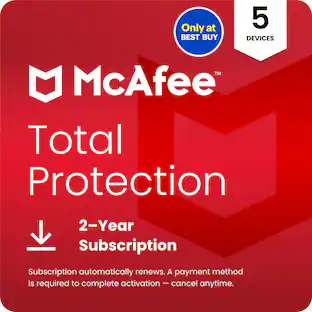
McAfee - Total Protection (5-Device) Antivirus Software with Scam Protection (2-Year Subscription with Auto-Renewal) - Windows, Mac OS, Chrome, Apple iOS, Android [Digital]

McAfee Total Protection 5-Device is essential protection against cyber threats, so you can enjoy life online. Exclusive 2-year subscription only available at Best Buy! Includes premium antivirus, scam protection, identity monitoring, Secure VPN, and more. In today's digital age, protecting your personal information and devices from cyber threats and scams is more critical than ever. McAfee Total Protection provides essential defense against evolving threats, ensuring your digital life remains secure and private. Rest easy knowing your device is protected from the latest threats with award-winning antivirus protection for compatible Windows, Mac OS, ChromeOS, and Android devices. Award-winning antivirus delivers real-time protection against known and new online threats using AI. Get up to 3x faster scans for PC performance that won't slow you down. Be warned about text, email, video, and QR code scams with Scam Detector, powered by AI. You can bid farewell to the worry of falling victim to fraudulent text messages and emails. Scam Detector identifies risky content, including deepfake videos and QR codes, to prevent financial fraud and safeguard your personal information. Enjoy online privacy with Secure VPN. It automatically activates when you connect to an unsecured Wi-Fi network, encrypting your internet traffic and shielding your online activities, like banking, shopping, and browsing, from prying eyes. Keep an eye on your email addresses, Social Security Number, credit card numbers and more on the dark web. McAfee's Identity Monitoring feature monitors your personal information and promptly alerts you to any suspicious activity or data breaches, an average of 10 months sooner than similar services. This way, you can take immediate action to protect your identity. Generate and securely store strong passwords for all your accounts, eliminating the hassle of remembering multiple passwords.It will auto-fill your info for faster logins across devices. Don't compromise on your digital security. Choose McAfee Total Protection and enjoy the peace of mind that comes with knowing your devices, personal information, and online activities are shielded from today's digital threats. Get your subscription today and safeguard your digital life from ever-evolving cyber threats!

McAfee - McAfee+ Premium (Unlimited Devices) Antivirus Software with Scam Protection (1-Year Subscription with Auto-Renewal) - Windows, Mac OS, Chrome, Apple iOS, Android [Digital]

McAfee+ Premium — all-in-one protection for your digital life. In today’s digital world, protecting your personal info and devices from online threats is more important than ever. McAfee+ Premium is an all-in-one solution to protect you online. It gives you peace of mind because you know you’re protected from the latest scams, viruses, and identity theft. McAfee's Scam Detector identifies potential scam texts, emails, and videos to prevent financial fraud and safeguard your personal information. We’ll also monitor your personal info and let you know if anything looks suspicious, so you can take action to protect yourself. We’ll even help you get rid of your personal info from data broker sites that sell it, so you can keep your data private. Our Secure VPN will protect your online privacy by encrypting your internet traffic and hiding your IP address, so you can browse the web privately. Plus our antivirus software will protect all of your devices, including PCs, Macs, smartphones, and tablets, from scams, viruses, malware, and other threats.

McAfee - McAfee+ Advanced Family (Unlimited Devices) Antivirus Software, Scam Protection (1-Year Subscription with Auto-Renewal) - Windows, Mac OS, Chrome, Apple iOS, Android [Digital]
4.3(43)

McAfee+ Advanced — Advanced Protection for Your Family's Digital Life. In today's digital age, protecting your personal information and devices from cyber threats and scams is more critical than ever. McAfee+ Advanced offers the most comprehensive protection available, giving you peace of mind knowing that your identity, privacy, and devices are secure. We'll warn you about potential text, email, and video scams. With Scam Detector, powered by AI, you can bid farewell to the worry of falling victim to fraudulent text messages and emails. Our detector identifies risky content, including deepfake videos, to prevent financial fraud and safeguard your personal information. McAfee+ Advanced provides robust identity theft protection features to safeguard your personal information. Our identity monitoring service keeps a watchful eye on your credit files, bank accounts, and other sensitive data, alerting you to any suspicious activity. In the event that you become a victim of identity theft, McAfee+ Advanced has you covered. Our licensed identity restoration experts will work tirelessly to restore your identity, and our $1M identity theft coverage provides financial protection against losses incurred due to identity theft. McAfee+ Advanced goes beyond traditional antivirus software to protect your online privacy. Our Personal Data Cleanup feature scans the internet for your personal information, such as your address, phone number, and email address, and removes it from data broker sites that may sell it. Our Online Account Cleanup tool helps you manage your online accounts and remove any unused or compromised accounts. You can browse the internet with confidence, knowing that our Secure VPN encrypts your online activity and prevents hackers from accessing your personal data. Social Privacy Manager helps you control your social media privacy settings so you can be in control of what you share. McAfee+ Advanced provides comprehensive security for all your devices, including PCs, Macs, smartphones, and tablets. Our antivirus feature protects your devices from malware, viruses, and other online threats. Plus it includes Parental Controls to help you keep your kids safer online by blocking bad content and letting you monitor their online activity. With McAfee+ Advanced, you can rest assured that your family's devices are protected.

Pros for McAfee - McAfee+ Premium Family (Unlimited Devices) Antivirus Software, Scam Protection (1-Year Subscription with Auto-Renewal) - Windows, Mac OS, Chrome, Apple iOS, Android [Digital]
Overall Performance, Installation, Protection, Ease of Use, VPN PerformanceOverall Performance, Protection, Ease of Use, Installation, Device CompatibilityOverall Performance, Protection, Installation, VPN Performance, Ease of UseProtection, VPN, Ease of use, Data Cleanup, Anti-virus
Cons for McAfee - McAfee+ Premium Family (Unlimited Devices) Antivirus Software, Scam Protection (1-Year Subscription with Auto-Renewal) - Windows, Mac OS, Chrome, Apple iOS, Android [Digital]
There were no cons for this productNotifications, VPN PerformanceNotificationsInterface

Specs

Questions & Answers
  • Mcafee+ Premium Family through the official website is supposed to be for 2 adults and 4 children, meaning 2 social security tracking and identity theft coverages. Is this that plan? I'm getting conflicting info.

    Hi there - this version sold through Best Buy is for 1 adult for unlimited devices, and includes Parental Controls. The version on the official website does include protection for 2 adults and 4 children. If you have any other questions, please contact us at mcafee.com/support.

    Answered by McAfee Team
    McAfee Team response
  • Is this for 2024? I don't see that on the packaging.

    Yes. Regardless of which version you buy, when you download and install it you'll always get the latest version. If you need any help please contact us at service.mcafee.com.

    Answered by McAfee Team
    McAfee Team response
  • Does this software help protect against identity theft?

    Yes, it includes Identity Monitoring to help protect against identity theft by monitoring your personal information for suspicious activity.

    This question and answer was generated by AI based on customer and product data.
  • What operating systems are compatible with this software?

    This software is compatible with Windows 11, 10 (not including S mode), Windows 8.1, macOS 10.15 and above, macOS 10.12 - 10.14, Google Android smartphones and tablets 8 or higher, Apple iOS 13 or later, and ChromeOS 102.0.5005 and higher.

    This question and answer was generated by AI based on customer and product data.
  • Does this software offer any protection against online scams?

    Yes, it includes a Text Scam Detector powered by AI that alerts you to risky links in text messages before you open them.

    This question and answer was generated by AI based on customer and product data.
Ask a question
No content
Sponsored

Similar products from outside of Best Buy

sponsored
Ask BlueAI