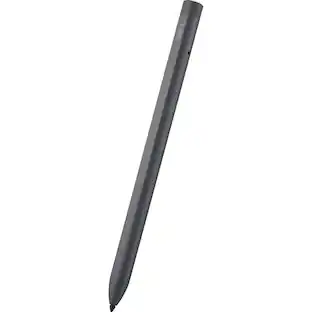
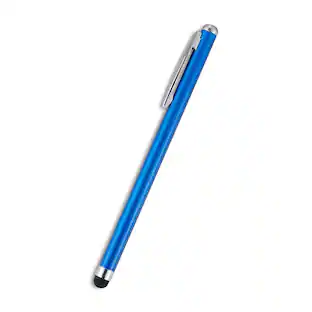
Microsoft - Geek Squad Certified Refurbished Surface Pen - Black

About This Item
- Key Specs
- Model Compatibility: Microsoft Surface 3, Microsoft Surface Book, Microsoft Surface Book 2, Microsoft Surface Book 3, Microsoft Surface Go, Microsoft Surface Go 2, Microsoft Surface Laptop, Microsoft Surface Laptop 2, Microsoft Surface Laptop 3, Microsoft Surface Pro 3, Microsoft Surface Pro 4, Microsoft Surface Pro 5, Microsoft Surface Pro 6, Microsoft Surface Pro 7, Microsoft Surface Pro X, Microsoft Surface Studio, Microsoft Surface Studio 2
- Screen Compatibility: Built for Windows Ink (Active)
- Operating System Compatibility: Windows
- General
- Brand: Microsoft
- Model Number: GSRF EYU-00001
- Product Name: Geek Squad Certified Refurbished Surface Pen
- Color: Black
- Compatibility
- Brand Compatibility: Microsoft
- Model Compatibility: Microsoft Surface 3, Microsoft Surface Book, Microsoft Surface Book 2, Microsoft Surface Book 3, Microsoft Surface Go, Microsoft Surface Go 2, Microsoft Surface Laptop, Microsoft Surface Laptop 2, Microsoft Surface Laptop 3, Microsoft Surface Pro 3, Microsoft Surface Pro 4, Microsoft Surface Pro 5, Microsoft Surface Pro 6, Microsoft Surface Pro 7, Microsoft Surface Pro X, Microsoft Surface Studio, Microsoft Surface Studio 2
- Screen Compatibility: Built for Windows Ink (Active)
- Operating System Compatibility: Windows
- Features
- Comfort Grip: false
- Replaceable Stylus Tip: true
- Integrated Writing Pen: false
- Pocket Clip: false
- Dimensions
- Product Length: 5.75 inches (The out of box length of the item. Length is measured as the longest dimension of the item.)
- Product Diameter: 0.38 inches (The out of box diameter of the item, measured as a straight line passing from side to side of the item, through its center.)
- Product Weight: 0.64 ounces (The out of box weight of the item.)
- Warranty
- Warranty - Parts: 90 Days
- Warranty - Labor: 90 Days
- Other
- UPC: 400064495871

Geek Squad Certified Refurbished products are thoroughly, painstakingly and lovingly tested, so you can be sure that your device will work right, right away. Learn more about Geek Squad Certified Refurbished products.
Write on your tablet easily using this refurbished Microsoft Surface pen. The precision ink delivers consistent lines, and an eraser on the top lets you quickly correct errors. This black Microsoft Surface pen features rubber construction for durability and a plus tilt so you can shade your sketches for memorable creations.
- Create uninterrupted: Write and draw with precision ink on one end and a rubber eraser on the other. Tilt your Surface Pen to shade your sketches just like you would a graphite pencil.¹
- Write and draw naturally: Sketch and shade with precision with 4,096 pressure points that respond to the lightest touch. Ink flows directly from the tip of your Pen to your screen with virtually no lag.
- Reduced lag and low latency: Ink flows out in real time with no lag or latency. No matter how fast you're writing or drawing, the ink flows directly from the tip of your Pen to your screen.
- Rest your hand on the screen confidently: Paired with your Surface and its Palm Block feature, you can rest your hand on the screen and lean in as you write or draw without worrying about ghost marks.
- Bring your vision to life: Compose a song, make an animated short, take notes, and draw 3D CAD designs. Use Surface Pen with apps such as OneNote, Microsoft Office, Adobe Suite, and Sketchable.*
- Pairs with Surface Dial: Pair your Surface Pen with Surface Dial* for the full creative experience. Lean in to your screen, sketching with one hand, and turning Surface Dial with the other.
- Express yourself with Surface Pen: Choose the color that best expresses your style. Surface Pen comes in four colors - platinum, black, burgundy, and cobalt blue.
Whats Included
- Microsoft Geek Squad Certified Refurbished Surface Pen
Q: What is the product length?
A: The product length is 5.75 inches.
Q: Can I use this pen with other apps besides OneNote and Microsoft Office?
A: Yes, you can use the pen with apps like Adobe Suite and Sketchable.
Q: How does the pen interact with the screen?
A: The pen has low latency, so the ink flows out in real time with no lag, directly from the tip of the pen to the screen.
Q: How many pressure points does the pen have?
A: The pen has 4,096 pressure points that respond to your touch.
Q: Is this pen compatible with Microsoft Surface 3?
A: Yes, this pen is compatible with Microsoft Surface 3.
Q: Does this pen have an eraser?
A: Yes, the pen has a rubber eraser on one end.
Q: What is the product weight?
A: The product weight is 0.64 ounces.
Q: does it work with surface duo 1st gen?
A: undefined
Reviews
Rating 3.4 out of 5 stars with 5 reviews
Customer Images
The vast majority of our reviews come from verified purchases. Reviews from customers may include My Best Buy members, employees, and Tech Insider Network members (as tagged). Select reviewers may receive discounted products, promotional considerations or entries into drawings for honest, helpful reviews.
Compare similar products

Geek Squad Certified Refurbished products are thoroughly, painstakingly and lovingly tested, so you can be sure that your device will work right, right away. Learn more about Write on your tablet easily using this refurbished Microsoft Surface pen. The precision ink delivers consistent lines, and an eraser on the top lets you quickly correct errors. This black Microsoft Surface pen features rubber construction for durability and a plus tilt so you can shade your sketches for memorable creations.

Write, sketch, navigate, and recharge. Take handwritten notes and draw with the same feeling you get with pen on paper, with exceptional accuracy and a new storable design. Surface Slim Pen (2nd Edition) also delivers incredible shading and exceptional pressure sensitivity.¹

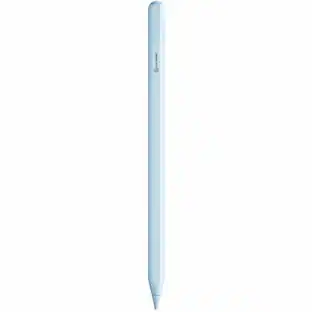
Geek Squad Certified Refurbished products are thoroughly, painstakingly and lovingly tested, so you can be sure that your device will work right, right away. Learn more about The new Apple Pencil makes note-taking, writing, and drawing better than ever. It magnetically attaches to iPad Pro, charges wirelessly, and lets you change tools with a simple double tap.
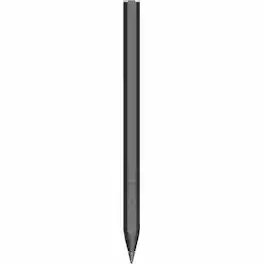
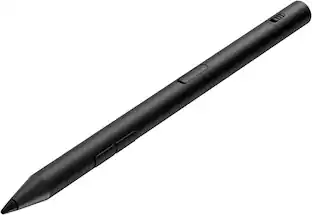
HP Rechargeable MPP 2.0 Tilt Pen - Active - Replaceable Stylus Tip - Black - Notebook Device Supported
| Pros for Microsoft - Geek Squad Certified Refurbished Surface Pen - Black | |||
|---|---|---|---|
| There were no pros for this product— | There were no pros for this product— | Ease of use, Quality, Condition, Charging, Drawing | Overall Performance, Battery Life |
| Cons for Microsoft - Geek Squad Certified Refurbished Surface Pen - Black | |||
| There were no cons for this product— | There were no cons for this product— | Compatibility, Battery Life, Tip Quality | There were no cons for this product— |
Specs
Customers often buy these together
 $185.99The price was $269.99
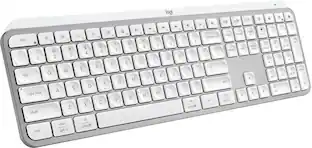 Top Deal$119.99The price was $129.99
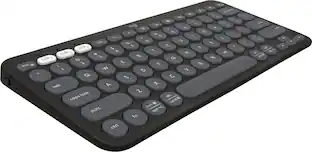 $33.99The price was $39.99
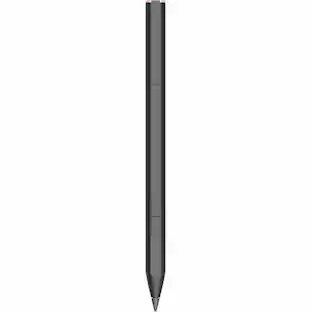 $57.99The price was $82.99
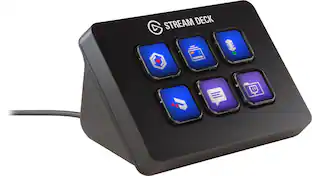

More to consider
- $57.99The price was $82.99







Discover related products
Keep exploring
 $12.98The price was $19.97
 $99.99The price was $104.14
 $56.00The price was $97.94
- $57.99The price was $82.99