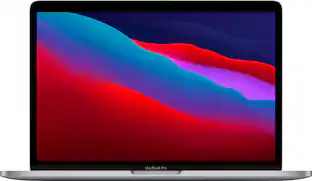
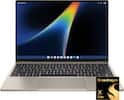
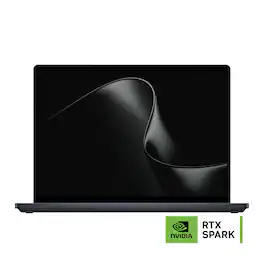
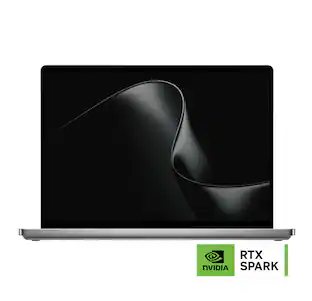
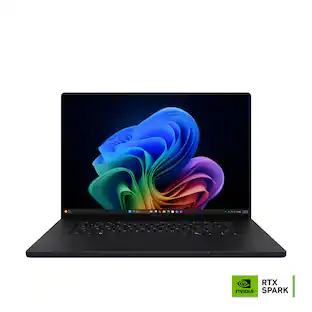
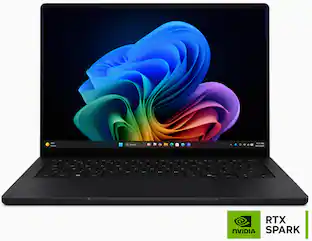
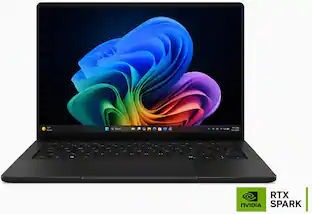
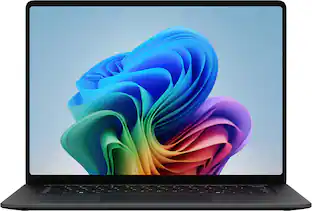
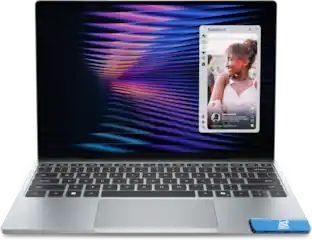
Microsoft - Surface Laptop Ultra - 15" 3K Touchscreen - NVIDIA RTX Spark N1X 18-Core (2026) - 32GB Memory - 1TB Storage - Nightfall
About this product
Introducing Surface Laptop Ultra – Uncompromising craft meets raw power in the ultimate Windows laptop. Powered by the NVIDIA RTX Spark superchip, this device is built for world makers and creative pros who require cutting-edge AI performance, power, and portability – bringing decades of NVIDIA AI and graphics innovation to one slim device.
Color:
NightfallSystem Memory (RAM):
32GBHighlights
Features
CREATE WITHOUT COMPROMISE
Creator Pro PCs help you create without compromise with the performance needed for advanced apps, creative workflows, and producing high-quality work.
SURFACE LAPTOP ULTRA, POWERED BY NVIDIA RTX SPARK.
Surface Laptop Ultra's NVIDIA RTX Spark superchip brings up to a 5,120-core Blackwell RTX GPU and up to 18-core RTX Spark N1X CPU together in one chip, so you can compile, render, create, and run AI workloads without slowdowns.
SHARED MEMORY FOR DEMANDING WORK.
With up to 48 GB of unified memory, Surface Laptop Ultra lets developers and engineers train models, run inference, and work with large datasets directly on-device, with low latency and full control over their data.
STAYS COOL UNDER PRESSURE.
The all-new thermal system is engineered to dissipate heat faster and maintain output across long sessions, so performance stays consistent instead of tapering off. Up to 2.5× the thermal capacity of Surface Laptop 15-inch (8th Edition).
HIGH-BRIGHTNESS HDR DISPLAY.
Surface Laptop Ultra’s 15-inch PixelSense Ultra touchscreen display lets you see every detail clearly, in any environment. Up to 2,000 nits¹ HDR brightness, built for professionals making critical color and exposure decisions.
THE CURE FOR TOKEN ANXIETY.
Run large AI models locally to avoid latency and keep sensitive work on your machine. Surface Laptop Ultra lets you test, refine, and ship faster without waiting on cloud processing or risking your data.
SLEEK. MODERN. READY FOR LIFTOFF.
Surface Laptop Ultra is remarkably light, thin, and portable. It’s less than 18 mm thick, weighing in at under 4.5 pounds (2 kg).¹ Available in Platinum and a striking new Nightfall finish.²
PRECISION YOU CAN FEEL.
The new Surface Laptop Ultra touchpad is over 30% larger, built for precision in creative workflows and fine cursor control with haptic feedback. Advanced haptics use subtle vibrations to confirm every action, improving precision and giving you more control without needing a mouse, even on the move.
STAY CONNECTED.
A full set of maker-friendly ports includes USB-C, USB-A, HDMI, a headphone jack, and an SD card reader. Surface Laptop Ultra is built to keep your setup simple, mobile, and ready to work wherever you are.
DESIGNED FOR SERVICEABILITY.
Surface Laptop Ultra is built to last, not to be replaced after a few years. A user-serviceable Gen 5 storage drive (SSD) accelerates project load times and asset-heavy workflows, while reducing IT friction in managed environments. Internal wayfinding makes repairs straightforward, so you can keep your device in service with published repair guides and replacement parts.
Specifications
- Screen TypePixelSenseScreen Size15 inchesScreen Resolution3270 x 2180Touch ScreenYesRefresh Rate120Hz
Reviews
Rating 4.9 out of 5 stars with 10 reviews
4.9Customer Images
The vast majority of our reviews come from verified purchases. Reviews from customers may include My Best Buy members, employees, and Tech Insider Network members (as tagged). Select reviewers may receive discounted products, promotional considerations or entries into drawings for honest, helpful reviews.

- Rated 5 out of 5 stars
Unmatched PC Experience
I can go on and on about this laptop, but I want to focus on my real-life work experience and how the Surface Laptop Ultra 15 meets my needs. Before I dive in, this is the first laptop that I have been waiting for since Nvidia’s RTX Spark superchip announcement. This new Microsoft Surface Laptop Ultra 15 is an impressive piece of high-end, premium technology. From the outside to the inside, everything about this laptop feels premium, from its aluminum construction to the cutting-edge hardware inside. It combines sleek, elegant design with powerful hardware and advanced AI capabilities in a compact form factor. This flagship laptop is designed to handle demanding professional workflows across various areas, including software development, content creation, gaming, research, data analysis, and other intensive workloads. For my work, I always need a powerful laptop that can handle much more than everyday tasks. My typical work involves research, data analysis, document creation, PDF accessibility, and extensive use of Adobe applications. I also use InDesign to create forms, which means I often have several demanding applications, documents, browser tabs, and research materials open at the same time. This extensive workload requires a powerful laptop because it becomes very frustrating when the laptop freezes and I have to force-close applications or end tasks. Even worse, I sometimes lose my progress when the system suddenly crashes because it becomes overloaded and runs out of available resources. For me, reliable performance is just as important as raw processing power because losing work can be costly and disruptive to my workflow. I was impressed when I first used the Surface Laptop Ultra at work; it continued to deliver smooth performance even under a heavy workload, even with multiple demanding applications, documents, browser tabs, research materials, and other tasks running simultaneously. I can genuinely say that this Surface Laptop Ultra continues to handle everything smoothly and responsively. Such real-world experience is one of the biggest differences I have noticed, and there is no doubt that this laptop fits my professional workflow. The Surface Laptop Ultra 15 is unlike other conventional laptops. Specs-wise, it has a gorgeous 15-inch touchscreen display (touchscreen is precise and responsive and easy to interact) with a 3270 × 2180 resolution and a 3:2 aspect ratio that is well suited to my type of work. I spend a significant amount of time reading documents, reviewing information, working with forms, analyzing data, and conducting research. Its high-resolution display makes text, graphics, charts, and detailed documents look exceptionally sharp and easy to read. The 120Hz refresh rate adds another level of smoothness when scrolling through long documents or moving between applications. Under the hood, the laptop is powered by the NVIDIA RTX Spark N1X platform, with an 18-core CPU and a 5,120-core NVIDIA Blackwell RTX GPU, and this is where this laptop shines. The superchip of the NVIDIA RTX Spark N1X brings the CPU, GPU, NPU, and unified memory together into one integrated chip that allows the three main processing components to work together more efficiently. With 32GB of unified memory and a 1TB SSD. It’s worth noting that the SSD is removable, which means storage can be upgraded in the future, and that is a welcome feature. Connectivity is also excellent, with two USB-C/USB4 ports, including USB-C/USB4 with Magnetic Connect, HDMI 2.1b, USB-A 3.1, an SD card reader, and a 3.5mm headphone jack. The inclusion of Wi-Fi 7 provides the latest generation of wireless connectivity. The front-facing 1080p Full HD camera has a clear image. Microsoft also includes a 140W USB-C power adapter and a magnetic USB-C cable that attaches securely to the charging port. The laptop can also be charged using any USB-C Power Delivery charger and compatible USB-C cable, as long as they can deliver 140W or more to maintain full performance of the laptop. It’s also worth noting that performance does not slow down in either mode, whether the laptop is plugged in or running on battery. Despite the powerful hardware, the laptop remains relatively lightweight and thin. I liked the large haptic touchpad and a backlit keyboard, they both work flawlessly and feel solid. To put it simply say that this NVIDIA one-superchip-powered Surface Ultra integrates multiple specialized processors that work together as one system “one chip does it all”. Another core feature is the local AI capability. This Surface Laptop Ultra is intended to focus on AI capabilities to deliver a seamless experience for those who need more power to do heavy workflows with AI assistance locally. The RTX Spark superchip gives this laptop the ability to handle significant AI workloads locally, including running compatible AI models and supporting AI-agent workflows. For my data and research work I use LM Studio Bionic agent, because I like to work offline, the laptop gave me the convenience to continue without a need to be connected to cloud. Performance is at peak and I have no issues. The hardware works in harmony with AI agent. As a researcher, I also see the benefit of the ability to run AI locally is a big deal, because this type of work often involves large amounts of information and resources. AI can help analyze documents, organize information, identify discrepancies, and assist with research. For those who want a premium and capable Windows laptop that can handle demanding workflows, whether that involves running AI models locally or taking full advantage of its super-fast hardware, this Surface Laptop Ultra 15 is a very compelling option that can make work easy and efficient. Lastly, even under a heavy workload, the laptop maintains a normal operating temperature. So, from a technical and performance perspective, working on this Surface Laptop feels like using an Apple M5-powered Mac.
Posted by Zaid
- Rated 5 out of 5 stars
Microsoft Surface Laptop Ultra
As a tech agnostic/tech enthusiast I look forward to Microsoft’s yearly Surface event. Despite having their issues, I have been a fan of the product catalog since the very first Surface unveiling and have enjoyed watching it evolve over the years. Naturally, I’ve been very excited for the Surface Laptop Ultra and to see what Nvidia and Microsoft have been working on with RTX Spark. I have read early reviews prior to getting my own Surface Laptop Ultra to review. I watched Microsoft’s unveiling keynote presentation, and I’ve been tracking the product since Nvidia unveiled the RTX Spark chips. I am sure others reading this review have read other reviews and have seen the tech universe eager to discuss their thoughts on this new machine. It is a mixed bag. I’ve spent the last week using the Surface Laptop Ultra and the goal of this review is to give folks an unbiased, experienced perspective on this machine. I believe I can bring clarity to some of the mixed reviews and help you decide if this is the right device for you. If that statement was too long for you and you’re already looking for me to get to the point: The Surface Laptop Ultra is an exceptional machine, in an elite category that is sure to fill the needs of most people using it. There are some things to know, however. Stay with me to learn a little more. The overall design and build quality of this machine is superb. Obviously subjective. Microsoft has kept branding to a minimum, and the entire machine feels sculpted out of aluminum. It has clean lines, a great and easy to type keyboard, enough variety of ports to fit most on the go professional needs without having to use dongles (you can look up the specs to know what they are). The 3:4 screen orientation keeps the overall footprint small while still providing a 15” experience. This feels like a machine you paid top dollar for and in my opinion, a reference point for how to present a flagship product. One of the marquee features of the new Surface Laptop Ultra is its new magnetic USB-C charging port. Microsoft eliminated the past Surface connector for something more universal and functional. The port acts as a normal USB C port when not in use by the charger. The magnetic connection is solid, yet firm. Prevents accidental snagging which can pull the laptop off a desk but will never fall out on its own. It works fantastic and I absolutely love it. I hope it comes to the entire product line next year. The display is something reviews have been mixed. Some love it, some hate it. Initially, I hated it. It was muted, dull, and lacked contrast. It was not the professional, factory calibrated, accurate display Microsoft promised. Then I disabled “auto adjust brightness when lighting changes” along with “Change brightness based on content” (this is the biggest one) under the display settings along with Adaptive color. Color profile set to sRGB, HDR off by default. The display instantly became vibrant, high contrast with deep blacks, accurate colors, well defined edges and looked fantastic. Microsoft did themselves a disservice by not setting the Surface Image with these in a different default setting. I believe most people having issues with the display have not changed these. Hooking up a colorimeter and going through bit-perfect reference images I was able to measure a 96% accurate sRGB, 99% DCI P3, an accurate D65 white point and it dropped a bit on Adobe RGB to about 85%. While you may expect 100% across the board, anything under 5% in these categories is considered reference grade and is more than acceptable. The performance is overall amazing. It handles everything I threw at it, running no hotter than 60 degrees Celsius the ENTIRE TIME I’ve been using it. Even during HEAVY workloads and benchmarks. It also remained quiet under high-performance power profiles. It handled all of my batch photography workflows, my local AI 32B models, video processing, and even gaming. While it’s not the fastest machine you can buy in any category, it’s very likely to be the coolest running, quietest, and most versatile while still performing at an exceptionally high level you can get on the market. That is the magic here. Keep in mind, these numbers are from a 32gb and lower of the two RTX Spark processors. Other models are even faster. Not everything is necessarily best in class, and this is another area where reviews have been mixed. Below are some benchmarks you can use to compare against your current machine to help decide if how much if an improvement this may be for you: Llama bench: Excellent result 11-12 tokens/sec and 547-613 tokens/sec prompt-processing is unbelievable in a laptop. If you work in local AI, this is the machine to consider. 3D Mark was a little mixed. CPU profile 6,676 max 598 single is respectable, but nothing amazing. Steel Nomad 2,393/23.93 FPS is decent for a laptop, but gaming focused laptops are faster and would be better if you’re looking exclusively game. However, Ultra is capable of gaming from time to time if you value a more versatile laptop. This is also running x64 emulated, so there is overhead as this is ARM64 vs x64 Cinebench 5,452 points after 10 minutes has excellent sustained multi-core CPU performance! It drops a bit in single core, but 90% of the use case for this machine will be using multi-core Photoshop and Lightroom benchmarks also have great results. Photoshop landed a 9,607 which is very respectable numbers Blender benchmark scored 329.89 which is respectable in such a thing and light laptop, but not overly impressive compared to larger desktops or thicker laptops. Counter-Strike 2 I was able to achieve a stable 80 FPS while running on medium settings, full anti-aliasing enabled at full native resolution. More than playable and looked acceptably good. Cyberpunk 2077 I was able to hit 30 FPS on high settings at full resolution. This is Fairly impressive considering this includes Ray Tracing set to low and frame generation disabled. Battery life is amazing. I was able to get 8 solid hours looping a 4k video, with HDR turned on at about 50% brightness. I was able to run Counter-Strike 2 for just shy of 4 hours on full performance mode. Typical use, I was getting about 14 hours until I hit the 5% mark. The glass touchpad with haptic feedback is another amazing feature. It is highly precise, allows for customized zones for various click points, speed, and is the perfect size. The haptics were reliable during my testing. They keyboard is also quite nice. Key spacing and key feel is solid and easy to type on. The backlight has 3 levels of brightness aside from off. It has all of the shortcut keys one would need in Windows (brightness, volume, snipping tool / screen shot, mic, mute, home, end, page up, down, full qwerty, copilot, windows, power, del and fn. The webcam works fantastic with Windows Hello, offering password-less sign on even in very dark settings. The infrared camera can perform facial recognition from virtually any situation. The Surface Laptop Ultra is a machine for AI or workflow heavy users who want a quiet machine, that runs very cool, will almost never thermal throttle (it never did for me) and allow you to game at a respectable performance level. This is not a machine built to do one thing, it is a machine built to do multiple things, running a brand-new, cutting-edge RTX Spark ARM chip that is sure to get better over time. Despite not being best in class in all categories, this may very well be a best-in-class versatility machine, nonetheless. I appreciate all of the work and collaboration that went into this thoughtful and fun to use machine and I enjoy seeing the fruits of two powerhouse tech companies coming together to make something special, even if it's not "the best" machine on the market for every situation. I will be thoroughly enjoying using this machine for work and play over the next couple of years.
Posted by elitegangsta
- Rated 5 out of 5 stars
It's a beast!
The Microsoft Surface Laptop Ultra feels like a glimpse at the future of computing and local AI. It is one of the first laptops of its kind, built around NVIDIA’s new RTX Spark platform. One of the biggest differences is unified memory. Rather than the CPU having one pool of system RAM and the GPU having a completely separate pool of VRAM, both can operate from the same physical memory. This can be especially useful in a laptop, where fitting large amounts of dedicated GPU memory is difficult. AESTHETICS AND BUILD: This is an absolutely beautiful machine. I have the Nightfall version, which is almost a matte black, but unlike many darker laptops it does a surprisingly good job of not turning into a fingerprint collection. The overall feel, balance and build quality are superb. It is heavier than a standard Surface Laptop, but it is also carrying considerably more powerful hardware. I included comparison photos with another Surface Laptop, and while the Ultra is thicker, the difference is not nearly as dramatic as you might expect. I have owned Surface Books, Surface Laptops and a Surface Studio, and this is easily my favorite Surface computer I have owned. The keyboard is excellent, comfortable for long typing sessions and nicely backlit. The touchpad is large and works well, although I personally prefer using a mouse. The webcam is also very good for a laptop and more than adequate for normal business use. USB-C CHARGING: This may sound like a small thing, but it is one of my favorite changes Microsoft made. I have never been a fan of the proprietary Surface charging connector, and Microsoft has finally moved to USB-C here. The included cable still has a magnetic USB-C connector that seats securely into the laptop, so you retain some of the convenient feel of the old Surface charger without being locked into a proprietary plug. The included 140-watt charger is fairly large, but you are not stuck using it. I travel quite a bit and already own a high-output Anker USB-C charger. Using a proper high-wattage cable, I was able to push the full 140 watts to the Surface Laptop Ultra from my much smaller Anker charger. Being able to carry one compact USB-C charger for the laptop and my other devices is a huge quality-of-life improvement. DISPLAY: The 15-inch 3270 x 2180 mini-LED display is easily one of the highlights of this computer. I have become a big fan of mini-LED because of how well it combines brightness, contrast and vibrant color, and this screen is spectacular. Colors are extremely vibrant, motion looks excellent, dark scenes have impressive depth and HDR content really shows off what the panel can do. Microsoft rates it for up to 1,000 nits SDR and 2,000 nits peak HDR brightness. That kind of brightness is particularly useful on a portable computer because you are not always controlling the lighting around you. Airports, conference rooms surrounded by windows and other brightly lit environments are exactly where a display like this pays off. It is simply one of the best laptop displays I have used. PERFORMANCE AND EVERYDAY USE: This is an extremely powerful and versatile laptop, although I would not describe it primarily as a gaming laptop. You can certainly game on it, but there are dedicated gaming laptops better optimized for that purpose. Where the Laptop Ultra really shines is as a powerful business, development and creative computer that can also handle unusually serious local AI workloads. Despite the power inside, I have also found it very comfortable to use on my lap. Even during extended high-load testing, the chassis never became uncomfortably hot. As an everyday powerhouse with occasional or even fairly regular local AI work, I think this 32GB configuration is fantastic. If my sole reason for buying it were running the largest local AI models possible, however, I would want more memory. That brings me to the part of this laptop I spent the most time testing. LOCAL AI AND STRESS TESTING: I spent nearly a week stress-testing local AI on this computer, monitoring memory use, battery draw, thermals, model performance and efficiency across language and image-generation models. The results exceeded my expectations. For local language AI, I ran gpt-oss-20b through Ollama entirely on the Surface. It generated roughly 60 to 64 tokens per second while plugged in, and I verified that it was truly local by running it with the computer in airplane mode. I then tested increasingly large context windows all the way through the full 128K context. At every size, the model successfully found information I had deliberately hidden inside the supplied text. That is an enormous amount of context to run locally on a laptop. I also tested it for SQL, writing, explanations and development-oriented tasks, where it performed very well. I would not rely on a language model itself to perform large-scale arithmetic over tables, however. I found that it could identify the correct data but occasionally make mistakes in the math. For that kind of work I would let the model write SQL or Python and have the computer perform the calculations. Image generation was even more interesting. Using ComfyUI, FLUX.1 schnell produced a 1024 x 1024 image in about 6.7 to 9 seconds | Krea-2 Turbo and Qwen 2.1 Turbo were around 16 seconds | FLUX.1 Krea Dev around 23 seconds | and Qwen-Image 2512 with a Lightning acceleration workflow around 21 to 27 seconds. Running Qwen-Image 2512 at full quality took roughly 2.5 to 6 minutes depending on the run, but it also produced the best overall image quality during my testing. The biggest stress test was Qwen-Image 2512. The complete model bundle was roughly 28GB. I had the GPU allocation set to 16GB, yet ComfyUI was still able to run the workload successfully by moving model components through memory as needed. GPU memory peaked at approximately 15.4GB, Windows still had roughly 4GB of system memory remaining, and the GPU was only around 62 degrees Celsius. It was slow, but completely stable. That is where the unified-memory architecture really starts making sense. Rather than simply reaching a hard VRAM wall and failing, the machine was able to complete a workload I honestly did not expect a 32GB laptop to finish. BATTERY TESTING: For normal web and productivity use, I projected roughly 10 to 11 hours depending on performance mode. Running local AI continuously is a completely different workload. Nonstop local language-model use produced roughly 1 to 1.6 hours, while continuous image generation produced roughly 1 to 1.7 hours depending on the power setting. Balanced mode was the best compromise in my testing, staying reasonably close to plugged-in AI performance while still providing around an hour of sustained heavy generation. Below approximately 20% battery, the laptop sharply reduced available power and AI performance dropped significantly. THE 32GB LIMITATION: Ironically, my biggest criticism comes from being impressed by what this computer can do. I kept thinking about how much more capable this platform would become with 48GB, 64GB or even 128GB of unified memory. The 32GB model ran everything I threw at it, but I did encounter memory pressure. Large language and image models cannot comfortably remain loaded together, and during particularly memory-heavy testing Windows closed background processes twice. For someone looking for a premium business, development or creative laptop that can also run serious local AI, I think 32GB is a compelling balance. If local AI is one of your primary reasons for buying this machine, I would strongly consider stepping up to at least 48GB, and ideally 64GB if your budget allows it. There are also some early-adopter software issues. Windows Smart App Control intermittently blocked portions of open-source AI tools during my testing, including components used by ComfyUI, and some Windows-on-Arm AI tooling still requires more hands-on setup than it would on a traditional x86 Windows computer. Right now, the hardware feels a little ahead of the software ecosystem. FINAL THOUGHTS: The Surface Laptop Ultra manages to be several things at once. It is a beautiful premium Surface with the best laptop display I have used, an excellent keyboard, comfortable chassis, very good everyday battery life and finally standard high-power USB-C charging. It is also powerful enough to run serious local AI workloads that would have sounded unrealistic on a consumer laptop only a few years ago. If you are buying a computer solely to run the largest local AI models available, I would choose one of the higher-memory configurations. If you want a powerful everyday business or creative laptop that can also run genuinely useful local AI without sending everything to the cloud, this 32GB configuration strikes an impressive balance.
Posted by CatCity
- Rated 5 out of 5 stars
Powerhouse AI and Dev Laptop in a compact package
Microsoft Surface Laptop Ultra 15" 3K Touchscreen NVIDIA RTX Spark N1X 18-Core (2026) 32GB Memory 1TB Storage Nightfall Hardware Impression - Metal, Metal and more metal - What I love to see in a premium laptop build. This 15" laptop is just beautifully built. There is no flex in the chassis or around the keyboard. The upper screen shell is rock solid. The keyboard is a somewhat soft touch with integrated backlighting. The bottom plate is with air drawn on the outer edges. It does become quite warm with use, but nothing I could not tolerate using it as a true "laptop". The screen is a micro LED that runs at 120hz refresh, it is vibrant and capable of a retina burning level of brightness - beware the brightness slider. The AC adaptor magnetically clicks into place - a nice touch if the cord is accidently pulled. The AC adaptor is surprisingly travel friendly for a 140W adaptor. I took this out of box and immediately updated windows and drivers knowing this was brand new to market. New platform fears - I fully expected there to be some minor or major issues since this is a new to market platform combination. I did not run into much except for some display oddities (sorted out a few days after I received it). Windows ARM is not new - It has been around for many years and iterations. Out of the box - all of the software I wanted to run already has native ARM builds and already runs without using the emulation layer. Visual Studio, various SDK's, Davinci Studio, Steam, etc.... All ready to go and one quick download away. RTX Spark / Windows and Software for ARM - If you are here, odds are you want to use this for local AI and/or other development. I can tell you that it is a fantastic platform for that. It's blazing fast building code, debugging and running containers in WSL. I also gave mine quite a workout by spinning up local clusters in podman and with docker containers. I ran through a gamut of testing with a few of my apps (Building, analyzing, testing through local AI). I assumed I would hit some type of snag somewhere due to running on ARM instead of X86 - I had zero issues. The underlying emulation layer for X86 emulation is very fast and filled in a gap for an older X86 native console app driven project. More on Local AI - I run smaller local models for repetitive tasks. My workflows are generally fully closed loop, fully predefined and include a lot of long horizon tasks. This laptop delivers DGX spark performance with the advantage of it literally being right there alongside the tools I already use on a windows platform. It's curiously slightly faster at times than dedicated spark DGX. I used LM studio to test drive a number of smaller models ( make sure you install the ARM version ) - and it performed exactly as expected. It is possible to adjust your dedicated VRAM allocation in the latest Nvidia driver set as well. If you are considering heavy local AI use - I would highly recommend purchasing a model with more than 32GB of ram. 32GB is enough to run a wide variety of smaller models but the current "sweet spot" requires just a bit more than 32GB leaves you with no matter how you allocate or divide it. 32GB recommendation - Comfortable everyday range: 7B–14B models, such as Qwen or Gemma in a 4-bit quantization. Larger, with trade-offs: Some 20B–30B quantized models may fit, but you’ll need to keep context length and other memory use in check. Not what I’d buy it for: 70B-class models, or running several large models at once. Gaming ! - Were it not for this review - I would not have considered gaming heavily on this laptop. There is still some sorting out to be done for a number of triple A titles to run them on this platform - many do run and more appear compatible every day. That said, I decided to try something different - I ran 20+ older titles that I chose at random from my steam library. I was quite shocked when almost every single game I picked ran and ran well ! Portal 2 - No problem. Doom Ultra - No problem. A bunch of indie games including Ori and the blind forest - They all run, the inputs work, sound is good and the framerates are great ! Overall - If your primary use is development, AI development and possibly content and video editing - this is a powerhouse. Windows and ARM 3rd party software support is mature and available enough to make this a tool you can daily drive and use for everything. If gaming is a huge part of your use - I would recommend a gaming laptop instead. What I love: The hardware and build quality ! DGX Spark power in a laptop for AI use. Room for improvement: Current price out of line with other manufacturers at equivalent spec Power brick with pop out blade pins terrible when travelling. (Unit will slow charge on regular USB-C As well though)
Posted by James K
- Rated 4 out of 5 stars
In The Right Hands, It's Worthwhile
TL;DR The Surface Laptop Ultra and its variants are best suited for those looking for more than web browsing and entertainment. The Spark processor unlocks processing capability not normally found on x86 platforms. If that statement alone sounds foreign to you, there are other laptops (gaming, productivity, media) that can accomplish this for far, far less of the cost of this laptop. This laptop is for software engineers, data scientists, and creators looking to run local LLMs and heavy compute workloads without carrying a bulky workstation or renting cloud instances. The 32GB Surface Laptop Ultra delivers desktop-grade unified memory performance in a clean mobile form factor. DEVELOPER TAKEAWAYS UP FRONT I evaluated the 32GB Surface Laptop Ultra by compiling native C++ and CUDA code, measuring memory bus saturation, and running local AI models with llama.cpp. It’s quite a geeky review, but if you’re looking at this laptop for engineering productivity, then I think it’s appropriate. I don’t call out the specific specs or I/O, but those specs can be easily found on this product page and at Microsoft's website. It is worth noting up front that this is a machine that runs on the ARM architecture, and there are versions of the Surface that have run ARM in the past…but nothing like this. One of the biggest advantages of this system is its unified memory, which allows large AI models to run entirely in memory instead of being limited by the small amount of VRAM found in most laptops. The 18-core Grace CPU is also very power efficient and maintains consistent performance even during heavy workloads. Its shared memory system delivers high bandwidth of up to 219.5 GB/s, helping both the CPU and GPU work efficiently at the same time. As a result, tasks such as document summarization, AI inference, and analyzing large codebases can be completed extremely quickly, with prompt processing speeds exceeding 1,200 tokens per second on 14B models. LOOK AND FEEL The Surface Laptop Ultra carries forward the clean, understated design language Surface is known for, and it’s easy to forget there’s a workstation-class chip inside. The aluminum chassis feels premium and the laptop in its entirety feels very sturdy, yet a tab bit heavy in my opinion. The 3270x2180 display is sharp and well suited to long coding sessions and creative work, and it can get bright enough to where you’ll be able to see the screen, no matter the lighting conditions. The keyboard and trackpad also feel very good, and the trackpad itself is enormous; the keyboard is very comfortable enough for a full day of typing. The machine generally runs quiet, with the exception of full LLMs running and even a high demanding game that drives the fans faster. Overall, it looks and feels like a premium thin-and-light, not a bulky portable workstation. SILICON ARCHITECTURE AND CLOCKS Running low-level CUDA queries confirms the specs: 32GB, 18-core Grace Arm CPU paired with the 5,120-core Blackwell RTX GPU (40 SMs, Compute Capability 12.1). Windows exposes roughly 21.2 GB of the 32GB unified memory pool directly to the GPU as dedicated VRAM. The 18-core CPU splits into 9 Cortex-X925 performance cores and 9 Cortex-A725 efficiency cores across two physical clusters. By pinning individual threads and running vector stress tests, I measured: Cortex-X925 Performance Cores -> Sustained 3.55 GHz all-core with 6-wide 128-bit NEON SIMD execution (48 FLOPs per clock cycle). Cortex-A725 Efficiency Cores -> Sustained 2.65 GHz all-core. The standout finding here is zero multi-core clock lag. Unlike traditional x86 laptops where all-core workloads drop clock speeds by 25% to 40%, the Grace CPU sustained identical per-core speeds whether 1 core was active or all 18 cores were fully pinned at 100%. COMPUTE AND MEMORY I compiled native ARM64 Release builds with Blackwell (sm_121) optimizations for this test. I also ran a simultaneous CPU and GPU resource contention test. Results: Blackwell GPU FP32 Compute -> 20.58 TFLOPS (sustained ~2,010 MHz across all 40 SMs). Blackwell Tensor Cores (Dense FP16) -> 72.57 TFLOPS. Blackwell Tensor Cores (Dense TF32) -> 35.99 TFLOPS. Grace CPU FP32 SIMD Compute -> 2,573.90 GFLOPS (2.57 TFLOPS across all 18 cores). GPU Memory Bandwidth (cudaMalloc) - > 247.68 GB/s (90.7% saturation of the 256-bit LPDDR5X-8533 bus). CPU Memory Bandwidth (STREAM Triad) -> 137.50 GB/s across all 18 cores (26.21 GB/s on a single core). When running an all-core CPU STREAM memory test and an all-SM GPU memory kernel simultaneously, the shared memory bus sustained an aggregate throughput of 219.45 GB/s. The memory controller arbitrates traffic smoothly without bottlenecking, prioritizing the GPU at 155.8 GB/s while the CPU sustained 63.7 GB/s. LOCAL AI INFERENCE I even tried loading an AI model for those interested in local performance vs a laptop within a discrete GPU like a 4070 for 5080. Standard discrete mobile GPUs hit a hard wall at 8GB of VRAM. Once a model exceeds 8GB, traditional laptops are forced to offload layers over the PCIe bus to system RAM, destroying performance. Because the RTX Spark shares its fast 256-bit memory pool over NVLink-C2C, you get over 21 GB of usable VRAM. Using native llama.cpp with FlashAttention enabled: Qwen 2.5 14B (Q4_K_M, 8.37 GiB model size): Prompt Ingestion: 1,242.59 tokens per second. Active Generation: 26.68 tokens per second. The model loads completely into GPU memory and streams text faster than standard reading speed. Qwen 2.5 32B (Q4_K_S, 17.49 GiB model size): Prompt Ingestion: 619.29 tokens per second. Active Generation: 12.58 tokens per second. This is a massive 32-billion parameter model running entirely in local VRAM on this thin-and-light laptop at ~12.6 tokens/sec (over 2.5x faster than typical human reading speed). On an 8GB laptop GPU, this model would not run at all. GAMING? SURE! While the Surface Laptop Ultra is marketed first as an AI and development workstation, I installed Control: Resonant and was pleasantly surprised at how well it played. At 1635x1090 (upscaled to native 3270x2180) with graphics on medium and DLSS set to 2x frame generation, I averaged 70-80 FPS, which is certainly playable considering the laptop’s main purpose. For perspective, Control: Resonant is a graphics-intensive game. It’s also worth noting what’s happening under the hood. This is an x86 Windows game running on an ARM chip through Microsoft’s Prism emulation layer, so bravo to the Nvidia RTX Spark and Prism for making that work so smoothly. My takeaway: you can have a good time gaming on this machine, but it’s a bonus, not the focus. If gaming is a priority, a laptop with a dedicated RTX GPU will still deliver lower latency and higher frame rates. CONCLUSION This is a premium-priced machine that only makes sense for a specific buyer, and as an ARM device it can introduce toolchain and compatibility friction that an x86 laptop wouldn’t. It’s also a bit heavy for something marketed as thin-and-light. Yes, the Surface Laptop Ultra is a niche device, but for the right buyer it’s a compelling one. Its biggest strength is the unified memory architecture: with over 21 GB exposed to the GPU, it runs models like Qwen 2.5 32B entirely in local memory at roughly 12.6 tokens per second, something an 8GB discrete laptop GPU can’t do at all. The Grace CPU holds identical clocks whether one core or all 18 are active, and the shared memory bus sustained 219.45 GB/s under simultaneous CPU and GPU load. Gaming through Prism emulation is a pleasant bonus, but it isn’t the reason to buy this machine. It’s an ARM device, so check that your toolchain and software are ready for the platform. If you’re a developer, data scientist, or creator who wants to run local LLMs and heavy compute workloads without a workstation or cloud instances, the Surface Laptop Ultra is one of the most capable portable options available. If your needs are mostly browsing, media, or everyday productivity, there are far cheaper laptops that will serve you just as well.
Posted by softwareEngineer
Featured products
SponsoredCompare similar products

Introducing Surface Laptop Ultra – Uncompromising craft meets raw power in the ultimate Windows laptop. Powered by the NVIDIA RTX Spark superchip, this device is built for world makers and creative pros who require cutting-edge AI performance, power, and portability – bringing decades of NVIDIA AI and graphics innovation to one slim device.
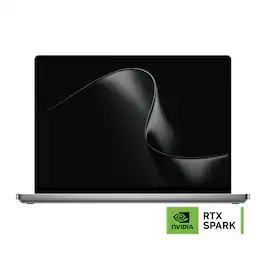
Introducing Surface Laptop Ultra – Uncompromising craft meets raw power in the ultimate Windows laptop. Powered by the NVIDIA RTX Spark superchip, this device is built for world makers and creative pros who require cutting-edge AI performance, power, and portability – bringing decades of NVIDIA AI and graphics innovation to one slim device.
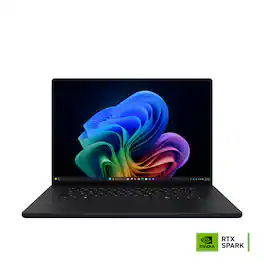
Introducing Surface Laptop Ultra – Uncompromising craft meets raw power in the ultimate Windows laptop. Powered by the NVIDIA RTX Spark superchip, this device is built for world makers and creative pros who require cutting-edge AI performance, power, and portability – bringing decades of NVIDIA AI and graphics innovation to one slim device.

ASUS ProArt P16 empowers creators with next-generation AI performance in an ultra-portable design. Powered by NVIDIA RTX Spark with a 6,144-core Blackwell RTX GPU, a 20-core Grace CPU, unified memory, and 2TB storage, it delivers seamless multitasking and accelerated AI workflows. The 16-inch 4K ASUS Lumina Pro OLED touchscreen provides exceptional color accuracy and up to 1,600 nits of peak brightness, while ASUS-exclusive creative apps and RTX-accelerated AI tools and tech unlock new levels of productivity and creativity.
Specs
Questions & Answers
This product costs this much and does not even have an OLED display. Get out of here. Microsoft, you are not apple and cannot get away with this. You need to set the bar not rip people off!
Customers often buy these together
Office Software
Laptop Bags and Cases

SwissGear - ScanSmart Laptop Backpack - Black
$91.99$9199The price was $99.99
More recommended items
Mice
Monitors

Antivirus and Internet Security Software
Headphones
More to consider
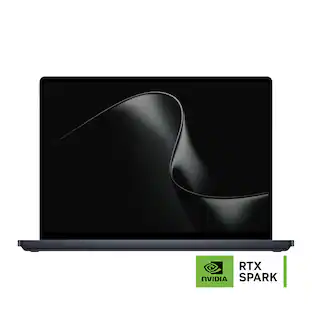
Microsoft Surface Laptop Ultra - 15" 3K Touchscreen - NVIDIA RTX Spark N1X 20-Core (2026) - 48GB Memory - 1TB Storage
Reviews coming soon
$3,999.99$3,99999ASUS ProArt P16 16" 4K OLED Touchscreen Laptop - NVIDIA RTX Spark N1X 20-Core (2026) - 32GB Memory - 1TB Storage
Reviews coming soon
$3,399.99$3,39999ASUS ProArt P14 14" 3K OLED Touchscreen Laptop - NVIDIA RTX Spark N1X 20-Core (2026) - 32GB Memory - 512GB Storage
Reviews coming soon
$3,099.99$3,09999Apple MacBook Pro 16-inch Laptop with PROLED XDR Touch Display - M5 Max chip with 18-core CPU - 48GB Memory - 2TB SSD
Reviews coming soon
$5,399.00$5,39900Dell XPS - 16" 3.2K OLED Touchscreen Laptop - NVIDIA RTX Spark N1X (2026) - 32GB Memory - 512GB Storage
Reviews coming soon
$3,799.99$3,79999
Explore tech essentials Sponsored
Microsoft Surface Laptop Ultra - 15" 3K Touchscreen - NVIDIA RTX Spark N1X 18-Core (2026) - 32GB Memory - 1TB Storage
Reviews coming soon
$3,299.99$3,29999Microsoft Surface Laptop - 13" 2K Touchscreen - Snapdragon X2 Plus (6 Core) 2026 - 16GB Memory - 512GB Storage
Reviews coming soon
$1,299.99$1,29999Samsung Galaxy Book5 15.6" FHD IPS LED Laptop - Intel Core Ultra 7- 16GB Memory - 512GB SSD
$799.99$79999The price was $1,299.99HP OmniBook 3 - 14" 2K OLED Laptop - Snapdragon X (8-Core CPU) - 8GB Memory - 256GB SSD - 41+ Hrs Battery Life¹
Black Friday Deal$399.99$39999The price was $599.99
Discover related products
Microsoft Surface Pro 6 - 12.3" Touch-Screen - Intel Core i7 - 16GB - 512GB SSD
Reviews coming soon
$1,619.99$1,61999The price was $1,899.00Apple 12.9-Inch iPad Pro with Wi-Fi - 128GB
$549.99$54999The price was $1,099.99MSI Cubi NUC AI+ 3MG Desktop - Intel Core Ultra 7 - 16GB Memory - 1TB SSD
Reviews coming soon
$1,199.99$1,19999
Keep exploring
Dell XPS 13.4" 2.5K 120Hz Touchscreen Laptop - Intel Core 5 Series 3 320 2026 - 8GB Memory - 512GB Storage - Wi-Fi 7
Reviews coming soon
$799.99$79999The price was $849.99Acer Nitro V 15.6" FHD IPS 165Hz Gaming Notebook Intel Core i5-13420H 16GB RAM 512GB SSD NVIDIA GeForce RTX 5050
$1,089.99$1,08999The price was $1,099.99GIGABYTE GAMING A16 PRO Gaming Laptop - 16" 165Hz 2560x1600 IPS Intel Core 7 240H - 1TB SSD - 32GB LPDDR5X RAM GeForce RTX 5070Ti
Reviews coming soon
$1,869.00$1,86900The price was $1,947.69Lenovo IdeaPad Slim 3 Chromebook Laptop - 14" FHD Touchscreen Laptop - MediaTek Kompanio 520 - 4GB RAM - 64GB eMMC+64GB SD Card
Reviews coming soon
$289.99$28999The price was $369.99Apple MacBook Pro 13.3" Laptop - Apple M1 chip - 8GB Memory - 256GB SSD
$789.99$78999The price was $1,299.99