Black Friday Deals are hereEnds Nov. 28.Shop now

Skip to contentGo to Product Search
Main Content

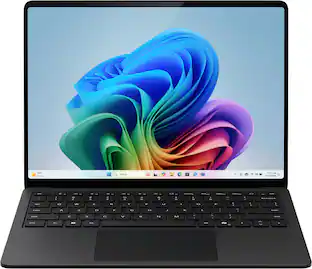
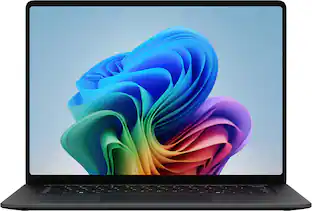
Microsoft - Surface Laptop Ultra - 15" 3K Touchscreen - NVIDIA RTX Spark N1X 20-Core (2026) - 32GB Memory - 1TB Storage - Nightfall

Model: EP2-58043
SKU: 6690409
Sold byBest Buy

About this product

Introducing Surface Laptop Ultra – Uncompromising craft meets raw power in the ultimate Windows laptop. Powered by the NVIDIA RTX Spark superchip, this device is built for world makers and creative pros who require cutting-edge AI performance, power, and portability – bringing decades of NVIDIA AI and graphics innovation to one slim device.

Highlights

Features

  • CREATE WITHOUT COMPROMISE

    Creator Pro PCs help you create without compromise with the performance needed for advanced apps, creative workflows, and producing high-quality work.

  • SURFACE LAPTOP ULTRA, POWERED BY NVIDIA RTX SPARK.

    Surface Laptop Ultra's NVIDIA RTX Spark superchip brings up to a 6,144-core Blackwell RTX GPU and up to 20-core RTX Spark N1X CPU together in one chip, so you can compile, render, create, and run AI workloads without slowdowns.

  • SHARED MEMORY FOR DEMANDING WORK.

    With up to 48 GB of unified memory, Surface Laptop Ultra lets developers and engineers train models, run inference, and work with large datasets directly on-device, with low latency and full control over their data.

  • STAYS COOL UNDER PRESSURE.

    The all-new thermal system is engineered to dissipate heat faster and maintain output across long sessions, so performance stays consistent instead of tapering off. Up to 2.5× the thermal capacity of Surface Laptop 15-inch (8th Edition).

  • HIGH-BRIGHTNESS HDR DISPLAY.

    Surface Laptop Ultra’s 15-inch PixelSense Ultra touchscreen display lets you see every detail clearly, in any environment. Up to 2,000 nits¹ HDR brightness, built for professionals making critical color and exposure decisions.

  • THE CURE FOR TOKEN ANXIETY.

    Run large AI models locally to avoid latency and keep sensitive work on your machine. Surface Laptop Ultra lets you test, refine, and ship faster without waiting on cloud processing or risking your data.

  • SLEEK. MODERN. READY FOR LIFTOFF.

    Surface Laptop Ultra is remarkably light, thin, and portable. It’s less than 18 mm thick, weighing in at under 4.5 pounds (2 kg).¹ Available in Platinum and a striking new Nightfall finish.²

  • PRECISION YOU CAN FEEL.

    The new Surface Laptop Ultra touchpad is over 30% larger, built for precision in creative workflows and fine cursor control with haptic feedback. Advanced haptics use subtle vibrations to confirm every action, improving precision and giving you more control without needing a mouse, even on the move.

  • STAY CONNECTED.

    A full set of maker-friendly ports includes USB-C, USB-A, HDMI, a headphone jack, and an SD card reader. Surface Laptop Ultra is built to keep your setup simple, mobile, and ready to work wherever you are.

  • DESIGNED FOR SERVICEABILITY.

    Surface Laptop Ultra is built to last, not to be replaced after a few years. A user-serviceable Gen 5 storage drive (SSD) accelerates project load times and asset-heavy workflows, while reducing IT friction in managed environments. Internal wayfinding makes repairs straightforward, so you can keep your device in service with published repair guides and replacement parts.

Specifications

  • Screen Type
    PixelSense
    Screen Size
    15 inches
    Screen Resolution
    3270 x 2180
    Touch Screen
    Yes
    Refresh Rate
    120Hz
Sponsored

Reviews

Rating 4.3 out of 5 stars with 10 reviews

5 star rating. 5 reviews4 star rating. 3 reviews3 star rating. 2 reviews
80% would recommend to a friend

Customer Images

The vast majority of our reviews come from verified purchases. Reviews from customers may include My Best Buy members, employees, and Tech Insider Network members (as tagged). Select reviewers may receive discounted products, promotional considerations or entries into drawings for honest, helpful reviews.

  • Rated 5 out of 5 stars

    A New Standard for Premium Computing

    As a professional Developer I think this is an interesting device from my perspective It brings some real GPU power and local AI capabilities to your Windows laptop with a lot of CPU/GPU cores as we have the 20core Grace CPU and the 6144 core Blackwell RTX GPU With it’s 32Gb of unified RAM this is a solid starting point for any development work, however there are limitations on how ambitious you can be with the local AI. Performance This should handle Visual Studio, VSCode, JetBrains IDEs, multiple tabs, Databases, Docker based workflows, and multiple applications with ease.The 20 core CPU can be a great boost to any parallel workflows you are doing such as building large projects, running automated tests, and processing data however its overall performance will depend on how fast the single core is how well the compiler works with it, memory demands, thermal performance and how well the development tools work on this platform.One thing to note with this is that its using an Arm based CPU so wont be the same as using a traditional Intel/AMD Windows machine. Where possible it’s best to try use native ARM64 applications. You can still run x64 applications via emulation however you may run into some issues with native add-ons, older tools, drivers and development dependencies. If you are maintaining cross platform applications it’d be best to run through the whole toolchain before using it as your main development machine. GPU & Local AI With the 6144 core Blackwell RTX GPU this becomes really interesting With the ability to do CUDA, GPU acceleration, AI experimentation and supported ML.Having the CPU and GPU share the same RAM can be beneficial if you want to run language models locally This removes the strict requirement of having separate ram for the system and GPU. However having only 32Gb of RAM will cause some limitations. The OS, IDEs, background tools and AI all require RAM. Large models, longer context lengths and intensive GPU workloads will quickly eat into your RAM. With smaller quantized models, embeddings, experimenting with inference and AI assisted dev tools this will be fine. However if you are wanting to run larger models, intense finetuning or multiple AI tools this would be a good consideration to go for 64 or 128Gb models if you have the budget Just be sure to pick the right amount of RAM initially because its not upgradable. I would also check that your CUDA, framework and libraries work on this ARM64 Windows machine, No point of having a powerful hardware if it doesn’t work well with the current software stack. RAM & Storage With 32Gb of RAM this should be a solid amount for most development work. It should handle your IDEs, local databases, decent container usage, and multiple applications without any lag The RAM is shared between the CPU & GPU With the 1Tb SSD this will work well for your source code, SDKs, dev environment, container images, data sets and general development files. However over time you will find that Docker images, VMs, package caches, Android Emulators and AI model files can take up a surprising amount of space. If you are planning on using this for application development and Local AI experimentation I would keep an eye on your storage usage, You can upgrade it easily. Windows 11 Pro This is a great option for professional development environments this is ideal if you are heavily reliant on Microsoft tools, enterprise logins, Windows based applications and security features. You’ll be able to start off with Visual Studio, VSCode, Git, PowerShell and browser based development. You’ll also want to consider if you will be using WSL, Virtualisation & Containers. However this will depend on how well these tools support Arm64. Not all x86 dependencies will work as expected. Be sure to check whether the tools your using have native Arm64 support. This includes low level tools, database drivers, compiled packages & bespoke build pipelines.Overall this would be a great option for web development, backend services, cloud tools & general application development. If your project requires bespoke drivers for x64 or very specific virtualisation then be sure to check compatibility first. Aesthetics & General Performance The premium nature of this machine makes it a great option for developers that are mostly using it for sitting down at a desk, attending meetings and moving around. The high resolution touchscreen and 3:2 screen is also a big plus for any developers you’ll get a lot of vertical space for your source code, terminal, documentation & debugging It has a very clean look However I would check that it performs well under load. Compiling, GPU intensive tasks and local inference can all be very different to normal office work Check that the fans aren’t too loud, it doesn’t get too hot, battery drains slowly and performs well under load. Pros Powerful Blackwell GPU for AI & accelerated computing 20 Core CPU for potential parallel development Shared RAM for CPU & GPU 32Gb RAM & 1Tb SSD for a great general use development machine. Windows 11 Pro & High resolution 3:2 screen for professional use. Can be used as a general development machine & local AI experimentation. Cons 32Gb RAM may cause issues when running larger AI models, multiple containers, VMs & development tools. Need to consider Arm64 support. Older x64 tools, native dependencies & bespoke drivers may cause issues.GPU performance will depend on how well the software works with it power limits & thermal performance. If you’re doing general web development & cloud hosted services this is a hard sell as an expensive AI focused machine. Overall it’ll depend on how fast your build times are how well your applications work battery life & performance under load. Overall I think this is an interesting machine. The main selling point is the powerful Nvidia GPU, multi-core Arm CPU and shared RAM. This is great for developers wanting to experiment with local AI, GPU development & intensive applications With 32Gb RAM & 1Tb SSD this is a great middle ground for general development, multitasking & smaller local AI projects. However I wouldn’t expect it to have endless RAM for large language models & intensive virtualisation. These will benefit greatly from more RAM. The main thing to consider is whether your apps will work with this. If you can run your IDEs, compilers, containers & AI tools natively then this could be a great machine to use for your daily development. If you are relying on older x64 tools & bespoke drivers then a traditional x86-64 machine may provide a better experience. Overall this is a great forward thinking machine. If you can make use of the GPU & local AI then there is a great reason for this to exist. Otherwise it will depend on how well everything works with your tools.

  • Rated 5 out of 5 stars

    Top-Tier Productivity device!

    ✅This is NEW to me! I had experienced diferent many powerful laptops over the years but this feels and means Business. I usually edit all my DJI footage on ROG16 that is great but this Surface Ultra feels different in a way that's hard to explain until you use it. 💻The first thing that stands out is the premium all-metal build. The Nightfall finish looks professional, feels solid, and the touchscreen display is responsive and beautiful. Everything about the hardware feels refined.What really surprised me, however, was the ARM-based architecture and how efficient it feels in daily use. I spent time exploring NVIDIA tools, running local AI models, and experimenting with Bonsai, and it honestly opened a new world for me. This laptop showed me that modern computing is moving beyond traditional gaming performance and into a space where AI, battery life, and efficiency matter just as much. 🚅Performance feels smooth whether the charger is connected or not. That's something I rarely experienced with other laptops. On many high-performance machines, you notice reduced performance once unplugged. Here, I don't find myself worrying about battery percentage or searching for an outlet. 🧪The system stays cool and quiet during normal and heavy workloads. What impresses me most is the lack of struggle. My gaming laptops often feel like they're constantly managing performance, heat, fan noise, and battery life. The Surface Ultra with it's New Nvidia Spark N1X chip feels efficient and confident. 😁 I am currently making the most of this beautiful machine by implementing local AI workflows to assist with my future drone video editing projects. Running these tools locally allows me to keep everything on-device, reduce reliance on costly subscription-based software, and streamline my workflow. The Surface Laptop gives me the flexibility to improve and refine my content directly on the machine while keeping costs under control. 🤔My final take would be that the new architecture prioritizes efficiency alongside performance, creating an experience that feels incredibly fluid and responsive while maintaining excellent battery life. It's one of the few laptops I've used where Power and Efficiency genuinely seem to coexist!

    Posted by Denisik91

  • Rated 4 out of 5 stars

    Balance Creativity and Productivity

    [PROS] Workload Warrior: The Microsoft Surface Ultra Laptop is awesome in displaying its might. With my local AI agent, I'm able to input requests and get results quickly. At this current juncture, my needs are normally split between generating code for projects and getting assistance with design and editing operations. So far, so good. All-Arounder: AI processing isn't the only trick up its sleeve. This device does well in pure non-AI related tasks. I'm able to import, export, and everything else in between when I'm video editing as if I was on my actual desktop. Sleek Design: The design of this laptop is minimal and smooth. Minimal may seem like its lacking, but it contains the right ports and the right amount of ports too. It feels nice to the touch and is very much a pleasure to use. Finally, it's solidly built. I want to feel like I can take my laptop anywhere without worrying if it'll break easily in a bag, and this chassis is definitely sturdy. Respectable Battery: When keeping things basic and light, the battery holds up well. I'm able to easily get over 8+ hours of use without needing a charge. With heavier programs, it drains quicker, but that's a common issue with a majority of laptops so this observation is negligible. Beautiful Display: Under the hood, the screen is very high quality. It gets super bright and has a sharp resolution. I give it bonus points for supporting Dolby Vision and well as being a touch screen. My only gripe is that it's not an OLED panel. This screen does struggle some with black details and can show some blooming. However, most time it can be difficult to tell unless you're looking for it. [MIXED BAG] Gaming: AI is the main focus of this device, but I really wanted to take a swipe at the gaming performance since it was highly promoted. I was able to play a number of AAA titles like Cyberpunk, but the big issue is compatibility which will take time because this device is the first of its kind. I tried to play Forza Horizon 6 and the game crashed multiple times. To be fair, this was not officially listed as compatible, but I felt like it should've been a title ready at launch given that it's a pillar for Xbox. Another thing that I'm slightly concerned about when observing this laptop for its specs is the 5070 connection. Sure, it has the same amount of CUDA cores as the Desktop 5070, but it doesn't come close in performing like one because of other variables. My experience has been a mixed given that it's more on par with a 5060-5070 laptop range. Games are playable, but there's a number of kinks to work out still. [CONS] CPU Age: The Surface Laptop Ultra is a hefty investment, but its worthwhile when used for the right purpose. With that being said, it performs well but can lag behind the competition in certain respects. Also, gaming performance is compromised because the CPU is tasked with handling the translation of games into ARM architecture so that they can perform. If the CPU was bit more beefier then this would be a perfect laptop that I wouldn't desire to upgrade anytime soon in the next 3-4 years. [CONCLUSION] For productivity and heavy workloads, this laptop is an excellent choice. It works well in various areas of usage, and performs like a desktop at times. For AI purposes and design/editing programs, it's a no brainer recommendation. For gaming, it's serviceable, but still needs work. Overall, I like the product and will be using it for a long time as my daily driver.

    Posted by HBCUgrad13

  • Rated 4 out of 5 stars

    Balance Creativity and Productivity

    [PROS] Workload Warrior: I had a chance to put the Surface Laptop through its paces, and I was impressed. For my local AI agent, I was able to input requests and get results back quickly, My AI needs are normally split between coding tasks and editing/design assistance. So far, I'm able to get everything done without any hinderance. All Arounder: For pure non-AI related purposes, this device gets the job done. I'm able to import, export, and everything else in between within my workflow as if I was back on my desktop. Granted, my desktop is more powerful, but its hard to argue against portability and flexibility. Beautiful Display: Under the hood, this computer receives very high marks from me. I love watching content on it because the screen gets very bright and the resolution is almost as sharp as 4K. I give it bonus points for supporting Dolby Vision and being a touch screen device as well. Unfortunately, it's not an OLED screen so I have witnessed some issues with dark scenes and blooming. Yet, these can be hard to spot unless you're looking for them. Sleek and Smooth Design: This computer is very minimal. Minimal may seem like its lacking, but this is not the case. It contains the right ports and the right amount of ports as well. Its nice to the touch and very much a pleasure to use. Furthermore, it solidly built. The chassis is so sturdy that I don't worry about having to transport between work locations. Resilient Battery: For basic and simple tasks, this laptop is world class when a charging isn't available. I was able to easily get 9+ hours without needing to plug it into the wall. I would avoid heavier programs as I saw great diminish on the battery, but this is negligible given that its a problem on all laptop hardware. [CONS] CPU Age: The uniqueness of this product comes down to the unified memory, combined CPU and GPU . I'm more concerned about the CPU rather than the GPU. The CPU being used performs well enough, but is 2 years old upon release. Given that some of its direct (and some older) competitors perform better than it in some aspects is a bit concerning as it relates to overall value proposition and longevity. [MIXED BAG] Gaming: AI is the selling point, but I did take a swipe at its gaming capabilities given that it was moderately promoted as well. Playing Cyberpunk was a fun experience, and I didn't suffer any hiccups. However, compatibility is still being worked out for many games. I'm unable to play titles like Forza Horizon 6 which crashed on my multiple times. To be far, it's not officially support yet, but I feel like should've been a launch-ready title since its a pillar for Xbox. Also, marketing drew comparison of the RTX Spark to the 5070, but that can be a bit misleading. Sure, the Spark has the same amount of CUDA cores as the 5070 desktop, but it is very far from performing like one. I have a 5060 laptop and it's more on par with it as as opposed to a desktop GPU due to power and other variables. [CONCLUSION] With the Surface Laptop Ultra, I've found my daily driver. Performance is excellent across the board, but leaves a bit desired when it comes to gaming. Yet, I have confidence that this will improve as the collaborative effort between Microsoft and Nvidia will address first generation woes. I do worry about CPU performance in the long run, but it will still execute as needed for years to come.

    Posted by HBCUgrad13

  • Rated 5 out of 5 stars

    Great flagship Surface for Creative/AI workloads

    Setup: I have been building out local AI workflows to handle coding, research, and document analysis on my own hardware so I can avoid recurring cloud subscription costs and per token API fees. Because of that, I approached this review by testing the exact daily workloads I normally run on my current setup (a performance laptop with a newer generation Core i7 processor, 16GB of standard RAM, and an Nvidia 5060 GPU with 8GB of DDR7 memory). Getting this review unit updated out of the box took about an hour longer than usual due to initial system and architecture updates. Once running, setting up my local text and agent stack was painless. AnythingLLM installed cleanly, connected to Ollama right away, detected my local models, and launched the agent interface without a hitch. On the flip side, I spent hours trying to get local image generation working with diffusion models and kept hitting roadblocks. Some emerging creative AI tools simply need more time to mature for this new chip architecture so they do not require heavy troubleshooting. Physically, the hardware is thoughtfully designed, especially the compact power brick and magnetic pull away charging cable, which is reversible so you can route the cable cleanly along the left side. Use: The biggest reason to move from a traditional laptop to this unified memory architecture is overcoming the dedicated video memory wall. On my current 16GB RAM and 8GB Nvidia 5060 laptop, running a highly advanced AI model (similar in brainpower to popular online chatbots) maxes the system out at 100 percent RAM and 90 percent GPU utilization, slowing workflows to a crawl. On this laptop, standard single prompt runs use just 50 percent of total RAM while allocating 12GB to the GPU at 100 percent utilization and holding a cool 60 degrees Celsius. However, pushing into heavy multiple document workloads revealed why 48GB or 64GB of RAM would be even better on this machine. Because Windows 11 itself uses about 6GB to 8GB of memory right off the top, sharing the remaining pool from the 32GB total between the system and the GPU starts to feel tight under heavy loads. When I summarized a full 20-page document or compared multiple large files at once, the laptop pulled 12GB for the GPU and drew the rest from system RAM, which noticeably slowed the machine down, spun the fans up loudly, and made the chassis hot. Despite the heat under maximum load, the finish of the metal on this laptop feels premium. It does not feel like hard cold metal, but rather comfortable and sturdy. I also appreciate the fans placed on the undersides of the edges, allowing it to sit on my lap without frying me. The keyboard is phenomenal for typing and is easily one of the best I have ever used. The 15 inch 3:2 display gives me way more vertical space to view code and long AI outputs, and the speakers are easily the best I have heard on any Windows laptop. I love the bright and high-quality display but wish it was OLED and less glossy. For my workflow, I also do not need the touch screen. It would be great to see a gaming centered version in a future iteration or generation, as I appreciate the premium feel but would like better gaming support. Storage performance is one of the strongest aspects of this configuration. While everyday tasks such as launching applications and browsing Windows will not feel twice as fast, creators working with large image libraries, AI models, or high-resolution video assets will benefit from significantly faster file transfers and project loading times. Storage Performance Scorecard (CrystalDiskMark): • Sequential Read: 14.5 GB/s (PCIe Gen5) • Sequential Write: 12.6 GB/s (PCIe Gen5) • Typical Premium Gen4 Drive: Approximately 7.0 GB/s To show how much faster this machine handles daily local AI compared to my current setup, here is how much time it saved across my real-world tests: Local AI Speed Scorecard: • Token Generation Speed: 3x faster on average • Coding a Flight Simulator Game: 3.8x faster • Writing a 1,500 Word Guide: 3.6x faster • Executive Summary Thinking Time: 3.5x faster initial reasoning • Advanced Reasoning Prompt: 3.3x faster • Multiple Step Planning Workflow: 2.8x faster • Huge Output Generation Rate: 2.7x faster output speed • Coding Benchmark Speed: 2.6x faster output speed • Long Context Retrieval: 2.4x faster • Pulling Top 10 Stock Data: 2.1x faster • Knowledge Stress Test: 2.1x faster • Agent Capability Workflow: 1.8x faster Since my goal is replacing paid cloud AI subscriptions with free local models, I also benchmarked this against a fast cloud AI service on real document tasks: Local AI vs. Paid Cloud AI Scorecard: • Math & Short Summaries (10 to 20 pages): 9.9s to 46.2s locally vs 2.0s to 16.8s cloud • Analyzing 150 Pages (Three Guides): 33.0s locally (with better accuracy) vs 10.0s cloud • Full 20 Page Summary & Comparison: 1m 37s to 3m 14s locally vs 5s to 9s cloud While the shared 32GB RAM limit slowed the laptop down on heavy comparisons, the local model delivered a much more thorough analysis without costing a cent in tokens. What really impressed me during those heavy memory stress tests is how fast the cooling system recovers. Even when a big job pushes all resources and gets the fans roaring, the laptop cools down rapidly as soon as the task finishes. The laptop also does an excellent job on standby, and battery life for once does not really affect performance. I like finally using a laptop around the house without plugging it in constantly for peak performance. Based on my drain tests, you can expect excellent endurance depending on your workload: Battery Life: • Heavy Local AI Load (Best Performance): 3.1 hours (32 percent drain in 1 hour) • Mixed Use (Best Performance): 4.1 hours (48 percent drain in 2 hours) • Mixed Use (Balanced Profile): 8.2 hours estimated Pros: • Runs local AI workflows faster • Extremely fast PCIe Gen5 storage • Exceptional speakers and phenomenal keyboard • Comfortable and sturdy metal build • Reversible magnetic USB charging cable Cons: • Shared 32GB RAM feels tight • Display is glossy, not OLED • Needs better dedicated gaming support • Initial setup updates take long • Image generation needs software maturity Summary: If you are looking to replace a traditional laptop to build local AI workflows and cut out monthly cloud fees, this machine delivers a massive speed upgrade and premium PCIe Gen5 storage. While power users running heavy loads would benefit from more RAM, the fast local inference, sturdy metal build, and phenomenal typing experience make it a very capable daily workstation.

    Posted by KKCNIck

Compare similar products

Microsoft - Surface Laptop Ultra - 15" 3K Touchscreen - NVIDIA RTX Spark N1X 20-Core (2026) - 32GB Memory - 1TB Storage - Nightfall
4.3(10)

Introducing Surface Laptop Ultra – Uncompromising craft meets raw power in the ultimate Windows laptop. Powered by the NVIDIA RTX Spark superchip, this device is built for world makers and creative pros who require cutting-edge AI performance, power, and portability – bringing decades of NVIDIA AI and graphics innovation to one slim device.
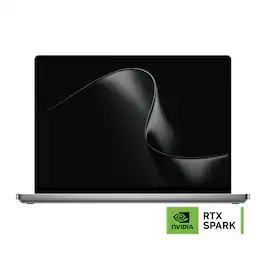
Microsoft - Surface Laptop Ultra - 15" 3K Touchscreen - NVIDIA RTX Spark N1X 20-Core (2026) - 48GB Memory - 1TB Storage - Nightfall

Introducing Surface Laptop Ultra – Uncompromising craft meets raw power in the ultimate Windows laptop. Powered by the NVIDIA RTX Spark superchip, this device is built for world makers and creative pros who require cutting-edge AI performance, power, and portability – bringing decades of NVIDIA AI and graphics innovation to one slim device.
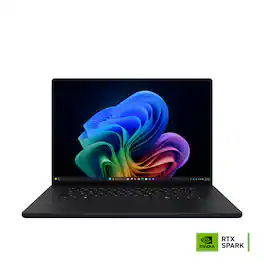
Microsoft - Surface Laptop Ultra - 15" 3K Touchscreen - NVIDIA RTX Spark N1X 18-Core (2026) - 24GB Memory - 512GB Storage - Platinum
4.3(7)

Introducing Surface Laptop Ultra – Uncompromising craft meets raw power in the ultimate Windows laptop. Powered by the NVIDIA RTX Spark superchip, this device is built for world makers and creative pros who require cutting-edge AI performance, power, and portability – bringing decades of NVIDIA AI and graphics innovation to one slim device.

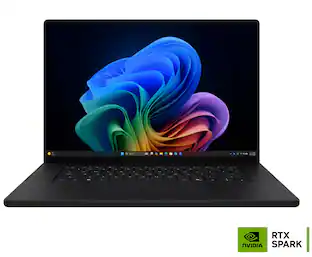
ASUS - ProArt P16 16" 4K OLED Touchscreen Laptop - NVIDIA RTX Spark N1X 20-Core (2026) - 128GB Memory - 2TB Storage - Nano Black
3.0(1)

ASUS ProArt P16 empowers creators with next-generation AI performance in an ultra-portable design. Powered by NVIDIA RTX Spark with a 6,144-core Blackwell RTX GPU, a 20-core Grace CPU, unified memory, and 2TB storage, it delivers seamless multitasking and accelerated AI workflows. The 16-inch 4K ASUS Lumina Pro OLED touchscreen provides exceptional color accuracy and up to 1,600 nits of peak brightness, while ASUS-exclusive creative apps and RTX-accelerated AI tools and tech unlock new levels of productivity and creativity.

Specs

Be the first to ask a question.

We’ll try to get your question answered within 24 hours by a Best Buy customer or brand representative.

No content

Customers often buy these together

Sponsored