mobisystems - PDF Extra Lifetime Professional Editor -1 Windows PC,1 User, Lifetime Digital Key |Edit, Protect, Annotate, Fill Sign - Windows
About this product
PDF Extra 2023 is the only Professional PDF Editor, Reader, and Converter you need. Create, Edit, Fill, Sign, Convert and Annotate any PDF. You can also add pages, images, stamps or even attach or merge entire files. Best of all, once you buy it, there are no additional recurring subscription fees or hidden extra costs - your license has no expiration and you may enjoy all the features for as long as you wish!
Edit PDFs instantly
PDF Extra has a practical interface and powerful editing capabilities. You’re free to change anything in your document - text, pictures, design.
Edit text, images & designs in PDF documents.
Organize PDFs. Convert PDFs to Word, Excel & ePub.
Read and Comment PDFs
Intuitive reading modes & document commenting and mark up.
Fill forms & Digitally Sign PDFs
Protect and Encrypt PDFs
Lifetime License for Windows PC or Laptop.
5GB MobiDrive cloud storage
Print without a watermark
Don’t let watermarks ruin a beautiful document. Print neat, clean-looking paper documents without a watermark whenever you want.
Enjoy an intuitive reading experience
Empower your reading experience. Tired of flipping pages? Use the continuous page mode or any of the other PDF Extra options to alter your reading routine.
Comment and annotate without a hassle
Add comments via sticky notes, drawings or Text boxes. Annotate with highlights, markups, or strikethrough text using PDF Extra’s advanced tools.
Sign documents right away
Sign and send documents instantly. You can use saved signatures or draw them right away. Our advanced support for fillable forms lets you place your signatures with ease.
Fill PDF forms like a Pro
Using fillable PDF forms can be confusing, but with PDF Extra it’s child’s play. Work with any forms with integrated JavaScript validation.
Attach Files & Stamps to save time
Signify document status in seconds with Stamps such as Approved, Void, Confidential and more. Save time communicating context, just attach a support file.
Get extra space for your files
Get 5GB cloud storage on MobiSystems Drive to access your PDFs anytime, anywhere. Already have a cloud account? PDF Extra supports popular cloud services like Dropbox, Google Drive, and Box.
Lifetime* License
Be the master of your PDFs forever by getting a PDF Extra 2023 lifetime license for a one-time payment. Once purchased, your license will never expire and you may use PDF Extra for as long as you wish.
- Number of Users1Number of Devices1Number of Licenses1Operating System CompatibilityWindowsSoftware FormatDigital
Reviews
Rating 3 out of 5 stars with 4 reviews
The vast majority of our reviews come from verified purchases. Reviews from customers may include My Best Buy members, employees, and Tech Insider Network members (as tagged). Select reviewers may receive discounted products, promotional considerations or entries into drawings for honest, helpful reviews.
Compare similar products

PDF Extra 2023 is the only Professional PDF Editor, Reader, and Converter you need. Create, Edit, Fill, Sign, Convert and Annotate any PDF. You can also add pages, images, stamps or even attach or merge entire files. Best of all, once you buy it, there are no additional recurring subscription fees or hidden extra costs - your license has no expiration and you may enjoy all the features for as long as you wish!
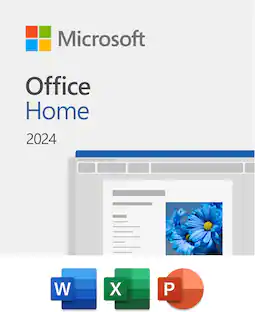
![Microsoft - Office Home 2024 (1 Device) - Windows, Mac OS [Digital]](https://pisces.bbystatic.com/image2/BestBuy_US/images/products/db93a30a-fb3a-4dcc-9d6b-8e0735752dbb.jpg;maxHeight=422;maxWidth=264?format=webp)
For students and families who want classic Office apps installed on one PC or Mac for use at home or school.
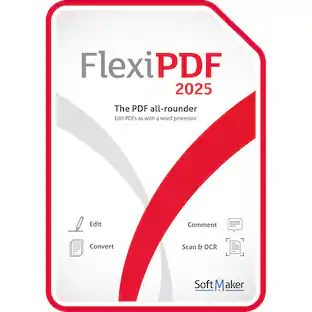
![SoftMaker - FlexiPDF 2025 (3-Devices) - Windows [Digital]](https://pisces.bbystatic.com/image2/BestBuy_US/images/products/f57d4f12-79a1-4f36-9c64-93adf6681984.jpg;maxHeight=422;maxWidth=264?format=webp)
Edit PDF files as easily as with a word processor. With FlexiPDF, creating, editing and commenting PDF files is just as easy as exporting them for further processing in Microsoft Word or TextMaker. Scan pages and convert them into editable PDF, create PDF directly from any application that can print. There are no recurring fees or hidden costs—your license lasts forever, giving you unlimited access to all features for 3 devices.
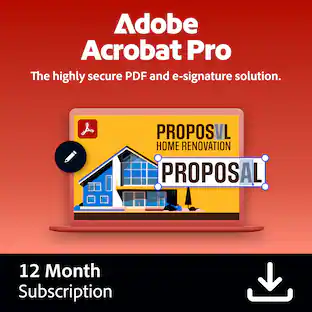
![Adobe - Acrobat Pro PDF Software - Mac OS, Windows [Digital]](https://pisces.bbystatic.com/image2/BestBuy_US/images/products/e3450e91-6882-4ba6-87f5-e292a962354e.jpg;maxHeight=422;maxWidth=264?format=webp)
Adobe Acrobat Pro is a complete collection of PDF and e-signature tools. Convert PDFs, manage agreements, protect your documents, redact sensitive information, and access advanced editing tools. With a one-year subscription, you get access to the latest features, security updates, and upgrades to accomplish more wherever you are.
| Pros for mobisystems - PDF Extra Lifetime Professional Editor -1 Windows PC,1 User, Lifetime Digital Key |Edit, Protect, Annotate, Fill Sign - Windows | |||
|---|---|---|---|
| There were no pros for this product— | Overall Performance, Ease of Use, Installation, Features, Value | There were no pros for this product— | Overall Performance, Functionality |
| Cons for mobisystems - PDF Extra Lifetime Professional Editor -1 Windows PC,1 User, Lifetime Digital Key |Edit, Protect, Annotate, Fill Sign - Windows | |||
| There were no cons for this product— | Subscription Model | There were no cons for this product— | There were no cons for this product— |
Specs
Customers often buy these together
 $20.99The price was $114.99
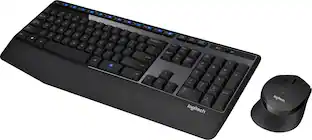 Top Deal$31.99The price was $34.99
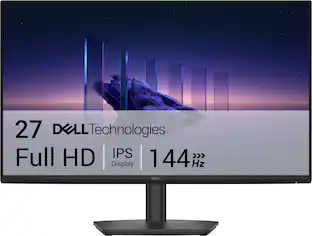 Top Deal$109.99The price was $139.99
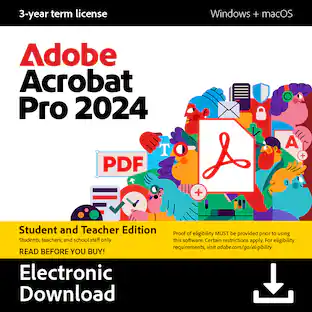
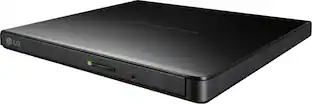



More to consider


Explore tech essentials Sponsored





Discover related products
 $12.99The price was $13.99
 $504.68The price was $535.66
 $249.00The price was $275.00
 $187.99The price was $197.23










