SoftMaker - FlexiPDF 2025 (3-Devices) - Windows [Digital]
About this product
Edit PDF files as easily as with a word processor. With FlexiPDF, creating, editing and commenting PDF files is just as easy as exporting them for further processing in Microsoft Word or TextMaker. Scan pages and convert them into editable PDF, create PDF directly from any application that can print. There are no recurring fees or hidden costs—your license lasts forever, giving you unlimited access to all features for 3 devices.
Edit text like in word processor
Conveniently edit text, images and drawings in PDFs
Export your PDFs
Convert PDFs to TextMaker, Microsoft Word, HTML and even as EPUB-based e-books in a flash.
Scans into editable PDF with OCR
The automatic character recognition converts pages from the scanner into editable and searchable PDFs.
Digitally sign
Add digital signatures to prove the authenticity of a document.
Compare PDF documents
Quickly compare and highlight the differences between two PDF documents.
Protect and Redact
Keep others from copying or editing your PDFs and permanently remove sensitive information.
Archive your content
Create PDF/A files for permanent archiving.
Combine files
Merge multiple PDF files into a single PDF, and remove, rotate, move or insert pages.
Stamp and watermark
Add comments, watermark, highlights and stamps, drag and drop images to PDF file.
Create forms
Create interactive forms with checkboxes, dropdown lists, input fields, and more.
Three (3) user license
Three PCs of the same household for noncommercial use or one PC for commercial use.
- Number of Devices3Operating System CompatibilityWindowsSoftware FormatDigital
Reviews
Rating 3.3 out of 5 stars with 6 reviews
The vast majority of our reviews come from verified purchases. Reviews from customers may include My Best Buy members, employees, and Tech Insider Network members (as tagged). Select reviewers may receive discounted products, promotional considerations or entries into drawings for honest, helpful reviews.
Compare similar products
![SoftMaker - FlexiPDF 2025 (3-Devices) - Windows [Digital]](https://pisces.bbystatic.com/image2/BestBuy_US/images/products/f57d4f12-79a1-4f36-9c64-93adf6681984.jpg;maxHeight=422;maxWidth=264?format=webp)
Edit PDF files as easily as with a word processor. With FlexiPDF, creating, editing and commenting PDF files is just as easy as exporting them for further processing in Microsoft Word or TextMaker. Scan pages and convert them into editable PDF, create PDF directly from any application that can print. There are no recurring fees or hidden costs—your license lasts forever, giving you unlimited access to all features for 3 devices.

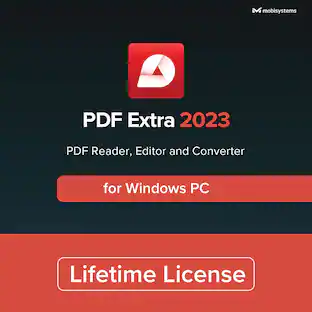
PDF Extra 2023 is the only Professional PDF Editor, Reader, and Converter you need. Create, Edit, Fill, Sign, Convert and Annotate any PDF. You can also add pages, images, stamps or even attach or merge entire files. Best of all, once you buy it, there are no additional recurring subscription fees or hidden extra costs - your license has no expiration and you may enjoy all the features for as long as you wish!
![Adobe - Acrobat Standard PDF Software - Mac OS, Windows [Digital]](https://pisces.bbystatic.com/image2/BestBuy_US/images/products/6433/6433436_sd.jpg;maxHeight=422;maxWidth=264?format=webp)
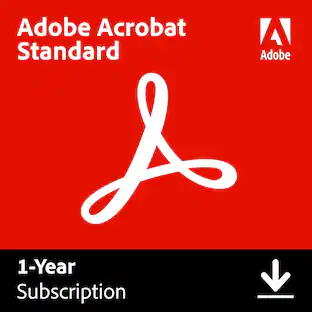
Adobe Acrobat Standard lets you simplify everyday tasks with the trusted PDF writer solution. Use Acrobat Standard to create, edit, sign, and track your PDF.
![Individual Software - AnyTime Organizer Deluxe 16 - Windows [Digital]](https://pisces.bbystatic.com/image2/BestBuy_US/images/products/6293/6293303_sd.jpg;maxHeight=422;maxWidth=264?format=webp)
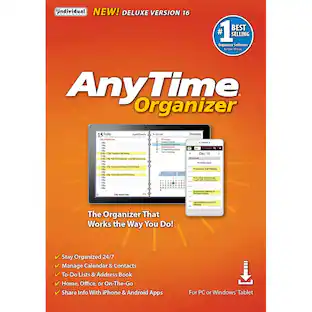
Simplify your life and schedule with Anytime Organizer 16 Deluxe for Windows. Appointment management, event reminders and task lists help manage your busiest days, while the design tool offers 15,000 template options to manage day-to-day commitments in your own style. Anytime Organizer 16 Deluxe lets you easily export and email calendars.
| Pros for SoftMaker - FlexiPDF 2025 (3-Devices) - Windows [Digital] | |||
|---|---|---|---|
| There were no pros for this product— | There were no pros for this product— | Overall Performance | Overall Performance, Functionality |
| Cons for SoftMaker - FlexiPDF 2025 (3-Devices) - Windows [Digital] | |||
| There were no cons for this product— | There were no cons for this product— | Functionality | There were no cons for this product— |
Specs
Customers often buy these together
 $29.99The price was $129.99





More to consider






Explore tech essentials Sponsored
 $59.99The price was $89.99


Discover related products
 $12.99The price was $13.99
 $249.00The price was $275.00
 $30.99The price was $32.99











