NCH Software - Video Essentials - Windows, Mac OS
- Key Specs
- Operating System Compatibility: Windows, Mac OS
- Software Format: Physical (Physical software requires a disc, cartridge, etc. be inserted into the gaming console or computer to download and/or operate the software. Digital software allows for downloading and/or playing the software on the gaming console or computer without a physical disc, cartridge, etc. Physical (Download Code Only) software is purchased in physical form with a code that allows for downloading and/or playing the software on the gaming console or computer without a physical disc, cartridge, etc.)
- General
- Brand: NCH Software
- Model Number: RET-VID002
- Product Name: Video Essentials
- Publisher: NCH Software
- Features
- Software Subject: Photo editing
- Compatibility
- Operating System Compatibility: Windows, Mac OS
- Software Format: Physical (Physical software requires a disc, cartridge, etc. be inserted into the gaming console or computer to download and/or operate the software. Digital software allows for downloading and/or playing the software on the gaming console or computer without a physical disc, cartridge, etc. Physical (Download Code Only) software is purchased in physical form with a code that allows for downloading and/or playing the software on the gaming console or computer without a physical disc, cartridge, etc.)
- Number Of Discs: 1
- Other
- UPC: 817775010666
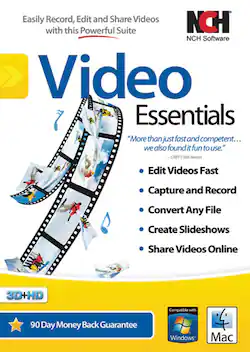
Lights, camera, action. You've always admired the artistic genius required to put together a movie — the subtle details, like camera angles, lighting and background music. Now, you no longer have to appreciate cinematic work from afar. With Video Essentials, you can produce your own fully featured films with ease thanks to the seven included professional video applications, which provide all of the tools you'll need to master the creative process.
Simply begin by either saving video files from a compatible webcam, digital camcorder or other external device, or capture on-screen content directly with Debut Video Capture software. Once you have your images and raw footage selected, spice them up by applying professional effects and transitions, adjusting the playback speed, adding appropriate music and narration and more with VideoPad Video Editor software and PhotoStage Slideshow Creator. Enhance your selected photos using PhotoPad Photo Editor, which lets you erase blemishes, remove unnatural-looking red-eye in portraits and manipulate the image's position. After you've finished perfecting your movie, you can quickly and easily burn it to a CD, DVD or Blu-ray Disc using Express Burn DVD Burner or upload it directly to YouTube, so your friends, family and even strangers can appreciate your talent. Thanks to Prism Video File Converter, your finished film can be seamlessly converted across numerous media formats to accommodate your output needs. Add a stylish touch to your CDs and DVDs by creating personalized labels and covers with Disketch Disc Labeling software. With Video Essentials, you're just a few clicks away from making your creative vision a reality. What are you waiting for?
A: Hello Steve, Yes, it is compatible with WIndows 10. The Free Download has limited features. You are able to try all features for a limited amount of time. We completely recommend trying it before you buy to make sure it works for you. The program with prompt you to purchase when your trial expires. You also receive a suite of products at a very discounted price when you purchase Video Essentials. Each individual program would add up to a much higher price tag. I hope this is helpful!
Q: Is this available to download?
A: Yes it is
Q: I WANT TO USE THIS WITH MY DVR CAPTURE AND RECORD
A: does not work