Novation - Launchpad Mini [MK3] MIDI Controller - Black
About this product
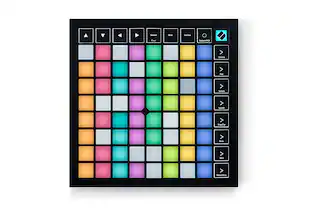
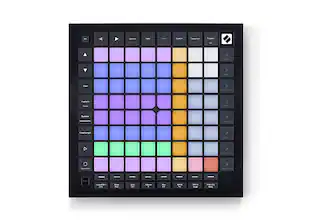
Launchpad Mini is our most compact and portable 64 RGB pad MIDI grid controller. It gives you everything you need to start performing in Ableton Live - and it'll fit in your bag. Start making and performing tracks with Ableton Live wherever you are, using the huge array of sounds in the box to get you started. Launch your music making - Bright pads make it easier than ever to see your Ableton Live session and launch your sounds. It looks great too; full RGB colors perfectly match your clips and scenes. Seamless Ableton Live integration means Launchpad Mini brings your session to your fingertips, so you can spend more time launching and less time clicking a mouse. Nothing holding you back - You can start making music today with Launchpad Mini. With its hands-on controls, tons of sounds in the box and our step-by-step interactive platform to get you set up, we’ve gone further than ever to make it easy to get started. Launchpad Mini is the grid controller for any Live performer. Welcome aboard - Once you’ve plugged in your Launchpad Mini, you’ll be brought to our online Easy Start tool. Download all the software you want with step-by-step video guides to get you set up with Ableton Live and making music in minutes. Take it everywhere - Good things really do come in small packages. Launchpad Mini is our most compact, portable and lightweight grid controller, so you never have to leave it at home. Take it anywhere you go, so you can launch your sounds whenever inspiration hits. Intuitive Ableton Live integration - Launchpad Mini gives you immediate and tactile access to Live’s performance controls in a way you just can’t get with a mouse. Step back from your computer and see your session and all your sounds on the eight-by-eight grid. Then, control your performance straight from Launchpad Mini with Stop, Solo and Mute controls. Make it yours - Go deeper and get Launchpad Mini working the way you want. Use Drums and Keys modes to play your instruments. Use Novation Components – our online hub for all things Novation – to customize MIDI mappings, and control almost anything; three custom modes mean you can design how this compact grid controller works for you – you’re only limited by your imagination. Sound Collective - When you register your Launchpad Mini, you’ll automatically gain access to Sound Collective. Get new free plug-ins every few months from some of the biggest names in the business, along with offers, discounts and more. Launchpad Mini [MK3] & Live Loops in Logic Pro - Live Loops brings cell-based looping playback and performance to Logic Pro. With Launchpad Mini [MK3] as your Live Loops controller, use cells to sketch out arrangement ideas, fast, and record your performances. Setup is automatic: just select your Launchpad from Logic’s Control Surface Setup. There are orientation options in Logic’s settings that allow you to choose vertical or rotated arrangement, to suit your preference. (Logic Pro 10.6 is required.) Firmware version 2.0 for Launchpad Mini PIP - Firmware version 2.0 introduces the exciting Custom Mode keystroke widget. You can keep creativity flowing while making music by assigning essential DAW shortcuts using Novation Components for a faster, more intuitive workflow and endless creative options.
64 RGB Pads
RGB pads give you a perfect reflection of your Ableton Live session, making it easier than ever to see your clips.
Ableton Live Integration
Quickly launch your clips and scenes at the press of a button. Stop, Solo and Mute controls make it easier and more tactile to control your performances, no mouse needed.
3 Custom Modes
Use Novation Components to customize mappings and control anything MIDI easily from Launchpad Mini.
Take it everywhere
Small, light – Launchpad Mini’s slim, lightweight design means it’ll fit into any setup, anywhere.
Get Started Easily
Use our online Easy Start tool to get all the software you want, and step-by-step video guides to get you set up with Live and making music in minutes.
Included Software
Ableton Live Lite – quickly organize and arrange your sounds and start making tracks with this staple electronic-music-making software.
Included Software
AAS Session Bundle - Three synths for music makers, providing essential sounds for your tracks.
Included Software
XLN Addictive Keys – Access one of four virtual keyboards when you register your first piece of Novation hardware.
Included Software
Klevgrand R0Verb and DAW Cassette – High quality reverb and tape deck emulation plug-ins, to add some space or take your sound back to the golden age of cassette tapes.
Included Software
Softube Time and Tone bundle – made up of four of Softube's world class plug-ins: reverb, delay, an easy to use mastering tool and distortion. Sound Collective – bringing Novation hardware owners a new free plug-in every couple of months.
- BrandNovationModel NumberAMS-LAUNCHPAD-MINI-MK3Product NameLaunchpad Mini [MK3] MIDI ControllerColorBlackController TypeKeyboardNumber of Keys64
Reviews
Rating 4.1 out of 5 stars with 8 reviews
The vast majority of our reviews come from verified purchases. Reviews from customers may include My Best Buy members, employees, and Tech Insider Network members (as tagged). Select reviewers may receive discounted products, promotional considerations or entries into drawings for honest, helpful reviews.
Compare similar products
![Novation - Launchpad Mini [MK3] MIDI Controller - Black](https://pisces.bbystatic.com/image2/BestBuy_US/images/products/6470/6470642_sd.jpg;maxHeight=422;maxWidth=264?format=webp)
Launchpad Mini is our most compact and portable 64 RGB pad MIDI grid controller. It gives you everything you need to start performing in Ableton Live - and it'll fit in your bag. Start making and performing tracks with Ableton Live wherever you are, using the huge array of sounds in the box to get you started. Launch your music making - Bright pads make it easier than ever to see your Ableton Live session and launch your sounds. It looks great too; full RGB colors perfectly match your clips and scenes. Seamless Ableton Live integration means Launchpad Mini brings your session to your fingertips, so you can spend more time launching and less time clicking a mouse. Nothing holding you back - You can start making music today with Launchpad Mini. With its hands-on controls, tons of sounds in the box and our step-by-step interactive platform to get you set up, we’ve gone further than ever to make it easy to get started. Launchpad Mini is the grid controller for any Live performer. Welcome aboard - Once you’ve plugged in your Launchpad Mini, you’ll be brought to our online Easy Start tool. Download all the software you want with step-by-step video guides to get you set up with Ableton Live and making music in minutes. Take it everywhere - Good things really do come in small packages. Launchpad Mini is our most compact, portable and lightweight grid controller, so you never have to leave it at home. Take it anywhere you go, so you can launch your sounds whenever inspiration hits. Intuitive Ableton Live integration - Launchpad Mini gives you immediate and tactile access to Live’s performance controls in a way you just can’t get with a mouse. Step back from your computer and see your session and all your sounds on the eight-by-eight grid. Then, control your performance straight from Launchpad Mini with Stop, Solo and Mute controls. Make it yours - Go deeper and get Launchpad Mini working the way you want. Use Drums and Keys modes to play your instruments. Use Novation Components – our online hub for all things Novation – to customize MIDI mappings, and control almost anything; three custom modes mean you can design how this compact grid controller works for you – you’re only limited by your imagination. Sound Collective - When you register your Launchpad Mini, you’ll automatically gain access to Sound Collective. Get new free plug-ins every few months from some of the biggest names in the business, along with offers, discounts and more. Launchpad Mini [MK3] & Live Loops in Logic Pro - Live Loops brings cell-based looping playback and performance to Logic Pro. With Launchpad Mini [MK3] as your Live Loops controller, use cells to sketch out arrangement ideas, fast, and record your performances. Setup is automatic: just select your Launchpad from Logic’s Control Surface Setup. There are orientation options in Logic’s settings that allow you to choose vertical or rotated arrangement, to suit your preference. (Logic Pro 10.6 is required.) Firmware version 2.0 for Launchpad Mini PIP - Firmware version 2.0 introduces the exciting Custom Mode keystroke widget. You can keep creativity flowing while making music by assigning essential DAW shortcuts using Novation Components for a faster, more intuitive workflow and endless creative options.
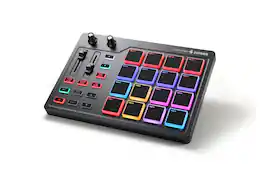
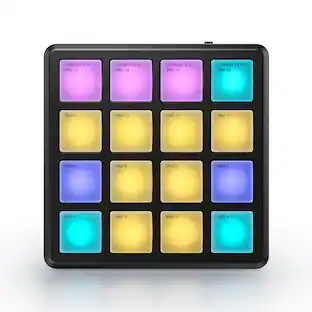
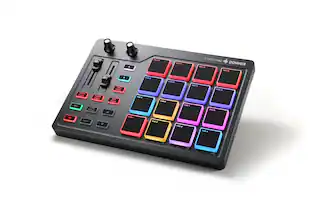
The Donner STARRYPAD is a versatile 16-pad MIDI controller designed for music creators of all levels. Featuring 16 soft silicone backlit pads with customizable 7-color lighting, you can trigger drums, samples, and effects across 3 pad banks—48 assignable pads in total—with adjustable velocity sensitivity curves for a natural feel. Extra controls include 2 faders, 2 knobs, and 3 buttons, plus a Shift key for expanded functionality. With USB-C plug-and-play connectivity, MIDI in/out ports (cable included), and broad compatibility across iOS, Android, Mac, and Windows, the STARRYPAD integrates seamlessly into any setup. Tap Tempo and ultra-low-latency Note Repeat help tighten your rhythm, while included Melodics courses and Cubase LE software provide the tools you need to start producing right away.

Launchpad X is our essential 64-pad MIDI grid controller for Ableton Live. It gives you everything you need to make music. Launch, play and perform your sounds and build your tracks using the large, super-sensitive RGB pads, dynamic note and scale modes, and mixer controls. The essential Live controller - Everything about making tracks in Ableton Live is made easier with Launchpad X’s quick, hands-on clip and scene launching and our most playable grid to date. Play your instruments and devices expressively with the 64 velocity- and pressure-sensitive RGB pads, then never lose an idea with one-press Capture MIDI control. Launchpad X belongs on the desk of every Ableton Live music maker. Express yourself - Launchpad X gives you everything you need right at your fingertips so you can spend less time clicking a mouse and more time making music. Never worry about being out of key – Dynamic Note and Scale modes let you easily play perfectly in-key basslines, melodies, chords and leads. Our most responsive velocity-sensitive pads with polyphonic aftertouch let you play your instruments dynamically and expressively. Step back from the screen, get hands-on and dive into your tracks. Make it yours - Go deeper and get Launchpad X working the way you want. Use Novation Components to customize MIDI mappings, and control almost anything; four custom modes mean you can design how this essential grid controller works for you – you’re only limited by your imagination. Take control of your performance - Essential performance controls are a single button-press away: stop, solo, mute, record arm and set your levels, pans and sends. Using Launchpad X is a simple as it gets, no drivers to install, just plug and perform. Sound Collective - When you register your Launchpad X, you’ll automatically gain access to Sound Collective. Get new free plug-ins every couple of months from some of the biggest names in the business, along with offers, discounts and more. Launchpad Mini [MK3] & Live Loops in Logic Pro - Live Loops brings cell-based looping playback and performance to Logic Pro. With Launchpad Mini [MK3] as your Live Loops controller, use cells to sketch out arrangement ideas, fast, and record your performances. Setup is automatic: just select your Launchpad from Logic’s Control Surface Setup. There are orientation options in Logic’s settings that allow you to choose vertical or rotated arrangement, to suit your preference. (Logic Pro 10.6 is required.)

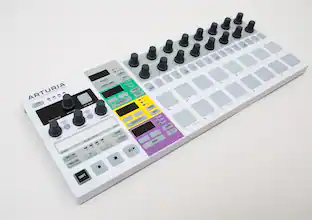
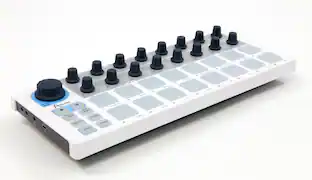
Arturia BeatStep is a compact controller and sequencer designed for flexible music production and performance setups. It features a 16-step analog sequencer, sixteen velocity- and pressure-sensitive pads, and sixteen assignable encoders with dual modes for hands-on control of pitch, modulation, and sequence parameters. The device supports multiple pad and sequence modes, allowing MIDI note, CC, Program/Bank, and MMC message output, as well as real-time manipulation of playback, scale, and time division. Connectivity options include MIDI DIN, USB, and CV/Gate for integration with DAWs, hardware synthesizers, and modular systems, while transport buttons provide Start/Stop and MMC functionality and can act as MIDI Clock master or slave. The included sixteen user presets store pad mappings, sequence settings, and encoder assignments, and BeatStep is compatible with iPad apps via a camera connection kit. A Kensington lock port adds physical security for studio and live use.
Specs
More to consider

Immerse yourself in sound Sponsored
 $799.99The price was $1,124.99

Discover related products
 $118.49The price was $148.49
 $129.99The price was $259.98
 $25.73The price was $26.99