
Novation - Launchpad Pro [MK3] MIDI Controller - Black
Novation - Launchpad Pro [MK3] MIDI Controller - Black
More Buying Options
- General
- Brand: Novation
- Model Number: AMS-LAUNCHPAD-Pro-MK3
- Product Name: Launchpad Pro [MK3] MIDI Controller
- Color: Black
- Warranty
- Warranty - Parts: 3 years
- Warranty - Labor: 3 years
- Other
- Product Width: 10.55 inches (The out of box width of the item. Width is measured as the horizontal distance from one side of the item to the other as it would be primarily used or placed.)
- Product Height: 0.71 inches (The out of box height of the item. Height is measured as the vertical distance from the bottom of the item to the top as it would be primarily used or placed.)
- Product Length: 10.55 inches (The out of box length of the item. Length is measured as the longest dimension of the item.)
- Product Weight: 2.21 pounds (The out of box weight of the item.)
- USB Port(s): true
- Headphone Jack: false (The device features an interface that allows for the connection of headphones.)
- Number Of Keys: 64
- Drum Pads: true
- Software Compatibility: Ableton Live,Logic Pro X 10.6
- Editing Tools: true
- Number Of Headphone Jacks: 0
- UPC: 815301001218
Launchpad Pro is made to produce. As Novation’s most powerful grid controller for making music in Ableton Live and with hardware, it gives you everything you need to create and perform your tracks. Launchpad Pro has Novation’s deepest Ableton Live integration yet. Launch clips and scenes, access mixer, device and transport controls, and quantize, duplicate and double, all without touching your mouse. One-click access to Ableton Live's Capture MIDI function makes sure you never miss an idea. Keep your tracks evolving with the four-track, eight-note polyphonic, 32-step standalone sequencer. Sequence virtual instruments and instantly print patterns to Clips in Ableton Live. Or hook up your favorite hardware to play patterns via MIDI — Launchpad Pro integrates seamlessly. Micro Steps take grooves off-grid. Probability, Mutate, Sync Rate and Play Order let you transform your patterns on the fly. Patterns can be chained together and assigned to Scenes to build complete songs. Launchpad Pro is the most playable Launchpad yet. Its velocity- and pressure-sensitive pads are bigger and more responsive than ever — perfect for playing grooves and launching clips. Scale mode locks pads to a musical key so you never hit a wrong note. Chord mode is an inspirational tool for building harmonies. Custom Modes transform Launchpad Pro into a hands-on control surface for any MIDI-compatible software or hardware, so you can design the perfect controller for your live setup, and perform with all your gear, however you want. Simply drag and drop widgets in Novation Components to configure the layout, then store configurations as one of eight Custom Modes. Disconnect the computer (if you want to), then switch between Modes for expressive and creative control of anything MIDI. Launchpad Pro is your music-making creativity hub, with or without a computer. Hook Launchpad Pro into an all-hardware rig using MIDI In, Out and Out 2/Thru ports on 3.5mm connectors. By no means least is the Easy Start Tool, which tailors the configuration process to your setup so you can start producing music as quickly as possible. Launchpad Pro [MK3] & Live Loops in Logic Pro - The Logical Choice - Launchpad Pro is the most integrated grid controller for Logic Pro, with unique access to Logic’s Live Loops. Trigger cells from the grid, navigate projects easily, and get hands-on with producing and performing. Create quickly with Note and Chord modes and record directly to cells, then mute, solo, record arm and stop tracks. Dedicated controls let you clear and duplicate cells, and quantize the notes recorded into a cell — all with a few buttons pushes and without ever touching a mouse.
- Deep Ableton Live Integration: Launch clips and scenes, access mixer, device and transport controls, and quantize, duplicate and double, all without touching your mouse.
- 64 Super-sensitive RGB Pads: Large RGB velocity- and pressure-sensitive pads give you a perfect reflection of your Ableton Live session, making it easier than ever to see your clips and play your instruments dynamically and expressively.
- Powerful Four-track, 32-step Sequencer: Create full tracks with Launchpad Pro's built-in sequencer, featuring eight-note polyphony, pattern chaining and scenes to create and trigger longer sequences, and probability and mutation controls to keep your tracks evolving.
- Chord Mode: Easily explore, build and play complex chords straight from the grid; quickly find new harmonies.
- Dynamic Note & Scale Modes: Effortlessly play perfectly in-key basslines, melodies, chords and leads. Launchpad Pro even knows when you’re drumming and shows your drum rack on the grid
- MIDI In, Out & Out 2/Thru: Control anything MIDI in your studio directly from Launchpad Pro.
- Capture MIDI: Never lose ideas and happy accidents with on-device access to Ableton Live's Capture MIDI function.
- Eight Custom Modes: Use Novation Components to customize mappings and control anything MIDI easily from Launchpad Pro
- Included Software: Ableton Live Lite – quickly organize and arrange your sounds and start making tracks with this staple electronic-music-making software.
- Included Software: AAS Session Bundle - Three synths for music makers, providing essential sounds for your tracks.
- Included Software: XLN Addictive Keys – Access one of four virtual keyboards when you register your first piece of Novation hardware.
- Included Software: Klevgrand R0Verb and DAW Cassette – High quality reverb and tape deck emulation plug-ins, to add some space or take your sound back to the golden age of cassette tapes.
- Included Software: Softube Time and Tone bundle – made up of four of Softube's world class plug-ins: reverb, delay, an easy to use mastering tool and distortion. Sound Collective – bringing Novation hardware owners a new free plug-in every couple of months.
- Deep Ableton Live Integration: Launch clips and scenes, access mixer, device and transport controls, and quantize, duplicate and double, all without touching your mouse.
- 64 Super-sensitive RGB Pads: Large RGB velocity- and pressure-sensitive pads give you a perfect reflection of your Ableton Live session, making it easier than ever to see your clips and play your instruments dynamically and expressively.
- Powerful Four-track, 32-step Sequencer: Create full tracks with Launchpad Pro's built-in sequencer, featuring eight-note polyphony, pattern chaining and scenes to create and trigger longer sequences, and probability and mutation controls to keep your tracks evolving.
- Chord Mode: Easily explore, build and play complex chords straight from the grid; quickly find new harmonies.
- Dynamic Note & Scale Modes: Effortlessly play perfectly in-key basslines, melodies, chords and leads. Launchpad Pro even knows when you’re drumming and shows your drum rack on the grid
- MIDI In, Out & Out 2/Thru: Control anything MIDI in your studio directly from Launchpad Pro.
- Capture MIDI: Never lose ideas and happy accidents with on-device access to Ableton Live's Capture MIDI function.
- Eight Custom Modes: Use Novation Components to customize mappings and control anything MIDI easily from Launchpad Pro
- Included Software: Ableton Live Lite – quickly organize and arrange your sounds and start making tracks with this staple electronic-music-making software.
- Included Software: AAS Session Bundle - Three synths for music makers, providing essential sounds for your tracks.
- Included Software: XLN Addictive Keys – Access one of four virtual keyboards when you register your first piece of Novation hardware.
- Included Software: Klevgrand R0Verb and DAW Cassette – High quality reverb and tape deck emulation plug-ins, to add some space or take your sound back to the golden age of cassette tapes.
- Included Software: Softube Time and Tone bundle – made up of four of Softube's world class plug-ins: reverb, delay, an easy to use mastering tool and distortion. Sound Collective – bringing Novation hardware owners a new free plug-in every couple of months.
- Deep Ableton Live Integration: Launch clips and scenes, access mixer, device and transport controls, and quantize, duplicate and double, all without touching your mouse.
- 64 Super-sensitive RGB Pads: Large RGB velocity- and pressure-sensitive pads give you a perfect reflection of your Ableton Live session, making it easier than ever to see your clips and play your instruments dynamically and expressively.
- Powerful Four-track, 32-step Sequencer: Create full tracks with Launchpad Pro's built-in sequencer, featuring eight-note polyphony, pattern chaining and scenes to create and trigger longer sequences, and probability and mutation controls to keep your tracks evolving.
- Chord Mode: Easily explore, build and play complex chords straight from the grid; quickly find new harmonies.
- Dynamic Note & Scale Modes: Effortlessly play perfectly in-key basslines, melodies, chords and leads. Launchpad Pro even knows when you’re drumming and shows your drum rack on the grid
- MIDI In, Out & Out 2/Thru: Control anything MIDI in your studio directly from Launchpad Pro.
- Capture MIDI: Never lose ideas and happy accidents with on-device access to Ableton Live's Capture MIDI function.
- Eight Custom Modes: Use Novation Components to customize mappings and control anything MIDI easily from Launchpad Pro
- Included Software: Ableton Live Lite – quickly organize and arrange your sounds and start making tracks with this staple electronic-music-making software.
- Included Software: AAS Session Bundle - Three synths for music makers, providing essential sounds for your tracks.
- Included Software: XLN Addictive Keys – Access one of four virtual keyboards when you register your first piece of Novation hardware.
- Included Software: Klevgrand R0Verb and DAW Cassette – High quality reverb and tape deck emulation plug-ins, to add some space or take your sound back to the golden age of cassette tapes.
- Included Software: Softube Time and Tone bundle – made up of four of Softube's world class plug-ins: reverb, delay, an easy to use mastering tool and distortion. Sound Collective – bringing Novation hardware owners a new free plug-in every couple of months.
Whats Included
- Launchpad Pro [MK3]
- USB-A to USB-C Cable
- USB-C to USB-C Cable
- USB-A to Power Adapter
- 3x TRS Mini-jack to DIN MIDI Adapters
- Safety information sheet
- Launchpad Pro [MK3]
- USB-A to USB-C Cable
- USB-C to USB-C Cable
- USB-A to Power Adapter
- 3x TRS Mini-jack to DIN MIDI Adapters
- Safety information sheet
- Launchpad Pro [MK3]
- USB-A to USB-C Cable
- USB-C to USB-C Cable
- USB-A to Power Adapter
- 3x TRS Mini-jack to DIN MIDI Adapters
- Safety information sheet
Q: What are the standalone sequencer's capabilities?
A: The standalone sequencer allows you to sequence virtual instruments and instantly print patterns to clips in Ableton Live, or connect your favorite hardware to play patterns via MIDI. You can keep your tracks evolving with the four-track, eight-note polyphonic, 32-step standalone sequencer. Micro Steps take grooves off-grid.
Q: Why are the pads velocity- and pressure-sensitive?
A: The velocity- and pressure-sensitive pads make it easier to play grooves and launch clips.
Q: How does the Launchpad Pro integrate with Ableton Live?
A: Launchpad Pro has deep Ableton Live integration, letting you launch clips and scenes, control the mixer, devices, and transport, and quantize, duplicate, and double, all without needing a mouse.
Q: What is the purpose of the Easy Start Tool?
A: The Easy Start Tool simplifies the configuration process of your Launchpad Pro, helping you start making music quickly.
Q: Are there any dedicated controls for Logic Pro's Live Loops?
A: The Novation Launchpad Pro [MK3] MIDI Controller offers dedicated controls specifically designed for use with Logic Pro's Live Loops feature.
Q: Can you use the Launchpad Pro with other MIDI-compatible software?
A: Launchpad Pro can be transformed into a hands-on control surface for any MIDI-compatible software or hardware.
Compare similar products
![Novation - Launchpad Pro [MK3] MIDI Controller - Black](https://pisces.bbystatic.com/image2/BestBuy_US/images/products/6470/6470644_sd.jpg;maxHeight=422;maxWidth=264?format=webp)
Launchpad Pro is made to produce. As Novation’s most powerful grid controller for making music in Ableton Live and with hardware, it gives you everything you need to create and perform your tracks. Launchpad Pro has Novation’s deepest Ableton Live integration yet. Launch clips and scenes, access mixer, device and transport controls, and quantize, duplicate and double, all without touching your mouse. One-click access to Ableton Live's Capture MIDI function makes sure you never miss an idea. Keep your tracks evolving with the four-track, eight-note polyphonic, 32-step standalone sequencer. Sequence virtual instruments and instantly print patterns to Clips in Ableton Live. Or hook up your favorite hardware to play patterns via MIDI — Launchpad Pro integrates seamlessly. Micro Steps take grooves off-grid. Probability, Mutate, Sync Rate and Play Order let you transform your patterns on the fly. Patterns can be chained together and assigned to Scenes to build complete songs. Launchpad Pro is the most playable Launchpad yet. Its velocity- and pressure-sensitive pads are bigger and more responsive than ever — perfect for playing grooves and launching clips. Scale mode locks pads to a musical key so you never hit a wrong note. Chord mode is an inspirational tool for building harmonies. Custom Modes transform Launchpad Pro into a hands-on control surface for any MIDI-compatible software or hardware, so you can design the perfect controller for your live setup, and perform with all your gear, however you want. Simply drag and drop widgets in Novation Components to configure the layout, then store configurations as one of eight Custom Modes. Disconnect the computer (if you want to), then switch between Modes for expressive and creative control of anything MIDI. Launchpad Pro is your music-making creativity hub, with or without a computer. Hook Launchpad Pro into an all-hardware rig using MIDI In, Out and Out 2/Thru ports on 3.5mm connectors. By no means least is the Easy Start Tool, which tailors the configuration process to your setup so you can start producing music as quickly as possible. Launchpad Pro [MK3] & Live Loops in Logic Pro - The Logical Choice - Launchpad Pro is the most integrated grid controller for Logic Pro, with unique access to Logic’s Live Loops. Trigger cells from the grid, navigate projects easily, and get hands-on with producing and performing. Create quickly with Note and Chord modes and record directly to cells, then mute, solo, record arm and stop tracks. Dedicated controls let you clear and duplicate cells, and quantize the notes recorded into a cell — all with a few buttons pushes and without ever touching a mouse.
![Novation - Launchpad Mini [MK3] MIDI Controller - Black](https://pisces.bbystatic.com/image2/BestBuy_US/images/products/6470/6470642_sd.jpg;maxHeight=422;maxWidth=264?format=webp)
Launchpad Mini is our most compact and portable 64 RGB pad MIDI grid controller. It gives you everything you need to start performing in Ableton Live - and it'll fit in your bag. Start making and performing tracks with Ableton Live wherever you are, using the huge array of sounds in the box to get you started. Launch your music making - Bright pads make it easier than ever to see your Ableton Live session and launch your sounds. It looks great too; full RGB colors perfectly match your clips and scenes. Seamless Ableton Live integration means Launchpad Mini brings your session to your fingertips, so you can spend more time launching and less time clicking a mouse. Nothing holding you back - You can start making music today with Launchpad Mini. With its hands-on controls, tons of sounds in the box and our step-by-step interactive platform to get you set up, we’ve gone further than ever to make it easy to get started. Launchpad Mini is the grid controller for any Live performer. Welcome aboard - Once you’ve plugged in your Launchpad Mini, you’ll be brought to our online Easy Start tool. Download all the software you want with step-by-step video guides to get you set up with Ableton Live and making music in minutes. Take it everywhere - Good things really do come in small packages. Launchpad Mini is our most compact, portable and lightweight grid controller, so you never have to leave it at home. Take it anywhere you go, so you can launch your sounds whenever inspiration hits. Intuitive Ableton Live integration - Launchpad Mini gives you immediate and tactile access to Live’s performance controls in a way you just can’t get with a mouse. Step back from your computer and see your session and all your sounds on the eight-by-eight grid. Then, control your performance straight from Launchpad Mini with Stop, Solo and Mute controls. Make it yours - Go deeper and get Launchpad Mini working the way you want. Use Drums and Keys modes to play your instruments. Use Novation Components – our online hub for all things Novation – to customize MIDI mappings, and control almost anything; three custom modes mean you can design how this compact grid controller works for you – you’re only limited by your imagination. Sound Collective - When you register your Launchpad Mini, you’ll automatically gain access to Sound Collective. Get new free plug-ins every few months from some of the biggest names in the business, along with offers, discounts and more. Launchpad Mini [MK3] & Live Loops in Logic Pro - Live Loops brings cell-based looping playback and performance to Logic Pro. With Launchpad Mini [MK3] as your Live Loops controller, use cells to sketch out arrangement ideas, fast, and record your performances. Setup is automatic: just select your Launchpad from Logic’s Control Surface Setup. There are orientation options in Logic’s settings that allow you to choose vertical or rotated arrangement, to suit your preference. (Logic Pro 10.6 is required.) Firmware version 2.0 for Launchpad Mini PIP - Firmware version 2.0 introduces the exciting Custom Mode keystroke widget. You can keep creativity flowing while making music by assigning essential DAW shortcuts using Novation Components for a faster, more intuitive workflow and endless creative options.
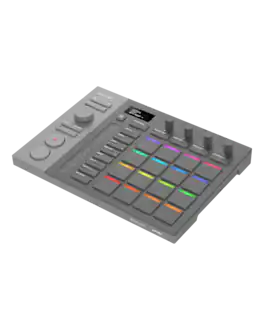
The Pioneer DJ SLAB is the ultimate MIDI pad controller for hands-on beat-making, designed to seamlessly integrate with Serato Studio. Featuring CDJ-inspired play/record controls, a multifunction dial, and intuitive panel zoning, SLAB streamlines your workflow from production to performance. Its velocity-sensitive pads with adjustable aftertouch deliver dynamic expression, while the precision touch strip offers real-time control over filters, pitch, and effects. Designed to work with Serato Studio’s advanced sampling and stem separation tools, SLAB puts control at your fingertips.

Launchpad X is our essential 64-pad MIDI grid controller for Ableton Live. It gives you everything you need to make music. Launch, play and perform your sounds and build your tracks using the large, super-sensitive RGB pads, dynamic note and scale modes, and mixer controls. The essential Live controller - Everything about making tracks in Ableton Live is made easier with Launchpad X’s quick, hands-on clip and scene launching and our most playable grid to date. Play your instruments and devices expressively with the 64 velocity- and pressure-sensitive RGB pads, then never lose an idea with one-press Capture MIDI control. Launchpad X belongs on the desk of every Ableton Live music maker. Express yourself - Launchpad X gives you everything you need right at your fingertips so you can spend less time clicking a mouse and more time making music. Never worry about being out of key – Dynamic Note and Scale modes let you easily play perfectly in-key basslines, melodies, chords and leads. Our most responsive velocity-sensitive pads with polyphonic aftertouch let you play your instruments dynamically and expressively. Step back from the screen, get hands-on and dive into your tracks. Make it yours - Go deeper and get Launchpad X working the way you want. Use Novation Components to customize MIDI mappings, and control almost anything; four custom modes mean you can design how this essential grid controller works for you – you’re only limited by your imagination. Take control of your performance - Essential performance controls are a single button-press away: stop, solo, mute, record arm and set your levels, pans and sends. Using Launchpad X is a simple as it gets, no drivers to install, just plug and perform. Sound Collective - When you register your Launchpad X, you’ll automatically gain access to Sound Collective. Get new free plug-ins every couple of months from some of the biggest names in the business, along with offers, discounts and more. Launchpad Mini [MK3] & Live Loops in Logic Pro - Live Loops brings cell-based looping playback and performance to Logic Pro. With Launchpad Mini [MK3] as your Live Loops controller, use cells to sketch out arrangement ideas, fast, and record your performances. Setup is automatic: just select your Launchpad from Logic’s Control Surface Setup. There are orientation options in Logic’s settings that allow you to choose vertical or rotated arrangement, to suit your preference. (Logic Pro 10.6 is required.)
Specs
Reviews
Customer Images
The vast majority of our reviews come from verified purchases. Reviews from customers may include My Best Buy members, employees, and Tech Insider Network members (as tagged). Select reviewers may receive discounted products, promotional considerations or entries into drawings for honest, helpful reviews.
- Rated 5 out of 5 stars
Amazing pad for Ableton / Logic Pro
This touchpad controller is a game changer especially using note and chord modes that can take music creativity to the next level. The 32 step sequencer is really helpful along with launching scenes and clips or live loops at will! Bravo Novation!!!
This review is from Novation - Launchpad Pro [MK3] MIDI Controller - Black
Ledos Posted
- Rated 5 out of 5 stars
I like it
Perfect item for creating sequence and using in Ableton
This review is from Novation - Launchpad Pro [MK3] MIDI Controller - Black
atabey Posted
- Rated 5 out of 5 stars
Buy it. It’s a good cope.
If you’re not too versed in music theory. This product makes production much easier.
This review is from Novation - Launchpad Pro [MK3] MIDI Controller - Black
nana Posted