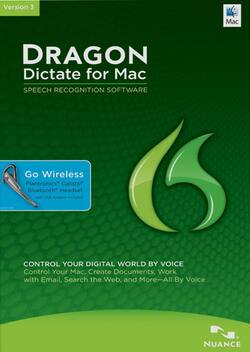
Nuance - Dragon Dictate for Mac Version 3 Product Key Card - Mac OS [Digital]
- Key Specs
- Operating System Compatibility: Mac OS
- Software Format: Digital (Physical software requires a disc, cartridge, etc. be inserted into the gaming console or computer to download and/or operate the software. Digital software allows for downloading and/or playing the software on the gaming console or computer without a physical disc, cartridge, etc. Physical (Download Code Only) software is purchased in physical form with a code that allows for downloading and/or playing the software on the gaming console or computer without a physical disc, cartridge, etc.)
- General
- Brand: Nuance
- Model Number: S601B-GN9-3.0
- Product Name: Dragon Dictate for Mac Version 3 Product Key Card
- Publisher: Nuance Communications
- Features
- Language(s) Supported: English
- Voice Commands: Navigate programs and folders
- Voice Transcription: true
- Cloud Based Software: true
- Compatibility
- Operating System Compatibility: Mac OS
- Software Format: Digital (Physical software requires a disc, cartridge, etc. be inserted into the gaming console or computer to download and/or operate the software. Digital software allows for downloading and/or playing the software on the gaming console or computer without a physical disc, cartridge, etc. Physical (Download Code Only) software is purchased in physical form with a code that allows for downloading and/or playing the software on the gaming console or computer without a physical disc, cartridge, etc.)
- Other
- UPC: 780420127715
Typing up long documents frustrates you — your fingers can't possibly type as fast as the thoughts forming in your mind — and when you do try to pick up the speed, you end up filling the page with spelling errors and typos. It doesn't help that you have to sit at a desk, hunched over a keyboard. Within minutes your back is aching, your wrists are sore and you can feel the onset of a mild headache due to the brightness of your monitor. Typing is a necessary part of your life — both personally and professionally — but thanks to Dragon Dictate you don't need to type things out manually in order to have them written out on your screen. This speech-recognition software allows you to convert your spoken words into text and use voice-powered commands to control your Mac, so the speed and ease with which you complete tasks increases. Simply begin by speaking words into the included Plantronics Calisto Bluetooth wireless headset and watch as they appear on your screen. With up to 99% recognition accuracy, Dragon Dictate makes sure your words are precisely captured.
Dragon Dictate for Mac can be used with virtually any Mac application, so you can create and edit documents in Microsoft Word, Text Edit, Notepad and Pages, manage spreadsheets in Microsoft Excel and Numbers, make presentations in Microsoft PowerPoint and Keynote, navigate your e-mail in Mail and much, much more. You can even search the Web or your desktop and post to social media sites like Facebook and Twitter using only spoken commands. With the ability to open folders, select menu items, press keys, switch between apps and create custom vocal commands to execute multiple steps — all with just your voice — you'll be able to comfortably and naturally work on your Mac. For a more customized experience, you can add your own personal vocabulary, consisting of acronyms, proper names and other individualized phrases that you frequently use, plus alternative written forms of words or phrases, so your dictated speech looks the way you want it to every time. Worried about navigating Dragon Dictate? You don't have to be thanks to the new interactive tutorial simulations and help menu that assist you in quickly learning good dictation, correction and editing techniques. Now, making corrections or revisions to your dictated text is easy thanks to the correction interface that allows you to edit specific words or entire phrases. Transcribe high-quality audio files, even while you're on the go, by speaking into your compatible Dragon Recorder app-enabled mobile device, so you can capture your important thoughts and ideas while they're still fresh in your mind. Start controlling your digital world with just the power of your voice with Dragon Dictate for Mac.