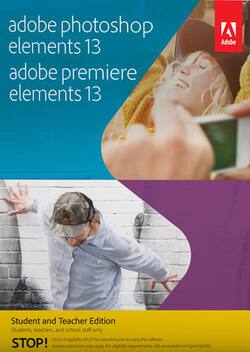
Photoshop Elements 13 and Adobe Premiere Elements 13: Student and Teacher Edition - Windows, Mac OS
- Key Specs
- Operating System Compatibility: Windows, Mac OS
- Software Format: Physical (Physical software requires a disc, cartridge, etc. be inserted into the gaming console or computer to download and/or operate the software. Digital software allows for downloading and/or playing the software on the gaming console or computer without a physical disc, cartridge, etc. Physical (Download Code Only) software is purchased in physical form with a code that allows for downloading and/or playing the software on the gaming console or computer without a physical disc, cartridge, etc.)
- General
- Brand: Adobe
- Model Number: ADO951800F031
- Product Name: Adobe Photoshop Elements 13 and Adobe Premiere Elements 13: Student and Teacher Edition
- Publisher: Adobe
- Features
- Software Subject: Photo editing
- Compatibility
- Operating System Compatibility: Windows, Mac OS
- Software Format: Physical (Physical software requires a disc, cartridge, etc. be inserted into the gaming console or computer to download and/or operate the software. Digital software allows for downloading and/or playing the software on the gaming console or computer without a physical disc, cartridge, etc. Physical (Download Code Only) software is purchased in physical form with a code that allows for downloading and/or playing the software on the gaming console or computer without a physical disc, cartridge, etc.)
- Number Of Discs: 2
- Other
- UPC: 883919267555
Note: This Adobe Student and Teacher Edition software is only for use by students, teachers, instructors and other educators who meet Adobe eligibility guidelines. Proof of eligibility will be required after purchase in order to use the software. End users will be authorized for only one license of any Adobe Student and Teacher Edition software product. See terms and conditions.
It's a common adage that a picture is worth a thousand words. You and your students are able to freeze special moments in time with a camera — capturing that memory to treasure and relive forever. Whether you're simply taking photos and your students are filming their next great cinematic adventure, the captured photographs and videos are precious, cherished pieces of living history that should not only be preserved, but also enhanced, shared and viewed again and again. Take those captured memories to the next level and add creative effects that will allow your students to wow their audience with the innovative, powerful creation and editing tools in Adobe Photoshop Elements 13 and Adobe Premiere Elements 13.
Adobe Photoshop Elements 13 and Adobe Premiere Elements 13 provide a user-friendly, intuitive environment to help you organize, edit, enhance and share your photographs and videos. Tell your big life stories in a dramatic, unique way with Video Story. Simply pick a story type, grab clips for each chapter and Elements completes the rest for you, automatically trimming and inserting appropriate transitions and music based on the mood you choose, so your music video, film or other project footage is brought to life as a full-on production. Elements suggests four different composition options and presents a selected effect in five different ways, letting you and your students choose the composition and effect variety that best suits their artistic purposes. Enhance your editing skills with the new Guided Edits, which offer built-in video tutorials to help you learn, plus give you more complete control over the editing process, allowing you to add motion inside of movie titles and insert dramatic effects and blurs. Make your old black-and-white photos new and fresh by making a single color pop against a black-and-white background or creating interesting hybrid compositions of both color and black-and-white. Remix and mash up your photos with Photomerge Compose, which lets you pull something out of one photo and pop it into another, resulting in a realistically blended final image. When you're finished putting the final touches on your creation, send an e-mail link to a Web gallery or attach photos that can be accessed by your friends and family members, create slideshows with multiple photos on each slide and then share them as movies via Revel, burn them to a disc, play them on a connected HDTV or upload them to Facebook, YouTube, Vimeo, Twitter or other social networks. Capture memories, make your creative vision a reality and do it all with the help of Adobe Photoshop Elements 13 and Adobe Premiere Elements 13.
- Adobe Photoshop Elements 13: Includes and Adobe Premiere Elements 13 software to help you bring your creative vision to life with editing solutions for every user level that will add amazing touches to your photos and videos
- Elements: Bring your favorite events to life with Video Story — just pick a story type, such as wedding or birthday, grab clips for each chapter and does the rest — trimming, transitions and music, so you receive a stunning production
- Premiere Elements: Use new Guided Edits in to add motion inside movie titles and insert cool titles, effects and blurs that draw your audience's eyes to one part of the scene, and rely on built-in video tutorials to help hone your editing skills
- Photoshop Elements: Re-imagine your black-and-white photos with Guided Edits in — make a single color pop against a black-and-white background, create hybrids of color and black-and-white and more
- Elements: Pick an effect and brings it to life in five different ways, allowing you to choose the one that looks the best, plus suggests four different composition options, giving you complete control of the finished product
- Elements: Enjoy portable access to your photos and videos, and easily share, view and relive them from your compatible mobile device — upload them from your device and see them in your Photoshop Elements albums at home
- Adobe Photoshop Elements 13: Includes and Adobe Premiere Elements 13 software to help you bring your creative vision to life with editing solutions for every user level that will add amazing touches to your photos and videos
- Elements: Bring your favorite events to life with Video Story — just pick a story type, such as wedding or birthday, grab clips for each chapter and does the rest — trimming, transitions and music, so you receive a stunning production
- Premiere Elements: Use new Guided Edits in to add motion inside movie titles and insert cool titles, effects and blurs that draw your audience's eyes to one part of the scene, and rely on built-in video tutorials to help hone your editing skills
- Photoshop Elements: Re-imagine your black-and-white photos with Guided Edits in — make a single color pop against a black-and-white background, create hybrids of color and black-and-white and more
- Elements: Pick an effect and brings it to life in five different ways, allowing you to choose the one that looks the best, plus suggests four different composition options, giving you complete control of the finished product
- Elements: Enjoy portable access to your photos and videos, and easily share, view and relive them from your compatible mobile device — upload them from your device and see them in your Photoshop Elements albums at home