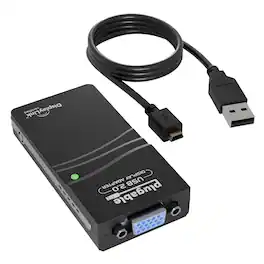
Plugable - USB 2.0 to VGA Video Graphics Adapter for Multiple Monitors up to 1920x1080 - Black
About this product
The Plugable USB-VGA-165 is a reliable and easy-to-use USB to VGA adapter for monitor setups. It connects your USB-enabled laptop or desktop to any VGA-compatible monitor, projector, or TV, making it ideal for extending or mirroring your display for greater productivity and a more flexible workspace. This VGA to USB adapter uses the DisplayLink DL-165 chipset to support resolutions up to 1920x1080 at 60Hz. Whether you're working with spreadsheets, documents, or just browsing the web, the adapter helps you increase productivity by giving you more screen space for multitasking. It supports both mirror and extended desktop modes, so you can choose the display configuration that fits your workflow best. Ideal for use in office environments, classrooms, or remote work setups, this adapter provides a reliable VGA to USB connection without requiring an external power source. The included 1-meter USB cable offers flexibility in how you position your adapter and connected display. The Plugable USB-VGA-165 works with Windows 11, 10, 8.1, 7, XP (32-bit only), macOS 10.14 and newer, and ChromeOS. It supports Intel, M1 (Pro, Max), M2 (Pro, Max), M3 (Pro, Max), M4 (Pro, Max), and M5 Macs on macOS 10.14+ with software installation from Plugable's website. It is compatible with USB 2.0 and USB 3.0 ports, and it can be used with USB-C or Thunderbolt systems via a USB-C to USB-A adapter (sold separately). Linux and ARM-based Windows systems are not supported. Can also be used with Yamaha keyboards for connecting an external display to show music or lyrics. This VGA to USB adapter is best suited for productivity tasks and general computing. It is not recommended for gaming, video playback, or any content protected by HDCP, such as Netflix, Hulu, or Blu-ray discs. A DisplayLink driver is required for operation. Windows users can install the driver automatically via Windows Update, while macOS users can download the driver directly from Plugable’s website or refer to the video in the gallery images for step by step instructions. Each adapter connects one additional display. Users who need multiple monitors can connect up to six displays on Windows or four on macOS using additional Plugable USB to VGA adapters. This adapter is backed by Plugable’s two-year limited warranty and lifetime customer support, with assistance available from our North America-based support team. In the Box USB-VGA-165 graphics adapter, USB 2.0 cable, quick-start guide
Features
Simplify Your Display Setup
Instantly expand your workspace with a single USB connection. This USB to VGA adapter connects your USB-enabled laptop or desktop to a VGA monitor, projector, or TV with resolutions up to 1920x1080 (1080p).
Mirror or Extend a Single Display
Easily mirror your screen for presentations or extend your desktop to one additional VGA display. Ideal for focused productivity, video conferencing, or viewing reference materials side by side, all without switching between windows.
Add More Displays with More Adapters
Need more than one display? This adapter supports up to six total external VGA displays on Windows, or up to four on macOS. Simply connect additional Plugable USB to VGA adapters, one for each extra monitor.
Universal Compatibility
Connects to nearly any system via USB 2.0 and works with USB 3.0, USB-C, and Thunderbolt ports using a USB-C to USB-A adapter (sold separately). Compatible with Windows 11/10/8.1/7/XP, macOS 10.14+, and ChromeOS. Supports most VGA monitors, projectors, and TVs.
Easy Setup + Lifetime Support
Setup is simple, just install the required DisplayLink driver (automatic in Windows & Chrome, manual in macOS). Refer to the product video in the image gallery for install steps. Backed by Plugable’s 2-year warranty and lifetime North America-based support, you can connect with confidence, help is always available, even before purchase.
Specifications
- Connector Type (End 1)USB-AGender (End 1)MaleConnector Type (End 2)VGAGender (End 2)FemaleMaximum Data Transfer Rate480 megabits per secondJacket MaterialRubber
Reviews
Rating 5 out of 5 stars with 1 review
The vast majority of our reviews come from verified purchases. Reviews from customers may include My Best Buy members, employees, and Tech Insider Network members (as tagged). Select reviewers may receive discounted products, promotional considerations or entries into drawings for honest, helpful reviews.
Compare similar products
The Plugable USB-VGA-165 is a reliable and easy-to-use USB to VGA adapter for monitor setups. It connects your USB-enabled laptop or desktop to any VGA-compatible monitor, projector, or TV, making it ideal for extending or mirroring your display for greater productivity and a more flexible workspace. This VGA to USB adapter uses the DisplayLink DL-165 chipset to support resolutions up to 1920x1080 at 60Hz. Whether you're working with spreadsheets, documents, or just browsing the web, the adapter helps you increase productivity by giving you more screen space for multitasking. It supports both mirror and extended desktop modes, so you can choose the display configuration that fits your workflow best. Ideal for use in office environments, classrooms, or remote work setups, this adapter provides a reliable VGA to USB connection without requiring an external power source. The included 1-meter USB cable offers flexibility in how you position your adapter and connected display. The Plugable USB-VGA-165 works with Windows 11, 10, 8.1, 7, XP (32-bit only), macOS 10.14 and newer, and ChromeOS. It supports Intel, M1 (Pro, Max), M2 (Pro, Max), M3 (Pro, Max), M4 (Pro, Max), and M5 Macs on macOS 10.14+ with software installation from Plugable's website. It is compatible with USB 2.0 and USB 3.0 ports, and it can be used with USB-C or Thunderbolt systems via a USB-C to USB-A adapter (sold separately). Linux and ARM-based Windows systems are not supported. Can also be used with Yamaha keyboards for connecting an external display to show music or lyrics. This VGA to USB adapter is best suited for productivity tasks and general computing. It is not recommended for gaming, video playback, or any content protected by HDCP, such as Netflix, Hulu, or Blu-ray discs. A DisplayLink driver is required for operation. Windows users can install the driver automatically via Windows Update, while macOS users can download the driver directly from Plugable’s website or refer to the video in the gallery images for step by step instructions. Each adapter connects one additional display. Users who need multiple monitors can connect up to six displays on Windows or four on macOS using additional Plugable USB to VGA adapters. This adapter is backed by Plugable’s two-year limited warranty and lifetime customer support, with assistance available from our North America-based support team. In the Box USB-VGA-165 graphics adapter, USB 2.0 cable, quick-start guide

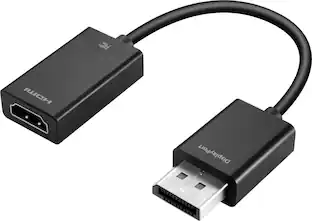
This Best Buy Essentials DisplayPort to HDMI Adapter can mirror or extend the display from your DisplayPort device to a HDMI-supported monitor. It supports resolutions up to 1920 × 1080 at 60 Hz for high-quality video (and audio is supported when provided by the source). It has 24K gold plating to help guard against corrosion and loss of quality.

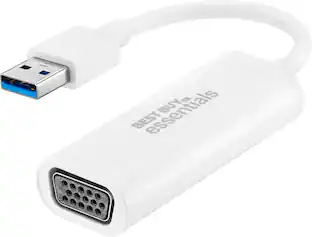
This Best Buy essentials USB to VGA Adapter can help you mirror or extend your display, granting you a setup that shows videos, presentations, games and more on a better screen. It supports Full HD resolution to mirror the display from a computer without losing image quality. Plug-and-play technology on Windows computers makes the connection simple. Just connect to a VGA-enabled monitor and you’ll be ready to work or play. This adapter is also USB 2.0 backwards compatible, giving you the option to use it with an older computer. And it’s backed by Best Buy, so you can trust it to upgrade your computer setup.
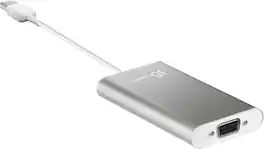
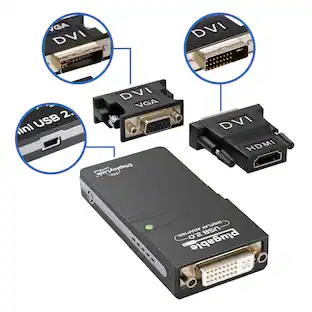
The USB 2.0 VGA Display Adapter acts as an external graphics card for your Mac or PC. It allows you to add an additional VGA display through your USB 2.0 port. There’s no need to open your computer to add an expensive graphics card. With this adapter, you simply load the drivers, plug the adapter into the USB port, plug the VGA monitor cable into the adapter and you are ready to go. The Display Adapter supports three viewing modes. Primary Mode allows you to have individual applications open on each monitor, vastly improving productivity. Extended Mode allows you to extend your desktop across multiple displays, which can be great for spreadsheets. Mirroring Mode is used to clone one screen onto another, which can be ideal for presentations.
| Pros for Plugable - USB 2.0 to VGA Video Graphics Adapter for Multiple Monitors up to 1920x1080 - Black | |||
|---|---|---|---|
| There were no pros for this product— | Ease of use, Price, Compatibility, Overall Performance, HDMI | Ease of use, Compatibility, Price, Performance, Picture Quality | There were no pros for this product— |
| Cons for Plugable - USB 2.0 to VGA Video Graphics Adapter for Multiple Monitors up to 1920x1080 - Black | |||
| There were no cons for this product— | Resolution, Refresh Rate, Lag | There were no cons for this product— | There were no cons for this product— |
Specs
Be the first to ask a question.
We’ll try to get your question answered within 24 hours by a Best Buy customer or brand representative.
Find more like this






More to consider

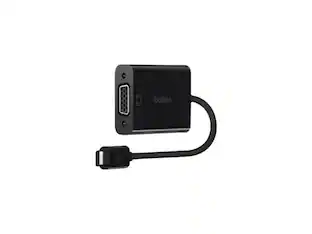
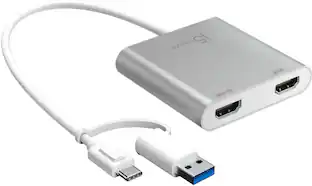
Explore tech essentials Sponsored
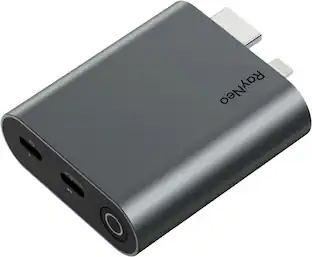



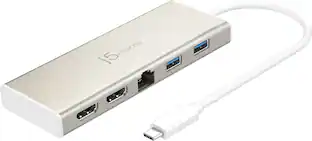

Discover related products
 $31.99The price was $32.99












Keep exploring
 $12.99The price was $14.99
 $4.99The price was $7.99