Best Buy essentials™ - USB to VGA Adapter - White
Customers are saying
Customers frequently mention the USB to VGA Adapter's ease of use and broad compatibility as significant advantages. Users appreciate the adapter's performance in meeting their needs and find it to be a good value. Some customers also highlight the picture quality as crisp and clear.
Male USB 3.0 to female VGA conversion
Connects your computer’s USB 3.0 port to a VGA-enabled monitor, for mirroring or extending your display.
Wide-ranging use
Connects USB 3.0 computers and laptops running Windows 10 (32 bit/64 bit) or macOS 10.12 through 11.4. View your content on VGA-compatible TVs, monitors and projectors.
High-quality video
Supports up to 2048 × 1152 resolution at 60 Hz for crisp, clear images.
USB 2.0 backwards compatibility
Works with older computers.
Windows Plug-and-play connection
Provides a hassle-free connection with Windows 10 updates online (macOS requires manual driver installation).
3 in. cord
Includes a small, attached cord for flexible placement options.
Compact
Our small design makes the adapter simple to transport.
Backed by Best Buy
For quality and reliability that you can trust.
Backed by Best Buy
For quality and reliability that you can trust.
- Connector Type (End 1)USB-AGender (End 1)MaleConnector Type (End 2)VGAGender (End 2)Female
Reviews
Rating 4.5 out of 5 stars with 118 reviews
- Ease of use (30)
- Compatibility (24)
- Performance (7)
- Picture Quality (3)
- Price (3)
Customer Images
The vast majority of our reviews come from verified purchases. Reviews from customers may include My Best Buy members, employees, and Tech Insider Network members (as tagged). Select reviewers may receive discounted products, promotional considerations or entries into drawings for honest, helpful reviews.
Compare similar products

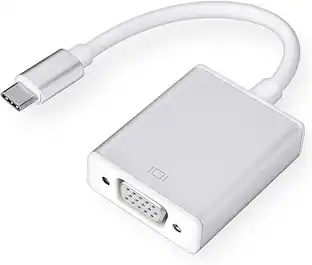
This Best Buy essentials USB to VGA Adapter can help you mirror or extend your display, granting you a setup that shows videos, presentations, games and more on a better screen. It supports Full HD resolution to mirror the display from a computer without losing image quality. Plug-and-play technology on Windows computers makes the connection simple. Just connect to a VGA-enabled monitor and you’ll be ready to work or play. This adapter is also USB 2.0 backwards compatible, giving you the option to use it with an older computer. And it’s backed by Best Buy, so you can trust it to upgrade your computer setup.

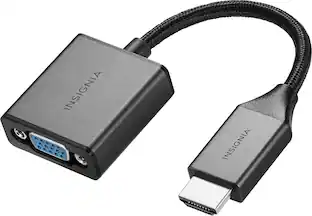
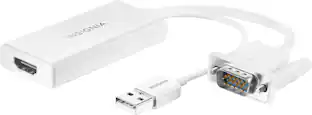
The Insignia VGA to HDMI Adapter mirrors the display from a VGA computer or laptop to any HDMI-enabled monitor, TV, Projector. Or extend your existing display to a second monitor, making it easier to organize programs and windows for day-to-day use at work or while browsing. This adapter supports resolutions up to 1920 × 1080 at 60 Hz for high-quality video, and an attached USB cable lets you hook up your audio and enables video output. Its hassle-free setup requires no additional software. This product can’t support HDMI to VGA output. To enable the adaptor correct setting up, the VGA port need to be connected your PC or laptop, a HDMI cable (not included) is required to connect the monitor, TV, projector, and the USB cable need to be connected with USB port of computer.

This Insignia NS-PU99501 cable allows you to connect a device with an RS-232 (DB9) serial port to a USB hub or USB-equipped PC or Mac and supports data transfer rates of more than 115 Kbps for rapid performance.

Enjoy high-quality sound delivery with this KICKER two-channel K-Series interconnect cable. The OFC wire ensures improved bass performance and signal clarity, while the flexible jacket supports easy installation in tight spaces. This KICKER two-channel K-Series interconnect cable is 3 meters long and has dual-mold connectors for a secure, slip-free grip.
| Pros for Best Buy essentials™ - USB to VGA Adapter - White | |||
|---|---|---|---|
| Ease of use, Compatibility, Price, Performance, Picture Quality | Overall Performance, Ease of use, Compatibility, Price, HDMI | Overall Performance, Compatibility, Ease of use, Price, USB | Ease of use, Compatibility, Quality, Cable Length |
| Cons for Best Buy essentials™ - USB to VGA Adapter - White | |||
| There were no cons for this product— | Resolution | Cable Length | There were no cons for this product— |
Specs
Customers often buy these together
Customers ultimately bought

Explore tech essentials Sponsored
 $38.99The price was $45.99
 $31.99The price was $34.99
 $379.99The price was $579.99
Discover related products
 $30.99The price was $32.99
 $24.99The price was $27.99
 $18.51The price was $22.89










Keep exploring
 $12.99The price was $13.99