j5create - USB 2.0 VGA Display Adapter - Silver
About this product
The USB 2.0 VGA Display Adapter acts as an external graphics card for your Mac or PC. It allows you to add an additional VGA display through your USB 2.0 port. There’s no need to open your computer to add an expensive graphics card. With this adapter, you simply load the drivers, plug the adapter into the USB port, plug the VGA monitor cable into the adapter and you are ready to go. The Display Adapter supports three viewing modes. Primary Mode allows you to have individual applications open on each monitor, vastly improving productivity. Extended Mode allows you to extend your desktop across multiple displays, which can be great for spreadsheets. Mirroring Mode is used to clone one screen onto another, which can be ideal for presentations.
Features
Supports Full HD Video Resolutions
Supports display resolution up to 1920 X 1200 @ 32 bits. Supports primary, extended, and mirror mode.
Improve work efficiency
It's easier than ever to add a second display, and you can use 4 adapters on Windows or two adapters on Mac at the same time.
Specifications
- Connector Type (End 1)USB-AGender (End 1)MaleConnector Type (End 2)VGAGender (End 2)Female
Reviews
Rating 4.5 out of 5 stars with 1010 reviews
Customer Images
The vast majority of our reviews come from verified purchases. Reviews from customers may include My Best Buy members, employees, and Tech Insider Network members (as tagged). Select reviewers may receive discounted products, promotional considerations or entries into drawings for honest, helpful reviews.
Compare similar products
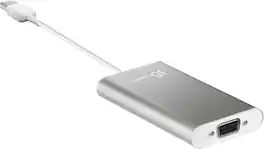
The USB 2.0 VGA Display Adapter acts as an external graphics card for your Mac or PC. It allows you to add an additional VGA display through your USB 2.0 port. There’s no need to open your computer to add an expensive graphics card. With this adapter, you simply load the drivers, plug the adapter into the USB port, plug the VGA monitor cable into the adapter and you are ready to go. The Display Adapter supports three viewing modes. Primary Mode allows you to have individual applications open on each monitor, vastly improving productivity. Extended Mode allows you to extend your desktop across multiple displays, which can be great for spreadsheets. Mirroring Mode is used to clone one screen onto another, which can be ideal for presentations.

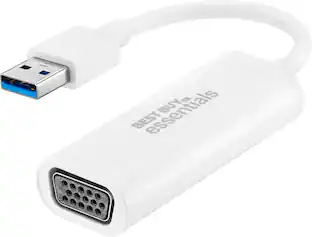
This Best Buy essentials USB to VGA Adapter can help you mirror or extend your display, granting you a setup that shows videos, presentations, games and more on a better screen. It supports Full HD resolution to mirror the display from a computer without losing image quality. Plug-and-play technology on Windows computers makes the connection simple. Just connect to a VGA-enabled monitor and you’ll be ready to work or play. This adapter is also USB 2.0 backwards compatible, giving you the option to use it with an older computer. And it’s backed by Best Buy, so you can trust it to upgrade your computer setup.

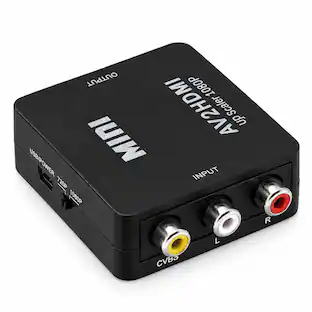
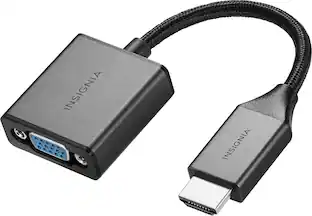
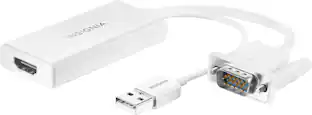
The Insignia VGA to HDMI Adapter mirrors the display from a VGA computer or laptop to any HDMI-enabled monitor, TV, Projector. Or extend your existing display to a second monitor, making it easier to organize programs and windows for day-to-day use at work or while browsing. This adapter supports resolutions up to 1920 × 1080 at 60 Hz for high-quality video, and an attached USB cable lets you hook up your audio and enables video output. Its hassle-free setup requires no additional software. This product can’t support HDMI to VGA output. To enable the adaptor correct setting up, the VGA port need to be connected your PC or laptop, a HDMI cable (not included) is required to connect the monitor, TV, projector, and the USB cable need to be connected with USB port of computer.

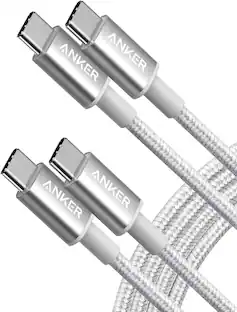
This 2-meter charge cable is made with a woven design — with USB-C connectors on both ends — and is ideal for charging, syncing, and transferring data between USB-C devices. It supports charging of up to 240 watts and transfers data at USB 2 rates. Pair the USB-C Charge Cable with a compatible USB-C power adapter to conveniently charge your devices from a wall outlet and take advantage of fast-charging capabilities. USB-C power adapters sold separately.
| Pros for j5create - USB 2.0 VGA Display Adapter - Silver | |||
|---|---|---|---|
| There were no pros for this product— | Ease of use, Compatibility, Price, Performance, Picture Quality | Overall Performance, Ease of use, Compatibility, Price, HDMI | Overall Performance, Compatibility, Cable Length, Flexibility |
| Cons for j5create - USB 2.0 VGA Display Adapter - Silver | |||
| There were no cons for this product— | There were no cons for this product— | Resolution | Data Transfer, Heat Dissipation |
Specs
Be the first to ask a question.
We’ll try to get your question answered within 24 hours by a Best Buy customer or brand representative.
Customers often buy these together
More to consider


Explore tech essentials Sponsored




Discover related products
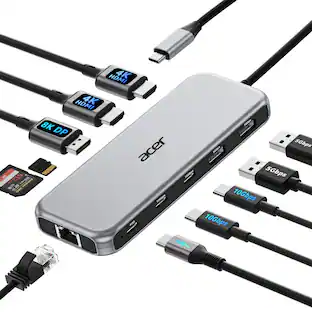
Acer USB C Docking Station With 2 HDMI, 9-IN-1 Docking Hub with USB A&C 3.0, SD/Micro SD, 100W Charging
$40.99The price was $47.99AGPtek 8 in 1 External CD/DVD Drive for Laptop, USB 3.0 Ultra Slim Portable CD Burner with 4 USB Ports
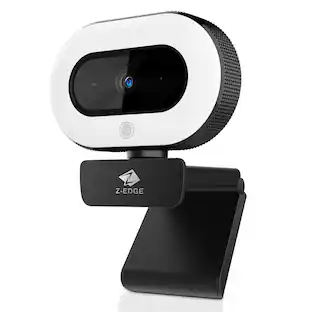
$31.99The price was $32.99Z Z-Edge 2K 2592x1944 Stream Webcam Auto Focus Web Camera for PC/Desktop/Laptop
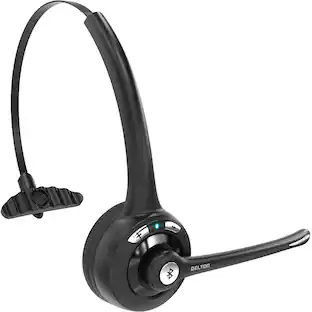
$24.99The price was $39.99Delton 10X Noise Isolating Bluetooth Over-the-Head Headset for Office & Remote Work (DBTHEAD10X)
$29.99The price was $32.82










Keep exploring
Miro U5 Type C to USB Charger Cable Adapter USB C Female to Male Charger Converter
$4.99The price was $7.99StarTech.com 3.5mm 4 Position to 2x 3 Position 3.5mm Headset Splitter Adapter - F/M
$21.93The price was $25.03