Rating 4.7 out of 5 stars with 1003 reviews
4.7- RAM (267)
- Performance (217)
- Price (150)
- Speed (119)
- Ease of use (92)
- RGB (7)
- Height (4)
- Lag (3)
Customer Images
The vast majority of our reviews come from verified purchases. Reviews from customers may include My Best Buy members, employees, and Tech Insider Network members (as tagged). Select reviewers may receive discounted products, promotional considerations or entries into drawings for honest, helpful reviews.
- Rated 5 out of 5 stars
Excellent Quality - Fast - Details Here
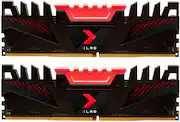
Great design with large heatsinks and fits well together in the motherboard. I was able to benchmark this on UserBenchmark to get real world results at 3200 MHz (RAM shows up under: PNY 8GBF1X08QFHH36-135-K 4x8GB) and it performed at 104% against the benchmark and in the top 10% of RAM tested in UB's database. Multi Core Test: Read 40.0 GB/s, Write 39.5 GB/s, Mixed 32.2 GB/s, Average 37.2 GB/s Single Core Test: Read 21.0 GB/s, Write 42.5 GB/s, Mixed 29.8 GB/s, Average: 31.1 GB/s Latency: 55 ns While there are cheaper options out there, these perform exceptionally well against other 3200 Mhz DDR4 RAM
Posted by rylee44
- Rated 5 out of 5 stars
Works at rated speed out-of-the-box
Purchased 2 different sets from 2 different Best Buy locations. One used Hynix chips, the other Samsung b-die. There was no discernible difference on the sticks or packaging (unlike Corsair which lists a version number) to help differentiate them. Used the Hynix set with an Intel i5-9400 and Gigabyte Z370 HD3. Set XMP in the BIOS and it ran with no issues. I didn't attempt to overclock them. Used the Samsung b-die with a Ryzen 7 3800X and MSI B450 Gaming Pro Carbon AC (7B85v1B BIOS). Couldn't get them to work with the A-XMP profile at any voltage in the DIMMA1 and DIMMB1 slots, but the motherboard and user's manual both list DIMMA2 and DIMMB2 as the primary slots. After changing the DIMM slots, they booted up at A-XMP speeds with no issues. Could not get them to boot at 3200 CAS14, even with DRAM voltage up to 1.50v. Was able to boot at 3600 CAS16 at 1.45v, but was unstable, even at 1.50v. Booted and stable at 3600 CAS18, but it benched slower than stock. Currently running them at 3466 CAS16 at 1.40v, stable with no issues. About a 3% boost in Passmark and 7% boost in AIDA64 benchmarks. My only wish is that there was some indicator on the package of what memory chips are used because I'd like to buy another Samsung b-die set so I can run my RAM in Dual Rank.
Posted by dpderr
- Rated 5 out of 5 stars
Incredible value
This works phenomenally! install was easy,clean,and fast and provided noticeable performance after the upgrade. My build also didn't take too long to adjust to the upgrade and turned on smooth as butter.
Posted by EricaS
- Rated 5 out of 5 stars
Great ram for a great price.
Liked the price and was glad to find this at the store instead of online for that cheap. Works great and was easy to install. I am building a ryzen 5 gaming pc for a customer and they where happy with the price and product.
Posted by MarisolA
- Rated 5 out of 5 stars
AMD Gaming PC
I had to return 32GB of CORSAIR - VENGEANCE PRO RAM because I built an AMD machine and needed the SL’s which was out of stock so I purchased 4 (8GB) sticks of the PNY gaming RAM and couldn’t be happier with its performance and ability to OC.
Posted by Chris