Everything for Back to School — and then someShop now

Skip to contentGo to Product Search
Main Content

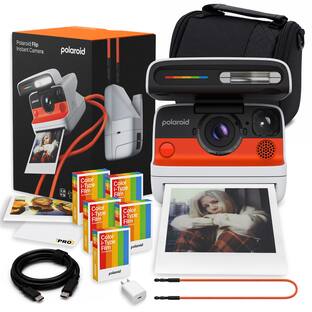
Polaroid - Flip Instant Camera - Black

Model: 9152
SKU: 6625944
Sold byBest Buy

Customers are saying

Customers praise the exceptional build quality of this product, with many users noting that it produces remarkably clear photos. Additionally, the autofocus system performs reliably, and the battery life is consistently described as dependable. While the device is highly regarded for its performance, some users find the unit to be somewhat heavy and bulky to carry.

Generated by AI based on customer reviews.
Features
  • Hyperfocal 4-lens system for beautifully sharp shots.

    The Flip uses four sharp lenses which are automatically selected depending on the distance to the subject. This means four focal sweet spots (compared to the two on the Now/Now+) that ensure sharper focus for a variety of styles, from cultivated portraits to spontaneous street photography. Close up – Sweet spot at 0.65m | Near field – Sweet spot at 0.85m | Mid field – Sweet spot at 1.2m | Far field – Sweet spot at 2.5m

  • Sonar autofocus ensures your subject is always in focus.

    The Flip uses sonar waves to assess the subject of your shot and then selects the correct lens for maximum focal clarity. An added bonus? Since sonar isn’t affected by light, the Flip works just as well in dark or super bright conditions. Sharp shots, no matter your style of photography.

  • Our most powerful flash for any lighting conditions.

    The flash in our Flip is our most powerful ever thanks to the design-space allocated in the Flip’s ‘lid’. It’s also capable of adapting its power according to the distance of your subject – up to 4 meters away. With the Flip, tricky light situations aren’t that tricky.

  • Scene analysis for well-exposed pictures, more often.

    Through the Viewfinder LED, the Flip’s Scene analysis alerts you when your shot is over or underexposed, and when your subject is too close. There’s nothing like fair warning before taking a bad shot.

See all features
Specifications
  • Instant Film Compatibility
    Polaroid i-Type, Polaroid 600
    App Compatible
    Yes
    Autofocus
    Yes
Sponsored

Reviews

Rating 4.5 out of 5 stars with 45 reviews

93% would recommend to a friend
Customers are sayingCustomers praise the exceptional build quality of this product, with many users noting that it produces remarkably clear photos. Additionally, the autofocus system performs reliably, and the battery life is consistently described as dependable. While the device is highly regarded for its performance, some users find the unit to be somewhat heavy and bulky to carry.
This summary was generated by AI based on customer reviews.
  • Build Quality (18)
  • Autofocus (5)
  • Battery Life (4)
  • Weight (4)

Customer Images

The vast majority of our reviews come from verified purchases. Reviews from customers may include My Best Buy members, employees, and Tech Insider Network members (as tagged). Select reviewers may receive discounted products, promotional considerations or entries into drawings for honest, helpful reviews.
  • Rated 5 out of 5 stars

    Flip Your Life!

    Before digital cameras, Polaroid cameras were able to provide a somewhat instant result of a captured image. Other camera devices required developing the film in a lab or much larger commercial device (think grocery retail chains with photo services) way after the image had been captured. Do overs were thus not likely. The Polaroid Flip is another instant camera from the famous manufacturer with updated features and options to match the times. As packaged: • Polaroid Flip Camera • Camera Strap • Quick Start Guide • Safety Brochure The Flip is on the bigger size than your average digital camera and retains the legendary Polaroid boxy shape. I can comfortably hold it in the palm of my hand but smaller than average hands may find using both hands easier. It has approximate dimensions of 6.4 x 4.6 x 3.5 inches, with the lid closed and increases in height by about 1.25 inches with the lid open. It weighs about 648g without a film pack inserted. While the camera strap is definitely handy for carrying the Flip around, I went a step further to get a protective bag. The shutter, mode, flash and film door make up the only four buttons on the Flip. An LCD on top of the protective flip provides flash, battery, timer, exposure, film count and app connection status details. To help maximize your odds of good pictures, the Flip is equipped with sonar to help alert user when they are too close to a subject. The LCD and the app provide an icon of the battery but depressing the flash button while opening/turning on the Flip produces a number which when reviewed as a factor of 10 corresponds to the percentage (i.e. 7 means 70% capacity remaining.) the flash on the Flip is very bright and is on by default. Connecting to the Polaroid app may be one of the easiest so far. Once in the app, you navigate to the “cameras” icon at the bottom right and select your model. After granting “nearby devices” permission, you are linked. My experience is via an Android smartphone. The app provides access to the Flip for software updates and its available features. There are tutorial videos in the app to teach the basics and a scanner to help digitize your pictures. It works by using your smartphone to take a picture/scan of your Polaroid picture. The capture is automatic once the app recognizes your Polaroid picture is within the required boundary which is displayed in the process. While you could just use your camera to do this, I found the scanner rather clever and thrilling to use. Your scans are also available for viewing inside the app in the album tab. The app can also be used to remotely trigger the Flip to capture images. Few fun and important facts to note: • Film is recommended to be protected from heat for optimal performance • After a shot, wait at least 10 seconds prior to removing the picture • Pictures require about 10 to 15 minutes to fully develop away from light (and no shaking) • The viewfinder needs to be offset a little to the left on your subject to acquire a centered image • The Flip can use both the I-Type and 600 films which both offer color and black & white options Operating the Flip is simple. In my experience, it was initially a little awkward comfortably holding the camera while keeping fingers out of the path of the film shield and film once capture has been completed. A partial depression of the shutter button focusses the subject while the Flip analyzes if subject is too close or under/over-exposed, notifying the user via the viewfinder LED. No notification via viewfinder LED is confirmation the capture can be completed and the shutter button fully depressed. As previously mentioned, to center an image requires offsetting the subject. I have gotten better at this than when I first started. To load a new film pack (8 exposures), press the film shutter door button to release the lock to the film pack compartment. As chemical residue can deposit on the rollers, I make it a habit of always cleaning them with a cotton swab whenever I load a new film pack. The film pack orientation to load should have the Polaroid icon sticker tab under the film pack and accessible to the user. Upon shutting the film shutter door, the camera automatically ejects the protective cover from the film pack. To remove this and subsequent developed pictures, simply lift the edge of the film shield. As previously stated, a 10 second pause after a shot is recommended for optimal development. In addition, it is good practice to quickly flip the picture and stow away for about 10 to 15 minutes upon removal of the film shield from the film. Double exposure allows two images to be superimposed on top of each other to create a single image. When the mode is selected, the initial capture partially exposes the film to the first image. The user then gets the prompt to capture the second image. I noticed that after using the mode, the remaining exposure count is temporarily reduced by two but this resolves shortly afterwards. The self-timer can be selected on the Flip for a default 9 seconds while the app provides additional options of 3, 6 or 12 seconds. EV correction for increasing or decreasing the amount of light for exposure can also cycle between -1/2 (to reduce light) and +1/2 (to add more light) directly on the Flip while the app expands the range from -2 to +2, maintaining the 1/2 incremental steps. In this age of digital cameras and cellphones with advanced optics, the Polaroid Flip still manages to hold its ground in my opinion. It takes those old enough to remember on a time travel and invokes curiosity in the younger generation. Yes, while there are filters to mimic the Polaroid effect, using the Flip is an experience that cannot be emulated. Polaroid also different film packs with different frame colors and image shapes (i.e. circular instead of the square) to keep the excitement going. With the robust build and being capable of receiving firmware updates, I am looking towards many fun filled adventures with my Flip! I totally recommend.

    Posted by Knivels

  • Rated 4 out of 5 stars

    Recipe To An Art Form

    Much like the celebrated original Polaroid Land camera, the unit has a solid, durable feel to the build. The spin on the early Polaroid is an AutoFocus using SONAR waves to calibrate distance to subject for optimal focus via four revolving lenses. The promise is intriguing. For security in transport, ends of the neck straps easily snap apart to thread connecting loops through slots at the bottom rear of the camera's body. The bright yellow carry strap has a soft but rugged hand that affords secure support for the unit. Scanned the QR Code to access the get-goin' video, a short, sweet, and lighthearted step by step handhold. Next, downloaded the Polaroid APP from the Google Play Store to my Samsung A15. To be careful about losing expensive film, I read the printed manual as insurance against ham-handed execution. First try: the blue tooth connection to the camera was glitch free. The second and third times were time consuming. I had to retry multiple times to connect the devices, toggling the phone's blue tooth icon on and off until lift off. While further investigating the APP, I noticed a photo competition to consider submitting an entry and a gallery of categories with pics posted by users. Right off the bat, I went for the collection with the Basquiat-driven postings. Immediately, inspirations came to mind of found objects, frames, and on hand rusty-dusties to begin my own abstract collages and mélanges. Moreover, the Polaroid I-Type, 600 format is a perfect analog to mimic the signed post cards that Basquiat would sell to restaurant patrons. Now motivated by the dream that my visions might be realized via photographic abstractions, I pressed on to unlock my talents. From the first page in the APP, I chose my FLIP camera from the list of other options in the Polaroid product line. AUTO/ PROGRAM/ MANUAL are the headings listed horizontally. Landed on AUTO and kept it there for my first try. Though this day was scheduled to do my first shot at an aquatic garden with landscapes of blooming water lilies, the overcast would've been great for black and white film, but I had color. Moreover, I missed the light. So, I didn't mourn the loss and decided on an indoor still life that was already arranged in my living room. Though most interaction has been super UI friendly, two things that I noticed but maybe others might not: Didn't see at top of instructions, PLUG ME in TO CHARGE ME UP! Thankfully, I noticed the blinking charge icon on the case, drew the "battery-hungry" conclusion and used my fast-charging USB-C cord. Thankfully, I did not rush out the door with the unit to have my photo session intentions thwarted at the location by an empty battery without a power station. Later, in a start up video, charge up instructions appear. (No charge cord included.) Had a weirdly difficult time trying to open the camera hatch. Big Dummies need every detail when pressed for time. For instance, I kept looking for a push button to flip open the hatch. Da huh! Just use a fingernail to separate the lips of the clam shell or grip both sides firmly to lift the door. Next, line up the viewfinder to your eye. Installation of the film cartridge into the body was a simple emulation of the manual's illustration. After removing the cardboard from under the plastic sheathing, the user is not told its purpose nor told the plastic will snap back into a curl at the base of the unit. Thankfully before my first shot, I found the message that the black plastic is a film shield that should be left in place for 10 sec after the pic is ejected. As instructed, I kept the camera in Auto Focus then lightly pressed the shutter release. Turns out my press was not light enough. The shot of my collage was taken before I could confirm the focus had met my expectation. Wondered: Maybe when Auto Focus is not engaged, the press-to-shoot button allows the user time to confirm proper focus has been established? Nonetheless, after the photo ejected from the bottom of the camera and as instructed, I allowed the pic to cure 10 sec under the black plastic then turned the pic down onto a flat surface to allow the image to development for the recommended 15 minutes. I set my phone's timer to remain consistent with exposures of all pics. I noticed the printed guide does not remind the user of the 10–15 minute recommended time for print development, a critical reminder for new and revisiting users. The range of minutes begs the question: To get the best picture, what governs one's decision to choose 10 or 15 minutes or a time stop in between? Outcome for the first indoor pics: I liked the composition, but the flash was clearly not sufficient light to achieve the definition, color saturation, and contrast required to satisfy my intention. As expected, I chalked this first take up as a test run in the Auto Mode to establish a base line from which to adjust all future indoor shots. In the MANUAL SETTINGS, the user is afforded the options to stay in AUTOMATIC or to adjust the FOCUS RANGE 0.8-1.1m, the APERTURE f10-f64, the SHUTTER SPEED (etc), and/or toggle the FLASH, SELF TIMER, DOUBLE EXPOSURE, AUTO EJECT. The second indoor take of my start up revealed a small progression toward the image I had hoped to capture but I decided not to use all 8 shots of the cartridge to pursue perfection. After manually changing the aperture and the exposure, the resulting 2nd photo was brighter but still did not give me the pop in color and definition that I sought. Not recognized at first review of both pics, I noticed a triangular spike at the bottom of both trial pics. The loss of image may be an indication that the film in the cartridge was damaged either by the manufacturing process or during delivery. After receipt, I did not expose the film to extreme temperatures nor did I shake the film after ejection while developing. The culprit behind the distortions remains a mystery. As is policy to replace paper with Hp printer failures, Polaroid might consider an accommodation that replaces failed pics with emailed proof of damaged goods delivered by the manufacturer. Failures in this space are real money pits. Discounted bulk purchases of cartridges might be another option so the user can have sufficient back stock on hand. To carry on with expansion of my basis for comparison, I did outdoor pics before and after the firmware update as well as with and without enabling the flash. My pics were still washed out and 3 out of 4 had a triangular projectile into the images. Bottom line, all pics taken indoors and outdoors had failed. Before using my remaining 2 shots, a call to Customer Service is warranted. The Positives: Among a host of explorations, the APP is an easy means to scan pics and albums to your phone, upload to the Google Photo File, and/or transmit via the usual list of forwarding portals: Messages, Quick Share, Outlook, et al I viewed all educational videos in the APP featuring French Fred, a muppet-man host, getting users up to speed with the following: Wait 10 sec before pulling pic from under light shield. Do not allow film cartridges to go thru X Ray machines at the airport; Require a manual check. Note the half press of the shutter button locks the light setting but instructions fail to instruct the user on how to release the lock, so next pics are not impacted; Moreover, I thought a half-press of the shutter activates the focus before a full press releases the shutter. Store film in the fridge then allow 60 min to bring film to room temperature before using. Use film within one month for best results. Keep rollers clean with Q Tips between packs of film. Trouble shooting tips to reset camera can result in loss of one pic. Shoot outdoors at golden hours, morning or evening, with light behind you. Correct distance is 2-4 ft from subjects for portraits. Try different angles. Suggested: Practice, persistence, patience are required to evolve your photography into artistic expression. See beauty in the imperfections of the Polaroid pics. Film works best in well lit environments unless going for the avant garde artscape. For image longevity, file pics in a cool, dark place for storage, especially since film remains sensitive to light and damp. APP Videos include specific instructions for models other than the FLIP. One demo instructs how to use the LAB to create a photo collage. BTW, registration was easy and unfettered. There's a points rewards program that links discounts to purchase history, especially useful since a subscription for the 8-count film cartridge is an almost unavoidable expense. To be geared up for all occasions, be prepared to pay ~$20/film cartridge @ 8 shots each with expectation that the rewards program will afford discounts with regular purchases. With Polaroid's updated version, owners might use the platform to explore unique outcomes. With an experimental mindset the manual settings afford a palette to summon one's inner child's play. This experience took me back to my teen years in the basement with the many steps required to develop film, transferring images between batches of chemicals. For this camera, best to have a mindset that adjusts your pace to somewhere between today's digital tech and the first Polaroid Land camera that required a 60 sec wait time. BTW, on your local tv programming, search for the thoughtful documentary on, Edwin Land-American Scientist the inventor of self-developing photography. The retrospective was an informative back drop to the unboxing of a(n) historic achievement in the evolution of the photographic image.

    Posted by greenrita

  • Rated 4 out of 5 stars

    Lovely Addition to my Camera Collection

    Instant cameras are fun to use, especially when you figure out what scenarios work best to get a well-lit picture with good tones. I’ve taken the Polaroid Flip out on the town and shot some fun pics in my home studio. I tested out all the new features like the 4-lens system, sonar autofocus, scene analysis, and its powerful flash. 4-lens System & Sonar Autofocus The sonar autofocusing assesses the scene to better choose which of the 4 lenses to use with the right focal length. My favorite/best shots came from the mid and far focal lengths. I will say, the sonar picks up anything in the scene that’s closer to the camera than the subject is. For example, I took a picture in a hallway, and the focus was caught on a doorway instead of the subject a couple feet further down the hall, so always be mindful of the scene foreground, subject, and background. In the long run, I was able to get good shots at various focal lengths. The scene analysis did stop me from taking a picture that wasn’t lit well, so I can say that feature works. Street Photography My outdoor pics turned out pretty well, see photo examples. The wall art in a mid-range view was pretty sharp in my opinion and I like how the far shot of the park turned out. The flip is wonderful for mid and far-range shots, so far this is my favorite way to capture images. Studio Photography My home studio is small so it lends itself to close ups and near shots. I ended up using 1 to 3 studio lights plus the extra help of the flash to get some nice close-ups and near shots. Most of the near shots came out great, but the close-ups were much more challenging to get right. The features say the close-up sweet spot is 0.65m or an arms length away, but I ended up with a few more blurry shots than I wanted - perhaps I was too close. Home Photography The Flip’s flash definitely makes things pop the closer they are to a subject, but indoor lighting is still really important for low-light situations. Daytime indoor photos will benefit from even residual sunlight while in the evening at least one keylight near the subject can make the shot. The flash is powerful, but it can’t perform miracles. 600 vs i-Type Film I got some particularly nice shots on 600 film, and I think the i-Type would have worked out if not for a defect that rendered my i-Type images incomplete, however the camera was not at fault. Overall, I had better results shooting on 600 film. I’m looking forward to buying some unique film I saw online like circle frames and black & white film. Lighting and Heat Lighting is everything! Instant photography is an artform with a learning curve so experiment with different lighting and find what works best with your instant camera. Summer is a tricky season in which to photograph because if there are two things you want to avoid while shooting Polaroid it’s A. overheating your camera/film and B. x-raying film while traveling. I’ve traveled 3 times by plane this year and had no issues asking TSA to hand-check my film. Polaroid film is very heat-sensitive, so my best advice for outdoor photography is to keep your camera in an opaque bag and only bring the camera out to get the photo then put the camera and exposed film back inside the bag. My far-range park shot came out a bit warm with pink hues and I definitely attribute that to being in 90 degree weather for an entire morning - honestly I should have used an ice pack. Final Thoughts If you’re in the market for a Polaroid camera, I’d always go with the newest one, and the Flip is ultimately a great choice. I really like how the mid and far field views turned out. I like having the ability to use the Bluetooth app with this camera to set a timer, that was really handy. The design of the Flip is nice because it inherently protects the lens. The structural design resembles some older Polaroid cameras that have the same flip mechanism (e.g. One-Step Close-up, 600 Business Edition).

    Posted by Sophia

  • Rated 5 out of 5 stars

    Tangible Memories for a Price

    I love this camera. I have a lot of issues with it but despite all these issues, I absolutely am in love with it. This is definitely one you bring out for special events and not day-to-day because of the price of the film and the size and weight of the camera. What you get from using it is tangible memories in a beautiful, perfectly vintage, film style. When the friend group travels to the mountains this winter, this will be on me the whole trip. They’ve designed it beautifully as well, so that it doesn’t look dumb, it looks stylish (especially in the white colorway). The Polaroid Flip offers some basic customization on the camera itself, but once you connect the app you are offered so many more options to dial in the exact shot you want. But that can be hard in the moment when you’re just trying to capture a candid picture of your friends. Luckily, between the system determining which lens is best for the shot, along with the fast sonar autofocus, the point and click nature of the device works splendidly. The flash is BRIGHT which is great and doesn’t over-expose the subjects. I do wish more of the camera adjustments were on the device, not just in the app but I understand that this is a more “budget” model so there are going to be some costs cut. It does feel crazy that it doesn’t at least come with even a 4-pack of film since the standard 8-pack is $20. Unfortunately the price did go up I assume due to tariffs so it becomes a harder sell, but even at the new/current price point, I think it’s overwhelmingly a great purchase if you want to cherish these tangible memories. I mean, how often do you look at the photos you take on your phone? Pros: Excellent vintage film look The auto-adjusting 4 lens system Fast and accurate sonar autofocus Bright flash Very customizable (with app) You can be in the photo by using the remote shutter in app! Love the thick yellow neck strap Cons: Wish more of the features were on the camera Kind of heavy for hanging around the neck Does not come with film Film is EXPENSIVE for only 8 shots

    Posted by Matt

  • Rated 4 out of 5 stars

    Memories to Mementos

    📦 UNBOXING: Inside the box, you’ll find the Polaroid Flip, a detachable neck strap, and a getting started guide. Do note that there is no film included unless you get a bundle or starter set, so you’ll need to purchase i-Type film separately. 💪 BUILD: The Polaroid Flip is a plastic build, but feels well made. The part that flips protects the lens when closed, and also exposes the flash when open. The system uses sonar autofocus, and switches between 4 different lenses to dial in a well-focused shot. On the bottom of the unit, there is threading to mount a standard tripod, which is especially useful if you want to take a group picture and use the countdown timer so that you can be included in the photo. It has USB-C charging which I appreciate, and there’s an eject button to open the film cartridge bay. Polaroid’s i-Type film cartridge holds 8 films each. 📱 CONTROLS: The controls are pretty simple, overall. After flipping open, there’s a red button on the front of the unit—half-press to focus, full-press to capture. If for some reason, there is poor lighting, you will see a red light in the viewfinder to let you know that you may need to enable the flash or use EV compensation. On the rear of the Flip, there are two buttons. One button toggles the flash on and off. The other long button controls a few other mechanisms for capturing. A single-press toggles the countdown capture, a double-press toggles the double-exposure mode, and a long-press allows you to set the exposure compensation. 🖨️ PRINTING: Once you’ve captured an image, it will push a film out, but it will protect the image from light using a flexible retracting layer some refer to as the “frog tongue”. Wait for at least 10 seconds before removing the film from this retracting layer, and make sure not to pull on the retracting layer, as it will go back into the camera by itself. Once 10 seconds are up, make sure to keep the film away from light while the chemicals process. Don’t shake it, either, since that will cause aberrations. You can keep it in a shirt pocket, pants pocket or whatever—just keep it away from light for around 10-15 minutes. 🖼️ IMAGE QUALITY: One downside to Polaroid film is that there’s a higher chance of the chemicals spreading unevenly, and this can cause splotches, lines and aberrations on the film. You’ll want to make sure your roller is clean using a damp cloth, as an uneven surface on the roller can cause these issues. I cleaned my roller multiple times, and still encountered some issues, so it’s also possible that the film itself has issues. This is likely to happen at some point, and it seems to be the drawback you accept when shooting on Polaroid. That being said, when I captured images without these aberrations, I found that photos were stylistically pleasant, with a touch of softness that adds to the style. Subjects were in focus more often than not thanks to the sonar autofocus, but would occasionally be blurrier—and that’s probably because the subject is moving or the photographer didn’t keep their hands still during capture. Exposure without the flash will take some trial and error to get right. I took a handful of pictures without flash, and some came out excellent when there was light behind me as I was capturing the image, while others were much darker when there wasn’t a light source focused on the subjects. 🧠 APP: The app pairs via bluetooth and provides some additional functionality for your Polaroid Flip, albeit with limited utility. All the controls of the Flip can be performed remotely via the app, which is especially useful if it’s mounted on a tripod and you want to control it remotely. However, you won’t have a preview of the image since this is a Polaroid camera and not a digital camera, so you’ll still have to rely on your knowledge of the camera’s quirks to get the best result out of it. There is a Program mode which lets you select the Aperture based on the current lighting conditions and EV compensation setting, and it will adjust the shutter speed for you. And there’s also a Manual mode that lets you select the exact lens you want to use (or use auto), the aperture and shutter speed, and shows a light meter to indicate if you’re under-exposed or over-exposed so that you can adjust the settings to get a well-exposed photo (or not). And while it’s great to have these options, I feel that most people would prefer to just take a bit of a gamble instead, keep things simple, and enjoy a bit of spontaneity without trying to perfect the shot. But more importantly, I appreciate that Polaroid provides a whole educational section with articles and videos on how to capture on Polaroid should you want to get the most out of your camera. It’s completely optional, but I found it helpful as a newcomer to the Polaroid world. 🔋 BATTERY: Polaroid says the Flip has enough battery for up to 15 film packs, which means 120 photos before needing to recharge. So if you were on a 2-week vacation and used 1 cartridge of 8 films each day, a full charge should make it through the entire vacation. 🧐 CONCLUSION: The Polaroid Flip is an absolutely fun way to capture a moment into a memento. It makes capturing Polaroids a more effortless experience with its sonar autofocus, 4 lenses, and scene analysis to make sure your scene is well-exposed. While the cost of film is certainly not cheap, it certainly does a great job at manifesting memories into a memento.

    Posted by Xephyroth

Compare similar products

Polaroid - Flip Instant Camera - Black
4.5(45)

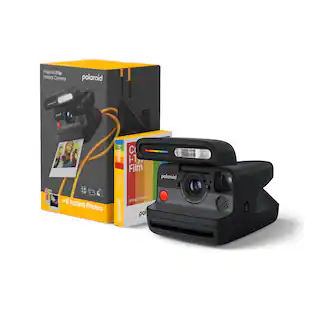
With modern innovation hidden inside an iconic point-and-shoot design, the Polaroid Flip is the ultimate instant camera for an analog life. Sonar autofocusing, a hyperfocal 4-lens system, our most powerful flash and scene analysis (warning you when your shots are over or underexposed) ensure you get high quality shots every time. All you have to focus on is living a life worth capturing – and click the big red shutter button.
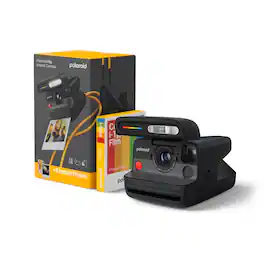
Polaroid - Flip Instant Camera + Color Film Bundle (8 Photos) - Black
4.2(17)

With modern innovation hidden inside an iconic point-and-shoot design, the Polaroid Flip is the ultimate instant camera for an analog life. Sonar autofocusing, a hyperfocal 4-lens system, our most powerful flash and scene analysis (warning you when your shots are over or underexposed) ensure you get high quality shots every time. All you have to focus on is living a life worth capturing – and click the big red shutter button. Includes a single pack of Polaroid Color i-Type Film for 8 instant photographs with white frames.
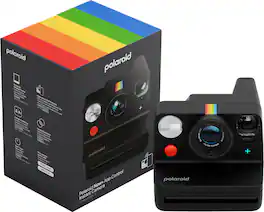
Polaroid - Now+ Instant Camera Generation 3 - Black
4.4(29)

Gain extra creative firepower when you connect the Polaroid Now+ Generation 3 Instant Camera to the Polaroid App. Access aperture priority, remote controls, double-exposure, self-timer, manual mode and more. Combine this connectivity with an optimized two-lens autofocus system that takes sharper pictures in bright lighting and you’ve got a classic-look camera that’s full of modern tech. Available in new colors, made with 40% recycled materials and compatible with iconic, full-sized Polaroid i-Type Film.
Polaroid - Flip Instant Camera - White
4.5(45)

With modern innovation hidden inside an iconic point-and-shoot design, the Polaroid Flip is the ultimate instant camera for an analog life. Sonar autofocusing, a hyperfocal 4-lens system, our most powerful flash and scene analysis (warning you when your shots are over or underexposed) ensure you get high quality shots every time. All you have to focus on is living a life worth capturing – and click the big red shutter button.

Pros for Polaroid - Flip Instant Camera - Black
Build Quality, Autofocus, Battery LifeLens ProtectionPhoto Quality, Overall Performance, Ease of Use, ConnectivityBuild Quality, Autofocus, Battery Life
Cons for Polaroid - Flip Instant Camera - Black
WeightThere were no cons for this productThere were no cons for this productWeight

Specs

Questions & Answers
  • Does this camera have autofocus?

    Yes, this camera has autofocus functionality.

    This question and answer was generated by AI based on customer and product data.
  • Is the camera able to analyze scenes?

    Yes, the camera has scene analysis for well-exposed pictures.

    This question and answer was generated by AI based on customer and product data.
  • Is there a self timer in this camera?

    Yes, this camera has a self timer.

    This question and answer was generated by AI based on customer and product data.
  • Does this camera use a hyperfocal lens system?

    Yes, this camera uses a hyperfocal 4-lens system.

    This question and answer was generated by AI based on customer and product data.
  • What is the flash range of this camera?

    The flash range of this camera is 4 meters.

    This question and answer was generated by AI based on customer and product data.
Ask a question
No content
Sponsored
Ask BlueAI

Finance Options

My Best Buy® Credit Card
Choose a benefit:Or
Buy Now, Pay Later

Finance Options

My Best Buy® Credit Card
Choose a benefit:Or
Buy Now, Pay Later