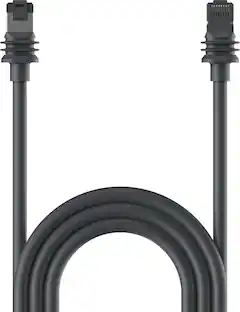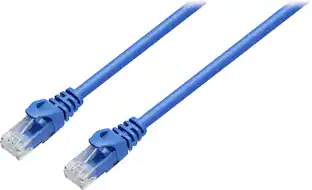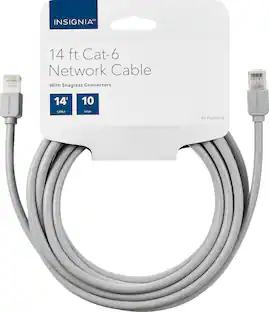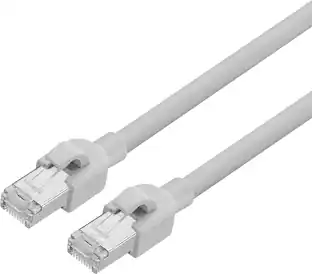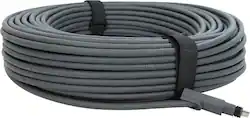
Replacement Cable for Starlink Standard Actuated Kit - 150' - Gray
- Key Specs
- Cable Length: 150 feet
- Networking Cable Type: Cat 6 (Type of cable standard utilized.)
- Connector Type (End 1): Proprietary
- Connector Type (End 2): Proprietary
- General
- Brand: STARLINK
- Model Number: 1500551
- Product Name: Replacement Cable for Starlink Standard Actuated Kit - 150'
- Color: Gray
- Quantity: 1
- Connectivity
- Cable Type: Networking
- Cable Length: 150 feet
- Product Type: Cable
- Networking Cable Type: Cat 6 (Type of cable standard utilized.)
- Connector Type (End 1): Proprietary
- Connector Type (End 2): Proprietary
- Warranty
- Warranty - Parts: 1 year
- Warranty - Labor: 1 year
- Other
- UPC: 850049670098
150 ft Starlink Cable is designed to replace the standard cable from the Starlink Kit when additional length is needed between your install location and the router.
- Ethernet cable: 45.7 m (150 ft) Starlink Cable is designed to replace the standard cable from the Starlink Kit when additional length is needed between your install location and the router.
- For use with Starlink Standard Kit.: Does not work with Starlink Standard Kit (Latest Model) with kickstand base.
Whats Included
- 150' POE STARLINK Cable
A: The larger the radius, the better the cable will hold up. You can buy cable angle supports that will prevent the cable from kinking at hardware stores. For information on Hardware Specifications, go to: https://support.starlink.com/topic?category=10&category=36 Then, How much cable do I have and how do I rout it indoors?, Cable routing.
A: If you are changing from a Gen 2 to a Gen 3 router, it would be necessary to get a new cable as the Gen 3 router has a different connector on both ends. To see more on the router specifications, check out this link: https://support.starlink.com/topic?category=6&category=85&category=73
Q: How can I unplug the Ethernet cable from the router? Gene
A: That will depend on the router model that you have. If it is a Gen 1 or Gen 3, you can connect and disconnect the Ethernet cable at the modem itself. If you have the Gen 2 router, there is no Ethernet port available. For that, it is necessary to buy the Ethernet adaptor, which will come with instructions. Please check out our router information here: https://support.starlink.com/topic?category=10&category=46 . There are also how-to videos on the website.
Q: Will this cable work with the new V4? I need 300 feet is it available?
A: No. The new generation, I call Gen 3 but there is some confusion with the nomenclature, has the kickstand on the antenna array and the two auxiliary ethernet ports on the modem/wifi router. The cable interface to the antenna array has changed between the the new and previous generations. The only place to buy the 150 foot cable is on Starlink's website. But, 300 feet is not available, only 150 feet.
Q: Can this cable be buried underground?
A: The cable is not rated to be buried, for more information you can look at this link: https://support.starlink.com/topic?category=10&category=36 under "How much cable do I have and how do I route it indoors?"
A: I used it for Gen 2
Q: Does this cable work with the high performance flat starlink satellite that is used for businesses?
A: Yes it does
A: Thanks for the responses. I have already returned the 150' cable and worked harder at getting the antenna closer to the router so the original cable could be used. It would have been a much easier install with the longer cable but everything worked out and we are highly satisfied with the Starlink system.
People also viewed
 Clearance$11.99The price was $14.99