Rocware - RT13 Room Scheduling Touch Panel - Black
Reviews coming soon
About this product
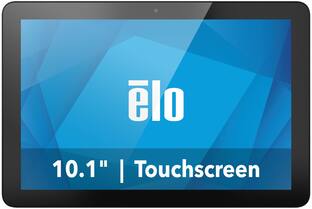
The Rocware RT13 is a 10.1-inch room scheduling touch panel designed for enterprise conference room management. It features a Full HD IPS multi-touch display, real-time room usage information, and pre-installed meeting control apps like Zoom. Connectivity options include Wi-Fi, Ethernet (PoE), and Bluetooth 5.0, with flexible mounting options for various environments.
Highlights
Touch Screen
10.1-inch IPS multi-touch display with Full HD resolution (1920 x 1200).
Real-Time Room Information
Displays real-time room usage and meeting details through screens and LED strips.
Meeting Control
Pre-installed with apps like Zoom for one-touch meeting management.
Connectivity Options
Supports Wi-Fi, Ethernet (PoE), and Bluetooth 5.0 for versatile connectivity.
Flexible Mounting
Offers multiple mounting options including wall, glass, and desktop configurations.
- Refresh Rate60HzMaximum Resolution1920 x 1200Panel TypeIPSSynchronization TechnologyNot ApplicableScreen Size10.1 inches
Reviews
This product doesn't have any reviews yet.
Compare similar products

The Rocware RT13 is a 10.1-inch room scheduling touch panel designed for enterprise conference room management. It features a Full HD IPS multi-touch display, real-time room usage information, and pre-installed meeting control apps like Zoom. Connectivity options include Wi-Fi, Ethernet (PoE), and Bluetooth 5.0, with flexible mounting options for various environments.

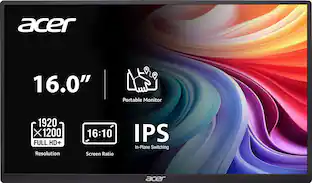
In meetings, in the classroom and anywhere in between, Acer’s PM Series portable monitor is the go-to choice for people on the move! Just fire it up and enjoy High-Definition entertainment—anywhere! Its accurate, vivid colors come to life from any viewing angle on the 15.6” IPS display that features Full HD (1920x1080) resolution. Its slim design (0.4") and ultra-light weight (2.45 lbs.) allows it to easily fit in your laptop bag! Perfect for use as a secondary monitor for dual-monitor presentations, it’s powered by a single USB Type C cable, giving you the freedom to connect it to your laptop, smartphone or tablet—quickly and easily! Through AMD FreeSync technology, the game’s frame rate is determined by your graphics card, not the fixed refresh rate of the monitor, giving you a serious competitive edge.
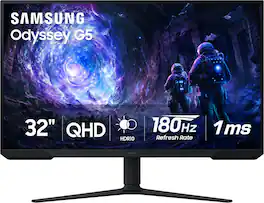
Samsung’s 32” Odyssey G5 G51F Gaming Monitor boasts incredibly detailed, pin-sharp images with QHD resolution (2560x1440). HDR10 provides brighter highlights, improved contrast and color accuracy, making every scene feel more vivid and realistic. 180Hz Refresh Rate and near-instant 1ms Response Time (MPRT) captures all your moves with reduced lag for ultra-smooth gameplay. AMD FreeSync Premium Pro reduces choppiness, screen lag, and image tears. Black Equalizer allows you to adjust dark areas in games, so you can locate opponents hiding in the deepest shadows. Virtual Aim Point allows you to hit your marks with next-level accuracy, giving you the optimal aim with crosshairs on the screen. Auto Source Switch+ instantly switches to a new source signal when connected devices are turned on, without having to use multiple inputs. Ergonomic stand makes it simple to tilt and adjust the monitor for total gaming comfort.
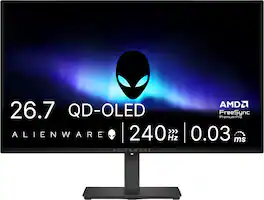
Alienware 27 240Hz QD-OLED Gaming Monitor. Take in superb QD-OLED visuals and fluid gameplay on the 27" flat panel monitor featuring a fast 240Hz refresh rate.
| Pros for Rocware - RT13 Room Scheduling Touch Panel - Black | |||
|---|---|---|---|
| There were no pros for this product— | Portability, Display Quality | Overall Performance, Refresh Rate, Screen Size, Resolution | Refresh Rate, Overall Performance, OLED Quality, Stand Adjustability |
| Cons for Rocware - RT13 Room Scheduling Touch Panel - Black | |||
| There were no cons for this product— | There were no cons for this product— | Speakers, Connectivity, HDR Performance, Black Levels | Brightness, Audio Output, USB Ports |
Specs
Be the first to ask a question.
We’ll try to get your question answered within 24 hours by a Best Buy customer or brand representative.
More to consider
 $1,499.00The price was $1,593.63




Explore tech essentials Sponsored
 Top Deal$299.99The price was $369.99
 Top Deal$99.99The price was $109.99
 $69.99The price was $159.99

Keep exploring
 $299.99The price was $329.99
 $197.99The price was $199.99
 $431.99The price was $453.31
 $329.99The price was $499.00
 $439.99The price was $549.99