Roku - Ultra Streaming Device 4K/HDR/Dolby Vision, Voice Remote with Headphone Jack, Lost Remote Finder - Black
About this product
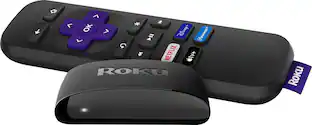
Meet the ultimate streaming player, Roku Ultra. It’s the fastest and most powerful Roku player ever, with channels like Sling, Hulu, Netflix, Disney+, Prime Video, and HBO Max and that launch in a snap and a lightning-fast interface. Bring out the rich detail in your entertainment with stunningly sharp 4K picture, four times the resolution of HD. Immerse yourself in three-dimensional sound when you combine this Roku streaming device with Dolby Atmos® audio, and watch in awe as colors pop off your screen with spectacular Dolby Vision® picture. Streaming in the highest picture quality requires a strong, steady Wi-Fi® connection, especially in rooms farther from your router. That’s why we boosted our best Wi-Fi in this Roku 4K device with even more speed and range, so you can enjoy fast, uninterrupted TV streaming in any room in your home. Use the Roku voice remote to easily search across thousands of channels with your voice, enjoy private listening with included headphones, power up your TV, and set personal shortcuts for your favorite channels—there’s even a lost remote finder. Your favorite channels are front and center on the customizable home screen, so you can spend your time streaming—not scrolling. After a simple setup with everything you need in the box, you’ll be able to stream a massive selection of free, live, and premium TV, including Roku® Originals only on The Roku Channel. This Roku Ultra also works with popular voice assistants. Ask Alexa or Hey Google to control your streaming, launch channels, search for entertainment, and more. You can also control your TV using the Apple Home app or Siri on your Apple devices.
Features
Outrageously powerful
Enjoy a lightning-fast interface and channels like Sling, Hulu, Netflix, and Prime Video that launch in a snap on the fastest, most powerful Roku player ever.
Our best Wi-Fi®
Enjoy fast, uninterrupted TV streaming in any room in the house with our best Wi-Fi® or choose wire up over Ethernet.
Cinematic streaming
Roku Ultra is the centerpiece of your home theater with spectacular 4K and Dolby Vision® picture plus immersive Dolby Atmos® sound.
No more juggling remotes
Power up your TV, adjust the volume, and control your Roku Ultra with one voice remote.
Voice search & control
Quickly search, play entertainment, set personal shortcuts for your favorite channels, and control your streaming device with your voice.
Find your lost remote
Simply press the button on your streaming device and your Roku remote will play a sound.
Private listening
Plug headphones into the Roku remote with headphone jack or use a wireless pair with the Roku mobile app to listen without disturbing a quiet house.
Watch what you love
Upgrade your streaming with a massive selection of free, live, and premium TV, including Roku® Originals and 200+ free Live TV channels on The Roku Channel.
Works with popular voice assistants
Enjoy easy voice control with Siri, Alexa, or Hey Google.
Share it with Apple AirPlay
Effortlessly share videos, photos, music, and more from your Apple devices to your TV.
Specifications
- Featured Streaming ServicesHBO Max, Apple TV, Netflix, Disney+, Peacock, Hulu, Prime Video, SHOWTIMEMaximum Supported Resolution2160p (4K)Operating System CompatibilityNot Applicable, Not Applicable, Not Applicable, Not Applicable, Not ApplicableRemote Control IncludedYesMedia Card SlotNo
Reviews
Rating 4.7 out of 5 stars with 3801 reviews
Customer Images
The vast majority of our reviews come from verified purchases. Reviews from customers may include My Best Buy members, employees, and Tech Insider Network members (as tagged). Select reviewers may receive discounted products, promotional considerations or entries into drawings for honest, helpful reviews.

Compare similar products
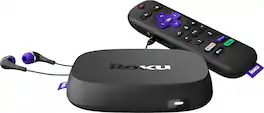
Meet the ultimate streaming player, Roku Ultra. It’s the fastest and most powerful Roku player ever, with channels like Sling, Hulu, Netflix, Disney+, Prime Video, and HBO Max and that launch in a snap and a lightning-fast interface. Bring out the rich detail in your entertainment with stunningly sharp 4K picture, four times the resolution of HD. Immerse yourself in three-dimensional sound when you combine this Roku streaming device with Dolby Atmos® audio, and watch in awe as colors pop off your screen with spectacular Dolby Vision® picture. Streaming in the highest picture quality requires a strong, steady Wi-Fi® connection, especially in rooms farther from your router. That’s why we boosted our best Wi-Fi in this Roku 4K device with even more speed and range, so you can enjoy fast, uninterrupted TV streaming in any room in your home. Use the Roku voice remote to easily search across thousands of channels with your voice, enjoy private listening with included headphones, power up your TV, and set personal shortcuts for your favorite channels—there’s even a lost remote finder. Your favorite channels are front and center on the customizable home screen, so you can spend your time streaming—not scrolling. After a simple setup with everything you need in the box, you’ll be able to stream a massive selection of free, live, and premium TV, including Roku® Originals only on The Roku Channel. This Roku Ultra also works with popular voice assistants. Ask Alexa or Hey Google to control your streaming, launch channels, search for entertainment, and more. You can also control your TV using the Apple Home app or Siri on your Apple devices.

The ultimate streaming device for TV just got even better. See what your TV can really do with the fastest Roku player ever. Roku Ultra lets you enjoy all your favorite shows in spectacular 4K, HDR10+, and Dolby Vision picture plus immersive Dolby Atmos sound. Paired with our newest Roku Voice Remote Pro, you get convenient USB-C charging, backlit buttons, hands-free voice control, and even a lost remote finder for when it plays hard to get. The Roku streaming experience is made for fast, easy access to the entertainment you love with the best selection of live, trending, and free TV.
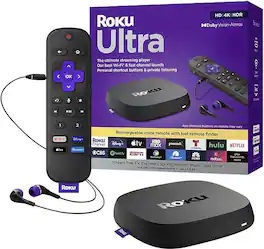
Meet the ultimate streaming player, Roku Ultra. It’s fast and powerful so you can to get you to the entertainment you want quickly. Enjoy a cinematic experience as you watch what you love in spectacular 4K and Dolby Vision picture with immersive Dolby Atmos sound. Get fast, seamless TV streaming in any room in the house with Wi-Fi or choose to wire up over Ethernet. Start streaming apps including Prime Video, Disney+, Max, Apple TV+, Netflix, Sling, Freevee and Hulu in a snap with a lightning-fast interface. Say “Hey Roku” from across the couch to power up your TV, control your streaming, and even find your lost remote. Use the rechargeable remote to quickly search and type with your voice, enjoy Headphone Mode, and set shortcuts for your favorite apps. Plus, enjoy easy voice control with Siri, Alexa, and Google Assistant. Roku is America’s #1 TV streaming platform based on hours streamed – Hypothesis Group, December 2023
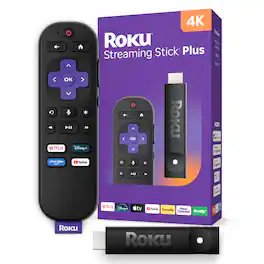
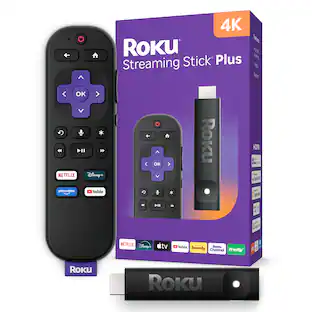
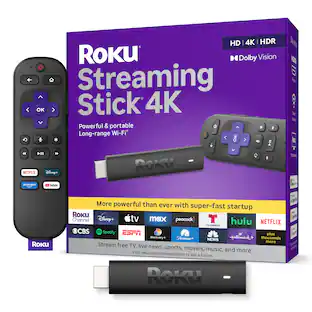
Roku Streaming Stick Plus is the easiest way to upgrade any 4K TV to America’s #1 TV streaming platform*. Start streaming in a snap and enjoy 500+ free TV channels with live news, weather, sports coverage, and more. Watch your favorites in crystal clear 4K and rich HDR colors. With its sleek, portable design, this player stays out of sight and out of the way of other HDMI ports. It powers directly from your TV—no wall outlet needed. Our handy voice remote does it all, from adjusting the volume to controlling your streaming. And with Bluetooth Headphone Mode, you can crank up the volume without waking the house. *Based on hours streamed—Hypothesis Group
| Pros for Roku - Ultra Streaming Device 4K/HDR/Dolby Vision, Voice Remote with Headphone Jack, Lost Remote Finder - Black | |||
|---|---|---|---|
| There were no pros for this product— | Overall Performance, Ease of Use, Remote Control, Speed, Connectivity | There were no pros for this product— | Overall Performance, Ease of Use, Setup, Voice Control, User Interface |
| Cons for Roku - Ultra Streaming Device 4K/HDR/Dolby Vision, Voice Remote with Headphone Jack, Lost Remote Finder - Black | |||
| There were no cons for this product— | Audio Quality, Buffering, Overheating, Battery Life | There were no cons for this product— | Connectivity, Compatibility, Heat Dissipation, Button Layout |
Specs
Questions & Answers
What's the difference between the 2020 Ultra and the existing Ultra?
Answered by Roku TeamThe improvements include a 50% increase in wireless performance, Dolby Vision and Dolby Atmos for better video and audio experience. The new model also includes a Premium HDMI cable and the previous didn't include the cable at all.

Does the ROku-Ultra(2020) allow a person to connect a cable to the modem and a cable to the television and connect totally hardwired?
Answered by Roku TeamYes the Roku Ultra has an ethernet connection. So you can connect the Roku Ultra to your modem and then the Ultra to TV by the HDMI cable
Every once in awhile I lose sound while streaming different apps and it stays out until I do a manual restart to my Ultra 2020. The device is up to date so question is why is this happening and will a update be issued to fix it ??
Answered by Roku TeamHi! Denny , Sorry to hear your having issues with your Roku Ultra (2020). I know you mentioned your device is up to date ,however you may want to check for an update.To manually check for an update press the Home button on your Roku remote.Scroll up or down and select Settings. Select System and then Select System update.Select Check Now to manually check for updates. If your still having issues with losing audio on your Ultra (2020) you can also perform a factory reset.Please Note before performing a factory reset. The Factory Reset will reset all settings and return your Roku device to a state ready for initial setup.On the back or bottom of each Roku device is a reset button. Once the reset button is located and your Roku device is powered on, press and hold the reset button firmly for about 10 seconds. The indicator light or status LED will blink rapidly on most Roku devices when the factory reset is complete. If after you've taken the trouble shooting steps mentioned and you continue to lose audio while streaming you can reach out to Roku Customer Help for further assistance https://support.roku.com/contactus
Can I use wireless bluetooth headphones with the ultra 2020?
Answered by HiphiphwYou are not able to connect Bluetooth headphones to the Roku Ultra itself, however, you are able to use the Roku app to connect to your Ultra and play the onscreen audio thru your headphones that way. I use this feature often to play the TV audio with my iPhone and connect AirPods. I hope this helps.
What is the speed of the network adapter of the 2020 Ultra? Can I take advantage of my gigabit network and get gigabit downloads?
Answered by Madness10No. 10/100 only
Customers often buy these together

Roku - Streaming Stick - HD Streaming Device for TV with Voice Remote - Black
$24.99The price was $39.99




Customers ultimately bought
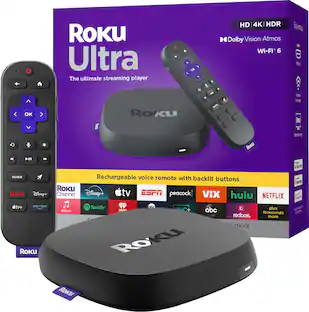
Roku Ultra | 4K/HDR10+/Dolby Vision & Atmos Streaming Device with Rechargeable Backlit Voice Remote Pro - Free & Live TV
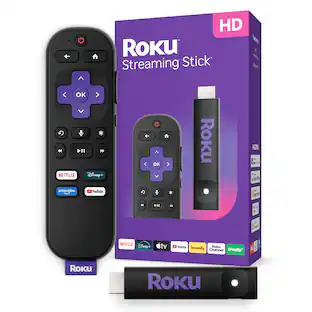
Holiday Deal$99.99The price was $149.99Roku Streaming Stick Plus - 4K & HDR Streaming Device for TV with Voice Remote
$49.99The price was $59.99
Elevate your entertainment Sponsored
Roku Ultra | 4K/HDR10+/Dolby Vision & Atmos Streaming Device with Rechargeable Backlit Voice Remote Pro - Free & Live TV
Holiday Deal$99.99The price was $149.99Roku Streaming Stick Plus - 4K & HDR Streaming Device for TV with Voice Remote
$49.99The price was $59.99
Discover related products



Keep exploring
Topteng 1080P Wireless Display Dongle with AirPlay & Miracast - HD TV Stick for iOS/Android
$15.99The price was $29.99