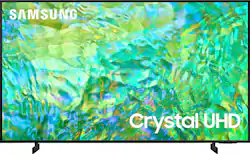
One screen. All the things. With effortless performance, crowd-pleasing features and great value, you can bring home a winner—and feel like a million bucks. Watch your favorite movies and TV shows in captivating 4K resolution as the Crystal Processor automatically transforms every frame. Picture quality is improved as colors, contrast, and motion are analyzed and adjusted as you watch.
Q: what's the difference between cu7000 and cu8000
A: Hi Sandy, The CU7000 features Crystal Displays for brilliant colors and exceptionally crisp, vivid images. Their Crystal 4K Processor further brings impressive clarity to all your content while upscaling everything you watch to stunning 4K definition, no matter the source. You'll also gain Dolby decoder MS12 2ch, dual Bluetooth audio, mobile camera support, and Google Meet. Plus, you will gain Filmmaker Mode, which allows you to watch the source content (e.g., movie) just as the director intended, as well as Tap View, which allows you to cast content from your smartphone by simply tapping it to the side of the TV. When stepping up the new CU8000, you will gain a ton of added features that we are very excited about, such as Multi-View-allowing you to view several types of content at the same time, Dual Audio Support - connect to two Bluetooth devices at once, and ConnecTime - make video calls to and from your screens. ~Samsung Advisor
Q: Can I connect this tv directly to Comcast cable without a Comcast cable box?
A: Hi Fitz, The CU8000 does not currently have the Comcast App, and you will need a cable box or you can screen share from your mobile device to your TV. ~Samsung Advisor
Q: Can you connect it to a sound bar
A: Hi there, Yes, you can connect the CU8000 via HDMI or Bluetooth if your soundbar is Bluetooth-capable. ~Samsung Advisor
A: Hi SGT, Yes, the CU8000 TV has a Sleep Timer available. You can set the Sleep Timer to turn off after a set period of time. Additionally, you can enable Auto Power Off to have the TV turn itself off if there has been no activity for a set period of time. This is one of your TV’s energy-efficiency functions. To access the Sleep Timer, go to Settings > All Settings> General > System Manager > Time > Sleep Timer. ~Samsung Advisor
Q: Does this TV have a remote with numbers on it?
A: No, it does not.
Q: What is the overall width of the set??
A: Hi RonT, The 43" CU8000 TV is 38" wide. ~Samsung Advisor
A: Hi M, Yes, the CU8000 TV has built-in assistants allowing you to control your TV with just your voice. Use built-in voice assistants to easily change the channel, play music, control smart home devices, and more. ~Samsung Advisor
Q: Can this tv be wall mounted?
A: Yes, you can purchase a universal wall mounting kit. I used the brackets and hardware from my old 46” Samsung.