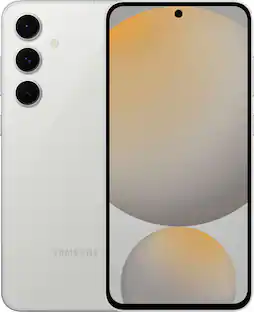
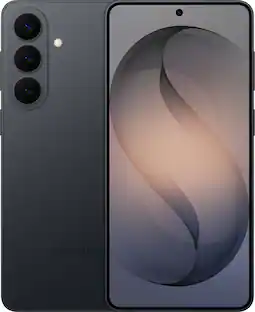
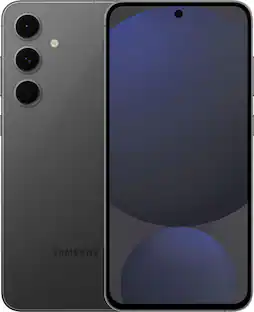
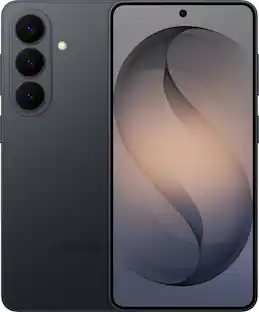
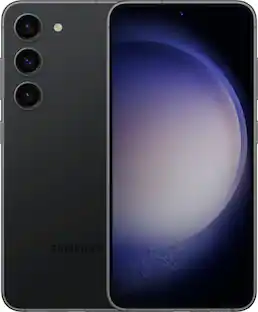
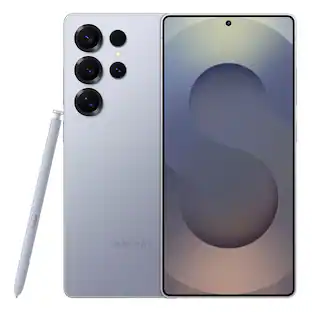
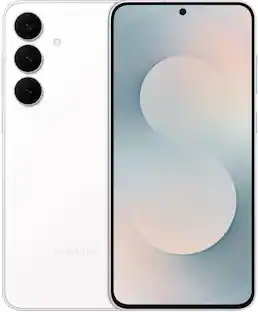
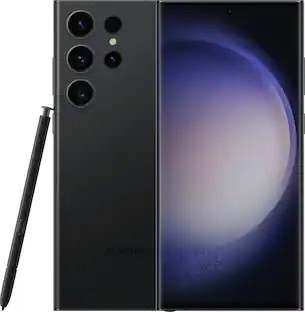
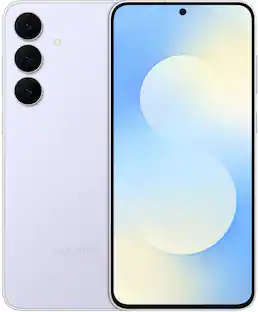
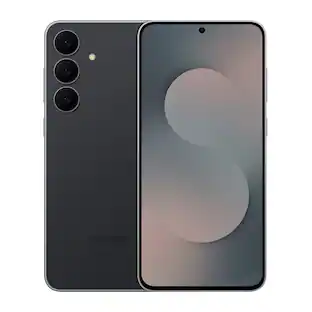
Samsung - Galaxy S24 256GB - Onyx Black (Verizon)
- Key Specs
- Screen Size: 6.2 inches (Size of the screen, measured diagonally from corner to corner.)
- Rear-Facing Camera: 50 megapixels
- Built-in Storage: 256 gigabytes
- Processor Model: Snapdragon 8 Gen 3 for Galaxy (Your computer's processor is like its brain. Working in combination with system memory, the power of the processor determines the complexity of software you can run, how many programs you can have open at the same time, and how fast those programs will run. Most computers feature an AMD, Intel or Snapdragon processor.)
- Phone Memory (RAM): 8 gigabytes (Random-access memory (RAM) temporarily stores data so that it can be accessed quickly. The size of the RAM determines how efficiently the phone can handle large amounts of information at once, such as switching between several open apps.)
- General
- Brand: Samsung
- Model Number: SM-S921UZKEVZW
- Product Name: Galaxy S24 256GB
- Color: Onyx Black
- Series: Samsung Galaxy S24 (Part of a group of the same product type with similar features.)
- Year of Release: 2024
- Display
- Screen Size: 6.2 inches (Size of the screen, measured diagonally from corner to corner.)
- Screen Resolution: 2340 x 1080 (Screens come in a range of resolutions (measured in pixels, horizontal x vertical). The higher the resolution, the greater the picture quality.)
- Display Type: OLED
- Screen Type: AMOLED
- Screen Material: Victus 2
- Foldable Screen: false
- Refresh Rate: 120Hz (The number of frames per second the device can produce natively without enhancement. Higher rates help produce smooth, seamless pictures.)
- Brightness: 2600 nits (A measure of the total light output.)
- Camera
- Integrated Camera: Front, Rear, Telephoto 1, Ultrawide
- Front-Facing Camera: 12 megapixels
- Rear-Facing Camera: 50 megapixels
- Telephoto Camera 1: 10 megapixels
- Ultrawide Camera: 12 megapixels
- Video Recording Resolution(s) and Frame Rate(s): 120 fps frame rate 7680 x 4320 (8K) recording resolution (Refers to the number of pixels, both horizontally and vertically, and the frame rate used to capture the video. The higher the resolution the finer the video detail that can be seen. The faster the frame rate the smoother the playback for higher motion activities like sports.)
- Optical Zoom: 3x (The optical zoom uses a combination of lenses that magnify the image prior to it being registered at high resolution by the imaging sensor.)
- Digital Zoom: 30x (A digital zoom is accomplished electronically, with no adjustment of the camera's optics, and no optical resolution gained in the process. The existing data is not enhanced or added to, merely displayed at a lower resolution, thereby giving an illusion of an enlarged image.)
- High Dynamic Range (HDR): true (An HDR-compatible 4K TV or other HDR-compatible product displays HDR video content when it's available from sources like 4K Ultra HD Blu-ray Discs and 4K streaming services.)
- Network
- Carrier: Verizon
- Network Connectivity: 5G, 4G, 4G LTE, GSM (The manner in which a device sends data to another device over a long distance using a cellular network.)
- Unlocked: false (Can be used with any carrier, typically by exchanging the phone's SIM card with another one compatible for the intended area of service. Can be used with a new or existing cellular service plan.)
- Mobile Hotspot Capability: true (A hotspot-enabled device is able to connect wirelessly to a cellular network and share the connection via Wi-Fi with nearby compatible devices.)
- Connectivity
- Headphone Jack: false (The device features an interface that allows for the connection of headphones.)
- Wireless Connectivity: Bluetooth, Wi-Fi, NFC (The manner in which a device sends data to another device over a short distance without the use of wires or cables.)
- Power
- Battery Capacity: 4000 milliampere hours (The amount of energy stored in the battery.)
- Wireless Charging: true
- Wireless Charging Standard: Qi
- Fast Charging Capability: Wired, Wireless
- Fast Charging Technology: Adaptive Fast Charging (Quick charge technologies typically use higher voltages and/or charging interfaces to fill a device's battery capacity faster than standard charging speeds.)
- Wired Charging Wattage: 25 watts
- Wireless Charging Wattage: 11 watts
- Device Power Sharing: Wireless
- Battery Chemistry: Lithium-ion
- Compatibility
- Charging Interface(s): USB-C (The connection for transmitting power to charge the device.)
- Voice Assistant Built-in: Bixby, Google Assistant (A digital assistant built into the device that uses voice commands to answer questions and control smart devices.)
- Works With: Amazon Alexa, Arlo, Google Home, Hue, Nest, Ring, SmartThings (Compatible with or able to be connected to other smart devices or applications.)
- SIM Card Size: Nano SIM
- SIM Card Slots: Single SIM
- Stylus Dock: None
- Stylus Included: false
- Features
- Model Family: Samsung Galaxy S24
- Usage Time(s): Internet Usage Time (LTE) Up to 25 hours, Internet Usage Time (Wi-Fi) Up to 25 hours, Audio Playback Time Up to 72 hours, Video Playback Time Up to 28 hours (All battery claims depend on network configuration and many other factors; actual results will vary. Battery has limited recharge cycles and may eventually need to be replaced. Battery life and charge cycles vary by use and settings.)
- Sensors: Accelerometer, Ambient light sensor, Barometer, Geomagnetic sensor, Gyro sensor, Hall effect sensor, Proximity sensor (Detects stimuli such as heat, light, sound, motion, or pressure and responds accordingly by operating a control or initiating a function of the device.)
- GPS Enabled: true
- Global Positioning: GPS, GLONASS, BeiDou (BDS), Galileo (A system of satellites which enables a mobile receiver to determine its precise location based on signals received from satellites such as the US Global Positioning System (GPS), the Russian Global Navigation Satellite System (GLONASS), the European Global Navigation Satellite System (Galileo), or the Japanese Quasi-Zenith Satellite System (QZSS).)
- Mobile Payment Service Supported: Google Pay, Samsung Pay
- Protective Qualities: Dust resistant, Shock resistant, Water resistant
- Maximum Depth Of Water Resistance: 5 feet (Measurement of the maximum depth of water in which the product is able to resist some degree of water penetration.)
- Ingress Protection (IP) Rating: IP68 (A 4 to 6 character code classifying a product's degree of protection against intrusion of solid particles and liquids as well as impact. Each number in the IP Code denotes a level of protection, determined through testing and published by the International Electrotechnical Commission (IEC). The first digit represents the degree of protection against solid foreign objects or particles and the second digit represents the degree of protection against water ingress.)
- Security Features: Facial recognition, Fingerprint reader, Passkey
- Supported File Formats: Video:MP4, M4V, 3GP, 3G2, AVI, FLV, MKV, WEBM, Audio:MP3, M4A, 3GA, AAC, OGG, OGA, WAV, AMR and more
- Built-in Storage: 256 gigabytes
- AI
- AI Processing: Cloud-based (Artificial Intelligence (AI) processing can be performed in the cloud or on the device itself. Cloud-based processing can allow for higher processing performance but may entail higher data usage and involve information sharing. On-device processing allows for more privacy and security but may limit processing performance.)
- AI Photo/Video Capture Features: Brightness adjustment, Depth adjustment, Facial recognition (Artificial Intelligence (AI) can automatically adjust various elements to optimize your shot before and while it’s being taken.)
- AI Photo/Video Editing Features: Adjust background, Adjust image, Adjust objects, Image story creation, Remove objects, Reposition objects, Resize objects (Artificial Intelligence (AI) can allow you to edit photos and videos to give you an optimal or customized shot.)
- AI Document and Search Features: Document summary, Transcription (Artificial Intelligence (AI) can allow you to more efficiently search and retrieve documents as well as assist with personalized content.)
- AI Translation: Language translation, Speech recognition, Speech-to-text, Text-to-speech (Artificial Intelligence (AI) can automatically translate some speech and text functions to allow for conversations with others even if you don’t speak the same language.)
- Performance
- Operating System: Android 14 (The operating system manages all software and hardware, including files, memory and connected devices. Most importantly, it lets you interact with your device and your programs in a visual way; otherwise, you'd be typing computer code to get anything done.)
- Processor Brand: Snapdragon
- Processor Model: Snapdragon 8 Gen 3 for Galaxy (Your computer's processor is like its brain. Working in combination with system memory, the power of the processor determines the complexity of software you can run, how many programs you can have open at the same time, and how fast those programs will run. Most computers feature an AMD, Intel or Snapdragon processor.)
- Processor Speed: 3.4 gigahertz (Actual central processing unit (CPU) speed may vary by device configuration and design. Also referred to as clock speed, this is how quickly the central processing unit (CPU) can receive and interpret instructions. The higher the number, the more operations per second that can be completed. Working in combination with system memory, the power of the processor determines the complexity of software you can run.)
- Phone Memory (RAM): 8 gigabytes (Random-access memory (RAM) temporarily stores data so that it can be accessed quickly. The size of the RAM determines how efficiently the phone can handle large amounts of information at once, such as switching between several open apps.)
- Dimensions
- Product Height: 5.78 inches (The out of box height of the item. Height is measured as the vertical distance from the bottom of the item to the top as it would be primarily used or placed.)
- Product Width: 2.77 inches (The out of box width of the item. Width is measured as the horizontal distance from one side of the item to the other as it would be primarily used or placed.)
- Product Depth: 0.29 inches (The out of box depth of the item. Depth is measured as the distance from the front of the item to the back as it would be primarily used or placed.)
- Product Weight: 5.92 ounces (The out of box weight of the item.)
- Storage
- Media Card Slot: None
- Warranty
- Warranty - Parts: 1 year
- Warranty - Labor: 1 year
- Other
- UPC: 887276818757
Make every day epic with Galaxy AI on Galaxy S24. See a delicious looking dish on your social feed but don’t see a recipe? Simply Circle to Search with Google to find it in seconds. Then head to a sunny farmer’s market to pick up the ingredients and see your list clearly on the bright, adaptive display of Galaxy S24. Once the meal is ready, capture stunning close ups of your dish and dinner guests, no matter the lighting, with a high res camera and Nightography. And all the while, you can stay plugged into the moment, not the outlet, with a long lasting battery. Do more easily with Galaxy AI on Galaxy S24. Epic, just like that.
- Circle it, search it, find it. Just like that.: What’s your favorite influencer wearing? Where’d they go on vacation? What’s that word mean? Don’t try to describe it- use Circle to Search¹ with Google and get the answer in snap. With Galaxy S24, simply circle it on your screen and learn more.
- What you see is what you get: Share more of life’s most share worthy moments in natural, true to life color with 50MP camera.
- Break down barriers to language barriers: Speak foreign languages on the spot using Live Translate with Galaxy AI. Unlock the power of convenient communication with near real time voice translations, right through your Samsung Phone app.²
- Go bigger. Go brighter: See it all in stunning detail on the bigger and brighter screens³ of Galaxy S24. Look at your pics outside without squinting or looking for shade.
- Note smarter, not harder: Focus on capturing your notes and spend less time perfecting them. Note Assist⁴ with Galaxy AI will summarize, format, and even translate them for you. All of your notes are organized neatly so that you can find what you need when you need it.
- Take a great photo. Then make it better.: Turn every photo into a post worthy masterpiece. Move or remove objects. Fill in empty space. Simply snap a pic, and then take it from great to jaw dropping with Generative Edit⁵ powered by Galaxy AI.
- Our powerful Galaxy smartphone: Jump seamlessly between apps without the wait and see content in high quality with our fast processor, Snapdragon 8 Gen 3 for Galaxy⁶.
- Put your best text forward: Say the right thing at the right time in no time with Chat Assist⁵ with Galaxy AI on Galaxy S24. Get real time tone suggestions to make your writing sound more professional or conversational.
- The fun don’t stop with a drop: Whether you’re running from meeting to meeting or running the trails, Galaxy S24 is tough enough to handle it.
- Focus on life. Not battery life.: Stay charged and in charge when you level up to Galaxy S24. Experience an upgraded battery that’s optimized to last longer³ and work smarter with the apps you love.
- Escape the outlet. Embrace the moment.: Life’s best moments rarely happen near an outlet. With Super Fast Charging, you can get back to snapping selfies with friends, recording videos and posting it all.
- To save or not to save? That’s a silly question.: With Galaxy S24, there’s room for photos, apps and documents. Confidently save all your proudest highlights and bloopers and forget stressing about which files to delete.
- Your phone? Your Watch? Your call.: Conveniently keep your conversations going even while your Galaxy S24 phone stays in your pocket. Seamlessly sync your phone and Galaxy Watch in an instant, and enjoy the ease of answering calls and checking texts at a glance.
- Pair up, tune in and carry on: Enjoy the convenience of quickly connecting your Galaxy S24 phone and Galaxy Buds. Whether you’re on a call, playing games or listening to your favorite music, just pop in your Buds and keep enjoying whatever you’re doing without interruption.
Whats Included
- Galaxy S24 256GB
- USB-C Cable
- Sim Pin
- Quick Start Guide
Disclaimers
- ¹Requires internet connection; results may vary by uniqueness, clarity and framing of circled image and related factors.
- ²Samsung account log in required. Calls must be made using the native Samsung dialer.
- ³As compared to Galaxy S23 and S23+.
- ⁴For text in Samsung Notes only (200 4000 characters); requires Samsung account log in and internet connection.
- ⁵Requires Samsung account log in and internet connection.
- ⁶Snapdragon is a product of Qualcomm Technologies, Inc. and/or its subsidiaries. Snapdragon is a trademark or registered trademark of Qualcomm Incorporated.
A: The phone is wireless charging capable but no wireless charger is included.
A: Hello! Thank you for contacting us for information on setting up your S24. The Galaxy S24 and S24+ utilize AI in many apps and experiences. For instance, the camera uses AI Zoom to take better zoom photos. You can also use AI to edit images with features such as Generative Edit, which can fill in backgrounds and move, resize, or erase objects. Additionally, Live Translate allows you to communicate in other languages over the phone. If you still need assistance, please reach out to our Support team so that we can provide you with the help you need. -Kelvin
Q: Cost to move apps and data from old S6 to new S24 phone
A: Hey Mike, thank you for finding the time out of your day to ask us your question about the Samsung Galaxy S24. Smart Switch is a convenient app that lets you quickly transfer files from your old phone to a new Galaxy phone. You can transfer many different types of files using Smart Switch. Data from synced accounts cannot be transferred with Smart Switch but will appear on the new device once you've logged in to the account. Personal content: Contacts, S Planner, Calendar, Messages, Memo, Call logs, Clock, Samsung Pass, Secure Folder, and Internet. App data: Images, Music (DRM free content only), Videos (DRM free content only), Documents, Story Album, and Applications. Settings, etc: Email, Wallpaper, Lock screen, Radio, and Preferences. Take a moment to review, "Content that can be transferred with Smart Switch" when you're ready to get started with transferring your content over to your new Galaxy S24. If you have any questions for us or if you would like any further assistance, let us know by reaching out to Samsung Support. Thanks for choosing Samsung! - Debra
Q: Does it support tap and pay
A: Absolutely....I use Google tap to pay anytime I can.
People also viewed
 $999.99The price was $1,029.99