Rating 4.8 out of 5 stars with 356 reviews
4.8- Overall Performance (104)
- Screen Size (59)
- Processor Speed (52)
- Battery Life (43)
- Ease of use (33)
- Camera Quality (3)
- Included Accessories (3)
- Weight (3)
Customer Images
The vast majority of our reviews come from verified purchases. Reviews from customers may include My Best Buy members, employees, and Tech Insider Network members (as tagged). Select reviewers may receive discounted products, promotional considerations or entries into drawings for honest, helpful reviews.
- Rated 5 out of 5 stars
Amazing device for all (gaming,school,media)
This tablet has been incredible for me as an engineering college student. It allows for easy multi function for work and also the accessories it includes (expandable storage and the own are a super plus!!!) now it's also amazing for gaming I did not have any overheating at all only one moment when I was playing Roblox at full brightness and great graphics at 7%. I also play games like genxhin impact and Minecraft and even at insane graphics I had no lag or overheating. This tablet is a great portable size for me to write my notes and play games and watch movies. Comparing this to my old iPad, this has way more features and accessibility that ios does not offer or that I personally don't like with ios. It was easy to upload all my stuff on this device since majority of what I needed was backed up thru my Google acc. I have an iPhone and I did not have any trouble at all with connecting with the ecosystem or what not and I definitely would choose this over the apple products (they have a set certain storage and again the features itsnt to my liking) amazing device and I would heavily recommend this for college students To add why I choose this over the s9 plus or ultra or above on the s tab galaxies was that the s10 does not offer a 11in device and portability was a big factor for me, the s11 took away from some features I liked and I obviously wouldn't buy anything I didn't like. The fe tablets were a string candidate but I would rather spend more money on a more efficient tablet in the long run then a fan edition tablet which I might have to upgrade in a few years. Also tbhhh I don't really care about the security updates much I have a motorola that hasn't received security updates in a long time lol and I still love ittttt and use it as my back up phone so I would feel the same way about my tablet no big deal the purpose of the tablet was to just work and write all my school work on !! Alsooo u get good notes for free for one year !! Also camera quality dookie, audio recording and audio sound is good, but who even uses it for the camera lol
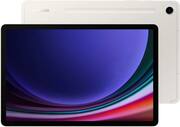
This review is from Samsung - Galaxy Tab S9 - 11" 128GB - Wi-Fi - with S-Pen - Graphite
Posted by BethanyD
- Rated 5 out of 5 stars
Best Screen possible for a tablet, best pric too.
Great tablet, great screen, way better deal than the IPad pro OLED if you can do without iMessage. Everything runs surprisingly smooth after taking a break from Android products. The freedom for customization and tinkering completely fits any needs the iOS ecosystem has. I got this tablet open box for less than half than my buddy for his Ipad with a nice S Pen included. The 144z screen is smooth. The only issue which I think maybe be something dysfunctional is the wifi connection seems to been shakey only on my home router connection. Not Sure why. Outside of that no complaints.
This review is from Samsung - Galaxy Tab S9 - 11" 128GB - Wi-Fi - with S-Pen - Graphite
Posted by Jiro
- Rated 4 out of 5 stars
Solid tablet
Great tablet. Decent battery life. Solid screen. Bezels are kind of big but it's not a deal breaker.
This review is from Samsung - Galaxy Tab S9 - 11" 128GB - Wi-Fi - with S-Pen - Graphite
Posted by James
- Rated 5 out of 5 stars
Perfect tablet
One of the best screen on the market, vivid and sharp color, low weight and high assembly quality. The speakers are amazing and deliver clean, rich and powerful sound. Fast charging and incredible speed. Smooth and fast fingerprint sensor. I would have liked the battery to last longer.
This review is from Samsung - Galaxy Tab S9 - 11" 128GB - Wi-Fi - with S-Pen - Graphite
Posted by Yuval
- Rated 5 out of 5 stars
Solid multi media tablet
Awesome tablet, great battery life. The cameras are pretty bad but I didn't buy it for that. It is very thing which is great but you need to be careful with this one. I could see it breaking from sitting on it on the couch. Overall I'm happy with my purchase especially given that Samsung is great about trade-ins down the road.
This review is from Samsung - Galaxy Tab S9 - 11" 128GB - Wi-Fi - with S-Pen - Graphite
Posted by NathanN