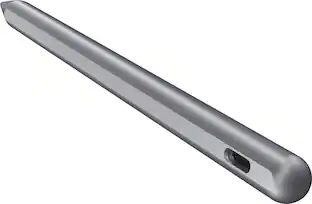
Samsung - Galaxy Tab S9 Ultra, Tab S9+, Tab S9 S Pen - Black
Customers are saying
Customers admire the ease of use and overall performance of this product, noting that it completes tasks quickly and functions reliably. Users frequently praise the S Pen and stylus for their impressive accuracy and ability to produce clean, straight lines. Additionally, the device is highly regarded for its seamless connectivity and broad compatibility with various Samsung tablets.
Precision meets style
Enjoy using the S Pen on your Galaxy Tab S9, Tab S9+ and Tab S9 Ultra with precision and control.
Whether you're jotting down notes, sketching or navigating your device, the S Pen feels natural and is sensitive to pressure, making it the ultimate tool for unleashing your creativity
Easy to carry, easier to store
Now with IP68-certified water resistance, the S Pen is ready for any outdoor adventure.¹ When not in use, attach it with just a snap to the S Pen magnetic holder on the tablet, where it charges whether you place it up or down.
Tucked safely, it stays ready for your next bright idea
Hover. Click. Go.
Pull up Air Command at the click of a button and personalize your S Pen actions. Simply hover the S Pen over the screen and press the button to access features such as Smart Select, Screen Write, Live Messages and more.
¹Consistent with IP68 rating, water resistant in up to 5 feet of water for up to 30 minutes. Rinse residue / dry after wet.
- Model CompatibilitySamsung Galaxy Tab S9, Samsung Galaxy Tab S9 Ultra, Samsung Galaxy Tab S9+
Reviews
Rating 4.6 out of 5 stars with 95 reviews
Customer Images
The vast majority of our reviews come from verified purchases. Reviews from customers may include My Best Buy members, employees, and Tech Insider Network members (as tagged). Select reviewers may receive discounted products, promotional considerations or entries into drawings for honest, helpful reviews.

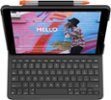
- Logitech - Slim Folio Keyboard Folio for Apple iPad (7th, 8th & 9th Generation) - Graphite$67.99The price was $99.99
Compare similar products

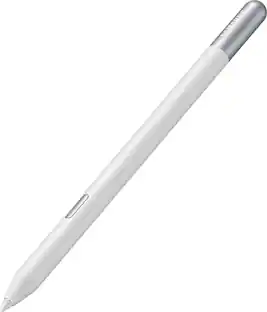
Get ready to unleash your inner artist with the S Pen for Galaxy Tab S9, Tab S9+ and Tab S9 Ultra. Experience the thrill of a pen-on-paper feel with near-zero latency and great precision. Sketch out your next masterpiece. Write a note by hand and automatically convert it to text. With S Pen, nothing comes between you and your creativity.

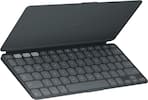
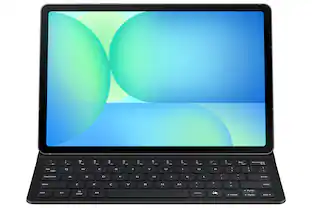
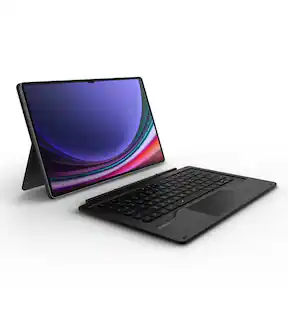
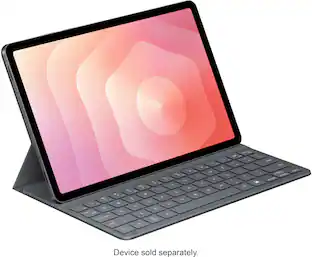
Tap into AI with the Book Cover Keyboard Slim AI Key. Protect your Galaxy Tab S9/S9 FE/S10 FE with a slim cover that turns it into a complete workstation with a designated AI key. Tap it, write in your prompts and then sit back while AI does the rest.¹
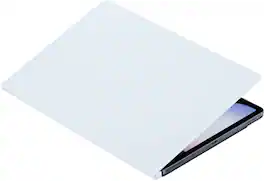
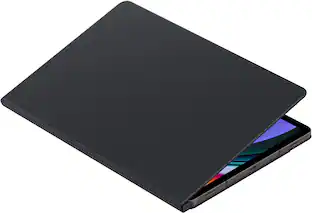
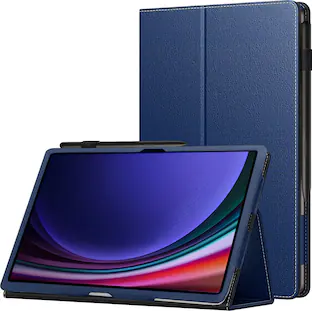
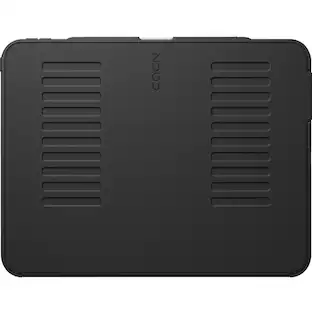
Protect your Galaxy Tab S10+/S9+/S9 FE+ with a Smart Book Cover that's both versatile and stylish. Not only does it help protect from everyday wear and tear, but it also features an easily detachable platform that allows for quick transitions between portrait and landscape modes, providing an unparalleled viewing experience.
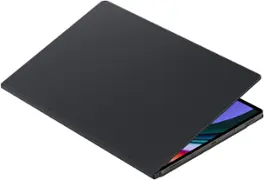
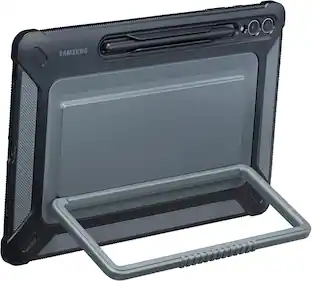
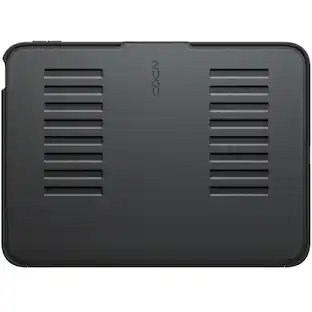
Protect your Galaxy Tab S10 Ultra/S9 Ultra with a cover that's both versatile and stylish. Not only does it help protect from everyday wear and tear, but it also features an easily detachable platform that allows for quick transitions between portrait and landscape modes, providing an unparalleled viewing experience.
| Pros for Samsung - Galaxy Tab S9 Ultra, Tab S9+, Tab S9 S Pen - Black | |||
|---|---|---|---|
| There were no pros for this product— | Portability, Protection, Keyboard Quality, Fit, Connectivity | There were no pros for this product— | Protection, Portability, Quality, Stand, Screen Size |
| Cons for Samsung - Galaxy Tab S9 Ultra, Tab S9+, Tab S9 S Pen - Black | |||
| There were no cons for this product— | There were no cons for this product— | There were no cons for this product— | Design, Weight, Magnet Strength |
Specs
Can the stylus work with the S9 FE editions?
Answered by SamsungHello there Edward, thank you for finding the available time out of your lively day to ask us your question about the Samsung Galaxy Tab S9 Ultra, Tab S9+, Tab S9 S Pen. Yes, the advertised ab S9 Ultra, Tab S9+, Tab S9 S Pen is compatible with the Galaxy Tab S9 FE. If you have any other questions for us, do not hesitate to contact Support. Thank you for being a steadfast Samsung customer. - Debra

Will this S-Pen work with Samsung - Galaxy Tab A9+?
Answered by SamsungSalutations TomnyStack, thanks for taking the available time out of your busy day to ask us your question about the Samsung Galaxy Tab S9 Ultra, Tab S9+, Tab S9 S Pen. No, the Galaxy Tab A9+ is not compatible with any S Pen. For more information regarding S Pen compatibility, feel free to take a look at, "Learn about the different Samsung S Pens." Let us know if you have any additional questions for us by reaching out to Samsung Support at your earliest convenience. Thank you for being a faithful Samsung customer. - Debra
Is this compatible with the samsung galaxy s8+ tablet?
Answered by SamsungHello Amking2015, thank you for taking the time to ask us your question about the Samsung Galaxy Tab S9 Ultra, Tab S9+, Tab S9 S Pen. Yes, it is compatible with your Tab S8+. Feel free to check out, "Learn about the different Samsung S Pens" if you would like to learn more about our compatibility. Let us know if you would like any further assistance by contacting Support. Thanks for being a staunch Samsung customer. - Debra
Will the Samsung stylus work with ipad
Answered by SamsungAloha Brenda, thank you for asking us your question about the Samsung Galaxy Tab S9 Ultra, Tab S9+, Tab S9 S Pen. The advertised Galaxy S Pen is compatible with Galaxy tablets. If you have any other questions for us, please feel free to reach out to Support. Thanks for being a faithful Samsung customer. - Debra
Can the S Pen be used to convert handwritten notes to text?
You can write a note by hand and automatically convert it to text with the S Pen.
This question and answer was generated by AI based on customer and product data.

Customers often buy these together
 $142.69The price was $144.49
 $114.25The price was $139.99



More to consider
 Clearance$44.99The price was $59.95
- $114.25The price was $139.99
 $63.56The price was $69.95
Explore tech essentials Sponsored
- Clearance$44.99The price was $59.95

Discover related products
 $12.99The price was $13.99