Samsung - Geek Squad Certified Refurbished Galaxy Tab S10+ - 12.4" 256GB - Wi-Fi - with S-Pen - Moonstone Gray
Reviews coming soon
About this product
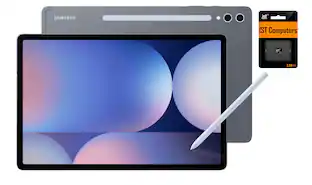
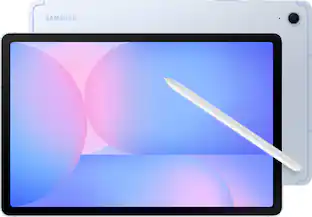
Wherever life takes you, power through all your adventures with Galaxy Tab S10+. This tablet helps you make big moves in style. It’s sized perfectly for your active life, making it your go to for getting things done. Unleash powerful AI features that simply make life easier. Learn more about your world quickly and easily using Circle to Search with Google. If it’s on your Tab screen, you can identify it. Simply circle it and get search results on the spot. Also, organize notes effortlessly with Note Assist. From lectures to meetings, everything is streamlined and easily readable with a simple tap. Blaze through all you do with Wi Fi connectivity and plenty of power thanks to the latest processor, plus a long-lasting battery. This Tab loves to go where you go. From the office to the classroom, it’s designed with an Armor Aluminum frame that’s not afraid to take on the occasional bumps of day-to-day life. You can even take it outside since it’s water and dust resistant, unlike most other tablets. Everything comes to life beautifully on an ultra-crisp Dynamic AMOLED 2X display that helps reduce glare. From editing photos to a video chat with your mom, every experience pops on a large 12.4" screen. Feel even closer to your world with Galaxy connectivity you can pair Tab S10+ with your smartphone and instantly sync files or photos or keep the conversation going with call and text continuity right on your tablet. Galaxy Tab S10+ built for productivity on the go. Powered by AI.Geek Squad Certified Refurbished products have been restored to like-new condition. All vital parts and accessories that would have been included with the original product are present, and our thorough inspection process ensures that the product is clean and in working condition.
Color
Moonstone GrayHighlights
Geek Squad Certified Refurbished
Includes Quick Start Guide, S-Pen, USB-C Cable with 90 Days warranty.
From doodle to dazzling
Bring your imagination to life using Sketch to Image¹ with Galaxy AI². Simply doodle with your finger or use S Pen for added precision, and then select from five styles: watercolor, illustration, pencil sketch, pop art or 3D cartoon.
Tap “Generate” and voilà! Whether you’re illustrating a conceptual design or creating a digital sticker for fun, your sketch becomes a fully realized image, just like that. You can even use Sketch to Image to add a touch of personality to your favorite photos.
Circle it, search it, find it. Just like that.
Search for anything you see on your Galaxy Tab S10 series simply by circling it. From discovering where to buy those awesome shoes to getting a recipe based on a dish your friend just posted, find answers fast using Circle to search with Google.³
Note Assist makes a long story short
Focus on capturing your notes and spend less time perfecting them. Note Assist⁴ will summarize and format them instantly with Galaxy AI². All your notes are organized neatly so you can find what you need, just like that.
Transcript Assist takes notes for you
Be present in meetings and let Transcript Assist⁵ with Galaxy AI² do the hard work of taking notes for you. It creates fast and easy transcripts of recorded meetings, lectures and conversations and summarizes them instantly. Transcript Assist can even translate to other available languages, just like that.
Packed with power
No matter what you take on or where you take your Galaxy Tab S10+, enjoy every experience with a powerful tablet processor.
Intensely brilliant screen, anywhere
From café to couch to across the world, enjoy intense colors, deep contrasts and unbelievable brilliance on a 12.4" Dynamic AMOLED 2X display.⁶ Plus, the screen features reduced glare and Vision Booster that automatically adjusts brightness and contrast so you see every detail, even in sunlight.
Harness the power of AI with S Pen
Tap into the power of Galaxy AI² and take your creativity to the next level with the included S Pen. Take notes and Note Assist⁴ will create a summary. Or draw an image and tap the button on the side to activate Sketch to Image¹ it turns your sketches into fully realized works of art, just like that.
Stands up to dust and water
Confidently take your Galaxy Tab S10+ with you everywhere. With an Armor Aluminum frame, it’s designed to protect against bumps. And with an IP68 rating, it’s one of the only water and dust resistant tablets on the market.⁷
For that “PC feel” on a tablet
Get the best of both worlds with Samsung DeX , a PC like experience on your Tab. Turn on DeX mode and open multiple windows and folders at once, work from a taskbar, easily drag and drop files and more.
A long lasting battery that keeps you moving
Get lost in your favorite shows and games with up to 16 hours of usage on a full charge⁸. And when you do need to power up, do it quickly and keep going with Super Fast Charging⁹.
The power of AI, on your keyboard
The power of Galaxy AI² is just a tap away with the Book Cover Keyboard AI Key¹⁰. Simply touch the designated AI key on your keyboard a short press lets you type in a prompt, and a long press lets you use the power of your voice.
Once the AI is activated, you can use it to search the web, schedule meetings and more. It’s like having your very own AI generated personal assistant.
Math made simple
Solve handwritten math problems with Galaxy AI². Simply use your S Pen to write out an equation on your screen. Math Helper¹¹ can clean up your equations by turning them into text, just like that. Plus, it can even solve them for you, including calculus equations.
File sharing made easy
Sending and receiving files is so easy with Quick Share¹². From cute puppy videos to large work files, transfer to and from your Tab in a snap it even works when sending to non Galaxy devices
Take calls from your Tab
When you’re fully immersed in a project, sometimes you don’t want to stop to switch gears. With the Galaxy Connected Experience, you don’t have to. Take calls or send texts directly from your Tab without interrupting your flow¹³.
Control multiple devices with your Tab
With the Galaxy Connected Experience, you can use your Tab to click or type on another device, like your smartphone or PC.¹⁴ You can also copy and paste from one device to another.
Expand your workspace
Sometimes big ideas need a little more room to come to life. Expand your workspace by connecting to another device to use as a second screen like your Galaxy Book¹⁵. Now you’ve got two screens so you can create comfortably.
The best tablet screen needs the best content.
Get 3 months of Peacock Premium at no extra cost on your new Galaxy device. Terms apply.*
- Screen Size12.4 inchesScreen Resolution2800 x 1752Processor ModelMediaTek MT6989Total Storage Capacity256 gigabytesOperating SystemAndroid 14
Reviews
This product doesn't have any reviews yet.


Compare similar products
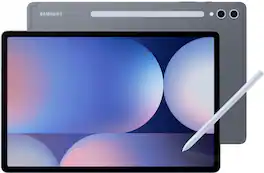
Wherever life takes you, power through all your adventures with Galaxy Tab S10+. This tablet helps you make big moves in style. It’s sized perfectly for your active life, making it your go to for getting things done. Unleash powerful AI features that simply make life easier. Learn more about your world quickly and easily using Circle to Search with Google. If it’s on your Tab screen, you can identify it. Simply circle it and get search results on the spot. Also, organize notes effortlessly with Note Assist. From lectures to meetings, everything is streamlined and easily readable with a simple tap. Blaze through all you do with Wi Fi connectivity and plenty of power thanks to the latest processor, plus a long-lasting battery. This Tab loves to go where you go. From the office to the classroom, it’s designed with an Armor Aluminum frame that’s not afraid to take on the occasional bumps of day-to-day life. You can even take it outside since it’s water and dust resistant, unlike most other tablets. Everything comes to life beautifully on an ultra-crisp Dynamic AMOLED 2X display that helps reduce glare. From editing photos to a video chat with your mom, every experience pops on a large 12.4" screen. Feel even closer to your world with Galaxy connectivity you can pair Tab S10+ with your smartphone and instantly sync files or photos or keep the conversation going with call and text continuity right on your tablet. Galaxy Tab S10+ built for productivity on the go. Powered by AI.Geek Squad Certified Refurbished products have been restored to like-new condition. All vital parts and accessories that would have been included with the original product are present, and our thorough inspection process ensures that the product is clean and in working condition.
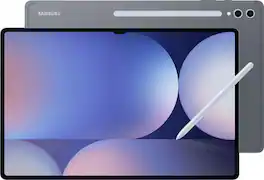
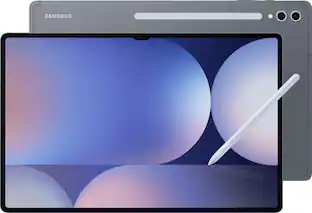
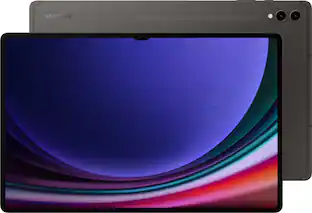
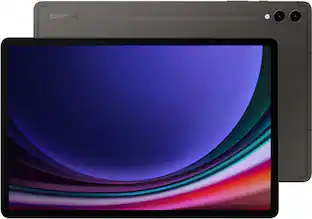
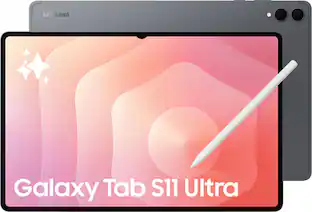
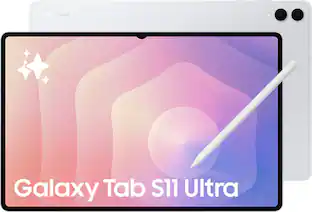
Make every day more extraordinary with Galaxy Tab S10 Ultra. Power through all your favorite experiences with groundbreaking Galaxy AI features, a long-lasting battery and a powerful chipset. Discover new ways to simplify your life with Galaxy AI on the big screen of Tab S10 Ultra. Write notes with that pen like feeling using the included S Pen, or type on an attachable keyboard then instantly summarize and organize your notes with Note Assist. Looking for another great time saver? Transcript Assist transcribes meetings and lectures for you, freeing you up to do other things. Find more information on items online quickly and easily using Circle to Search with Google. Simply circle what you’re interested in on the screen and then shop, identify or translate what you see, just like that. Indulge yourself in the ultimate viewing experience a glorious 14.6" Dynamic AMOLED 2X display. It’s the largest tablet screen available. Whether you’re streaming a blockbuster or outracing your competition in a game, experience every heart pounding moment with vibrancy and clarity. Plus, the screen is designed to minimize glare, making it easy to see even in bright sunlight. When it’s time to get back to the real world, work like a boss with plenty of space to toggle between windows or collaborate on calls. There’s so much room, you can even do both at once and more. Have the confidence to take your Tab with you as you get things done with enhanced durability that’s built to withstand even fast paced lifestyles. The enhanced Armor Aluminum frame offers strong protection against dings and scratches. And Tab S10 Ultra is water and dust resistant, so it’s made to go where you go, unlike some of those other tablets. Break free from the ordinary with the tablet that stands out Galaxy Tab S10 Ultra.Geek Squad Certified Refurbished products have been restored to like-new condition. All vital parts and accessories that would have been included with the original product are present, and our thorough inspection process ensures that the product is clean and in working condition.

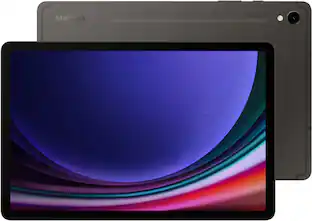
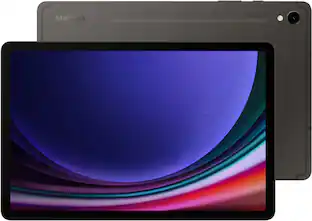
Galaxy AI is here. Search like never before¹, let transcript assist² take the notes for you, format your notes into a clear summary,³ and effortlessly edit your photos⁴ -all from your tablet, all with AI. Why not make the everyday a little more extraordinary? Galaxy Tab S9, now with Galaxy AI, pushes the boundaries of what you expect from a tablet. Supported by a mighty processor and a powerful battery, you can seamlessly switch between accomplishing priorities and enjoying your favorite pastimes. You’ll have plenty of room on the vibrant and surprisingly portable 11" screen to make the day uniquely yours — tackle your to-do list, create your next masterpiece, catch up on the latest shows or level up in your favorite game. Whether you're working, streaming or gaming, the 120Hz refresh rate makes every experience super smooth.Geek Squad Certified Refurbished products have been restored to like-new condition. All vital parts and accessories that would have been included with the original product are present, and our thorough inspection process ensures that the product is clean and in working condition.

Step up your tablet game with Galaxy Tab S10 FE+. The expansive 13.1" screen brings your favorite content to life with stunning detail, whether you’re catching up on a new series, diving into your next creative project or staying on top of your to-do list. Need to look something up? Circle to Search with Google makes it easy. Whether you see a stylish jacket in a music video or a mouthwatering dish on your feed, just circle it and let the answers come to you. Its durable IP68-rated design is ready for wherever the day takes you, while the included S Pen lets you write, draw and sketch with a natural, pen-on-paper feel. And with a long-lasting, fast-charging battery, you can stream, create and explore for hours without slowing down. Discover a tablet that fits your world with Galaxy Tab S10 FE+.
| Pros for Samsung - Geek Squad Certified Refurbished Galaxy Tab S10+ - 12.4" 256GB - Wi-Fi - with S-Pen - Moonstone Gray | |||
|---|---|---|---|
| There were no pros for this product— | There were no pros for this product— | There were no pros for this product— | Overall Performance, Screen Size, Battery Life, Ease of Use, Processor Speed |
| Cons for Samsung - Geek Squad Certified Refurbished Galaxy Tab S10+ - 12.4" 256GB - Wi-Fi - with S-Pen - Moonstone Gray | |||
| There were no cons for this product— | There were no cons for this product— | There were no cons for this product— | Connectivity |
Specs
Customers often buy these together
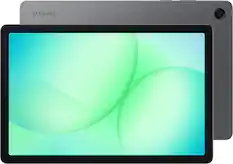
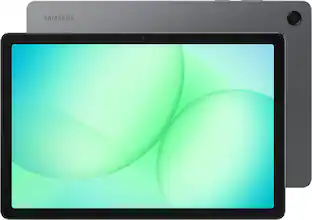
Samsung - Galaxy Tab A11+ - 11" 128GB - Wi-Fi - Gray
$274.00The price was $299.99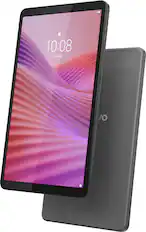
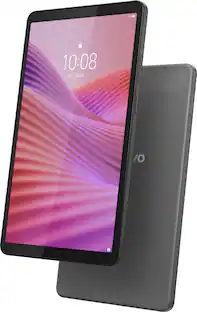
Lenovo - Tab One - 8.7" HD Tablet - 4GB RAM - 64GB eMMC - Luna Grey
$99.99The price was $169.99


More to consider
 $679.99The price was $1,199.99
 $499.99The price was $799.99
 $649.99The price was $1,199.99
 $849.99The price was $1,099.99
 $614.99The price was $999.99
 Top Deal$1,099.99The price was $1,299.99
 $599.99The price was $919.99
Explore tech essentials Sponsored
- Top Deal$1,099.99The price was $1,299.99
 Top Deal$1,099.99The price was $1,299.99
Discover related products
 $13.99The price was $19.99
 $429.99The price was $455.99
 $249.99The price was $275.00








Keep exploring
 $344.99The price was $349.99
 $324.99The price was $399.99
 $119.98The price was $249.99
 $1,429.98The price was $1,449.99