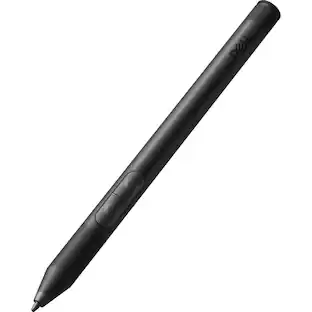
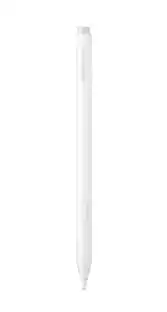
Samsung - S Pen Creator Edition - White
Customers are saying
Customers regard this stylus as a highly effective tool, frequently praising its ease of use, impressive performance, and excellent precision for drawing tasks. Users also appreciate its ergonomic design, lightweight feel, and the convenience of not needing to recharge the device. However, some customers have expressed concerns regarding the product's high price point and limited compatibility with certain devices. Additionally, there are recurring reports suggesting that the tips and nibs may lack the necessary durability for long-term use.
Bring every subtle detail to life
Capture every subtle detail with S Pen Creator Edition, our most advanced S Pen yet. Write, sketch or paint with pinpoint precision, thanks to its enhanced tilt sensitivity.
Comfortable grip for extended creative sessions
S Pen Creator Edition features an innovative grip so you can hold it for hours on end. Its ergonomic design fits comfortably into your hand to become an extension of you. Forget about fatigue, focus on creating.
A premium design with a sleek finish
Glide across your screen with the sleek design of S Pen Creator Edition. Its graceful movement helps you seamlessly write, sketch or paint. Plus, you can snap it onto your Tab for added convenience.
- Model CompatibilityGalaxy Book, Samsung Galaxy Note10, Samsung Galaxy S21 Ultra 5G, Samsung Galaxy Tab S6, Samsung Galaxy Tab S7, Samsung Galaxy Tab S7 FE, Samsung Galaxy Tab S8, Samsung Galaxy Tab S8 Ultra, Samsung Galaxy Tab S8+Screen CompatibilityActive (Electromagnetic Resonance)Operating System CompatibilityAndroid 10, Android 11, Android 12
Reviews
Rating 4.1 out of 5 stars with 149 reviews
- Ease of use (17)
- Overall Performance (14)
- Drawing (8)
- Feel (8)
- Ergonomics (6)
- Compatibility (11)
- Price (11)
- Tip Durability (8)
- Nib Durability (5)
- Connectivity (3)
Customer Images
The vast majority of our reviews come from verified purchases. Reviews from customers may include My Best Buy members, employees, and Tech Insider Network members (as tagged). Select reviewers may receive discounted products, promotional considerations or entries into drawings for honest, helpful reviews.
Compare similar products

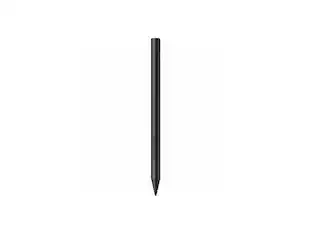
Meet the S Pen Creator Edition, the newest extension of your creativity. Get inspired with each pen stroke, and bring your ideas to life with the most tilt-sensitive S Pen yet.

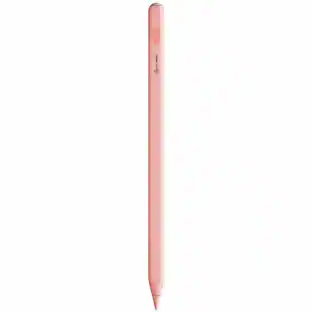
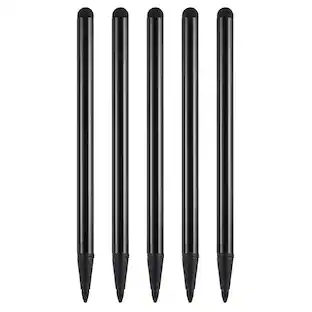
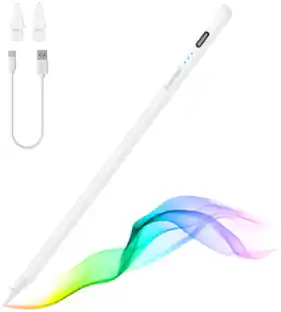
The Tronsmart Kreda 10 stylus pen with advanced features, optimized for use with iPads released in 2018 or later. Perfect for note-taking, sketching, annotating, journaling, and more. Kreda 10 stylus pen functions just like your Apple Pencil, using its precise tip to target individual pixels. Tilt to adjust your line thickness when drawing, just like an actual pencil. It also features magnetic support with compatible iPads, letting you easily locate your stylus pen each time. An included USB-C cable charges your stylus in as little as 25 minutes, providing 9.5 hours of writing time. Unleash your creativity and productivity with a seamless writing experience that’s as natural as pencil and paper.

With a new, hexagonal, cone-shaped design, S Pen is redefining how you write, draw and create.

Maintain precise control over your iPad with the Insignia Active Stylus for iPad, iPad Pro, iPad Air and iPad mini. This stylus functions just like your Apple Pencil, using its precise tip to target individual pixels. Tilt to adjust your line thickness when drawing, just like an actual pencil. It also features magnetic support with compatible models, letting you easily locate your stylus each time. Double tap the tail end of the stylus to turn it on or off, helping you to conserve battery life. An included USB-C cable charges your stylus in as little as 30 minutes.
| Pros for Samsung - S Pen Creator Edition - White | |||
|---|---|---|---|
| Ease of use, Overall Performance, Drawing, Feel, Ergonomics | Overall Performance, Battery Life, Functionality, Charging Speed, Palm Rejection | There were no pros for this product— | Overall Performance, Ease of use, Battery Life, Price, Connectivity |
| Cons for Samsung - S Pen Creator Edition - White | |||
| Compatibility, Price, Tip Durability, Nib Durability, Connectivity | There were no cons for this product— | There were no cons for this product— | Pressure Sensitivity, Lag |
Specs
Will this work with the Z Fold 6 ?
Answered by SamsungWe appreciate you reaching out, Salemaze. We love hearing from you! The S pen creator edition is compatible with the following devices: Tab S6, Tab S7, Tab S8, Tab S9, Note10, Note20, S21 Ultra, S22 Ultra, S23 Ultra, S24 Ultra, and the Galaxy Book. For you, we recommend taking a look at the S Pen Pro and S Pen Fold edition. Those pens are compatible with the Galaxy Z Fold3, Z Fold4, Z Fold5, and Z Fold6. For any further questions, reach out to us at Support. -Kelvin

Will this one work with a Galaxy tab s10 fe plus?
Answered by SamsungHi there Cage21, thank you for taking the time to ask us your question about the Samsung S Pen Creator Edition. Yes, the advertised S Pen Creator Edition is compatible with the Galaxy Tab S10 FE+. Feel free to check out, "Learn about the different Samsung S Pens" if you would like to learn more. Let us know if you have any other questions for us by contacting Support at your leisure. Thanks for being a devoted Samsung customer. - Debra
Will this S Pen work with the S 25 series?
Answered by SamsungGood day Sherry, thank you for taking the time to ask us your question about the Samsung S Pen Creator Edition. Yes, the advertised S Pen Creator Edition is compatible with the Galaxy S25 Ultra for writing, sketching, and navigating. It works immediately on the screen without pairing. However, the Creator Edition does not support Bluetooth features like remote Air Actions. It is not compatible with standard S25/S25+ models, only the Ultra. If you have additional questions, please feel free to reach out to Support. Thank you for being a valued Samsung customer. - Debra
Is the S Pen Creator Edition designed for extended use?
Yes, the S Pen Creator Edition features an innovative, ergonomic grip designed for comfortable use over long periods.
This question and answer was generated by AI based on customer and product data.How does the design of the S Pen Creator Edition enhance creativity?
The S Pen Creator Edition features a sleek design that glides smoothly across your screen, making it feel like a natural extension of your hand for effortless writing, sketching, and painting.
This question and answer was generated by AI based on customer and product data.

Customers often buy these together
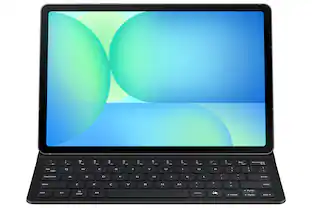 $109.99The price was $139.99
 $32.99The price was $44.99
 $69.99The price was $79.99

More to consider
 $62.24The price was $82.99









Explore tech essentials Sponsored
 Clearance$79.99The price was $199.00


Discover related products
 $12.99The price was $13.99
 $459.99The price was $535.78












Keep exploring
 $114.00The price was $125.51
- $62.24The price was $82.99
 $32.78The price was $44.78
 $31.99The price was $41.99
 $52.99The price was $104.14