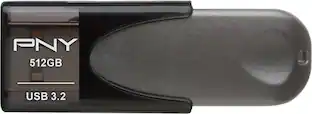
SANDISK - iXpand 128GB USB 3.0/Lightning Flash Drive - Black / Silver
- Key Specs
- Storage Capacity: 128 gigabytes (Measured in megabytes (MB), gigabytes (GB) and terabytes (TB), this is the amount available for storing files, music, movies, photos and more. The total includes the capacity of the hard disk drive and solid state drive if both are included on the computer.)
- Connector Type(s): Lightning, USB-A (Type of interface connection found on the device.)
- USB Generation: USB 3.0 (The specification (generation) of the USB standard. Generations are backwards compatible with previous specifications (provided that those devices have the necessary adapter to accommodate the connection type).)
- Password Protection: false
- General
- Brand: SANDISK
- Model Number: SDIX30C-128G-AN6NE
- Product Name: iXpand 128GB USB 3.0/Lightning Flash Drive
- Color: Black / Silver
- Capacity
- Storage Capacity: 128 gigabytes (Measured in megabytes (MB), gigabytes (GB) and terabytes (TB), this is the amount available for storing files, music, movies, photos and more. The total includes the capacity of the hard disk drive and solid state drive if both are included on the computer.)
- Connectivity
- Connector Type(s): Lightning, USB-A (Type of interface connection found on the device.)
- USB Generation: USB 3.0 (The specification (generation) of the USB standard. Generations are backwards compatible with previous specifications (provided that those devices have the necessary adapter to accommodate the connection type).)
- Wireless Capability: false
- Features
- Password Protection: false
- Retractable: true
- Dimensions
- Product Height: 2.32 inches (The out of box height of the item. Height is measured as the vertical distance from the bottom of the item to the top as it would be primarily used or placed.)
- Product Width: 0.67 inches (The out of box width of the item. Width is measured as the horizontal distance from one side of the item to the other as it would be primarily used or placed.)
- Product Depth: 0.51 inches (The out of box depth of the item. Depth is measured as the distance from the front of the item to the back as it would be primarily used or placed.)
- Product Weight: 0.19 ounces (The out of box weight of the item.)
- Compatibility
- Lanyard Attachment: false
- Warranty
- Warranty - Parts: 1 year
- Warranty - Labor: 1 year
- Other
- UPC: 619659144944
Never run out of space on your iPad or iPhone while using this SanDisk iXpand flash drive. The Lightning connector provides super-fast transfers, allowing you to stream movies and music directly from the drive to your device. Manage the flash drive's content remotely by using the iXpand Sync mobile app to store, organize or transfer data.
- 128GB storage capacity: Offers ample space for music, photos, videos and other files.
- Lightning and USB 3.0 connectors*: For true flexibility and really fast connection.
- Password protection: You can share your content while keeping sensitive files secure.
- Automatic backup function: Offers an easy way to free up space on your device.
- USB 3.0 and Lightning high-speed transfers: Provides fast transfer speeds up to 70MB/s. The drive is also backward-compatible with USB 2.0.
- Supports a variety of file formats (wmv, avi, mkv, mp4, and mov): For easy video streaming.
- Compact and lightweight design: Provides portability and allows to capture a lot of photos and videos wherever you go.
- Flexible Lightning connector: For convenient use with most iPhone and iPad cases.
- iXpand Drive App compatible: Helps to easy manage photos and videos, watch videos directly from the drive, and even take videos from the app and save them directly onto the drive.
Whats Included
- SanDisk-iXpand Flash Drive, 128GB
Q: Can I use an app to manage the flash drive?
A: Yes, you can use the iXpand Drive App to manage the flash drive.
Q: What is the storage capacity of this flash drive?
A: The storage capacity of this flash drive is 128GB.
Q: Does this flash drive support automatic backup?
A: Yes, this flash drive offers an automatic backup function.
Q: What kind of connector does this flash drive use?
A: This flash drive uses a Lightning connector.
Q: Does this flash drive have password protection?
A: No, this flash drive does not have password protection.
Q: Are there different file formats supported by this drive?
A: Yes, this drive supports a variety of file formats like wmv, avi, mkv, mp4, and mov.
Q: Is this flash drive backward compatible with USB 2.0?
A: Yes, the flash drive is backward-compatible with USB 2.0.
A: Yes, I just tried this. When you insert the drive into your phone, tap the “Copy Files” option on the middle of your screen. On the next screen, tap “Copy photos from Phone.” The third screen displays all photos and videos on your phone. To select individual photos or videos, tap each thumbnail picture once (or tap “Select All”). After you make your selections, tap the red “Copy to iXpand Drive Button. The “Select Destination” screen lets you choose an existing folder or create a new one on the iXpand drive. After copying, you may then choose to keep or delete your pictures from your phone.
People also viewed
 $57.99The price was $82.99
 $45.99The price was $66.99
 $88.99The price was $120.99
 $94.99The price was $129.99




Today's top picks
- $94.99The price was $129.99
- $88.99The price was $120.99
- $57.99The price was $82.99
- $45.99The price was $66.99