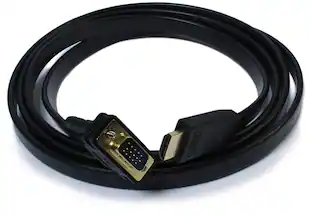
Sanoxy - HD 1080P USB 3.0 to HDMI Video Cable Adapter For PC Laptop HDTV LCD TV Converter - Black
Reviews coming soon
About this product
This USB 3.0 to HDMI adapter allows you to connect an additional display to your desktop or laptop computer. It supports ultra-high-definition displays with resolutions up to 1920x1080p. The adapter is easy to install and operate, and it features gold-plated connectors for durability and improved signal transmission.
USB 3.0 to HDMI Video Adapter 1080P
HD 1080P USB 3.0 to HDMI Video Cable Adapter For PC Laptop HDTV LCD TV Converter
- Connector Type (End 1)USB-AConnector Type (End 2)HDMI Type A
Reviews
This product doesn't have any reviews yet.
Compare similar products
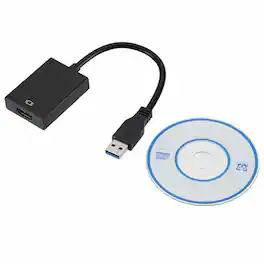
This USB 3.0 to HDMI adapter allows you to connect an additional display to your desktop or laptop computer. It supports ultra-high-definition displays with resolutions up to 1920x1080p. The adapter is easy to install and operate, and it features gold-plated connectors for durability and improved signal transmission.

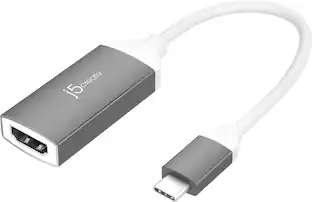
The JUA254 USB to HDMI Multi-Monitor Adapter works as an external video card, instantly allowing users to attach additional displays via HDMI connection without the hassle of a lengthy setup or having to install additional hardware. The USB 3.0 Display Adapter can support up to four displays running on the same computer, turning your workstation into a fully-functioning, multi-display powerhouse. This USB adapter works as an external video card, instantly allowing additional displays without the hassle of opening the computer casing and installing an external graphics card. You can have a second monitor with an extended display, a mirrored display, a rotational display (rotation mode not available for Mac), or make it your primary monitor. Now enjoy true 1080p HD resolution through any Windows or Mac computer with a USB 3.0 port. These adapters are also backwards compatible with USB 2.0 resolutions and playback, which are ideal for office applications. The simple plug-and-play function allows you to connect your computer to a second monitor or projector within seconds to create a new visual environment on Windows 10.
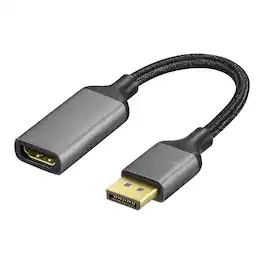
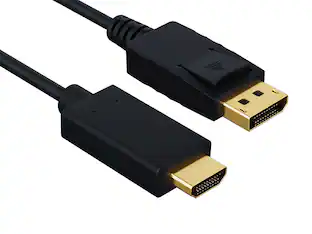
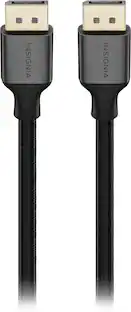
Improve your workstation by connecting your laptop to an external monitor with this Insignia 8K DisplayPort to HDMI Adapter. The adapter supports 8K Ultra HD to prevent loss in quality when transferring between screens. It features a sleek braided cable jacket that flexes and bends to easily connect, and the plug-and-play design makes setup a breeze.

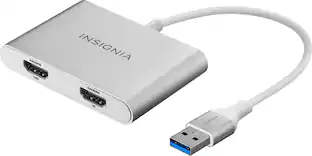
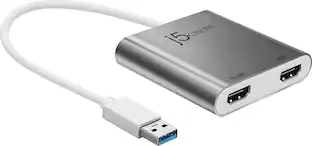
This USB 3.0 to Dual HDMI Multi-Monitor Adapter acts as an external video card for your MacBook or Windows computers. It allows you to add two additional displays through your USB 3.0 port, boosting your productivity by giving you more screen space to work from. One of the HDMI ports can output resolutions up to 4K, while the other can output resolutions up to 2048 x 1152. This is the perfect alternative to a costly video card. With this USB 3.0 Multi-Monitor Adapter, you can quickly install the driver with a simple USB plug-in. Afterwards, connect the device to your monitors using HDMI cables and then you will have a dual-display workstation!
| Pros for Sanoxy - HD 1080P USB 3.0 to HDMI Video Cable Adapter For PC Laptop HDTV LCD TV Converter - Black | |||
|---|---|---|---|
| There were no pros for this product— | Overall Performance, Functionality | Overall Performance | Overall Performance, Ease of use, HDMI, Compatibility, Connectivity |
| Cons for Sanoxy - HD 1080P USB 3.0 to HDMI Video Cable Adapter For PC Laptop HDTV LCD TV Converter - Black | |||
| There were no cons for this product— | There were no cons for this product— | There were no cons for this product— | Price, Driver, Lag, Resolution, Heat |
Specs
Be the first to ask a question.
We’ll try to get your question answered within 24 hours by a Best Buy customer or brand representative.
Find more like this







Customers ultimately bought
Explore tech essentials Sponsored
 $38.99The price was $45.99



Keep exploring
 $12.99The price was $14.99