Satechi - Thunderbolt 4 Slim Hub Pro - 5-in-1 Dock- USB-C 60W, Single 8k or Dual 4K Display, 4 Thunderbolt 4 Ports, USB 3.2 Gen2 - Space Gray
Customers are saying
Customers find value in the product's overall performance. They describe it as perfect and working great.
Thunderbolt 4
Latest Thunderbolt 4 technology that provides upgraded bandwidth for video and data, fast transfer rates of up to 40Gbps, and backwards compatibility with USB 4, USB-C Gen. 1 & 2.
Ports expansion
3 x Thunderbolt 4 ports support speeds up to 40Gbps and 15W charging for phones and tablets. Also, 1x USB-A port up to 10Gbps and 1x upstream Thunderbolt 4 port up to 96W charging to the host device so you do not have to connect a power cable to your laptop.
Daisy chain
Allows for up to 6 levels of Daisy-Chaining from the downstream Thunderbolt 4 ports, giving users more accessibility with what they can connect to the hub.
Sleek & modern
Thunderbolt 4 Slim Hub’s sleek and modern aesthetic aligns with the simplicity and minimalism of the Apple Ecosystem. Made from aircraft grade aluminum, the Thunderbolt 4 Slim Hub not only looks stylish, but is also built for durability and efficiency.
Compatibility
Designed for Thunderbolt 4 based PCs and Thunderbolt 4/3 based Macs utilizing MacOS 11 and later versions, Thunderbolt 4 Slim Hub supports 2x 4K screens at 60Hz, one 8K screen at 30Hz or 1x 6K on M1 Macs. Thunderbolt 3 Windows systems not recommended.
- Maximum Number of Displays Supported2Maximum Supported Resolution8K (4320p), 4K (2160p)Number of DisplayPort Outputs (Total)0Number of Thunderbolt Ports (Total)4Passthrough PowerNo
Reviews
Rating 4.5 out of 5 stars with 11 reviews
- Overall Performance (3)
Customer Images
The vast majority of our reviews come from verified purchases. Reviews from customers may include My Best Buy members, employees, and Tech Insider Network members (as tagged). Select reviewers may receive discounted products, promotional considerations or entries into drawings for honest, helpful reviews.
Compare similar products

Ideal for creative professionals, the sleek Thunderbolt 4 Slim Hub can provide 40Gbps bandwidth for connecting external displays and high-speed peripherals while simultaneously delivering 60W of charging to the host device. It features three Thunderbolt 4 downstream ports that support daisy chaining up to six Thunderbolt devices to maximize your creative space.
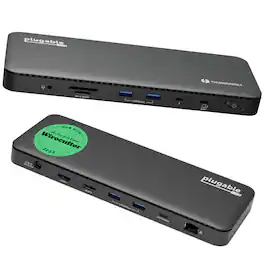
A “do-it-all” dock, the Thunderbolt Certified TBT4-UD5 Plugable Docking Station was awarded The Best Thunderbolt Docking Station by Wirecutter in 2025. It stands out as a versatile and powerful hub for modern workspaces. Its robust design includes an array of 13 ports, catering to a wide range of connectivity needs. Starting with the 40Gbps Thunderbolt 4 host port, this TB4 dock offers plenty of bandwidth to support two HDMI ports, each capable of driving dual 4K 60Hz displays. A downstream 40Gbps Thunderbolt 4 port is also included to provide high-speed connectivity for advanced Thunderbolt-based applications, such as fast storage devices. In addition to its display options, this Thunderbolt USB4 dock boasts a USB-C port with a 10Gbps transfer rate, ideal for quick file transfers and efficient data management. There are also 4x USB 3.0 ports (2x 10Gbps, 2x 5Gbps), perfect for connecting a variety of peripherals like keyboards, mice, and external drives. Throw in SD and Micro SD slots, a combo audio jack, Gigabit Ethernet, and a slot for a K lock, and this setup ensures that users can create a powerful and integrated workstation. Speaking of power, the TBT4-UD5 docking station Thunderbolt 4 packs it in with up to 100W Power Delivery (96W certified) — more than enough for most power-hungry laptops. Especially useful in business and education environments, the Plugable TBT4-UD5 Docking Station delivers exceptional functionality and convenience.

Expand your M2 MacBook Air's capabilities with the Satechi Pro Hub Slim, featuring a full function USB4 port, 4K HDMI, USB-C data, two USB-A data, and SD & microSD card readers. With a multitude of options for fast data transfer and its modern aluminum design, the Pro Hub Slim packs all your essential ports in one sleek, user-friendly hub.

Power up with the new Thunderbolt 4 Multimedia Pro Dock by Satechi. Meticulously crafted with creative professionals and content creators in mind, this 16-in-1 powerhouse has everything you need to spark innovation and power up productivity. Thunderbolt 4 Multimedia Pro Dock will transform your workspace and completely change the way you work. Compatible with both Mac and Windows PC, this versatile dock offers the best-in-class Thunderbolt 40Gpbs bandwidth for connecting up to four external screens and high-speed peripherals, while simultaneously delivering 96W of charging power to the host device – so you have one less cable to worry about.
| Pros for Satechi - Thunderbolt 4 Slim Hub Pro - 5-in-1 Dock- USB-C 60W, Single 8k or Dual 4K Display, 4 Thunderbolt 4 Ports, USB 3.2 Gen2 - Space Gray | |||
|---|---|---|---|
| Overall Performance | There were no pros for this product— | Overall Performance, HDMI, Ease of use, Connectivity, Design | There were no pros for this product— |
| Cons for Satechi - Thunderbolt 4 Slim Hub Pro - 5-in-1 Dock- USB-C 60W, Single 8k or Dual 4K Display, 4 Thunderbolt 4 Ports, USB 3.2 Gen2 - Space Gray | |||
| There were no cons for this product— | There were no cons for this product— | Compatibility | There were no cons for this product— |
Specs
Does this hub function without the DC adapter plugged in? If I'm in a situation, car, bus, plane, boat, where I don't have access to an AC plug, will the hub still function? Will only some of the features work?
Answered by Satechi SupportHello Bran, We can confirm that the Satehi Thunderbolt 4 Slim hub will not work without AC power connected. Thunderbolt docks require AC power to supply the optimal amount of power to connected devices like external hard drives, monitors, etc, which requires a dedicated power source beyond what a standard USB connection can provide. For any additional questions or concerns you may email us at support@satechi.com or call us at +1(858)268-1800 (US). We look forward to hearing from you!

How many monitors will this support?
Answered by Satechi SupportHello Kitty, The docking station supports up to two displays via the Thunderbolt 4 ports. Keep in mind that the host device must natively support multiple displays, as the dock does not add any additional features or capabilities, even with known software, as the docking station was not designed to support InstantView or DisplayLink. For example, the base M1 or M2 MacBook Air natively supports only one external display, whether it is connected directly to the laptop or via a docking station or hub adapter. We hope this information helps! Many regards, Satechi Technical Support
How many usb c ports does hub have
Answered by Satechi SupportHello Flan, We can confirm that the Satechi - Thunderbolt 4 Slim Hub Pro has 3x Thunderbolt 4 Downstream Ports that support up to 40 Gbps, 15W charging and video output up to (2x) 4K at 60Hz or (1x) 8K at 30Hz or (1x) 6K on Mac. The hub also includes 1x Type-A USB 3.2 Gen 2 Data Port - up to 10gbps. For any additional questions or concerns you may email us at support@satechi.com or call us at +1(858)268-1800 (US). We look forward to hearing from you!
How many Thunderbolt 4 ports does this hub have?
This hub has three downstream Thunderbolt 4 ports and one upstream Thunderbolt 4 port, for a total of four.
This question and answer was generated by AI based on customer and product data.What is the maximum charging power this hub can provide to a laptop?
This hub can provide up to 96W of charging power to your laptop through its upstream Thunderbolt 4 port.
This question and answer was generated by AI based on customer and product data.

Customers often buy these together
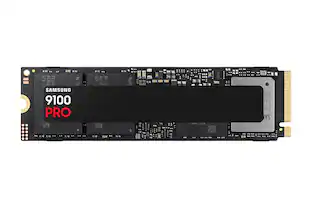 Top Deal$399.99The price was $679.99
 $179.99The price was $199.99
 $139.99The price was $149.99
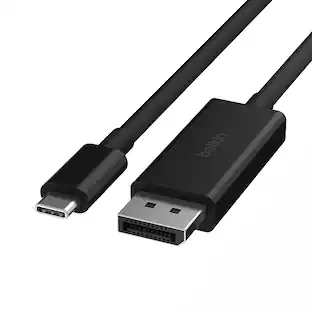
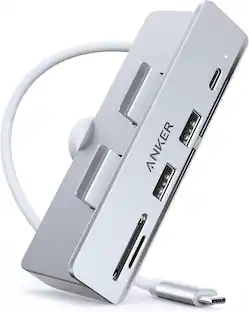




Customers ultimately bought
 $117.99The price was $139.00




Explore tech essentials Sponsored



Discover related products
 $12.99The price was $13.99










Keep exploring
 $111.00The price was $139.00
 $17.99The price was $21.99