Satellite Radio Tuner Install
Customers are saying
Customers admire the overall performance of this product, with many users noting that it functions perfectly right out of the box. Additionally, users appreciate the straightforward installation process and the improved signal reception, particularly in rural locations. The design also earns praise for its effective cable management, which helps keep wires neatly hidden.
Features
Preparing your car
We'll go through a preinstallation checklist and consult with you about the desired mounting location of specific parts.
Ensuring reception
We'll connect the satellite radio to your DC lighter outlet or existing radio for a power source and adjust your antenna for the best reception.
Factory-installed look and functionality
We'll mount your satellite radio, then conceal the wiring for a natural-looking fit.
Final steps
To finish, we'll perform a postinstallation checklist, vacuum out the work area, test all the functions, and give you a demonstration of the satellite radio's features.
How to redeem and schedule your installation:
After ordering, you'll get a redemption e-mail containing a key code that validates your order. Find your nearest installation center and call to schedule an appointment.
What to bring to your installation appointment:
Bring a printout of your redemption e-mail, the satellite radio you want installed, and any other parts you may have purchased for the installation.
*Standard installation does not include vehicle-specific parts or accessories. For satellite radio installation, the cost of parts will vary. Such parts and any additional parts or extensive labor are extra.
Your Geek Squad Autotech will provide an estimate prior to performing work that requires an additional charge (including nonstandard installation) and any additional parts. Any additional charges will be assessed after the installation is complete.
For installation information for your vehicle, and speak with a Geek Squad Autotech.
Specifications
- Service LocationStore
Reviews
Rating 4.6 out of 5 stars with 1111 reviews
- Overall Performance (697)
- Ease of Use (24)
- Signal Reception (16)
- Cable Management (10)
Customer Images
The vast majority of our reviews come from verified purchases. Reviews from customers may include My Best Buy members, employees, and Tech Insider Network members (as tagged). Select reviewers may receive discounted products, promotional considerations or entries into drawings for honest, helpful reviews.
Compare similar products

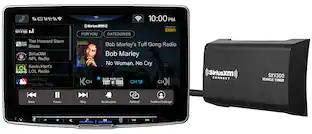
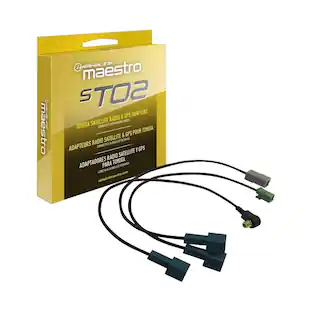
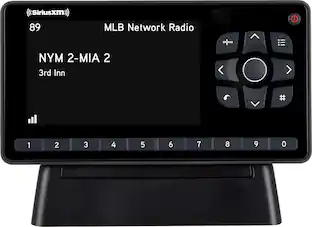
Have your new satellite radio installed neatly, reliably and professionally by a Geek Squad Autotech. Additional materials fees apply; see below for more details.* Note: SiriusXM satellite-radio-ready stereo, sold separately, is required. Deck installation is also sold separately. Satellite radio subscription required. Please consult with a Geek Squad Autotech at your local Best Buy store for more information.

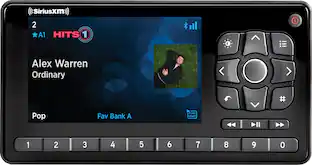
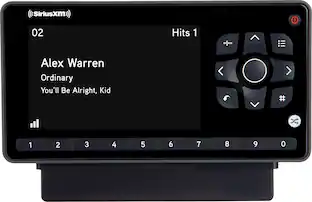
Have your advanced satellite radio installed neatly, reliably and professionally by a Geek Squad Autotech. Our Autotechs workmanship is warrantied for life. Additional materials fees apply; see below for more details.*
Get a clearer view of what's happening behind your vehicle. A Geek Squad Autotech will install your new backup camera. Additional materials fees apply; see below for more details.*
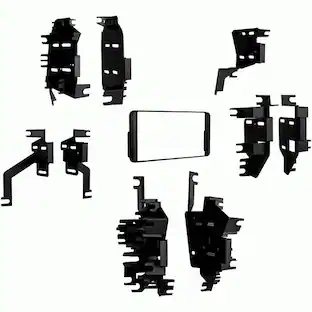
If you'd like to handle the installation yourself, there are some required parts you'll need. You can add them to your cart on the next screen.
| Pros for Satellite Radio Tuner Install | |||
|---|---|---|---|
| Overall Performance, Ease of Use, Signal Reception, Cable Management | Overall Performance, Portability, Wire Management, Installation Speed, Mounting | There were no pros for this product— | There were no pros for this product— |
| Cons for Satellite Radio Tuner Install | |||
| There were no cons for this product— | Button Size, Connectivity | There were no cons for this product— | There were no cons for this product— |
Specs
Customers often buy these together
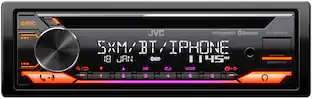
JVC Bluetooth CD/DM Receiver with Voice Assistant Built in and Satellite Radio Ready
$169.00The price was $189.99AstroAI Car Trunk Organizer 110L, Collapsible Large Storage Box with Cooler Bag for Cars
$52.99The price was $65.99