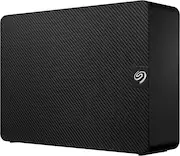
Rating 4.6 out of 5 stars with 196 reviews
4.6- Storage Capacity (72)
- Overall Performance (44)
- Ease of use (29)
- Speed (16)
- Price (6)
Customer Images
The vast majority of our reviews come from verified purchases. Reviews from customers may include My Best Buy members, employees, and Tech Insider Network members (as tagged). Select reviewers may receive discounted products, promotional considerations or entries into drawings for honest, helpful reviews.
- Rated 5 out of 5 stars
(Mac user) Time Machine and Storage 8TB
Took a little understanding of how everything worked with formatting. The application Disk Utility is what you want to have open so you can see your HDD and anything else connected to your mac. Also might have to select View in the top left of Disk Utility and click “show all”. Sometimes they wont show up on the screen if they’ve been pre-formatted with different settings from the supplier. In order to get best of both worlds from this desktop external drive I partioned one half of for time machine backups and the other for normal drag and drop storage of pics, videos and whatever else. In order to do this click the external drive and then click partition on the top of the application window. Set how much you want to partition and rename it and set formats. Important part is making sure the time machine half is formatted “Mac OS Extended” and the storage part is using “APFS”. Long story short i had a old 1tb mobile seagate drive that somehow already allowed me to time machine backup and drag and drop so I just reversed engineered the 8tb desktob one to be just like it! No more switching and unplugging! Hope this helps!
This review is from Seagate - Expansion Desktop 8TB HDD - Black
Posted by Seymour
- Rated 4 out of 5 stars
Great product! No really. Buy it!
I purchased this hard drive intending on using it for video game storage, it definitely holds the files but accessing the game causes it to lag or be slow because the power and data output of the hard drive seems to only be able to handle media not necessarily running a game right out of it, but other than that I have zero problems with it, very easy to install kind of does it itself when you plug it in and connects itself to your computer automatically configuring to your specific computer that is unless if for some reason your computer is from the 1700’s should be fine, stores tons from media like pictures and videos to video games running straight from the external hard drive! I’ve ran battlefield 2042 through this device and it ran just fine, although I wouldn’t recommend long term usage for video games, it’s better for storage or lower end games but hey, it will work in a pinch! Need it for games? Get it, it will work. Slowish but still. Data transfer is pretty quick when it comes to files, video games take longer just for the nature of their software obviously but all in all I would definitely purchase this again. Price is always a teeth clencher but it pays for itself in my opinion. So get it!
This review is from Seagate - Expansion Desktop 8TB HDD - Black
Posted by KenT
- Rated 5 out of 5 stars
Happy with new Seagate external hard drive!
I have use a # of Seagate external hard drives over the last decade. Usually *TB and I have never had a problem with any of them. Now, I am very pleased it is now housed in smaller dimensions. I had to use my own cord from drive to computer, but i luckily had a few of them.
This review is from Seagate - Expansion Desktop 8TB HDD - Black
Posted by PeterG
- Rated 5 out of 5 stars
compact
The size and the space works perfect for me to store my Gopro videos and photos. I recomand it
This review is from Seagate - Expansion Desktop 8TB HDD - Black
Posted by EusebiuG
- Rated 5 out of 5 stars
Outstanding Performance and Peace of Mind – Seagat
If you’re in the market for a large-capacity external hard drive that’s reliable, fast, and backed by professional data recovery support, look no further than the Seagate 8TB USB 3.0 External Hard Drive. It’s perfect for both professionals and everyday users. You get a ton of storage, excellent transfer speeds, and the unmatched peace of mind that comes with Rescue Services — all at a very competitive price.
This review is from Seagate - Expansion Desktop 8TB HDD - Black
Posted by ChiranjeeviM