Black Friday in JulyEnds Sunday. Limited quantities. No rainchecks.Shop now

Skip to contentGo to Product Search
Main Content

Sony - PlayStation 5 - Media Remote - White

Model: 3005727
SKU: 6430167
Sold byBest Buy

Customers are saying

Customers often highlight the PlayStation 5 Media Remote for its ease of use, well-thought-out design, and convenient size. Many appreciate its quality, compatibility with the system, and ability to control TV functions and enhance the streaming experience. However, some customers have expressed concerns about the battery life and button placement, while others wish for a backlight feature and a more stable connection.

Generated by AI based on customer reviews.
Features
  • Seamless console compatibility

    Power on your PS5 console, and navigate its menus directly with the remote for ultimate convenience.

  • Media playback controls

    Quickly navigate media with the built-in play/pause, fast forward, and fast reverse buttons.

  • TV settings

    Adjust the volume and power settings of compatible TVs with the built-in IR transmitter².

  • ¹ Internet and account for PlayStation Network required. Streaming services may require paid subscription and are not available in all countries.

  • ² PS5 system software update may be required.

See all features
Specifications
  • Remote Control Type
    Universal
Sponsored

Reviews

Customers are sayingCustomers often highlight the PlayStation 5 Media Remote for its ease of use, well-thought-out design, and convenient size. Many appreciate its quality, compatibility with the system, and ability to control TV functions and enhance the streaming experience. However, some customers have expressed concerns about the battery life and button placement, while others wish for a backlight feature and a more stable connection.
This summary was generated by AI based on customer reviews.
  • Ease of use (1130)
  • Overall Performance (219)
  • Design (135)
  • Size (79)
  • TV Control (56)
  • Battery Life (118)
  • Backlight (16)
  • Button Placement (14)

Customer Images

The vast majority of our reviews come from verified purchases. Reviews from customers may include My Best Buy members, employees, and Tech Insider Network members (as tagged). Select reviewers may receive discounted products, promotional considerations or entries into drawings for honest, helpful reviews.

  • Rated 4 out of 5 stars

    Grab one for yourself, save your DS battery

    1. How easy was it to set up and start using the remote? It was quite simple, just like any other typical TV media remote. Once you remove it from its packaging, accessing the battery slots is straightforward. Simply press a button at the bottom of the remote and slide off the back cover. After that, turn on your PS5 and follow the instructions provided to sync it to the PS5 via Bluetooth. 2. What do you think about the comfort and build quality of the remote? In my opinion, the build quality is just average. It’s a plastic remote, but it’s stylish enough to blend well with the PS5. It’s honestly more on the cheap side of things, but it has some weight to it. However, it’s light enough to feel like you’re not holding anything if that makes sense. 3. How well does it perform for controlling PlayStation media and apps? It functions seamlessly, providing an instant and rapid response with no input delay, similar to the DualShock controller. 4. Are the buttons responsive and easy to use? Yes, the buttons are firm and made of what feels like the same type of plastic as the housing body. This is a plus in my opinion because rubber buttons almost always start to tear or peel away. I haven’t noticed any of the markings on the buttons fading yet. Overall, the buttons feel great and are responsive. 5. How is the battery life or power management of the remote? Well, initially, the situation wasn’t great. The packaged Sony batteries didn’t last long and caused me issues to the point where I suspected I had bought a faulty remote. After researching reviews and encountering similar issues with the remote, it seemed plausible that the remote itself was of poor quality and functionality. However, I finally decided to replace the batteries with newer ones. All the issues I had were resolved, and the remote has been working flawlessly ever since, even after being unused for a few days. Whenever I pick it up for use, it operates without any problems. I believe the batteries that came with the remote were likely sitting unused for an extended period and had gone bad. Therefore, changing the batteries fixed my issue, but I’ve seen reports where changing the batteries didn’t resolve the problems people were experiencing. This is just my personal experience, and so far, I’m fortunate that it worked for me. 6. Would you recommend this remote to other PlayStation users and why? Overall, I would say yes, even though I had some initial concerns about the batteries not being fully charged or possibly losing power due to prolonged inactivity, although I’m not entirely sure. For anyone seeking a couch experience without the need to use their DualShock controller, which can detract from gaming time, your DS can now remain fully charged while you use the PS Media Remote. This remote functions just as effectively for navigating the PS5’s menu and various streaming services.

    Posted by GeranF

  • Rated 5 out of 5 stars

    Awesome remote

    This is an awesome remote very convenient just push Netflix button takes you right to it great price very cool looking remote I recommend this

    Posted by DanielT

  • Rated 4 out of 5 stars

    ​A Sleek PS5 Upgrade! Must-Have for Your Setup!

    ​"If you're like me and spend your downtime switching between intense gaming sessions and binging your favorite shows, this remote is a total game-changer. It’s responsive and keeps you from fumbling with a controller just to pause a movie or jump into an app, making my setup feel complete. I’m giving it 4 stars because I would love it even more if it were a tad bit bigger and featured some textured grips, as it can feel a little slippery in the hand. That said, it’s still a fantastic addition to any gaming station. Honestly, it would be the ultimate accessory if it featured customizable edge and button illumination to match the console’s lighting colors! It’s such a simple upgrade that makes a huge difference—you’ll wonder how you ever managed without it."

    Posted by MrBigggs

  • Rated 5 out of 5 stars

    One of the coolest remotes I’ve ever had,

    Very nice addition to ur ps5. It was smaller than I expected, but it’s big in what it can do. The one touch buttons are nice. If you wanna watch Netflix just push the button and within seconds you are at the menu. It has some buttons that aren’t working yet (like the mic button on top) but will be a new feature in future updates. Even what I say doesn’t do it justice. Until you have one are are holding it in your hands you will not realize how cool this remote is. I would highly recommend it. Only thing is that I wish they would’ve made the buttons have the backlit feature so that you can see it if there is little to no light.

    Posted by Vegeta

  • Rated 5 out of 5 stars

    Another Great PlayStation Accessory

    Looks great, feels great and reminds me of the Samsung One remote that I love. It gets rid of all the clutter of older remotes and paired easily with my tv in the click of a button so I can control my TV volume and cut it off with the media remote. The voice dictation works well but like Siri, saying something like “Kena Bridge of Spirits” may get picked up as “Can of Bridges Spirit” lmao. Only other thing to mention is the buttons click pretty loudly so at night if you sleep with a partner in your room, it’s a little loud if you’re clicking a lot trying to type something in. Overall tho it feels premium to me and is great for navigating media and saving controller battery. So nice to not have to use my DualSense when I head to bed and switch over to Netflix or YouTube. Especially since I’ve noticed that unlike with PS4, whenever I turn off my DualSense in the control center, as soon as it turns off it doesn’t go back to playing your media apps, the screen just stays on the control center. So if you plan on watching media apps and not wasting your controller battery while videos play, you’re gonna need the media remote or hope PS puts out an update to fix the issue.

    Posted by TMT20

From the manufacturer

Compare similar products

Sony - PlayStation 5 - Media Remote - White

Tune to your favorite entertainment content with this Sony media remote control. Compatibility with the PlayStation 5 console lets you access various titles, while the intuitive layout offers easy control. This Sony media remote control comes with two AA batteries to keep your device powered, and the included instruction manual provides guidance for seamless operation.

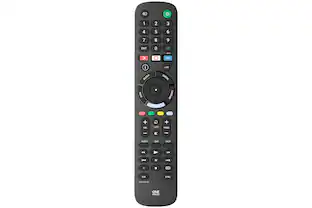
One for All - SONY REPLACEMENT REMOTE USA - Black
5.0(4)

The One For All Sony TV Replacement Remote is the ideal replacement for your original Sony TV remote control. No setup required, simply insert the batteries and start using your remote. Features 3 shortcut keys to your favorite streaming services. 100% compatible with all Sony TVs.

Insignia™ - Replacement Remote for Sony TVs - Black

Losing or damaging the remote control is a headache, but you can regain control of your TV with the Insignia NS-RMTSNY21 Replacement Remote for Sony TVs. Our remote is compatible with nearly all Sony TVs and pre-programmed for easy pairing. And you can even set up your remote to adjust your soundbar or audio receiver volume, giving you full control of your audio. Program your three favorite apps to the remote to open your most-used streaming services and more. If you still have your old remote, you can even teach your new remote functions from it, guaranteeing that you’ll have access to everything right at your fingertips. This Insignia remote has just what you need.

Insignia™ - 3-Device Universal Remote - Black

Losing or damaging your remote control can be a headache, but you can regain control of your TV and other devices with the Insignia NS-RMT3D21 3-Device Universal Remote. Our remote is compatible with nearly all major brands and offers easy preprogramming for an effortless pairing that won’t require any codes. And you can even set up your remote to adjust your soundbar volume without changing devices, giving you full control of your audio. Program the remote with your favorite apps, using it to open your most-used streaming services. If you still have your old remote, you can even teach your new remote its functions, guaranteeing that you’ll have access to everything right at your fingertips.

Pros for Sony - PlayStation 5 - Media Remote - White
Ease of use, Overall Performance, Design, Size, TV ControlThere were no pros for this productEase of use, Overall Performance, Compatibility, Price, Remote FunctionalityEase of use, Overall Performance, Compatibility, Price, Setup
Cons for Sony - PlayStation 5 - Media Remote - White
Battery Life, Backlight, Button PlacementThere were no cons for this productButton Layout, Backlight, Programming, SizeButton Layout, Battery Life, Voice Control, Instructions

Specs

Questions & Answers
  • Is this Sony remote compatible with other devices besides the PlayStation 5?

    The remote is compatible with Sony Play Station 5 and can also adjust the volume and power settings of compatible TVs.

    This question and answer was generated by AI based on customer and product data.
  • How do I power on the Playstation with this Sony remote?

    You can power on your PS5 console directly with the remote.

    This question and answer was generated by AI based on customer and product data.
  • What type of batteries does this Sony remote use?

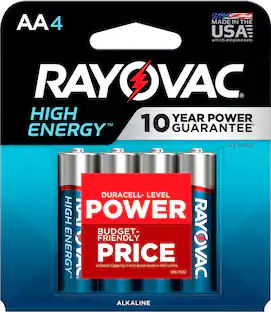
    This Sony media remote uses two AA batteries.

    This question and answer was generated by AI based on customer and product data.
  • Does this Sony remote need to be plugged in?

    No, this is a wireless remote.

    This question and answer was generated by AI based on customer and product data.
  • Does this Sony remote have media playback controls?

    Yes, the remote has built-in play/pause, fast forward, and fast reverse buttons.

    This question and answer was generated by AI based on customer and product data.
Ask a question
No content
Sponsored

Similar products from outside of Best Buy

sponsored
Ask BlueAI