Sony - PlayStation VR2 Sense controller charging station - Multi
Customers are saying
Customers frequently mention that the product delivers excellent overall performance and provides highly convenient, rapid charging for controllers. Users also appreciate the sleek design, which fits well in their homes, alongside the added benefits of improved cable management and accessory organization. While the vast majority of feedback is positive, a few users noted that aligning the controllers on the charging dock can occasionally be a bit finicky.
Simultaneous charging.
Fast and simple to use.
No console connection.
Click-in design.
- Brand CompatibilityPlayStationModel CompatibilityPlaystation VR2
Reviews
Rating 4.6 out of 5 stars with 201 reviews
- Overall Performance (64)
- Charging Convenience (42)
- Design (25)
- Cable Management (6)
- Organization (5)
- Controller Alignment (3)
Customer Images
The vast majority of our reviews come from verified purchases. Reviews from customers may include My Best Buy members, employees, and Tech Insider Network members (as tagged). Select reviewers may receive discounted products, promotional considerations or entries into drawings for honest, helpful reviews.
Compare similar products
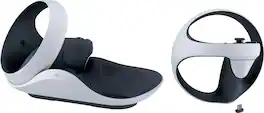
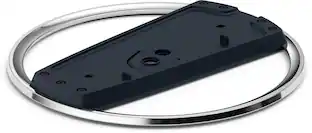
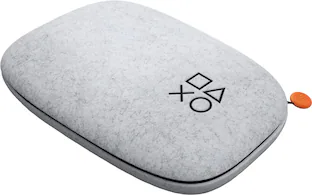
Always be ready for your next adventure into thrilling new virtual reality worlds with the PlayStation VR2 Sense controller charging station. Quickly and easily charge your PlayStation VR2 Sense controller set through a simple click-in design without having to connect them to your PlayStation5 console, freeing up your USB ports.
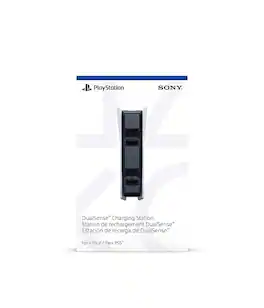
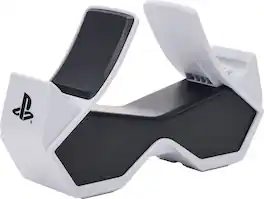
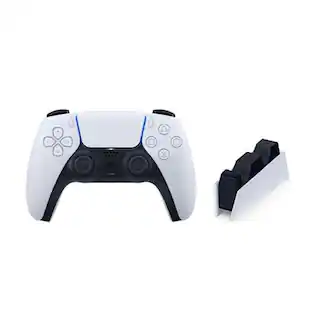
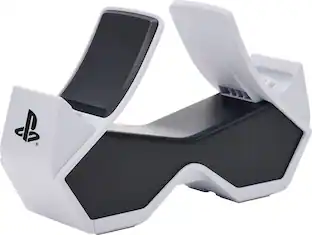
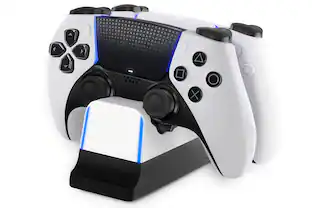
Charge and display your DualSense Wireless Controllers with the officially licensed Twin Charging Station for PlayStation 5. Charging two controllers at once is simple–just set them down until the LED on the DualSense indicates that they are fully charged, then just pick them up and get your game on. Or, leave your controllers on the station for an awesome, eye-catching display. Feel confident your controllers are always ready to game as they charge and display alongside your PS5 console--or anywhere you choose to display them.
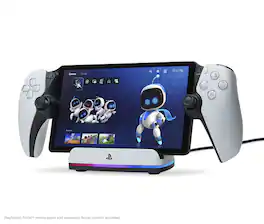
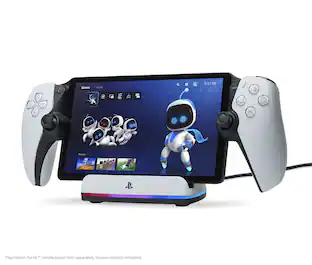
Charge and display your PlayStation Portal remote player with the officially licensed PowerA Charging Station for PlayStation Portal Remote Player with Lumectra. Offering an easy docking experience, the PS Portal remote player slides into place on the Charging Station to recharge and the added stability from the weighted base keeps it from moving around. A built-in RGB charging indicator keeps you informed on the charging status and can cycle between 5 lighting modes and different brightness levels. An included USB-C cable and magnetic USB-C charging adapter lets you connect it to your PlayStation5 so your PS Portal remote player can be displayed next to your console as it recharges. 2-Year Limited Warranty. *PlayStation Portal Remote Player and PlayStation5 console not included
| Pros for Sony - PlayStation VR2 Sense controller charging station - Multi | |||
|---|---|---|---|
| Overall Performance, Design, Charging Convenience, Cable Management, Organization | Charging Speed, Overall Performance, Ease of Use, Design, Size | Overall Performance, Charging Speed, Ease of Use, Design, Size | Overall Performance, Ease of Use, Design, Charging Speed, Lighting |
| Cons for Sony - PlayStation VR2 Sense controller charging station - Multi | |||
| Controller Alignment | Connectivity | Controller Alignment | There were no cons for this product— |
Specs
Customers often buy these together





More to consider
 $83.98The price was $96.98
 $31.99The price was $37.99
Level up your game Sponsored
 $404.99The price was $465.99
Discover related products

Keep exploring
 $29.99The price was $39.99
 $42.76The price was $62.44
 $16.88The price was $19.99