Startech - 2 Port Panel Mount USB 3.0 Cable - USB A to Motherboard Header Cable F/F
Reviews coming soon
About this product
The 2 Port Panel Mount USB 3.0 Cable offers a convenient solution for adding two external USB 3.0 ports to your system by connecting directly to a 20-pin motherboard header. With a 1.60 ft cable length, it provides flexibility in installation, and the included mounting holes ensure a secure fit within your computer case. Constructed with a durable PVC jacket, this cable is built to last and is backed by a lifetime warranty.
Features
Dual USB 3.0 Ports
Provides two USB 3.0 Type-A female ports for connecting devices externally.
20-Pin Motherboard Header
Features a 20-pin USB 3.0 motherboard header connection for direct integration.
Flexible Installation
1.60 ft cable length allows for versatile positioning within your system.
Secure Panel Mount
Includes mounting holes for stable installation in your computer case.
Durable Construction
Constructed with a PVC jacket for enhanced durability and longevity.
Specifications
- Cable Length1.6 feetConnector Type (End 1)USB-CConnector Type (End 2)IDC
Reviews
This product doesn't have any reviews yet.
Compare similar products

The 2 Port Panel Mount USB 3.0 Cable offers a convenient solution for adding two external USB 3.0 ports to your system by connecting directly to a 20-pin motherboard header. With a 1.60 ft cable length, it provides flexibility in installation, and the included mounting holes ensure a secure fit within your computer case. Constructed with a durable PVC jacket, this cable is built to last and is backed by a lifetime warranty.

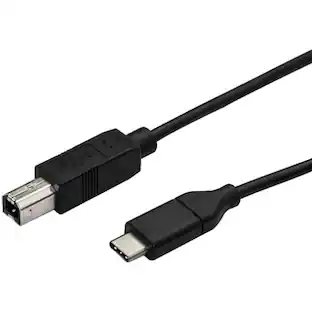
This USB-C to USB-B printer cable allows you to connect USB 2.0 peripheral devices, such as portable printers, scanners, or external drives, to USB Type-C laptops or tablets. The 0.5-meter length is perfect for close-range connections, making it suitable for portable applications and setups in confined spaces. The cable is also compatible with Thunderbolt 3 ports, offering versatile connectivity options. Backed by a lifetime warranty, it ensures reliable performance for your data transfer needs.

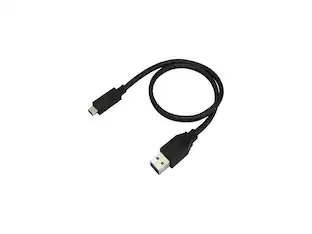
StarTech.com USB31AC50CM USB to USB C Cable - 1.6 ft / 0.5m - M/M - USB 3.1 (10Gbps) - USB-C to USB 3.0 - USB Type C to Type A Cable

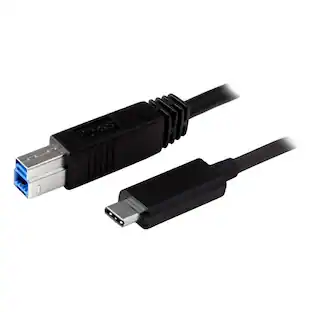
Provide four times the data transfer speed of any other cable type, enable dual 4K 60Hz video, and power your devices with a single cable. This Thunderbolt 3 (40Gbps) cable lets you connect to any Thunderbolt 3 port (USB-C) to deliver video and data to your Thunderbolt, USB and DisplayPort devices. Plus, the cable can provide power for charging your devices, and you can link up to six Thunderbolt 3 devices as part of a daisy-chained connection. This cable supports data transfer rates of 40Gbps when connected to a Thunderbolt 3 device, so you can transfer photo and video files at four times the speed of a USB 3.1 Gen 2 (10Gbps) cable. For example, you can transfer a 4K movie in seconds. When connected to a USB 3.1 device, the cable supports data transfer rates of 10Gbps. The Thunderbolt 3 cable is fully compatible with all of your USB 3.1 Gen 2 devices and can be used for charging and syncing your mobile devices. You can also connect and power USB-C laptops, such as your MacBook or Chromebook, and USB-C peripherals, such as your portable hard drive and docking station. The cable supports full 4K 60Hz or 5K 60Hz video. The cable also supports DisplayPort 1.2 and is compatible with existing DisplayPort displays. It's perfect for connecting your docking station or laptop to a monitor with astonishing resolution, contrast, and color depth for amazing detail. This Thunderbolt 3 cable delivers up to 60W of power for charging a laptop or powering a display, and 15W for bus-powered devices such as a hard drive enclosure. The cable gives you an easy way to bridge multiple Thunderbolt 3 enabled laptops for peer-to-peer 10GbE networking. It's perfect for setting up small workgroups and sharing peripherals such as printers and storage. You can also connect two Thunderbolt 3 laptops together for PC migrations.
Specs
Be the first to ask a question.
We’ll try to get your question answered within 24 hours by a Best Buy customer or brand representative.
Customers often buy these together
More to consider





Explore tech essentials Sponsored

Keep exploring
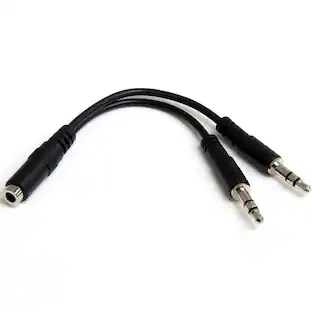
StarTech.com 3.5mm 4 Position to 2x 3 Position 3.5mm Headset Splitter Adapter - F/M
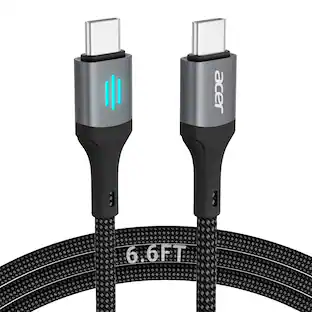
$24.10The price was $28.02Acer USB C to USB C Cable, Type-C 60W Fast Charging Cable (6 FT) for iPhone 17 Series, iPadmini 6 and More
Holiday Deal$10.99The price was $19.99Miro U5 Type C to USB Charger Cable Adapter USB C Female to Male Charger Converter
$4.99The price was $7.99