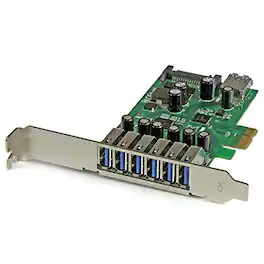
Startech - 7-Port PCI Express USB 3.0 Card - Standard and Low-Profile Design
Reviews coming soon
About this product
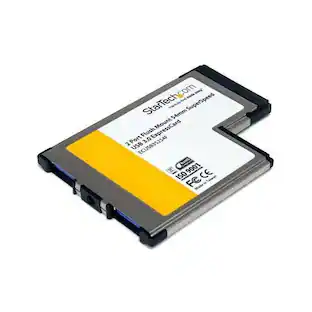
The 7-Port PCI Express USB 3.0 Card offers a dual-profile design, fitting both standard and low-profile desktop computers. It provides seven USB 3.0 ports—six external and one internal—supporting data transfer rates up to 5 Gbps. With UASP support, it ensures faster read and write speeds, and is compatible with Windows XP, Vista, 7, 8, 8.1, 10, and various Linux distributions.
Features
Dual-Profile Design
Fits both standard and low-profile desktop computers, accommodating various system configurations.
High-Speed Data Transfer
Supports data transfer rates up to 5 Gbps, ensuring rapid file transfers for connected devices.
Multiple USB Ports
Provides seven USB 3.0 ports—six external and one internal—allowing simultaneous connection of multiple devices.
UASP Support
Enhances performance with USB Attached SCSI Protocol (UASP) support, offering faster read and write speeds.
Broad OS Compatibility
Compatible with Windows XP, Vista, 7, 8, 8.1, 10, and various Linux distributions, facilitating easy integration.
Specifications
- Connector Type (End 1)USB-CConnector Type (End 2)Power
Reviews
This product doesn't have any reviews yet.
Compare similar products
The 7-Port PCI Express USB 3.0 Card offers a dual-profile design, fitting both standard and low-profile desktop computers. It provides seven USB 3.0 ports—six external and one internal—supporting data transfer rates up to 5 Gbps. With UASP support, it ensures faster read and write speeds, and is compatible with Windows XP, Vista, 7, 8, 8.1, 10, and various Linux distributions.
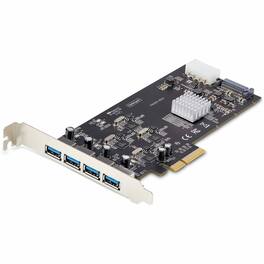
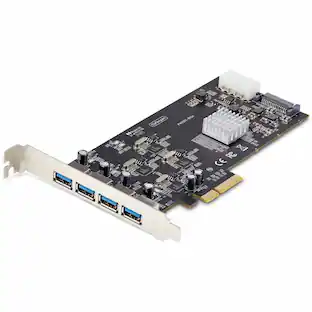
The 4-Port USB PCIe Card enhances your desktop or server's connectivity by adding four independent USB 3.2 Gen 1 Type-A ports, each capable of 5Gbps data transfer. Its dedicated controllers per port ensure optimal performance, even under heavy workloads. The card is compatible with a wide range of operating systems, including various versions of Windows, macOS, and Linux. With support for additional power through SATA or LP4 connectors, it delivers up to 5V 2A per port, accommodating high-power USB devices. Installation is straightforward, fitting into PCI Express x4, x8, or x16 slots, and includes both full-height and low-profile brackets to suit different system configurations.
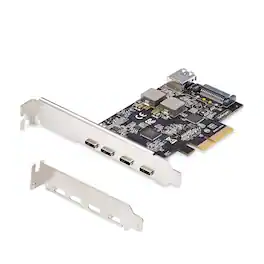
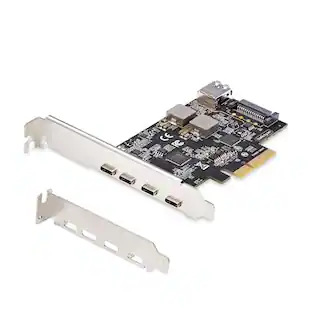
Enhance your desktop or server's USB connectivity with this PCIe expansion card, offering four external USB Type-C ports and one internal USB Type-A port, all supporting USB 3.2 Gen 2 (10Gbps) speeds. Ideal for transferring large files or editing high-resolution media, it also provides optional power through SATA, delivering up to 5V 3A (15W) per USB Type-C port and 5V 1.5A (7.5W) on the USB Type-A port when motherboard power is insufficient. Compatible with major operating systems and hardware platforms, it includes both standard and low-profile brackets for flexible installation.
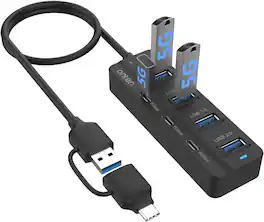
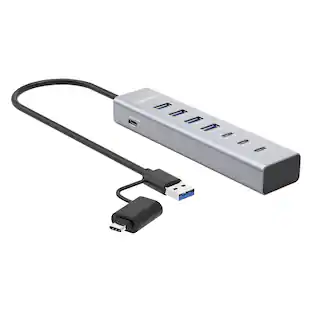
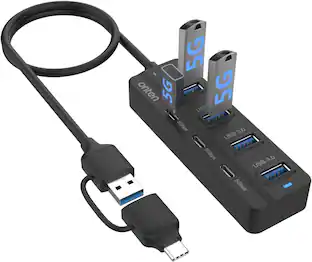
Expand laptop, desktop, tablet or phone connectivity with a 7-port hub featuring four USB 3.0 Type-A ports and three USB-C data ports. A 3.2 ft host cable supports both USB-A and USB-C connections, while USB 3.0 transfers data at up to 5 Gbps. Plug-and-play operation works with Windows, macOS, Linux, iPadOS and ChromeOS; the USB-C hub ports are for data transfer and do not support laptop charging or video output.
Specs
Find more like this

More to consider
 $42.11The price was $79.99
 Top Deal$54.99The price was $69.99