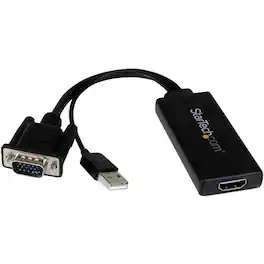
StarTech.com - VGA to HDMI Video Converter - Black
About this product
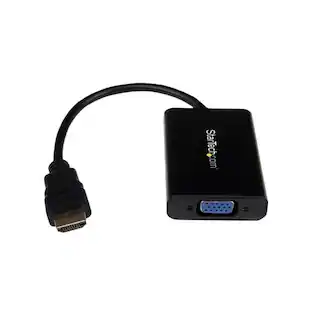
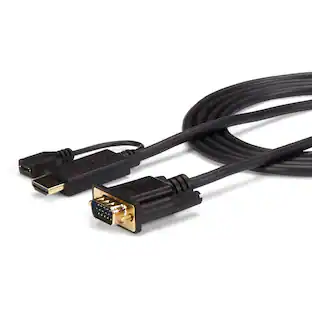
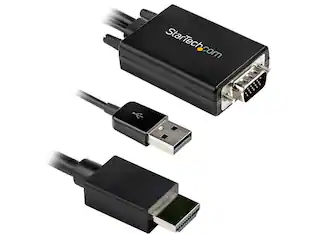
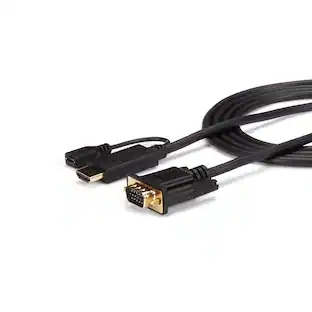
Support HDMI audio and video devices with this StarTech VGA-to-HDMI portable adapter. This adapter comes ready-to-use to simplify installation and helps you convert video images for viewing on a variety of screens. Connect to the USB ports of your computer or laptop to power your StarTech VGA-to-HDMI portable adapter with ease thanks to a convenient built-USB cable.
Compatible with PC
For use with your existing computer.
15 pin HD d-sub (HD-15), 4 pin USB type A and 19 pin HDMI type A connectors
Promote reliable signal transfer.
- Connector Type (End 1)VGAConnector Type (End 2)HDMI Type A
Reviews
Rating 4.7 out of 5 stars with 47 reviews
The vast majority of our reviews come from verified purchases. Reviews from customers may include My Best Buy members, employees, and Tech Insider Network members (as tagged). Select reviewers may receive discounted products, promotional considerations or entries into drawings for honest, helpful reviews.
Compare similar products
Support HDMI audio and video devices with this StarTech VGA-to-HDMI portable adapter. This adapter comes ready-to-use to simplify installation and helps you convert video images for viewing on a variety of screens. Connect to the USB ports of your computer or laptop to power your StarTech VGA-to-HDMI portable adapter with ease thanks to a convenient built-USB cable.

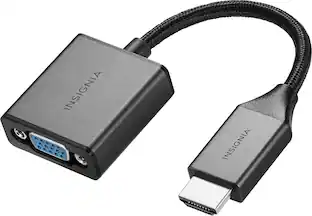
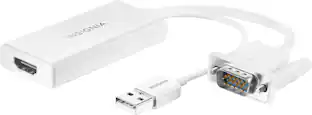
The Insignia VGA to HDMI Adapter mirrors the display from a VGA computer or laptop to any HDMI-enabled monitor, TV, Projector. Or extend your existing display to a second monitor, making it easier to organize programs and windows for day-to-day use at work or while browsing. This adapter supports resolutions up to 1920 × 1080 at 60 Hz for high-quality video, and an attached USB cable lets you hook up your audio and enables video output. Its hassle-free setup requires no additional software. This product can’t support HDMI to VGA output. To enable the adaptor correct setting up, the VGA port need to be connected your PC or laptop, a HDMI cable (not included) is required to connect the monitor, TV, projector, and the USB cable need to be connected with USB port of computer.
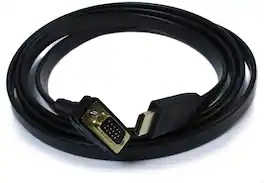
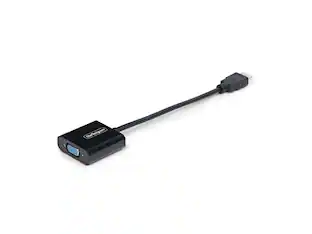
The Plugable Active HDMI to VGA cable provides a much needed link to the past. Do you find yourself with older monitors and projectors that only have a VGA input, but your fancy new computer is missing a VGA output? This cable can solve the problem without needing a large adapter or converter. Provides a simple solution for connecting your older monitors to newer computers. Compatibility Please note the Plugable active HDMI to VGA adapter cable is not a bi-directional adapter, you can only connect an HDMI output to a VGA input. VGA does not support audio transmission; only the HDMI video signal will be converted. The maximum supported resolution of the cable is 1920 x 1080 (60Hz). Does not support playback of HDCP-protected content such as Blu-ray discs. The Plugable HDMI to VGA adapter requires a powered HDMI port, as well as a display device that outputs valid EDID configuration data. Cable utilizes the CH7101A chipset. Some devices do not provide enough power over the HDMI port to support this HDMI to VGA cable. Not recommended for use with the Raspberry Pi, Apple TV, Roku1/2/3, Blu-ray players, or Playstation 3/4. Please see additional compatibility information at http://plugable.com/products/hdmi-vga Apple Compatibility Different Mac models vary substantially in the amount of power supplied to the HDMI port. The MacBook Pro 13" (mid-2014) and Mac Mini (mid-2011) have been tested and confirmed working. Use with other Mac models is not recommended. In the Box HDMI to VGA cable
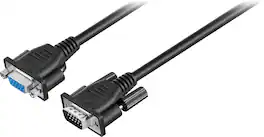
Extend the length of your VGA or Super VGA monitor cable with this 10' Insignia cable that works with most monitors less than 17" and features DB15 male-to-female gold connectors for optimal signal strength.
| Pros for StarTech.com - VGA to HDMI Video Converter - Black | |||
|---|---|---|---|
| There were no pros for this product— | Ease of use, Compatibility, Overall Performance, HDMI, Price | There were no pros for this product— | Ease of use, Compatibility, Cable Length, Quality, VGA |
| Cons for StarTech.com - VGA to HDMI Video Converter - Black | |||
| There were no cons for this product— | Resolution | There were no cons for this product— | Resolution, Signal Loss |
Specs
Customers often buy these together
 Clearance$25.99The price was $49.99
 $179.99The price was $199.99
More to consider
 $16.70The price was $20.08
Explore tech essentials Sponsored




Discover related products
 $30.99The price was $32.99
 $24.99The price was $27.99













Keep exploring
 $8.99The price was $12.99
 $10.99The price was $12.99
Lian Li - PCIe 5.0 Riser Cable 16X 200mm, Double Bandwidth, PCIe 4.0 Compatible, Black (PW-PCI-520X)
$64.99The price was $88.99