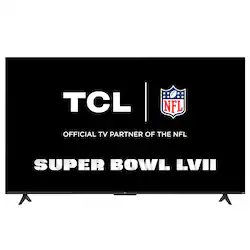
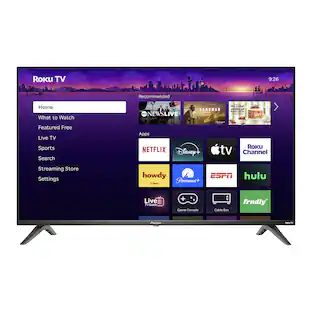
TCL - 50" Class 4-Series 4K UHD HDR Smart Roku TV
- Key Specs
- Display Type: LED
- Resolution: 4K (2160p) (Refers to the number of pixels, both horizontally and vertically, used to capture video/images. The higher the resolution the finer the detail that can be seen.)
- Screen Size Class: 50 inches (The group size measurement of a screen. This differs from a screen size measured diagonally from corner to corner.)
- High Dynamic Range (HDR): true (An HDR-compatible 4K TV or other HDR-compatible product displays HDR video content when it's available from sources like 4K Ultra HD Blu-ray Discs and 4K streaming services.)
- LED Panel Type: Standard LED
- Backlight Type: Direct Lit (Edge-lit: lights are on the edges of the display with ~10 zones of vertical LEDs. Direct-lit: lights are on the edges and behind the screen for more light uniformity than Edge-lit. Full array: direct-lit with local dimming for greater contrast with up to 100 zones of LEDs.)
- Refresh Rate: 60Hz (The number of frames per second the device can produce natively without enhancement. Higher rates help produce smooth, seamless pictures.)
- Smart Platform: Roku TV (Just like a computer, a smart TV needs an operating system (also called a smart platform) in order to access the Internet, connect with entertainment apps, and play streaming content. Some common TV smart platforms are; Roku TV, Android TV, and Chromecast.)
- Featured Streaming Services: Netflix, YouTube TV, Paramount+, HBO Max, Disney+, Hulu, YouTube, Peacock, Apple TV+, Vudu, Google Play Movies & TV, Sling TV, Fubo, Crackle, Fubo TV, ESPN+, Pandora, Spotify, Philo, SHOWTIME, Peloton, SIRIUS (Streaming services and other programs are available on this device. Keep in mind, there may be more services supported than just those shown here.)
- Number of HDMI Inputs (Total): 4
- Voice Assistant Built-in: Not Applicable, Not Applicable (A digital assistant built into the device that uses voice commands to answer questions and control smart devices.)
- General
- Brand: TCL
- Model Number: 50S455
- Product Name: 50" Class 4-Series 4K UHD HDR Smart Roku TV
- Color: Black
- Series: 4 Series (Part of a group of the same product type with similar features.)
- Model Year: 2022
- Dimensions
- Product Height With Stand: 27.1 inches
- Product Width: 43.8 inches (The out of box width of the item. Width is measured as the horizontal distance from one side of the item to the other as it would be primarily used or placed.)
- Product Depth With Stand: 10.1 inches
- Product Height Without Stand: 25.4 inches
- Product Depth Without Stand: 3.2 inches
- Product Weight Without Stand: 18.1 pounds
- Stand Width: 37.8 inches (The horizontal measurement of the stand/base, or the distance from the outside of one leg to the outside of the opposite leg, as it is attached to the product.)
- Adjustable Stand Width: false (Whether the stand can adjust to have more than one measurement either between the legs or the base itself.)
- Display
- Display Type: LED
- Resolution: 4K (2160p) (Refers to the number of pixels, both horizontally and vertically, used to capture video/images. The higher the resolution the finer the detail that can be seen.)
- Screen Size: 49.5 inches (Size of the screen, measured diagonally from corner to corner.)
- Screen Size Class: 50 inches (The group size measurement of a screen. This differs from a screen size measured diagonally from corner to corner.)
- High Dynamic Range (HDR): true (An HDR-compatible 4K TV or other HDR-compatible product displays HDR video content when it's available from sources like 4K Ultra HD Blu-ray Discs and 4K streaming services.)
- Picture Quality Enhancement Technology: HDR Compatible
- LED Panel Type: Standard LED
- Backlight Type: Direct Lit (Edge-lit: lights are on the edges of the display with ~10 zones of vertical LEDs. Direct-lit: lights are on the edges and behind the screen for more light uniformity than Edge-lit. Full array: direct-lit with local dimming for greater contrast with up to 100 zones of LEDs.)
- Curved Screen: false
- Refresh Rate: 60Hz (The number of frames per second the device can produce natively without enhancement. Higher rates help produce smooth, seamless pictures.)
- Closed Captioning: true (The text version of spoken audio displayed on the screen. Devices that can display closed captioning typically have the option to toggle the feature on or off.)
- Language(s) Displayed: English, Spanish, French (The available language options for displayed text or captions.)
- Features
- Smart Capable: true (Smart, or smart-capable devices are able to connect directly to your home network in order to stream content from the Internet, run Internet-based apps, or connect to other smart devices.)
- Smart Platform: Roku TV (Just like a computer, a smart TV needs an operating system (also called a smart platform) in order to access the Internet, connect with entertainment apps, and play streaming content. Some common TV smart platforms are; Roku TV, Android TV, and Chromecast.)
- Featured Streaming Services: Netflix, YouTube TV, Paramount+, HBO Max, Disney+, Hulu, YouTube, Peacock, Apple TV+, Vudu, Google Play Movies & TV, Sling TV, Fubo, Crackle, Fubo TV, ESPN+, Pandora, Spotify, Philo, SHOWTIME, Peloton, SIRIUS (Streaming services and other programs are available on this device. Keep in mind, there may be more services supported than just those shown here.)
- Indoor Or Outdoor Use: Indoor (Indicates the appropriate environment product was designed to be used in.)
- V-Chip: true (Feature that blocks television programming if it has a content rating outside of the acceptable rating(s) configured by the user.)
- TV Tuner: Digital (The ATSC TV Tuner is a component built into conventional TV sets or other devices for receiving over-the-air broadcast TV without a cable/satellite box. Digital tuners may be purchased separately and connected to a device if it does not have one built in.)
- Connectivity
- Number of HDMI Inputs (Total): 4
- HDMI Audio Return Channel (ARC): true
- RF Antenna Input: true (This input is used to connect devices such as antennas or cable boxes to a TV via a coaxial cable.)
- Number Of USB Port(s) (Total): 1 (The total number of USB ports including all generations and versions.)
- Compatibility
- VESA Wall Mount Standard: 200mm x 200mm (VESA wall mount standards refer to the spacing of screw holes built into a TV in order to fit with standard TV wall mounts. These standards are implemented into most TVs and monitors.)
- Voice Assistant Built-in: Not Applicable, Not Applicable (A digital assistant built into the device that uses voice commands to answer questions and control smart devices.)
- Audio
- Built-In Speakers: true
- Power
- ENERGY STAR Certified: false (Devices carrying the ENERGY STAR service mark, such as computer products and peripherals, kitchen appliances, and other products, generally use 20% to 30% less energy than required by federal standards.)
- EPEAT Qualified: false (The Electronic Product Environmental Assessment Tool (EPEAT) was designed to provide an environmental assessment tool for purchasers. In order to qualify for EPEAT, a product must meet all 23 required criteria.)
- Estimated Annual Operating Cost: 12 United States dollars (Predicted cost of operating the product under average conditions for one year.)
- Estimated Annual Electricity Use: 100 kilowatt hours (Predicted amount of electricity needed to operate the product under average conditions for one year.)
- Included
- Stand Included: true
- Box Dimension
- Height: 30 inches
- Width: 49.3 inches
- Depth: 5 inches
- CubicDimension: 7395 inches
- Other
- UPC: 846042061018
The 4-Series TCL Roku TV offers stunning 4K picture quality with four times the resolution of Full HD for enhanced clarity and detail, as well as endless entertainment with thousands of streaming channels. High dynamic range (HDR) technology delivers bright and accurate colors for a lifelike viewing experience. In addition, your favorite HD shows, movies, and sporting events are enhanced to near Ultra HD resolution with 4K Upscaling. Your favorite broadcast TV, streaming channels, gaming console and other devices are front-and-center within a simple, customizable home screen. There’s no more flipping through inputs or wading through complicated menus. The super-simple remote—with about half the number of buttons on a traditional TV remote—puts you in control of your favorite entertainment and includes one-touch shortcuts to popular channels like Netflix.
- Stunning 4K Ultra HD: Enjoy breathtaking 4K movies and TV shows at 4 times the resolution of Full HD. Plus your favorite HD shows, movies, and sporting events are enhanced to near Ultra HD resolution with advanced 4K Upscaling.
- High Dynamic Range: HDR delivers bright and accurate colors for a lifelike viewing experience.
- Stream what you love: Enjoy free TV, live news, sports, movies, and more.
- Endless free entertainment: Access the best selection of free entertainment with 250+ live TV channels, award-winning Roku® Originals, in-season shows, hit movies, kids’ TV and more.
- Live TV Channel Guide with 250+ free channels: Use the convenient live TV guide to surf broadcast TV and live streaming channels in one place.
- Cord cutting made easy: Cord cutters can access free, over-the-air HD content thanks to the advanced digital TV tuner with live channel guide or watch live TV from popular cable-replacement services like Sling, Hulu, fuboTV and more.
- Quick and easy search: Find any movie, show, song, or podcast across thousands of channels. You’ll see where it’s streaming for free or at the lowest cost.
- Get the newest features automatically: Your TCL Roku TV just gets better and better with automatic software updates.
- Simple remote: The super-simple remote—with about half the number of buttons on a traditional TV remote—has everything you need to control your TV, including one-touch access to popular streaming channels.
- Easy Voice Search and Control with the Roku Mobile App: Quickly find and play your favorite entertainment, control your Roku TV, and more using Roku TV on the free Roku mobile app.
- Works with popular voice assistants: Enjoy easy voice control with Siri, Alexa, and Google Assistant.
- Share it with Apple AirPlay: Effortlessly share videos, photos, music, and more from your Apple devices to your TV.
- Roku Mobile App: Use the free Roku mobile app for iOS® and Android™ as a second remote. Enjoy private listening, search with your voice or keyboard, and save shows for later.
- Premium design with FullView: A sleek metal finish, slim profile, and FullView edge-to-edge glass design, lend style and sophistication to your home theater.
- Easy audio upgrade with Alto Sound Bars: Easily upgrade the sound of your TV with one remote, quick settings, and a simple setup. Just look for TCL Alto Sound Bars (sold separately) featuring the Roku TV Ready™ badge.
- Dual-band WiFi & Ethernet port: Get fast and easy access to your favorite content with the dual-band WiFi 5 connection or plug into the Ethernet port.
- 4 HDMI inputs (1 eARC): Connect all your favorite devices through the 4 HDMI inputs including 1 HDMI eARC to easily sync audio and video sources for better quality sound.
Documents
- Energy_Guide_PDF
A: This TCL Roku TV comes with a standard IR remote. For voice commands, you would need to use the free Roku mobile app on your phone. Hope this helps! Thank you, TCL Customer Support
Q: Can you download other apps on this TV?
A: You can download streaming channels through the Channel Store. You would need to go to Home>Streaming Channels>Search Channels>Type in what you are looking for. You would then select the streaming channel and select 'Add channel'. Hope this helps! Thank you, TCL Customer Support
A: In order to use the smart features of this TCL Roku TV, you would need to complete the guided setup. This includes connecting to the Internet via WiFi, creating a Roku account (completely free), and activating the TV (completely free). However, if you just want to use this TV as a traditional TV by connecting external devices through the various inputs and not use the smart features, you can elect to not connect this TV to the Internet at startup. You will still have access to all of the inputs and features of a traditional TV. Hope this helps! Thank you, TCL Customer Support
Q: can it be mounted on the wall
A: Absolutely! This TCL Roku TV is compatible with most wall mounts that support a 200mm x 200mm VESA mounting pattern. Hope this helps! Thank you, TCL Customer Support
A: This TCL Roku TV is compatible with most table top stands that support a 200mm x 200mm VESA mounting pattern. Hope this helps! Thank you, TCL Customer Support
Q: Does the TV have headphone jack or Bluetooth connection
A: Our TCL Roku TVs do not currently support Bluetooth. However, you can download the free Roku app on your smart phone or tablet to use voice search, voice control, and experience private listening. To enjoy private listening you simply click private listening in the app, and attach headphones to your smart phone or tablet. Or you can use the 3.5 mm headphone jack in the back of the TV to connect standard headphones. Hope this helps! Thank you, TCL Customer Support
A: Thank you for taking the time to provide your feedback. We're truly sorry to hear about your experience as this does not sound normal for one of our TVs. Our TVs are carefully designed and engineered to give our customers years of entertainment. We take great measures to ensure that the TVs we send out are in great working condition. We would love the opportunity to look into this for you to see if we can assist you. Please reach out to us at tclsocial@tcl.com with your contact information and a description of what you need help with. Someone will get back to you as soon as they can.
People also viewed
 $349.99The price was $649.99



Today's top picks
 $2,129.99The price was $2,149.99
 $19.99The price was $29.99
 $1,899.99The price was $2,199.99
 $39.99The price was $69.99
 $199.99The price was $249.99
 $519.99The price was $999.99
 $269.99The price was $1,079.99