Texas Instruments - 15/PWB/2L1/A TI-15 11-Digit LCD Explorer Elementary Calculator - false
Reviews coming soon
About this product
Helps students develop skills in addition, subtraction, powers, and answer format. Makes connections between classroom learning and real world situations. Backspace and edit capabilities. Operates in well-lighted areas using solar and in other light settings using battery.
TI-15 11-Digit LCD Explorer Elementary Calculator - TI15RTL
Helps students develop skills in addition, subtraction, powers, and answer format.
Makes connections between classroom learning and real world situations.
Backspace and edit capabilities.
TI-15 11-Digit LCD Explorer Elementary Calculator - TI15RTL
Operates in well-lighted areas using solar and in other light settings using battery.
Helps students develop skills in addition, subtraction, powers, and answer format. Makes connections between classroom learning and real world situations. Backspace and edit capabilities. Operates in well-lighted areas using solar and in other light settings using battery.
- BrandTexas InstrumentsModel Number15/PWB/2L1/AProduct NameTexas Instruments 15/PWB/2L1/A TI-15 11-Digit LCD Explorer Elementary CalculatorColorNoWarranty - PartsManufacturer's limited one-year warranty.Warranty - LaborFull Manufacturers Warranty
Reviews
This product doesn't have any reviews yet.
Compare similar products

Helps students develop skills in addition, subtraction, powers, and answer format. Makes connections between classroom learning and real world situations. Backspace and edit capabilities. Operates in well-lighted areas using solar and in other light settings using battery.

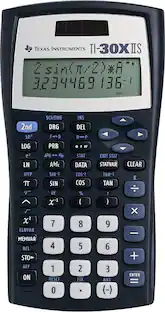
Performs basic scientific and trigonometric functions. Ideal for general math, pre-algebra, Algebra 1 and 2, trigonometry and biology. Features conversions and fraction calculations.

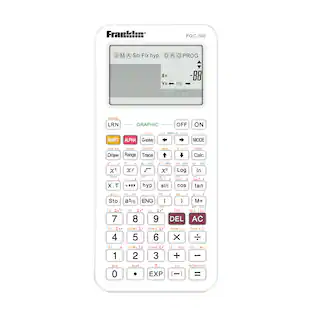
Scientific calculator with equation recall combines statistics and advanced scientific functions. Two-line display shows entries on the top line and results on the bottom line. Entry line on the top of the display shows up to 11 characters and can scroll left and right up to 88. Result line on the bottom shows up to a 10-digit answer and 2-digit exponent. Functions include common/natural logarithms, fractions, fraction/decimal conversions, degrees to decimal conversion, reciprocals, factorials, grads, hyperbolics, polar/rectangular conversions. Fraction feature allows operations with fractions and mixed numbers. Two-variable statistics allow you to enter, delete, insert, and edit individual statistical data elements. Calculator runs on solar and battery power.
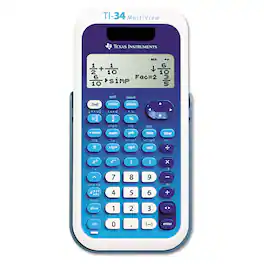
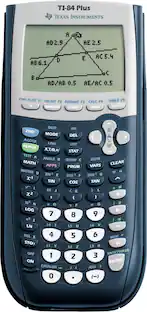
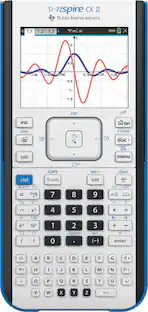
Designed with unique features to allow you to enter more than one calculation, compare results and explore patterns, all on the same screen. Enter and view calculations in common Math Notation via the MATHPRINT Mode, including stacked fractions, exponents, exact square roots and more. Quickly view fractions and decimals in alternate forms by using the Toggle Key. Scroll through previous entries and investigate critical patterns as well as viewing and pasting into a new calculation. Explore an x, y table of values for a given function, automatically or by entering specific x values.
| Pros for Texas Instruments - 15/PWB/2L1/A TI-15 11-Digit LCD Explorer Elementary Calculator - false | |||
|---|---|---|---|
| There were no pros for this product— | There were no pros for this product— | Ease of use, Price, Overall Performance, Size, Functions | There were no pros for this product— |
| Cons for Texas Instruments - 15/PWB/2L1/A TI-15 11-Digit LCD Explorer Elementary Calculator - false | |||
| There were no cons for this product— | There were no cons for this product— | Button Quality, Complexity, Design | There were no cons for this product— |
Specs
Be the first to ask a question.
We’ll try to get your question answered within 24 hours by a Best Buy customer or brand representative.
Find more like this
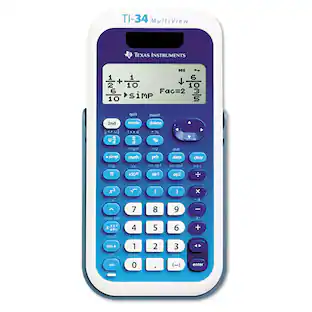 $28.99The price was $33.25
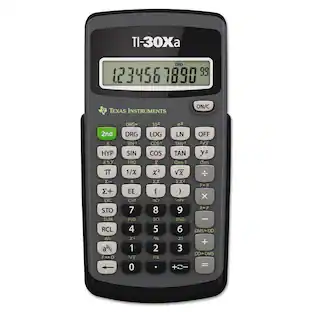 $17.81The price was $18.84
 $53.16The price was $66.13
 $90.22The price was $108.99
More to consider
- $17.81The price was $18.84
- $28.99The price was $33.25