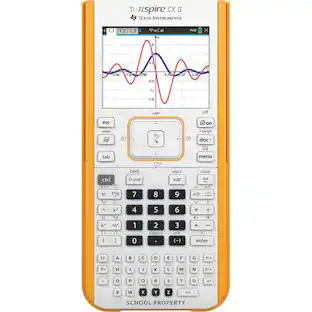
Texas Instruments - TI-83 Plus Graphing Calculator - Blue
About this product
Easy to use and a must-have for classes ranging from Algebra to Pre-Calculus and Biology to Physics. Flash technology lets you add handheld software apps to expand its functionality.
24KB available RAM and 160KB flash ROM memory for data archive and storage of applications
Graphical analysis — see the equation, graph, and coordinates all at the same time; jump directly to points just by entering a number
Advanced statistics and regression analysis — includes hypothesis testing and confidence intervals; view results graphically or numerically; analysis features sine and logistic regressions
Create scatter, xy-line, box-and-whisker, histogram and normal probability plots
Group related data (programs, lists, pics, etc.) together to store in the archive for later use
Includes financial functions such as time-value-of-money (TVM), uneven cash flows, amortization and more
Solve equations interactively for different variables
Graph-table split screen allows you to trace the graph and scroll table values simultaneously
Store and analyze up to 10 matrices, size limited only by available memory
Name lists and store up to 999 elements per list
8-line x 16-character display; powered by 4 AAA batteries with lithium battery backup to protect RAM memory during battery change; impact-resistant slide case
TI-GRAPH LINK cable and TI Connect software (both not included) allow information to be transferred to a computer and printed or stored on disk
- BrandTexas InstrumentsModel NumberTI-83+Product NameTI-83 Plus Graphing CalculatorColorBlueWarranty - Parts1 yearWarranty - LaborNone
Reviews
Rating 4.7 out of 5 stars with 622 reviews
Customer Images
The vast majority of our reviews come from verified purchases. Reviews from customers may include My Best Buy members, employees, and Tech Insider Network members (as tagged). Select reviewers may receive discounted products, promotional considerations or entries into drawings for honest, helpful reviews.
Compare similar products

Easy to use and a must-have for classes ranging from Algebra to Pre-Calculus and Biology to Physics. Flash technology lets you add handheld software apps to expand its functionality.

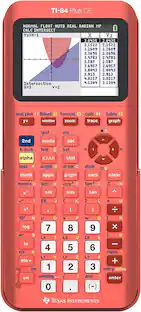
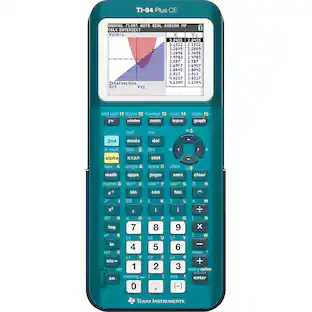
Master the ACT, SAT, PSAT/NMSQT or AP exams with the help of this Texas Instruments TI-84+ CE Graphing Calculator, which features a sequence graphing mode that shows time series plots, cobweb or stairstep plots and phase plots.

Calculate your way to the top of the class. Ideal for advanced high-school math and science classes.

Refurbished TI-84 Plus graphing calculator in yellow finish for algebra, trigonometry, and statistics coursework.
| Pros for Texas Instruments - TI-83 Plus Graphing Calculator - Blue | |||
|---|---|---|---|
| There were no pros for this product— | Ease of use, Overall Performance, Color Display, Battery Life, Graphing | Ease of use, Overall Performance, Price, Calculator, Features | There were no pros for this product— |
| Cons for Texas Instruments - TI-83 Plus Graphing Calculator - Blue | |||
| There were no cons for this product— | Size, Complexity, Price, Connectivity, Learning Curve | Size, Complexity, Screen Quality, Color, Instruction Manual | There were no cons for this product— |
Specs
Customers often buy these together
 $17.98The price was $29.99
 $30.99The price was $33.90
 $89.99The price was $159.99










More to consider
 $140.51The price was $156.00



Discover lifestyle innovations Sponsored




Keep exploring
- $140.51The price was $156.00