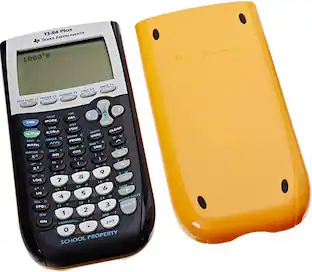
Texas Instruments - TI-Nspire CX II EZ Spot Graphing Calculator Teacher Kit (10 pack) NSCX2/TPK/2L1
Reviews coming soon
About this product
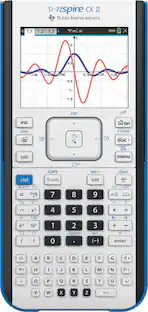
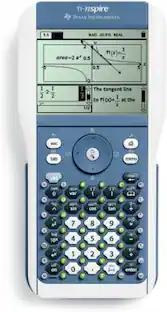
Texas Instruments TI-Nspire CX II Graphing Calculator - Familiar functionality, added capability. Faster performance, added interactive visuals and easier-to-read graphics expand the TI-Nspire CX graphing calculators' classroom-proven ability to support inquiry and discovery. Product Features: New Features Open New Paths to Understanding: Create opportunities for hands-on engagement with added interactive features. Animated Path Plot: Visualize function, parametric and polar graphs as they are drawn in real time. Dynamic Coefficient Values: Explore direct connections between dynamic coefficients in equations and graphs. Points by Coordinates: Create dynamic points defined by coordinates, sliders or expressions quickly. Tick-mark Labels: Label axes scales to create visual contexts that promote understanding. Python Programming: Program easily with this coding language that's great for STEM classes and more. Easier-to-Read Graphics: New app icons, supported by color-coded screen tabs, improve the user experience. Built on a Proven Foundation: From the keyboard and computer-menu interface to the ability to save and share work with built-in apps, the TI-Nspire CX II models retain the features and functionality that make TI-Nspire CX graphing calculators ideal for math and science from middle grades through college. Calculator: Perform computations and enter expressions, equations and formulas in proper math notation. Lists and Spreadsheet: Perform mathematical operations on data and visualize the connections between the data and their plots. Graphs: Plot and explore functions, equations and inequalities, animate points on objects and graphs, use sliders to explain their behavior and more. Data and Statistics: Summarize and analyze data using different graphical methods such as histograms, box plots, bar and pie charts and more. Geometry: Construct and explore geometric figures and create animations. Notes: Enter notes, steps, instructions and other comments on the screen alongside the math. Vernier DataQuest Application: Create a hypothesis graphically and replay data collection experiments all in a single application. Programming: Add new functionality and create rich STEM activities with Python and TI-Basic coding languages. Test Acceptance: Prepare for test success by using the exam-permitted graphing calculator in class and at home. What is an EZ-Spot Teacher Pack? EZ-Spot Teacher Packs enable you to easily identify school property. Each EZ-Spot calculator has a bright "School Bus Yellow" backing and slide case. Each calculator also has a face plate inscribed with the words "SCHOOL PROPERTY".
New Features Open New Paths to Understanding
Create opportunities for hands-on engagement with added interactive features.
- BrandTexas InstrumentsModel NumberNSCX2/TPK/2L1Product NameTI-Nspire CX II EZ Spot Graphing Calculator Teacher Kit (10 pack) NSCX2/TPK/2L1Warranty - PartsFull Manufacturers WarrantyWarranty - LaborFull Manufacturers WarrantyProduct Width7.4 inches
Reviews
This product doesn't have any reviews yet.
Compare similar products

Texas Instruments TI-Nspire CX II Graphing Calculator - Familiar functionality, added capability. Faster performance, added interactive visuals and easier-to-read graphics expand the TI-Nspire CX graphing calculators' classroom-proven ability to support inquiry and discovery. Product Features: New Features Open New Paths to Understanding: Create opportunities for hands-on engagement with added interactive features. Animated Path Plot: Visualize function, parametric and polar graphs as they are drawn in real time. Dynamic Coefficient Values: Explore direct connections between dynamic coefficients in equations and graphs. Points by Coordinates: Create dynamic points defined by coordinates, sliders or expressions quickly. Tick-mark Labels: Label axes scales to create visual contexts that promote understanding. Python Programming: Program easily with this coding language that's great for STEM classes and more. Easier-to-Read Graphics: New app icons, supported by color-coded screen tabs, improve the user experience. Built on a Proven Foundation: From the keyboard and computer-menu interface to the ability to save and share work with built-in apps, the TI-Nspire CX II models retain the features and functionality that make TI-Nspire CX graphing calculators ideal for math and science from middle grades through college. Calculator: Perform computations and enter expressions, equations and formulas in proper math notation. Lists and Spreadsheet: Perform mathematical operations on data and visualize the connections between the data and their plots. Graphs: Plot and explore functions, equations and inequalities, animate points on objects and graphs, use sliders to explain their behavior and more. Data and Statistics: Summarize and analyze data using different graphical methods such as histograms, box plots, bar and pie charts and more. Geometry: Construct and explore geometric figures and create animations. Notes: Enter notes, steps, instructions and other comments on the screen alongside the math. Vernier DataQuest Application: Create a hypothesis graphically and replay data collection experiments all in a single application. Programming: Add new functionality and create rich STEM activities with Python and TI-Basic coding languages. Test Acceptance: Prepare for test success by using the exam-permitted graphing calculator in class and at home. What is an EZ-Spot Teacher Pack? EZ-Spot Teacher Packs enable you to easily identify school property. Each EZ-Spot calculator has a bright "School Bus Yellow" backing and slide case. Each calculator also has a face plate inscribed with the words "SCHOOL PROPERTY".
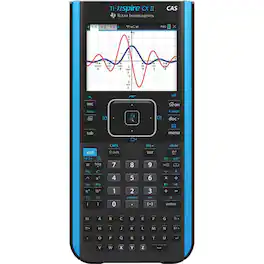
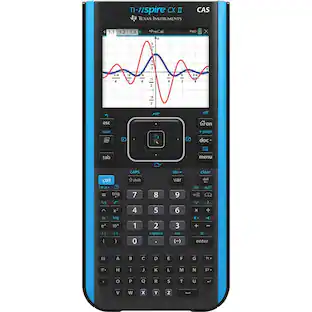
Advanced graphing handheld with Computer Algebra System (CAS) functionality; full-color display; TI Rechargeable Battery and licensed TI-Inspire CX CAS Student Software. Texas Instruments Ti-Nspire Cx Ii Cas Color Graphing Calculator. Faster performance; added interactive images; and easier-to-read graphics extend the TI-Nspire CX graphing calculators. Animated Plot - View function; parametric; and polar graphs as they are drawn in real time. Dynamic coefficient values - Explore direct connections between dynamic coefficients in equations and graphs. Coordinate Points - Create dynamic points defined by coordinates; sliders; or expressions quickly. New Features Open New Paths To Understanding. Labels - Label axes scale to create visual contexts that promote understanding. TI-Basic programming enhancements.Write code to visually illustrate key ideas from math; science; and STEM. Easier-to-read graphics - New application icons; supporting color-coded screen tabs; enhance the user experience. Built on a Foundation. Calculator - Perform calculations and enter expressions; equations; and formulas in appropriate mathematical notation. Graphs - Plot and explore functions; equations and inequalities; animate points on objects and graphs; use sliders to explain their behavior; and more. Geometry - Build and explore geometric shapes and create animations. Vernier DataQuest application Create a hypothesis graphically and reproduce your data collection experiments in a single application. Lists & Spreadsheet - Perform mathematical operations on data and visualize the connections between the data and their plots. Product Features: Rechargeable battery included. It can last up to two weeks on a single charge. Handheld software package. Includes TI-Inspire CX student software; which offers enhanced graphics capabilities and other functionality. Thin Design and lightweight with easy touchpad navigation. Quick alpha keys. Six different graph styles and 15 colors to select from for differentiating the look of each graph drawn.

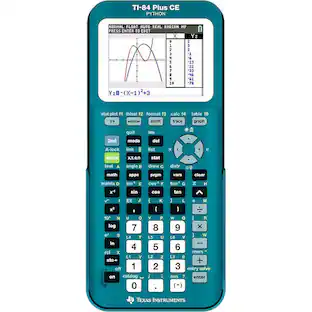
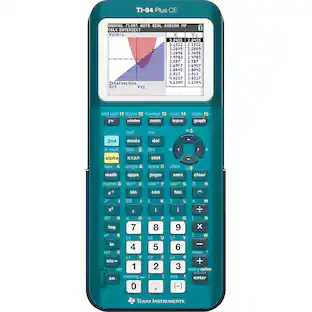
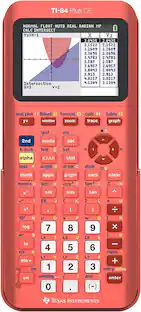
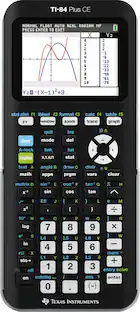
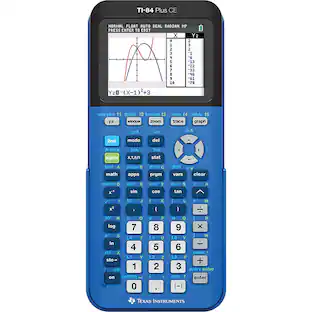
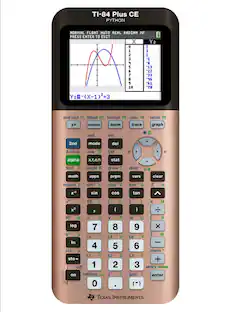
Master the ACT, SAT, PSAT/NMSQT or AP exams with the help of this Texas Instruments TI-84+ CE Graphing Calculator, which features a sequence graphing mode that shows time series plots, cobweb or stairstep plots and phase plots.

Perform complex mathematical operations with this TI-Nspire CX II graphing calculator. The high-resolution LCD screen displays vivid graphics, easy-to-see formulas and statistical data representations, enhancing comprehension. This TI-Nspire CX II graphing calculator can be used in ACT and SAT, PSAT/NMSQT and AP exams, supporting students when they need it most.
| Pros for Texas Instruments - TI-Nspire CX II EZ Spot Graphing Calculator Teacher Kit (10 pack) NSCX2/TPK/2L1 | |||
|---|---|---|---|
| There were no pros for this product— | There were no pros for this product— | There were no pros for this product— | Ease of use, Overall Performance, Calculator, Price, Battery Life |
| Cons for Texas Instruments - TI-Nspire CX II EZ Spot Graphing Calculator Teacher Kit (10 pack) NSCX2/TPK/2L1 | |||
| There were no cons for this product— | There were no cons for this product— | There were no cons for this product— | CAS |
Specs
Be the first to ask a question.
We’ll try to get your question answered within 24 hours by a Best Buy customer or brand representative.
Customers often buy these together

More to consider
 $28.99The price was $33.25
 $138.57The price was $156.00

Discover lifestyle innovations Sponsored
 $122.90The price was $153.99
 $94.99The price was $99.99




Keep exploring
- $138.57The price was $156.00