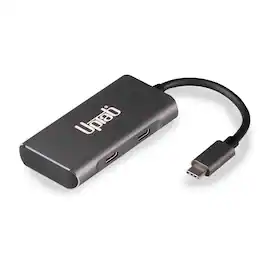
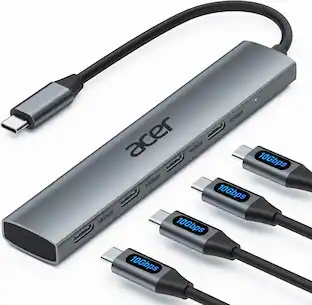
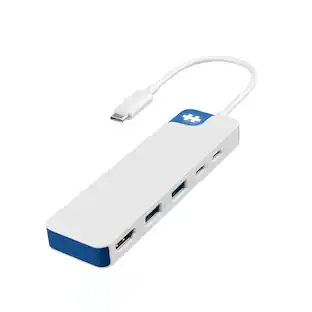
UPTab - 4-Port USB-C Hub (10Gbps) with Dual USB-C and Dual USB-A Ports - Gray
Reviews coming soon
About this product
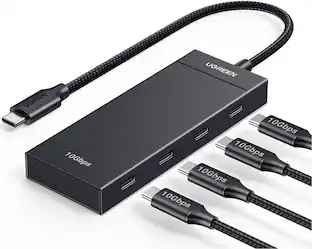
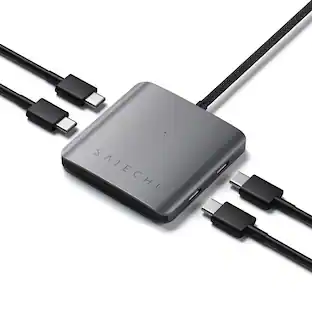
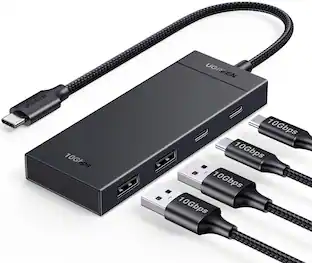
The USB-C to 4-Port USB is a must-have dongle for those with a USB-C device and who want to maintain their connection to all of their previously bought devices. If you want to use your USB Gen 2 devices, such as SSDs, hard drives, M.2 SSDs, and PCIe SSD, to their maximum potential today, you'll need this dongle. Moreover, you can enjoy using your old USB-A and new USB-C devices with your new USB-C or Thunderbolt 3 laptop, if that's the case. You don't need any software or drivers to use this USB-C to 4-Port (2x USB-A and 2x USB-C) data hub. Simply plug it into your laptop's Type-C or Thunderbolt 3 port and connect/transfer data between the two devices. Storing media has never been easier or more convenient! The 4-ports also offer broad device compatibility, so you can connect up to two external hard drives simultaneously with the USB 3.2 Gen 2 ports. This allows you to back up data to or from flash drives much more quickly and efficiently.
Super-Speed 10Gbps Data Transfer
Experience blazing-fast file transfers up to 10Gbps—ideal for external drives, flash storage, cameras, and peripherals.
Expand Your USB-C Port
Instantly add 2 USB-C 3.1 Gen2 and 2 USB-A 3.1 Gen2 ports from a single USB-C connection—perfect for laptops, tablets, and desktops.
Universal Compatibility
Works seamlessly with MacBook Pro, MacBook Air, iPad Pro, Surface, Chromebook, and Windows laptops equipped with USB-C or Thunderbolt 3/4.
Compact Aluminum Design
Sleek, durable, and lightweight housing with heat-dissipating aluminum finish—engineered for travel and everyday use.
Plug-and-Play Convenience
Compact Aluminum Design: Sleek, durable, and lightweight housing with heat-dissipating aluminum finish—engineered for travel and everyday use.
- Connector Type (End 1)USB-CGender (End 1)MaleConnector Type (End 2)USB-CGender (End 2)FemaleMaximum Data Transfer Rate10000 megabits per secondIn-Wall RatedNo
Reviews
This product doesn't have any reviews yet.
Compare similar products
The USB-C to 4-Port USB is a must-have dongle for those with a USB-C device and who want to maintain their connection to all of their previously bought devices. If you want to use your USB Gen 2 devices, such as SSDs, hard drives, M.2 SSDs, and PCIe SSD, to their maximum potential today, you'll need this dongle. Moreover, you can enjoy using your old USB-A and new USB-C devices with your new USB-C or Thunderbolt 3 laptop, if that's the case. You don't need any software or drivers to use this USB-C to 4-Port (2x USB-A and 2x USB-C) data hub. Simply plug it into your laptop's Type-C or Thunderbolt 3 port and connect/transfer data between the two devices. Storing media has never been easier or more convenient! The 4-ports also offer broad device compatibility, so you can connect up to two external hard drives simultaneously with the USB 3.2 Gen 2 ports. This allows you to back up data to or from flash drives much more quickly and efficiently.
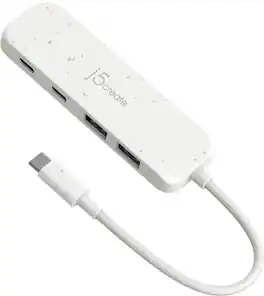
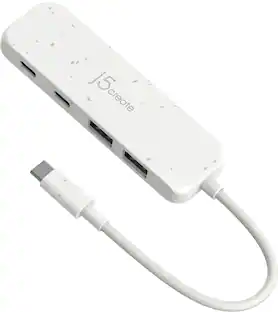
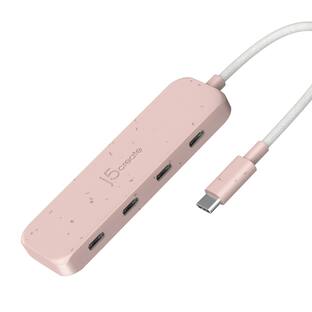
The Eco-Friendly USB-C to 4-Port Type-C & Type-A Gen 2 Hub provides extra connectivity for your computer with a fast transfer speed of up to 10Gbps. This hub is great for computer that lack USB ports, it is perfect for MacBook , Chromebook, and other laptop/desktop computers with a USB-C port. Eco-friendly, fast and portable, this unique hub gives you USB connections in one compact hub.

A smarter workspace. Gain the versatility to create your ideal workspace and boost your AI PC productivity with support for up to 4 displays, up to 130W power delivery, and multiple ports to connect all your peripherals. Most manageable. Elevate the IT management experience with no software or PC connection required, allowing you to remotely manage all your Dell Pro Smart Docks. Most manageable. Remotely manage your smart docks without end-user presence from the Dell Device Management Console - the industry's first holistic peripheral management solution[2] that configures, deploys, and updates smart docks over Wi-Fi. Work securely. Keep users working confidently with enterprise-grade WPA-3 192-bit encryption for secure Wi-Fi communication. Safeguard your sensitive data with tamper-resistant, hardware-based encryption built into your Dell Pro Smart Dock. Effortless maintenance. Reduce IT efforts by scheduling updates during off-hours, while ensuring fleetwide firmware compliance and eliminating end user interruptions. Connect your way. Configure your workspace to your liking with an ambidextrous USB-C cable[4] that can be routed left or right. Designed for sustainability. The Dell Pro Smart Dock is built with at least 65% post-consumer recycled materials[5] and packaged with 100% recycled or renewable packaging.
Special Feature:Fast Data Transfer, Plug and Play, Portable
| Pros for UPTab - 4-Port USB-C Hub (10Gbps) with Dual USB-C and Dual USB-A Ports - Gray | |||
|---|---|---|---|
| There were no pros for this product— | Overall Performance, USB-C, Portability, Connectivity, Size | There were no pros for this product— | There were no pros for this product— |
Specs
Be the first to ask a question.
We’ll try to get your question answered within 24 hours by a Best Buy customer or brand representative.
Customers often buy these together
 $17.99The price was $21.99




More to consider
- $17.99The price was $21.99
 $17.95The price was $21.45
 Top Deal$44.99The price was $49.99

Explore tech essentials Sponsored
- Top Deal$44.99The price was $49.99


Keep exploring
 $12.99The price was $14.99
 $12.99The price was $13.99