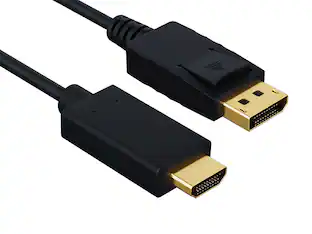
USB-C to VGA Adapter for Microsoft Surface Book 2 - Black
About this product
Connect your Microsoft Surface Book 2 to external VGA-compatible devices with this Microsoft USB-C to VGA adapter. The USB-C connection attaches easily for simple setup, and the conveniently sized cord lets you easily position a monitor or video projector close by for sharing images or video. Featuring a universal VGA connection, this Microsoft USB-C to VGA adapter offers the flexibility to use your Microsoft Surface Book 2 with a wide range of devices.
Compatible with Microsoft Surface Book 2 only
Allows you to connect your Surface device to VGA-compatible displays, monitors, or projectors.
Compact VGA adapter
Lets you share photos, videos and presentations in a way that’s larger than life.
Easy to install
For added convenience in use.
- Connector Type (End 1)USB-CConnector Type (End 2)VGA
Reviews
Rating 5 out of 5 stars with 6 reviews
The vast majority of our reviews come from verified purchases. Reviews from customers may include My Best Buy members, employees, and Tech Insider Network members (as tagged). Select reviewers may receive discounted products, promotional considerations or entries into drawings for honest, helpful reviews.
Compare similar products
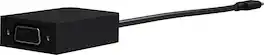
Connect your Microsoft Surface Book 2 to external VGA-compatible devices with this Microsoft USB-C to VGA adapter. The USB-C connection attaches easily for simple setup, and the conveniently sized cord lets you easily position a monitor or video projector close by for sharing images or video. Featuring a universal VGA connection, this Microsoft USB-C to VGA adapter offers the flexibility to use your Microsoft Surface Book 2 with a wide range of devices.
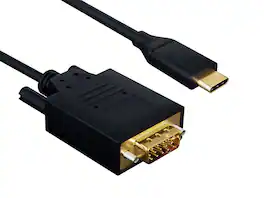
Stuck in a conference room with only a VGA projector — but your MacBook, iPad Pro, or Surface only has USB-C? This Cable Leader USB-C to VGA cable connects directly from a USB-C device with DisplayPort Alt Mode to any VGA monitor or projector at 1080p Full HD (1920 × 1200 @ 60Hz). Skip the trip to the IT closet for a USB-C hub or VGA adapter — one cable, plug and present. Built with double-shielded conductors, gold-plated VGA contacts, and fully molded strain relief. Compatible with MacBook Air / Pro, iPad Pro / Air (USB-C), Surface Pro, Samsung Galaxy with DeX, Pixel, Chromebook, and any USB-C device supporting DisplayPort Alt Mode. ⚠️ Important: not all USB-C ports support video — check your device specs for "DisplayPort Alt Mode". Best for: USB-C laptop or tablet to legacy VGA projectors and monitors. Not for: USB-C charging-only ports. RoHS compliant.

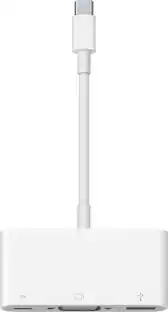
The Apple USB-C VGA Multiport Adapter lets you connect your Apple MacBook with USB-C port to a VGA display, while also connecting a USB device and a USB-C charging cable. Mirror your MacBook display to your VGA-enabled TV or other display in up to 1080p.

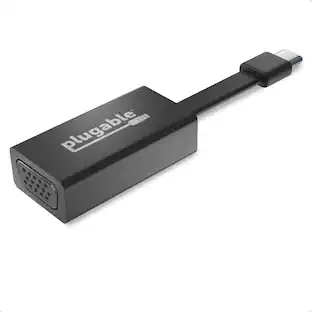
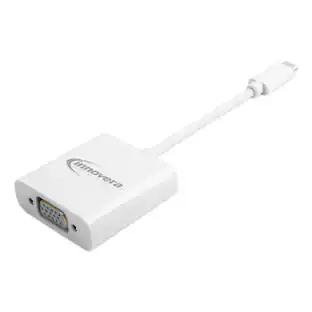
The Innovera® adapter has a USB Type-C male plug on one end and a VGA female on the other end. Easily connect a flash drive, camera, mobile phone, projector or other USB-C enabled device with ease. Standard latch and screw-locking VGA connector. Plug and play.
| Pros for USB-C to VGA Adapter for Microsoft Surface Book 2 - Black | |||
|---|---|---|---|
| There were no pros for this product— | There were no pros for this product— | Compatibility, VGA, Overall Performance, Ease of use, Size | There were no pros for this product— |
| Cons for USB-C to VGA Adapter for Microsoft Surface Book 2 - Black | |||
| There were no cons for this product— | There were no cons for this product— | Price, Heat | There were no cons for this product— |
Specs
Customers often buy these together
More to consider



Discover lifestyle innovations Sponsored
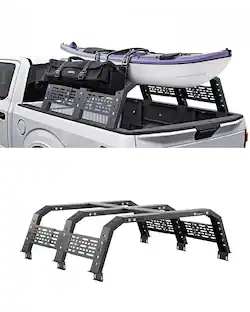
VEVOR - Overland Truck Bed Rack, 49.2-67.9 in Width, Adjustable Overland Bed Cargo Rack with Sidebar
$299.90The price was $310.99 $129.99The price was $189.99
 $69.99The price was $79.99


Discover related products
 $39.99The price was $49.99



Keep exploring

Lian Li - PCIe 5.0 Riser Cable 16X 200mm, Double Bandwidth, PCIe 4.0 Compatible, Black (PW-PCI-520X)
$64.99The price was $88.99 $24.87The price was $28.02