Outlet EventEnds Oct. 26. Limited quantities. No rainchecks.Shop now

Main Content
product image

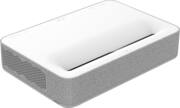
VAVA - 4K via Upscaling UHD Smart Ultra Short Throw Laser TV Home Theater Projector - White/Gray

Model: VA-LT002
SKU: 6425337
This item is no longer available in new condition. See similar items below
  • Key Specs
    • Product Weight: 23.81 pounds (The out of box weight of the item.)
    • Light Source: Laser
    • Resolution: 4K (2160p) (Refers to the number of pixels, both horizontally and vertically, used to capture video/images. The higher the resolution the finer the detail that can be seen.)
    • Contrast Ratio: 1,500,000:1 (Measured difference between a displayed image's brightest whites and darkest blacks. The larger the first number, the more detail and color that can be displayed.)
    • Projector Use: Home Theater
    • Projector Throw Type: Ultra Short Throw (The distance from the screen that the projector can be placed to project images. Standard throw projectors typically need to be at least 6 feet away while short throw and ultra short throw projectors can be placed closer to the screen for use in smaller rooms.)
    • Portability: Fixed (Fixed projectors are ideal when creating an authentic theater atmosphere in your home. Often designed to stay in one place they may require significant recalibration if moved. Portable projectors, weighing around 5 pounds, are easy to move, but will still require set-up calibration and often have technology to reduce the complexity. Ultra-portable projectors are very light, often battery-powered, and ideal for on-the-go use.)
    • Smart Capable: true (Smart, or smart-capable devices are able to connect directly to your home network in order to stream content from the Internet, run Internet-based apps, or connect to other smart devices.)
  • General
    • Brand: VAVA
    • Model Number: VA-LT002
    • Product Name: 4K via Upscaling UHD Smart Ultra Short Throw Laser TV Home Theater Projector
    • Color: White/Gray
  • Dimensions
    • Product Height: 4.21 inches (The out of box height of the item. Height is measured as the vertical distance from the bottom of the item to the top as it would be primarily used or placed.)
    • Product Width: 14.49 inches (The out of box width of the item. Width is measured as the horizontal distance from one side of the item to the other as it would be primarily used or placed.)
    • Product Depth: 20.98 inches (The out of box depth of the item. Depth is measured as the distance from the front of the item to the back as it would be primarily used or placed.)
    • Product Weight: 23.81 pounds (The out of box weight of the item.)
  • Display
    • Light Source: Laser
    • Resolution: 4K (2160p) (Refers to the number of pixels, both horizontally and vertically, used to capture video/images. The higher the resolution the finer the detail that can be seen.)
    • Resolution (Native): 1920 x 1080 (Native resolution of a screen refers to its single, fixed resolution. Sometimes screens must scale an image up or down in order to fit the native resolution. This can cause a loss of resolution or detail.)
    • High Dynamic Range (HDR): true (An HDR-compatible 4K TV or other HDR-compatible product displays HDR video content when it's available from sources like 4K Ultra HD Blu-ray Discs and 4K streaming services.)
    • High Dynamic Range Format: HDR 10 (There are a few HDR formats that tell the TV or other HDR-compatible product how to best utilize its capabilities to display HDR content. HDR technology can support one or multiple formats, each with various benefits to picture quality.)
    • Light Source Life (Economy Mode): 25000 hours (The light source's estimated length of operating time when economy mode is enabled.)
    • Light Source Life (Normal Mode): 20000 hours (The light source's estimated length of operating time when normal operating mode is enabled.)
    • Contrast Ratio: 1,500,000:1 (Measured difference between a displayed image's brightest whites and darkest blacks. The larger the first number, the more detail and color that can be displayed.)
    • Aspect Ratio: Not Applicable (The measurement of the width of a screen compared to the height of a screen, expressed as a ratio.)
    • Throw Ratio Range: 0.233 (This measurement indicates what size of projected image can be produced from a certain distance. The smaller the ratio, the closer the projector can be to the screen while still producing a large image.)
    • Digital Keystone Correction: true ("Keystone effect" refers to the distortion of an image when it is projected on an angled surface or when the projector is positioned too high or too low from the center of the display. Projectors with a digital keystone correction feature are able to scale the image as needed before it is projected, resulting in the correct image orientation no matter where it is displayed.)
    • 3D Technology: true
  • Viewing
    • Minimum Projector Distance: 0.6 feet (Minimum distance that the projector can be placed from the screen to produce a display with acceptable visual performance.)
    • Maximum Projector Distance: 1.39 feet (Maximum distance that the projector can be placed from the screen to produce a display with acceptable visual performance.)
    • Minimum Viewable Screen Size: 80 inches
    • Maximum Viewable Screen Size: 150 inches
  • Features
    • Projector Use: Home Theater
    • Projector Throw Type: Ultra Short Throw (The distance from the screen that the projector can be placed to project images. Standard throw projectors typically need to be at least 6 feet away while short throw and ultra short throw projectors can be placed closer to the screen for use in smaller rooms.)
    • Portability: Fixed (Fixed projectors are ideal when creating an authentic theater atmosphere in your home. Often designed to stay in one place they may require significant recalibration if moved. Portable projectors, weighing around 5 pounds, are easy to move, but will still require set-up calibration and often have technology to reduce the complexity. Ultra-portable projectors are very light, often battery-powered, and ideal for on-the-go use.)
    • Smart Capable: true (Smart, or smart-capable devices are able to connect directly to your home network in order to stream content from the Internet, run Internet-based apps, or connect to other smart devices.)
    • Remote Control Included: true
  • Exposure Control
    • Focus Adjustment: Manual (The method used to focus the device in order to view or display a sharper image.)
    • Digital Zoom Capability: true (Projectors with this feature allow for digital adjustment to the projected image size without changing the location of the projector.)
  • Connectivity
    • Number of HDMI Inputs (Total): 3
    • Bluetooth Version: 4.2 (The Bluetooth specification formalized by the Bluetooth Special Interest Group. All versions of the Bluetooth standard are backwards compatible with previous versions.)
    • HDMI Audio Return Channel (ARC): false
    • Number of USB Port(s): 1
  • Audio
    • Integrated Speaker(s): true
    • Speaker(s) Included: true
    • Watts Per Channel: 60 watts
  • Compatibility
    • Voice Assistant Built-in: No (A digital assistant built into the device that uses voice commands to answer questions and control smart devices.)
  • Other
    • UPC: 191280007299

VAVA 4K Projector is the #1 selling 4K ultra short throw laser projector in America. Bring true cinematic movie theater quality content, up to 150 inch projection, into the comfort of your home, at just 7 inches away from the wall.

  • Ultra Short Throw: Cast a 100” sized image from only 7. 2” away from the wall
  • 150'' Ultra Large Projection: Easily adjust projection between 80”-150”
  • 4K UHD with HDR10 adopted: Sharply display every detail in your games, images, and movies
  • Laser Light Source: Industrial grade 25, 000 hour lamp life, enjoy the projector up to 4 hours a day for 17 years
  • Integrated Harman Kardon Soundbar: High-fidelity sound with 60W of power, dts-HD, and Dolby Audio
  • Ultra Short Throw: Cast a 100” sized image from only 7. 2” away from the wall
  • 150'' Ultra Large Projection: Easily adjust projection between 80”-150”
  • 4K UHD with HDR10 adopted: Sharply display every detail in your games, images, and movies
  • Laser Light Source: Industrial grade 25, 000 hour lamp life, enjoy the projector up to 4 hours a day for 17 years
  • Integrated Harman Kardon Soundbar: High-fidelity sound with 60W of power, dts-HD, and Dolby Audio

Q: The 80 inch to 150 inch projection size is controlled by moving the projector physically from the screen, or can it be controlled by a zoom function without actually moving the projector? Thank you.

A: I can't speak for this projector specifically but with all ultra short throw protectors you gave to physically move them closer or further from your screen or wall to change the size of the image. You want to avoid using the zoom function if at all possible (again I can't speak for this specific model do I don't know if it has zoom or not) because using zoom can greatly decrease the quality of the picture.

Q: Is a screen required? Or can I just project off a wall?

A: While you can project it to a wall, the experience will vary. If your wall has too much texture or is not perfectly flat, you will be able to see distortion on the image. Also, the color and shine of your wall has a lot to do with the contrast you will get from this projector. If it's a white wall, most likely you will loose most of the contrast. Notice the 2 example on how I used it before installing the screen. 1 is one white wall with so many imperfections and the other one is on a Ivory color, window shade (transformers image) notice how, even though is not a special screen, it does give you better contrast due to the material and color.

Q: I have a fixed screen with my current home theater setup that is 24" high from the floor. To throw a 135" how much distance is needed for the projector be placed below the screen (again I am not asking about the distance from the wall)

A: mine sits on a 9 inch box above the floor for my 135" which is 26 inches above the floor to the bottom of the video (not the trim) It sits 15 inches back to the front of the projector. Yours should sit on a 7 inch table or box, 15 inches from the front of the screen to the front of the projector. You will have to play with this for a while to get the desired result.

Q: Is this 4K or 1080p HD, because 4K is in the product model name, but then in the specs, it says it's native resolution is 1080. So which is it?

A: From an Engadget review: “A note on pixel shifting: As with other 4K DLP projectors in the budget category (yes, this one technically qualifies), it's equipped with Texas Instrument's XPR DLP chip, which has a native 1080p resolution. However, it uses "pixel shifting" to emit that pixel four times while moving it to the correct position for a 4K image. All that happens in less than 1/60th of a second, meaning it puts as many pixels on the screen in the same amount of time as a 4K native projector. That makes it 4K for all intents and purposes, and visually, it performs nearly as well."

Q: What is the native aspect ratio and can it be adjusted?

A: Hi Mike, the native aspect ratio is 16:9. And it can be adjusted in the setting.

Q: I'm looking to buy this our the Samsung Samsung has built-in apps, and google assist was wondering if this has the same? I'm not sure this is important, but it's a nice future if it does for sure. also

A: It has lots of apps(maybe hundreds), but I don’t see google assist. It does not have the streaming services I use since I don’t have cable so I decided to purchase roku which is great. However is don’t see google assist on Roku either. You may want to look into another add on for that. I’ve had my Vava for 6 months now and I’m extremely pleased. The quality is excellent and the technology is amazing. I decided on this model because of the lower cost compared to the other brands that are thousands more. Cons: it can get hot if you run it for many hours so read the directions and don’t place things within a couple feet of the device. I’ve heard complaints of it being too loud when it runs but I don’t really notice it when I’m watching movies. A normal projector on the ceiling probably doesn’t move at all so once you set it you’re fine. However this model sits in an area that people probably walk by. So if you bump into the projector or the table it’s on, you’ll have to readjust the orientation so it lines up correctly on the screen. Pay attention to the details of how far the projector needs to sit based on the location/height of your screen on your wall. A very specific table or whatever is needed or you’ll have to shim the front and back tremendously. For example if your table is too high it won’t work. If the table is too low you have to put it farther away from the wall. This is a critical decision for purchase. Pros: No one really ever gets in the way of the projection unless they walk over the beam which is almost against the wall. This is really nice. I went with a fixed screen so the quality is great. I doubt I’d be happy with a roll down/retracting screen assuming it would move with wind/fan. Just pay attention to instructions to install properly! The quality is really amazing in my opinion. Not as clear as a TV but it’s 100” projection so I’m fine with that. I don’t know how I’d ever go back to a smaller screen.