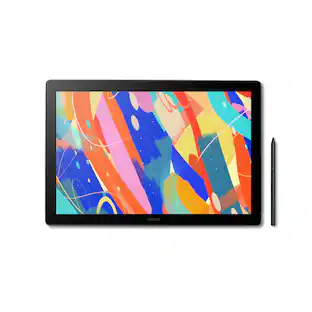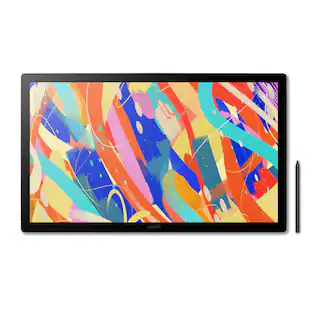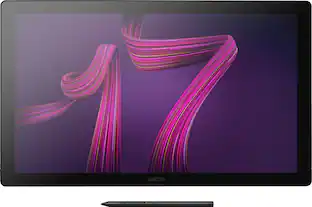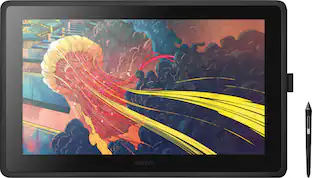
Wacom - Cintiq Pro 24 – 23.6” 4K Creative Pen Display - Black
- Key Specs
- Screen Size: 23.6 inches (Size of the screen, measured diagonally from corner to corner.)
- Screen Resolution: 3840 x 2160 (Screens come in a range of resolutions (measured in pixels, horizontal x vertical). The higher the resolution, the greater the picture quality.)
- Active Area: 20.6 x 11.6 in (The size of the screen area that a user interacts with, either by stylus and/or touch (if supported).)
- Color Gamut (Adobe RGB): 99 percent (This number represents the percentage of colors on the RGB spectrum that are visible, as specified by the International Commission on Illumination (CIE).)
- Total Storage Capacity: 0 gigabytes
- Battery Chemistry: Lithium-ion
- Pressure Levels: 8192 (Allows the device to recognize different pressures from a compatible pen or stylus, which may control line thickness, opacity, or color. The more pressure levels, the more responsive the pen will feel.)
- General
- Brand: Wacom
- Model Number: DTK2420K0
- Product Name: Cintiq Pro 24 – 23.6” 4K Creative Pen Display
- Color: Black
- Year of Release: 2018
- Display
- Display Type: LCD
- Screen Type: AHVA
- Screen Size: 23.6 inches (Size of the screen, measured diagonally from corner to corner.)
- Screen Resolution: 3840 x 2160 (Screens come in a range of resolutions (measured in pixels, horizontal x vertical). The higher the resolution, the greater the picture quality.)
- Stylus Input: Active (Electromagnetic Resonance) (An active stylus/pen is able to communicate directly with a compatible device; active electromagnetic resonance (EMR) pens are powered via a device's screen and active electrostatic (AES) pens require an additional power source. A passive stylus does not have electronic features and is compatible with most capacitative touch screens.)
- Response Time: 14 milliseconds (The speed at which pixels can change colors is called response time. It is measured in milliseconds (ms).)
- Active Area: 20.6 x 11.6 in (The size of the screen area that a user interacts with, either by stylus and/or touch (if supported).)
- Aspect Ratio: 16:9 (The measurement of the width of a screen compared to the height of a screen, expressed as a ratio.)
- Brightness: 350 candela per square meter (A measure of the total light output.)
- Color Gamut (Adobe RGB): 99 percent (This number represents the percentage of colors on the RGB spectrum that are visible, as specified by the International Commission on Illumination (CIE).)
- Displayable Colors (Maximum): 1.07 billion
- Contrast Ratio: 1000:1 (Measured difference between a displayed image's brightest whites and darkest blacks. The larger the first number, the more detail and color that can be displayed.)
- Storage
- Total Storage Capacity: 0 gigabytes
- Compatibility
- Operating System Compatibility: Mac OS, Windows
- System Requirements: Windows® 7 or later (latest service pack/build), OS X 10.11 or later (latest update); USB-C port with DisplayPort Alternate Mode (UHD), or Mini DisplayPort/DisplayPort (UHD) and USB-A, or HDMI 2.0 (UHD) and USB-A; Internet access for driver download. (The software that a product must have for it to be able to integrate with another product.)
- Connectivity
- Headphone Jack: true (The device features an interface that allows for the connection of headphones.)
- Power
- Charging Interface(s): USB-C (The connection for transmitting power to charge the device.)
- Battery Chemistry: Lithium-ion
- Features
- Cable Lock Slot: Kensington Security Slot (K-Slot)
- Pressure Levels: 8192 (Allows the device to recognize different pressures from a compatible pen or stylus, which may control line thickness, opacity, or color. The more pressure levels, the more responsive the pen will feel.)
- Number Of Switches: 2
- Number of Shortcut Keys: 10 (Allows for convenient access to frequently used software shortcuts.)
- Tilt Angle (Maximum): 60 degrees (Greatest angle of tilt between the pen and active screen area that the device can recognize. Allows for intuitive functions when using the pen, such as more natural brush strokes or shading.)
- Dimensions
- Product Height: 1.9 inches (The out of box height of the item. Height is measured as the vertical distance from the bottom of the item to the top as it would be primarily used or placed.)
- Product Width: 15.5 inches (The out of box width of the item. Width is measured as the horizontal distance from one side of the item to the other as it would be primarily used or placed.)
- Product Depth: 26.65 inches (The out of box depth of the item. Depth is measured as the distance from the front of the item to the back as it would be primarily used or placed.)
- Product Weight: 253.92 ounces (The out of box weight of the item.)
- Certifications Listings & Approvals
- ENERGY STAR Certified: false (Devices carrying the ENERGY STAR service mark, such as computer products and peripherals, kitchen appliances, and other products, generally use 20% to 30% less energy than required by federal standards.)
- Included
- Stylus Included: true
- Stylus Model Included: Wacom Pro Pen 2
- Stylus Stand Included: true
- Tablet Stand Included: false
- Warranty
- Warranty - Parts: 2 years
- Warranty - Labor: 2 years
- Other
- UPC: 753218986924
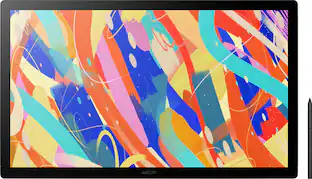
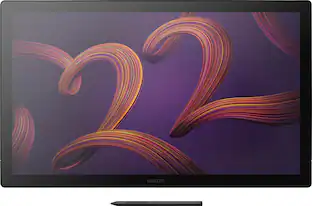
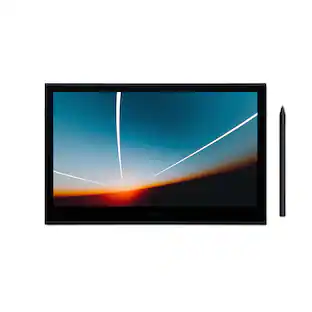
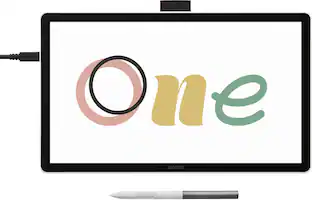
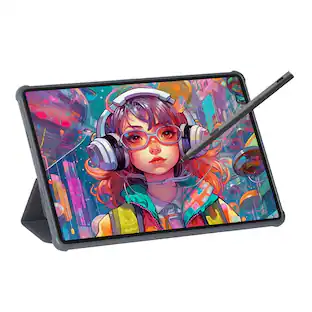
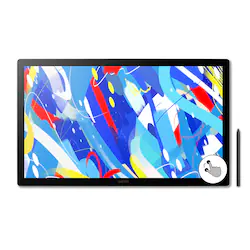
Use Wacom Cintiq Pro 24 Creative Pen Display for absolute harmony with your work. Premium 4K screen with world-class color performance, and virtually no parallax, enhances every creative breakthrough. The Wacom Pro Pen 2 provides state-of-the-art creative pen technology.
- UHD 3840 X 2160 Resolution: Gives you the ability to hone in on every detail, making it perfect for painting, retouching and page layout.
- Cordless, Battery-Free Silicone Rubber Pen Construction: Features 8,192 levels of pressure sensitivity and tilt recognition, so you can accurately draw on the display. A pen stand and holder are included for convenient storage.
- 14ms Response Time: Allows pixels to change colors quickly to avoid streaking, blurring and ghosting.
- 23.6" Wide-Screen IPS Display: Provides superb color accuracy.
- USB Type-C, Displayport Or HDMI 2.0 Ports: Provide easy connection to PC or Mac.
- 176° Horizontal And Vertical Viewing Angles: Ensure a clear view of the monitor from multiple vantage points.
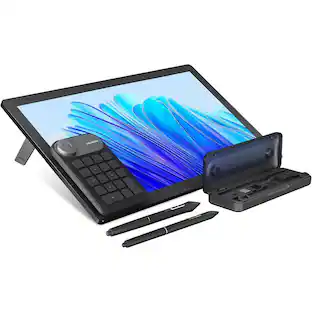
- Integrated Pop-Out Legs: Allow working at an inclined angle.
- 1000:1 Contrast Ratio: Provides a high number of shades between black and white. This range enables accurate color reproduction when displaying images with extreme differences between light and dark for excellent picture quality.
- 350 Cd/M² Brightness: Offers a highly visible display and crisp on-screen images.
- Easy Navigation: An on-screen keypad, radial menus and the expresskey Remote offer a more intuitive experience.
- Wacom Pro Pen 2: Instantly becomes your favorite creative tool. It's very sensitive, accurate and responsive.
- Bonus Software Pack: Register your Cintiq Pro & receive 3-month trials of Capture One, Toon Boom Harmony & Storyboard Pro, MASV, and Clip Studio Paint EX; offer available for customers located in the Americas.
Whats Included
- Wacom Cintiq Pro 24 Pen display
- Wacom Pro Pen 2 with 4-color pen ring set
- ExpressKey remote (with USB-A RF dongle and 30cm micro-USB to USB charger cable)
- Pen stand with 10 replacement nibs (6 standard, 4 felt) and nib removal tool
- Pen holder, cleaning cloth
- 180W AC power adapter and 1.8m power cable
- 1.5m USB-C to USB-C cable, 3m DisplayPort to DisplayPort cable, 3m HDMI2.0 to HDMI2.0 cable
- 3m standard USB-A to USB-A cable
- DisplayPort to Mini DisplayPort adapter
- Quick start guide, Regulation sheet
Product Manuals
Q: What is the contrast ratio of the Wacom Cintiq Pro?
A: The Wacom Cintiq Pro has a contrast ratio of 1000:1, providing a high number of shades between black and white for accurate color reproduction.
Q: How many shortcut keys does the Cintiq Pro have?
A: The Cintiq Pro has 10 shortcut keys for easy navigation and a more intuitive experience.
Q: What is the response time on this display?
A: This display has a response time of 14ms, which helps to avoid streaking, blurring, and ghosting.
Q: What is the screen resolution of this creative pen display?
A: The Wacom Cintiq Pro has a UHD resolution of 3840 x 2160.
Q: How can I connect the Cintiq Pro to my computer?
A: The Cintiq Pro can be connected to a PC or Mac using its USB Type-C, DisplayPort, or HDMI 2.0 ports.
Q: Does the Wacom Cintiq Pro come with a pen?
A: Yes, the Wacom Pro Pen 2 is included with the Cintiq Pro and features 8,192 levels of pressure sensitivity and tilt recognition.
Q: What type of display does the Wacom Cintiq Pro use?
A: The Wacom Cintiq Pro uses an IPS display, known for its superb color accuracy.
A: Hello and thank you for reaching out on how to setup the Wacom Cintiq Pro 24. If you are having issues of connecting all the cables and installing software I'd like to invite you to reach out to us on weekdays between 6 am and 6 pm PST to 855-MY-WACOM. So we can better assist you through this process.