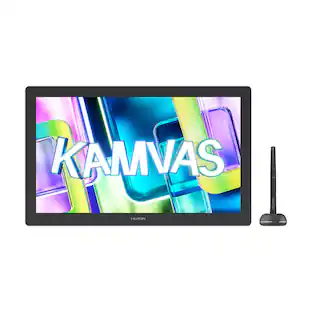
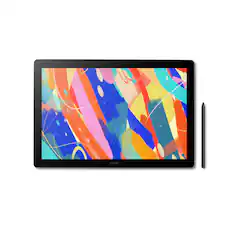
Wacom - Cintiq Pro 27 Creative Pen Drawing Tablet with Touch Display - Black
Customers are saying
Customers recognize the positive aspects of the product's screen. They particularly appreciate its display quality and color accuracy, finding them highly satisfying.
Create directly on screen with natural pen experience
Add an incredible, on-screen creative experience to your Mac or PC. Everything about Wacom's most advanced pen display plunges you into your creativity.
26.9-inch 4K Ultra HD display
Features 4K Ultra HD resolution (3840 x 2160) and color accuracy of up to 99% of Adobe RGB. The etched glass screen reduces glare and reflections while providing a distinct, tactile experience as you draw, mimicking the feel of a pen on paper.
Multitouch support
Intuitive multi-touch gestures, like panning, zooming and rotating, allow you to completely immerse yourself in your creative process.
Wacom Pro Pen 3
Features 8192 levels of pressure sensitivity, 3 side switches, and the ability to customize by swapping the included grips or adjusting the weight and center of balance.
Create with full fluidity
Wacom Cintiq Pro 27 Stand* is designed specifically to bring maximum comfort, flexibility and stability to any desktop studio or remote workspace and allows for rapid adjustment of the height, angle or up to 20 degrees** of rotation in each direction.
Create at the speed of imagination
Never break your flow with the freedom of ExpressKeys. Repositioned in the new rear grip of the display, each key is a shortcut of your choosing.
Bonus software pack
Register your Cintiq Pro & receive 3-month trials of Capture One, Toon Boom Harmony & Storyboard Pro, MASV, and a 6-month trial to Clip Studio Paint EX; offer available for customers located in the Americas.
*Required stand or monitor arm sold separately. **Compatible monitor arm required for 180 degrees of display rotation (Landscape to Portrait).
- Screen Size26.9 inchesScreen Resolution3840 x 2160Multi-Touch ScreenYesActive Area23.5 x 13.2 inColor Gamut (Adobe RGB)99 percentTotal Storage Capacity0 gigabytes
Reviews
Rating 5 out of 5 stars with 10 reviews
- Screen Size (4)
Customer Images
The vast majority of our reviews come from verified purchases. Reviews from customers may include My Best Buy members, employees, and Tech Insider Network members (as tagged). Select reviewers may receive discounted products, promotional considerations or entries into drawings for honest, helpful reviews.
Compare similar products

Wacom Cintiq Pro 27 is designed and engineered for professionals to create a harmonious creative process between artists and their work. Featuring the pinnacle of Wacom screen color accuracy and resolution along with Wacom’s new Pro Pen 3 performance and custom comfort, every detail of Wacom Cintiq Pro 27 has been engineered for effortless harmony between creator and tool..
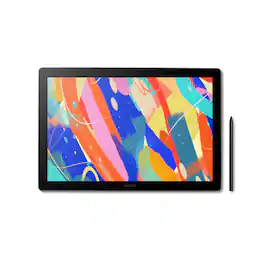
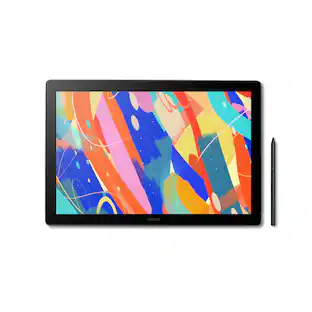
Dive into creativity with the new Wacom Cintiq 16 — a display that feels as natural as pen on paper and performs like a pro studio tool. Draw with natural feel and precision on a 2.5K WQXGA (2560 x 1600) display that brings out even the subtlest line work and textures, empowering illustrators and designers to work at a high level of precision. The anti-glare etched bonded glass surface feels like paper beneath your hand, while 99% DCI-P3 and 100% sRGB coverage ensure that colors are vibrant and adaptable to modern standards and workflows. The Pro Pen 3 captures every nuance with 8,192 pressure levels, 60° tilt support and 3 programmable side-switches. The 12ms LCD response time keeps pen movement fluid and natural — setting the standard others can only attempt to follow. With 8-bit color depth, increased brightness and exceptional contrast that makes shadows and highlights pop, you'll create your best work yet. Designed for comfort and flexibility, the Cintiq 16 comes equipped with built-in fold-out legs that raise the display to a 20-degree working angle right out of the box. For even more ergonomic versatility, an optional adjustable stand (ACK651KZ) is available separately, offering a range of angles to suit your preferred creative posture. Wacom Cintiq 16 (2025) delivers professional-grade precision at a price that puts premium creative tools within reach—because your talent deserves nothing less. Professional-grade performance. Streamlined design. Accessible price. Dive in with confidence—Cintiq 16 is ready.
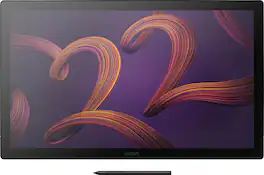
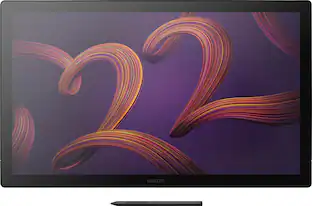
Wacom Cintiq Pro 22 is designed and engineered for professionals to create a harmonious creative process between artists and their work. Featuring a professional quality Ultra HD/4K display, along with Wacom’s Pro Pen 3, which matches performance with customizable comfort, every detail of Wacom Cintiq Pro 22 has been engineered for effortless harmony between creator and tool.
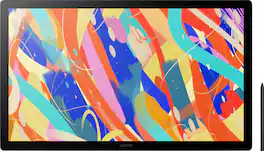
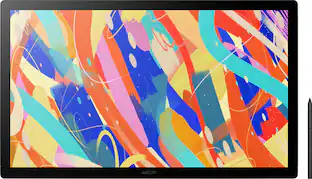
Dive into creativity with the expansive Wacom Cintiq 24 (2025) - a drawing tablet display that feels as natural as pen on paper and performs like a pro studio tool. See your entire project at once on a spacious 23.8" IPS display with 2.5K WQHD resolution (2560 x 1440) that transforms your creative process. The anti-glare etched glass bonded surface provides the familiar resistance of traditional media while reducing distracting reflections and near-zero parallax. See millions of subtle color variations with 100% sRGB coverage and 8-bit color depth, ensuring your vision translates perfectly from concept to final output. Enhanced brightness at 350 cd/m² adapts comfortably to varied studio environments—so you can work confidently whether in bright offices or dimly lit home studios. Wacom Pro Pen 3 captures every nuance with 8,192 pressure levels, 60° tilt support and 3 programmable side-switches. The 12ms LCD response time keeps pen movement fluid and natural - setting the standard others can only attempt to follow. Cintiq 24 is VESA mount compatible (75x75), offering flexible installation options to fit your studio setup. For those who prefer a dedicated solution, the redesigned included stand delivers rock-solid stability and allows for smooth, reliable adjustment between 16-69 degrees. Wacom Cintiq 24 (2025 version) delivers professional power in a true 16:9 aspect ratio perfect for everything from animation and video editing to game development and design—making premium creative tools accessible to creators who refuse to compromise. Professional-grade performance. Streamlined design. Accessible price. Dive in with confidence - Cintiq 24 is ready.
| Pros for Wacom - Cintiq Pro 27 Creative Pen Drawing Tablet with Touch Display - Black | |||
|---|---|---|---|
| Screen Size | There were no pros for this product— | There were no pros for this product— | There were no pros for this product— |
Specs
Do you guys sell the power cord for it?I believe its 19.0v 8.4A
Answered by WacomThank you for your question. We do sell the power adapter for our Wacom Cintiq Pro 27, the sku for the power adapter is: ACK44814Z Hope that helps!
Does this drawing tablet support multi-touch?
Yes, the Wacom Cintiq Pro 27 supports intuitive multi-touch gestures.
This question and answer was generated by AI based on customer and product data.What is the screen size of this Wacom tablet?
The Wacom Cintiq Pro 27 has a 26.9-inch display.
This question and answer was generated by AI based on customer and product data.What is the color accuracy of the Wacom Cintiq Pro 27?
This model features color accuracy of up to 99% of Adobe RGB.
This question and answer was generated by AI based on customer and product data.How many levels of pressure sensitivity does the Wacom Pro Pen 3 have?
The Wacom Pro Pen 3 features 8192 levels of pressure sensitivity.
This question and answer was generated by AI based on customer and product data.

Customers often buy these together
![17/6 - Monday
Meeting w. Isabel
Prime team
- Bring Voice
- Recon22
- Finish fiscal 01/08 report
- Close up NY 03/08
[Checkmark]](https://pisces.bbystatic.com/image2/BestBuy_US/images/products/380b7afd-7544-4942-a205-0e2c748cb3f7.png;maxHeight=232;maxWidth=233?format=webp)


More to consider




Explore tech essentials Sponsored

Discover related products
 $1,174.99The price was $1,899.00
 $631.99The price was $659.99
 $249.00The price was $275.00
 $12.99The price was $13.99







Keep exploring
 $295.00The price was $365.00
 $249.00The price was $299.00