Black Friday Deals start nowEnds Nov. 28.Shop now

Skip to contentGo to Product Search
Main Content

Webroot - Total Protection (10 Device) with Allstate Identity Protection (1 Identity) (1-Year Subscription) [Digital] - Android, Apple iOS, Chrome, Mac OS, Windows [Digital]

Model: WEB803800V204
SKU: 6689852
Sold byBest Buy

About this product

Webroot Total Protection is our most complete protection plan, combining advanced device security, scam protection, online privacy, data backup, parental controls, and comprehensive identity protection in one easy-to-use solution. Feel confident every time you go online with AI-powered protection that helps stop viruses, malware, ransomware, and scams before they can impact you. Total Protection includes award-winning antivirus, a secure VPN, password manager, parental controls, and unlimited cloud backup for one PC or Mac to help protect what matters most. Plus, with Allstate Identity Protection, you get credit, dark web, identity, and financial monitoring, along with alerts about potential threats. If you fall victim to a scam, you can call our scam experts and claim up $25,000 in scam coverage*. If you experience identity fraud you'll have access to 24/7 U.S.-based identity recovery and up to $1 million in identity theft expense reimbursement**.

Features

  • AI-powered antivirus protection

    Webroot uses smart AI to stop cyber threats before they reach you—fast, light, and always up to date.

  • Scam protection

    Helps detect and block scam texts, deepfakes, phishing attempts, online fraud and other AI scams. Also includes up to $25,000 in scam reimbursement.*

  • Identity protection and monitoring

    Includes dark web and data breach monitoring, alerts and provides 24/7 U.S.-based support with identity restoration specialists.

  • Up to $1 million in identity theft expense reimbursement

    For stolen funds and out-of-pocket costs due to identity theft including up to $150k for 401(k)/HSA accounts.**

  • ID check

    Verify someone's identity before completing a transaction to help protect yourself from fraud and scams.

  • Unlimited cloud backup***

    Automatically backs up your important files and memories with unlimited cloud storage for one PC or Mac.

  • Secure VPN

    Browse the web safely and privately with an encrypted VPN that protects your online activity on any Wi-Fi network.

  • Secure password manager

    Create, store, and autofill strong passwords to simplify and secure your digital life.

  • System optimizer

    A privacy protection and system maintenance tool that erases past online activity, including browsing history, cache and cookies, while reclaiming hard drive space and improving performance by deleting unnecessary files.

  • Parental controls

    Protect your children from inappropriate content and help manage their screentime.

  • Supports all devices

    Compatible with PC, MAC, Chromebook, Mobile Smartphones and Tablets including Windows, macOS, Apple iOS and Android

  • Protect up to 10 devices and 1 identity

Specifications

  • Number of Devices
    10
    Operating System Compatibility
    Android, Apple iOS, Chrome, Mac OS, Windows
    Software Format
    Digital
    Subscription Period
    1 Year
Sponsored

Reviews

Rating 4.5 out of 5 stars with 30 reviews

93% would recommend to a friend

Customer Images

The vast majority of our reviews come from verified purchases. Reviews from customers may include My Best Buy members, employees, and Tech Insider Network members (as tagged). Select reviewers may receive discounted products, promotional considerations or entries into drawings for honest, helpful reviews.

  • Rated 5 out of 5 stars

    High-value all-in-one protection for 10 devices

    Verdict: I had not heard of Webroot antivirus before, but my subscription to another company was expiring and renewal cost was unreasonable, so I decided to try this. I actually tried both the Antivirus Family Protection, which was a super-fast download and install, but limited to just antivirus, and the Total Protect version. Total Protect is what we needed because of the VPN service; we use VPNs on all our laptops to make sure we have a secure connection from anywhere. The others features are also nice to have, and add value, but are not as important for us. So far, performance has been good I think, but of course it’s hard to prove something that never happened. My FAVORITE part of this software is no bloatware and no incessant adds or misrepresentation of risk so that you buy other services (some of the other companies do this). It seems to run pretty smoothly; we haven't noticed any computer slow downs. First Impression. The web portal is slow and some options in the menu don’t work (Subscriptions, Support). The options that work provide the info I need. Setup. Download was easy and installation was fast, but once you click install, there is no progress bar so it looks like nothing is going on. That could be better. Once the app is installed, you can access the options from the icon tray. I thought that the 10-device allowance would be plenty until I realized that I could install this on phones and tablets too… So I will use all 10 devices shortly. Features. You get quite a bit with this: antivirus, VPN, LastPass password manager, Identity Protection, backup protection for 1 computer, and scam protection. Antivirus and VPN and requirements for us, so we are very happy with those, and they seem to work well so far. Scam protection is a neat tool to check links or documents when in doubt. Identity protection for 1 person is good for the main account owner, and useful if you don’t already have a similar service. LastPass was useful many years ago, but now there are quite a few included options for password managers (integrated in smartphones or in other major platforms), so this isn’t as helpful. Things I love: - Quite a LOT of value! - It’s for 10 devices, plus 1 device for back up protection, and 1 identity protection - Antivirus, VPN, and Scam protection tool - No bloatware - No fake advertising or exaggerated claims to sell other services - Easy to install and fairly easy to manage on the online portal - System optimizer is a nice function to erase your footprint on the internet - Compatible with PC, MAC, Chromebook and smartphones! - Parental controls to customize online access Things I don’t love: - The online portal could be better: currently too slow and some options don’t work - VPN takes a while to connect, sometimes up to a minute - There should be short descriptors under the functions of the desktop app... I don't know what "Performance" does, or what "Vulnerability" does. It would be nice to read what this action is scanning for, and some better explanation for the different items in the report. With AI, it's now pretty easy to generate some information on what is otherwise incomprehensible data in the reports. Overall, this is quite a compelling package. If Webroot can smooth out the quirks and ensure functionality of the main tools, it will become mainstream quite quickly. I recommend this product!

    Posted by AllAboutTech

  • Rated 4 out of 5 stars

    Lots of features-but lots of apps, not quite total

    I've used more antivirus applications than I can even count at this point, every one of them claims to be the best, or have the best solutions, the most integrations, the most security, etc. It's really difficult to tell anymore which is best, but with webroot the name has at least been around for a long time, so lets get into it. Setup: Both easier than expected and more annoying than expected. When downloading the application (see screenshot) there's one application listed as Webroot Total Protection which says that it is for managing your main device and all features, but beneath it on the same page is 4 more apps to download. Me thinking you could do it all with one or piecewise with the other, just installed the first, Webroot Total Protection. Installation of that one is simple, doesn't ask any questions and just 'works' which I'm always a fan of. But it doesn't give you all of the features (a little misleading in my opinion based on the description). When trying to set up *anything* else (backup and restore, password protection, identity protection, etc) it prompts you to download something else. So it's not a onestop shop like it seems to indicate, but rather you need different apps for all of the different things. Maybe this keeps the main app from being overly memory hungry or larger to download, but with the power of computers these days, it would just be less annoying to bundle them together and just disable or hide the features people dont pay for. So, short version, yes, it's easy to install, but you have to install all parts of it separately. Use: Simple. While you do have to install all the parts separately, it is not difficult to navigate or set up the different parts of it, most of them 'just work', though I will say instead of having it's own firewall it appears to rely on the Windows firewall. Which is *fine* but also appears to be misleading based on the box art. No, it does not explicitely say it has a firewall, but it does call itself 'total protection'. Seems strange to be 'total' when one of the largest features, the firewall, is not actually included, but relies on the OS firewall. Again, that's 'fine' but not really 'total'. Use of the various features including identity protection, backup and restore, vulnerability scanning, parental controls and the VPN are all very simple, nearly one-button type uses which are great for someone that is not technical, so this might be a good option if you're looking for that ease of protection for a non-technical individual. Overall: It installs easily despite the multiple pieces, runs easily, seems to be quick and a lot of one-button level uses, all of which are nice. But the title of the product is somewhat misleading, and the fact that it does need 5 different apps to do all the different things is a little cumbersome. I dont have any blaring issues with it really, but it does just fall short of being 'really good'.

    Posted by Beradon

  • Rated 4 out of 5 stars

    Lightweight and fast

    Picked up Webroot TOTAL PROTECT security suite mainly for my Windows PCs, although it also has capabilities to protect macOS and other devices. My focus here will be on Windows only as that is what most people will purchase this for. Webroot is cloud based anti-virus program, most of the functionality relies heavily on cloud-based intelligence to analyze threats and malicious websites. Looking at my system after installation, it only installed about 60MB of files on my system, which in comparison to other products such as Bitdefender or Norton is considerably less. Webroot also scaned my PC super fast in comparison to other Anti Virus suites I have used. The question is how effective is Webroot in protecting your computer? The product did successfully detect and prevent a few test zip files from opening and did find a security threat when asked to scan the file. I did not test the browser URL plugin, as the first time I tried to use Firefox after the URL scanner was installed it prevented the browser from reaching the internet, so I removed it. The program also had a simple interface with not much to dive into. It has specific modules that you can review settings on relation to PC Security and the functionality within such as Real Time scanning, Firewall and a button to show a simple view of active network connections. Included in the PC Security section are tabs for Scan & Shield, items Quarantined, Block/Allow files and allowed scripts – all of which provide some ability to customize the product. There is also a Privacy protection module, Password Manager (I believe powered by LastPass, a separate company). Some basic Utilities, including a System Optimizer and System Analyzer which determines computer health and offers recommendations. It detected a drive space issue (less than 30% free) as well as two Microsoft products that it says has memory leaks (which means they don’t return system memory after they are closed). Overall, this is a good lightweight AntiVirus/protection product not overloaded with a lot of functionality most people will never use. It also is not annoying (don’t get me started about Norton and their constant upsell messages and annoying popups). >>> PROS >> lightweight, does not take much in the way of system resources or disk space >> Cloud based detection with an offline module >> Fast >> has basic configuration options and ability to exempt some processes and files from scanning. <<< CONS << relies heavily on cloud resources << not a full featured suite like other products.

    Posted by Bappy

  • Rated 5 out of 5 stars

    New updated UI, simplified & easier, best overall.

    I have been a long-term user of Webroot's AV products for almost 20 years. They have consistently offered the best value in a complete Antivirus / Internet Security suite with the best virus detection for home consumers. I feel this new product, Webroot Total Protection with Allstate Identity Protection, provides total online security in a single package. They still provide the best in antivirus detection and internet security, but now with a VPN, parental controls, data breach monitoring, and identify theft protection. What initially stood out to me is the new, improved user interface for Webroot that is much simpler to navigate, use and setup. The installation and setup was very easy and quick. I currently have Webroot Total Protection installed on 1 desktop (Windows 11 Pro), 2 laptops (Windows 11 Pro), 1 phone (Android 17), and 1 tablet (Android 15). I did run into a problem during the installation with the VPN on my Windows 11 PCs. I reported the problem to Webroot support on Friday afternoon, but I was notified on Monday afternoon that a fix was being pushed out that evening to all users. That fix has resolved the problems with the VPN for me and it is working perfectly. I first added the Total Protection Key Code to my Webroot account on their website. Then I just started downloading the applicable App to each of my devices. I especially like that my Webroot account allows me to see each device where I have the Webroot Total Protection installed. It is also the place where you activate; Backup and Restore by Carbonite, Identify Theft Protection by Allstate, and Password Manager by LastPass. Installation and Setup for each of these features are pretty easy and straight forward as well. They can be completed at anytime too. The Identity Theft Protection does require some preparation, because you will need to gather the account information for what financial sites you want to be monitored. I have been using this for 1 week now and we haven't encountered any problems, other than the initial VPN installation problem I mentioned earlier. More importantly, there haven't been any AV false-positives or virus leaks that infected any of my devices. I chose the 10 devices and 1 Identity package, because between my spouse, children and me, we have 10 devices that I want to protect. However, I do wish they would offer an option to purchase the Allstate Identity Protection for my spouse. Overall, this is the ideal complete AV, Internet Security, and Identity Theft Protection solution for me. It provides all of the protection I am looking for to cover my electronic devices and my online presence.

    Posted by TheRoots

  • Rated 4 out of 5 stars

    Good protection and not a system resources hog

    Webroot Total Protection was simple to install and worked on most of our devices - phones, iPads, and a laptop - relatively easily. I have 3 ARM devices that it wouldn't interface with when I first started using it. Thankfully, Webroot realized they needed to get on the ball with getting that kink and just came out with an update that addresses the issue. One crucial observation and a very big plus for me is that the program takes up less than 60 MB of space and there is no ridiculous amount of annoying upsell popups! The other brand we were using took almost a gig and a half on my desktop computer. Now, what I didn't expect was the necessity of having to do multiple downloads to take full advantage of all the features. There's one for the VPN, one for the password manager, one for this, one for that. Webroot should have kept this more compact and contained within the main app and installation. They are fairly quick to set up and easy to execute once installed though. Overall, Webroot Total Protection is good for basic protection and advanced features like password manager and the identity protection by Allstate. It's easy to use and is light on system resources. Just be mindful that Total Protection doesn't include a firewall and relies on your operating system's firewall.

    Posted by MzRose

Compare similar products

Webroot - Total Protection (10 Device) with Allstate Identity Protection (1 Identity) (1-Year Subscription) [Digital] - Android, Apple iOS, Chrome, Mac OS, Windows [Digital]
4.5(30)

Webroot Total Protection is our most complete protection plan, combining advanced device security, scam protection, online privacy, data backup, parental controls, and comprehensive identity protection in one easy-to-use solution. Feel confident every time you go online with AI-powered protection that helps stop viruses, malware, ransomware, and scams before they can impact you. Total Protection includes award-winning antivirus, a secure VPN, password manager, parental controls, and unlimited cloud backup for one PC or Mac to help protect what matters most. Plus, with Allstate Identity Protection, you get credit, dark web, identity, and financial monitoring, along with alerts about potential threats. If you fall victim to a scam, you can call our scam experts and claim up $25,000 in scam coverage*. If you experience identity fraud you'll have access to 24/7 U.S.-based identity recovery and up to $1 million in identity theft expense reimbursement**.

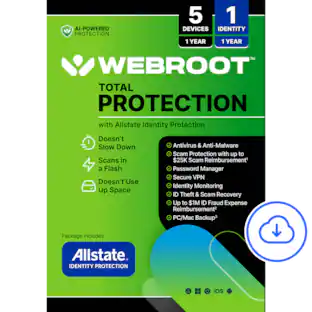
Webroot - Total Protection (5 Device) with Allstate Identity Protection (1 Identity) (1-Year Subscription) [Digital] - Android, Apple iOS, Chrome, Mac OS, Windows [Digital]
4.6(31)

Webroot Total Protection is our most complete protection plan, combining advanced device security, scam protection, online privacy, data backup, parental controls, and comprehensive identity protection in one easy-to-use solution. Feel confident every time you go online with AI-powered protection that helps stop viruses, malware, ransomware, and scams before they can impact you. Total Protection includes award-winning antivirus, a secure VPN, password manager, parental controls, and unlimited cloud backup for one PC or Mac to help protect what matters most. Plus, with Allstate Identity Protection, you get credit, dark web, identity, and financial monitoring, along with alerts about potential threats. If you fall victim to a scam, you can call our scam experts and claim up $25,000 in scam coverage*. If you experience identity fraud you'll have access to 24/7 U.S.-based identity recovery and up to $1 million in identity theft expense reimbursement**.

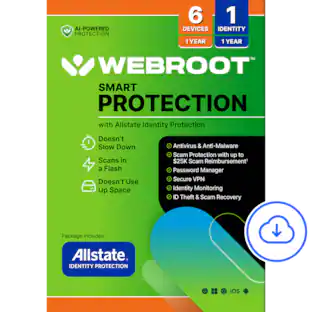
Webroot - Smart Protection (6 Device) with Allstate Identity Protection (1 Identity) (1-Year Subscription) [Digital] - Android, Apple iOS, Chrome, Mac OS, Windows [Digital]
4.4(29)

Webroot Smart Protection is our most advanced all-in-one security solution, delivering smarter protection against today’s evolving cyber threats, including AI-scams. Stay confident online with AI-powered protection that helps stop viruses, malware, ransomware, and scams before they can impact you. It combines cybersecurity, privacy, and identity protection in one easy-to-use solution. Features include award-winning antivirus, scam protection, a secure VPN for safer browsing on public Wi-Fi, a password manager, and Allstate Identity Protection, with dark web and identity monitoring. If you fall victim to a scam, you can call our scam experts and claim up $25,000 in scam coverage*. If you experience identity fraud, you’ll have access to 24/7 U.S.-based recovery experts to help you get back on track.

Webroot - Smart Protection (1 Device) with Allstate Identity Protection (1 Identity) (1-Year Subscription) [Digital] - Android, Apple iOS, Chrome, Mac OS, Windows [Digital]

Webroot Smart Protection is our most advanced all-in-one security solution, delivering smarter protection against today’s evolving cyber threats, including AI-scams. Stay confident online with AI-powered protection that helps stop viruses, malware, ransomware, and scams before they can impact you. It combines cybersecurity, privacy, and identity protection in one easy-to-use solution. Features include award-winning antivirus, scam protection, a secure VPN for safer browsing on public Wi-Fi, a password manager, and Allstate Identity Protection, with dark web and identity monitoring. If you fall victim to a scam, you can call our scam experts and claim up $25,000 in scam coverage*. If you experience identity fraud, you’ll have access to 24/7 U.S.-based recovery experts to help you get back on track.

Specs

Questions & Answers

  • I have been using LastPass for years. It appears that LastPass is a part of Webroot also. Can my existing LastPass data be imported into Webroot and can I then cancel my separate LastPass?

    Good Morning. I want to let you know that we are looking into this for you and will get you an answer as soon as we hear back. Nate - Webroot

    Answered by WebrootTeam
    WebrootTeam response
No content
Sponsored