Black Friday Deals are hereEnds Nov. 28.Shop now

Skip to contentGo to Product Search
Main Content

Webroot - Total Protection (5 Device) with Allstate Identity Protection (1 Identity) (1-Year Subscription) [Digital] - Android, Apple iOS, Chrome, Mac OS, Windows [Digital]

Model: WEB803800V203
SKU: 6689851
Sold byBest Buy

About this product

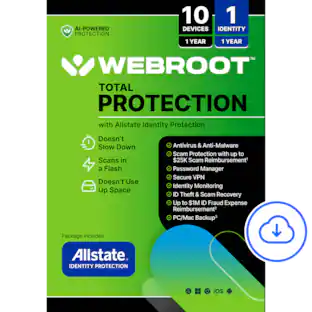
Webroot Total Protection is our most complete protection plan, combining advanced device security, scam protection, online privacy, data backup, parental controls, and comprehensive identity protection in one easy-to-use solution. Feel confident every time you go online with AI-powered protection that helps stop viruses, malware, ransomware, and scams before they can impact you. Total Protection includes award-winning antivirus, a secure VPN, password manager, parental controls, and unlimited cloud backup for one PC or Mac to help protect what matters most. Plus, with Allstate Identity Protection, you get credit, dark web, identity, and financial monitoring, along with alerts about potential threats. If you fall victim to a scam, you can call our scam experts and claim up $25,000 in scam coverage*. If you experience identity fraud you'll have access to 24/7 U.S.-based identity recovery and up to $1 million in identity theft expense reimbursement**.

Features

  • AI-powered antivirus protection

    Webroot uses smart AI to stop cyber threats before they reach you—fast, light, and always up to date.

  • Scam protection

    Helps detect and block scam texts, deepfakes, phishing attempts, online fraud and other AI scams. Also includes up to $25,000 in scam reimbursement.*

  • Identity protection and monitoring

    Includes dark web and data breach monitoring, alerts and provides 24/7 U.S.-based support with identity restoration specialists.

  • Up to $1 million in identity theft expense reimbursement

    For stolen funds and out-of-pocket costs due to identity theft including up to $150k for 401(k)/HSA accounts.**

  • ID check

    Verify someone's identity before completing a transaction to help protect yourself from fraud and scams.

  • Unlimited cloud backup***

    Automatically backs up your important files and memories with unlimited cloud storage for one PC or Mac.

  • Secure VPN

    Browse the web safely and privately with an encrypted VPN that protects your online activity on any Wi-Fi network.

  • Secure password manager

    Create, store, and autofill strong passwords to simplify and secure your digital life.

  • System optimizer

    A privacy protection and system maintenance tool that erases past online activity, including browsing history, cache and cookies, while reclaiming hard drive space and improving performance by deleting unnecessary files.

  • Parental controls

    Protect your children from inappropriate content and help manage their screentime.

  • Supports all devices

    Compatible with PC, MAC, Chromebook, Mobile Smartphones and Tablets including Windows, macOS, Apple iOS and Android

  • Protect up to 5 devices and 1 identity

  • Note: Features may vary between devices and platforms

  • *Scam Reimbursement: The program offers an added layer of financial protection by reimbursing eligible losses from qualifying sophisticated scams when both Webroot Scam Protection scan and ID check were used as part of the verification process. This benefit complements, and does not replace, existing fraud prevention measures, security controls, or insurance coverage. Terms, conditions, limitations, and eligibility requirements apply.

  • **Identity theft insurance covering expense and stolen funds reimbursement is underwritten by American Bankers Insurance Company of Florida, an Assurant company. The description herein is a summary and intended for informational purposes only and does not include all terms, conditions, and exclusions of the policies described. Please refer to the actual policies for terms, conditions, and exclusions of coverage. Coverage may not be available in all jurisdictions.

  • Product may be updated or modified. Certain features require additional activation.

  • ***Encrypted cloud backup for one PC or Mac computer, with unlimited storage.

Specifications

  • Number of Devices
    5
    Operating System Compatibility
    Android, Apple iOS, Chrome, Mac OS, Windows
    Software Format
    Digital
    Subscription Period
    1 Year
Sponsored

Reviews

Rating 4.6 out of 5 stars with 32 reviews

100% would recommend to a friend

Customer Images

The vast majority of our reviews come from verified purchases. Reviews from customers may include My Best Buy members, employees, and Tech Insider Network members (as tagged). Select reviewers may receive discounted products, promotional considerations or entries into drawings for honest, helpful reviews.

  • Rated 5 out of 5 stars

    How Could I Forget About Webroot?

    How could I forget about Webroot! The company has been around since the 90's and has an incredible reputation for its services including customer service. I remember when Best Buy use to give free virus software with the purchase of a new PC in the 2000s and I am pretty sure Webroot was offered then. How could I forget! This is your one stop shop! If you are looking for a no-nonsense protection service for all of your devices Webroot is here! I have used so many free to paid services throughout the years and this is the first time I can actually say I love anti-virus software. This version also includes a wide variety of services as well including identity protection, backup and restore for your files, allstate identity protection, pc performance scan and repair/clean, and a password manager. It honestly covers everything. Webroot has won me over. I typically would never really use services like this unless its free (from a notable company) but I am now a Webroot customer and all of my devices have the app or software. I feel protected and by a company I know I can reach out to. The only flaw which is really confusion about which software to install. Best advice, login to your account online first and then your online portal will give you direct links to the software you purchased. I some how downloaded an older version or alternative version which still worked and accepted the key code... it even reflected on my online portal. How I noticed it was incorrect was that the program look like came from the 2000s and I knew something just wasn't right. I am sure if I reached out to Webroot they would have helped me but I fixed it myself. The Webroot Total Protection is great for all of your devices across the board. Simple, straight forward and anyone can use it.... even if the last time you used a pc was in 1998. I used Webroot in three different formats on my Windows 11 pc, the online portal/account access and on my iPhone 18 pro. Ill break each down below: I used the online portal to start my account and gained access to a variety of benefits including the download software including: Webroot Total Protection (anti virus and pc performance improvement software), Webroot backup and restore, and also 3rd party access to the allstate identity protection, LastPass Password management, and links to mobile downloads of Webroot mobile security. I automatically downloaded the webroot protection and webroot backup to my laptop. The key code is on the portal in multiple spots which once you connect the software it will show up on your portal. Staying in the portal/website, I used Webroot ID check to check my data and you can verify other people are secure too, I also activated my allstate service and entered all my info and activate credit monitoring and dark web monitoring. You can also link your financial accounts for additional protection. Allstate includes $25,000 in scam reimbursement, and $1 Million in identity theft expense reimbursement including for 401k and HSAs (limited to $150k). On my PC the Webroot protection has ZERO BLOATWARE. One application (other than for the backup and data) allows you to scan your pc for viruses, establish a VPN, portal to upload documents, images, emails which it then scans for scams, direct access to allstate and the lastpass access, and my favorite feature the performance and correction software to help make your pc run better and clean up behind the scene messes. Easy and simple! You can even put parental controls on through Webroot in a easy format. Running the virus protection was quick and my laptop didn't slow down during the process. Note I have a current gen intel processor and SSD so user experience here may vary. The Webroot Backup and Restore is more than just that. After you upload all your personal files you can have access from anywhere. I still have to see if I like this as I used to have my own NAS system and this would be an excellent secure replacement if it works easily... this will take time for me as I very specific on how quickly and easily I need to access files and especially with download speeds with file size. Webroot makes it sound good so I hope it is true. I have only uploaded a small amount of files and it took minutes. All of my files are saved on an external SSD and HDD so I am not sure how I am going to upload hundreds of GB of files. Also if it would even be worth it. Storing off web is the most secure as long as the drive doesn't get damaged physically or digitally corrupt. The mobile app is nice and compared to others in the past it seems to work without creating problems or interruptions later down the road. The app has a giant scan button as soon as you open it. It checks for threats while using safari and potentially other things (it doesn't clarify in the app itself) it also has text scam protection, data breech monitoring (same as the website I believe), VPN (I only use Apple's sorry) and a link to the Lastpass app and account portal. Overall, I am very happy with my Webroot experience. The up to 5 devices is nice but as my family grows and if I stay committed to Webroot you can expand to 10 devices. The only thing I question is if my wife and I are both covered by allstate or should she purchase her own Webroot subscription. Webroot is fast, easy and almost fun (as fun as antivirus gets). 10 out of 10 get it.

    Posted by Tstall

  • Rated 5 out of 5 stars

    One to keep installed

    --- SETUP --- The setup required going to a designated weblink, creating an account, and entering your activation code. From there, you have to verify your email to be given access to the main web hub. This web hub will give you further instructions on how to install the main hub as well as other services. Each service requires its own program or app installation. --- PERFORMANCE AND EXPECTATIONS --- As far as antivirus protection software goes, I found this software to be very user-friendly, albeit light on features by comparison. There isn’t anything major that is missing, and the missing features are ones that I don’t actually use often in other softwares, but it’s important to note. An example is having a digital shredder. When you delete files on a computer, traces of the file can be found and put back together. With a shredder, you can completely and permanently eradicate a file. This is a feature that is missing, but one I don’t use either, so it’s not missed. What Webroot does have is a quick and light scanner to catch any viruses your computer may have. This specific version allows for up to 5 computers to use the software. For a family where everyone has more than one device, this is perfect. My home computer is mainly used for paying bills and playing video games downloaded from closed-system digital store-fronts, so Webroot didn’t find anything in my scans. I also appreciated that the virus scanning software didn’t interfere with my gaming. When I installed it on my girlfriend’s computer, it detected several tracking software. She tends to browse questionable shopping websites, so having that added peace of mind feels great for me. Not only that, but she was able to quickly pick up on how to use the software for manual scans. You can also schedule a scan at your own convenience, which is something I set up for both of our computers. For each unique feature, Webroot asks that you download a new software. At first, I didn’t think I would like that setup. However, after testing it for two weeks, I like that each of those software installations have their own unique and secluded purposes, making what you’re looking for to be a more focused approach. First up is the Webroot Backup + Restore app. After installation from your online account, the setup has an automatic feature where your documents, music, and photos will be backed up. I chose the manual approach where I have an empty folder and anything I add is backed up and can be accessed on another computer. It is a very simple setup that I have been using to access files at work and at home. LastPass Password Manager allows you to create a premium account with LastPass. If you’ve ever used Google or Apple Password saver, that’s what this is with a few added features. These include sharing passwords, passkeys, notes, addresses, credit card number storage, and bank accounts. They will try to upsell you a VPN, but that’s already included in your Webroot purchase, so you don’t need to buy that. Allstate Identity Protection is also included with this purchase. You enter your name, address, and other information and Allstate does a scan of how healthy your identity is online. It will monitor activity based on the information you fed to Allstate and send you notifications if anything is flagged. One of my favorite features of this is, you can request solicitation reduction on telemarketing calls, credit card offers, commercial emails, and commercial coupons. It will take longer than two weeks to see its positive effects, but I am excited to get less of all of those. Lastly, you can install this on your phone with the Webroot Mobile security, having that peace of mind on the go. --- APPROVAL --- With how light this app is install-wise and how easy it is to navigate, Webroot is definitely one to keep installed on all my PCs. I highly recommend this with full confidence.

    Posted by Trobadour

  • Rated 5 out of 5 stars

    Applause for what Webroot does, and doesn’t do.

    WEBROOT Total Protect. Webroot may be the most invisible security product I’ve used. That may not seem like a worthy objective for virus protection and security software. If you’ve tried some of the competition in this software category, you understand. I work relentlessly to extract maximum performance from my computers, so it is frustrating when one of the first products you might want to install undermines that effort. Webroot gets the job done without punishing overall user performance. And this Total Protection suite adds many of the features that encompass other areas of online risk. This TOTAL PROTECTION version offers a comprehensive package. Up until a few weeks ago, I had a favorite virus protection and broad security program working on my Macs. It was not Webroot. A month of detective work uncovering the source of my difficulty getting a clean shutdown eventually led to disabling and removing that other product. That solved a few other issues, such as somewhat sluggish performance and stalled web page loading. I may be unfairly heaping blame on a failed software relationship, but having to remove security software to achieve ideal performance is discouraging. Webroot looks and acts invisible in comparison. It’s easy to forget WebRoot is monitoring activities and providing security. I suppose I’m applauding Webroot for what it doesn’t do. INSTALLATION and OPERATION: Webroot expects the purchaser has some computer competence. Once installation is complete, some overview of the collection of apps and overall app management would be helpful, but instructions are spare. An account needs to be created using a 20-character KEY which will be used again for some of the other features. The WEBROOT App aggregates all the pieces onto the HOME page, which makes it all look simple to manage. The activity behind the scenes creates Apps which appear in the Mac’s Dock and in the Application folder. Some of these apps appear to depend on enabling them in the Webroot Protection App, using the KEY. Others appear to be stand-alone, such as SecureVPN. but it also sits in the Protection App. Allstate Identity is accessed from the Protection App, but it seems to be a function managed on the web, perhaps at a separate external site. The LastPass Password Manager lives in another App (mobile) or as a browser extension, and maybe also at an external site. The Webroot Backup + Restore is a service enabled for a single computer. There are simple descriptions, and I’d guess better explanations are elsewhere. It would be helpful if they were here, in the Webroot home app with some narrative explanations. PERFORMANCE: Many of Webroot’s features are tangible. Virus scanning, a VPN service, password manager, and cloud backup are all visible and directly usable. Webroot’s first scan resulted in a file identified as either malware or a virus. I was given the choice to quarantine or delete, which was easy to accomplish. The next computer start-up initiated another scan. At no time was my computer performance impacted. Because I hadn’t turned off a Log-in at Start-up in my settings, the SecureVPN App popped onto the screen and reminded me that I should use this app for all connections. Knowing I was going to do some banking from home, I expected that would likely trigger a log-in alert at the bank. So, no VPN this time, as that creates its own issues. If I were traveling, it would be important. I chose not to enable the Password Manager because I’ve gotten too comfortable with Mac’s own tool. The Unlimited cloud backup for a single device is part of the package, so I may eventually use it as redundancy behind my Apple cloud service. Other Webroot features are less tangible as they protect against unpredictable future events and require a bit of trust. They fit into the category of insurance, such as Scam protection, Identity protection and monitoring, ID checks with identity restoration and/or some reimbursement for related costs, within limits described in the fine print. While I appreciate this will add value for some end users, I’m not likely to judge Webroot by these intangibles. But what I will use provides enough justification for the price for my household of Mac computers, tablets, and phones. SUMMARY: I want powerful, AI-assisted antivirus protection for my computing devices. Webroot’s cloud-based solution keeps the processing burden very low and unobtrusive. It solved problems I was having and improved my computer’s functions. Adding a reliable and efficient VPN service leaves me feeling I’ve received a good value. Others will certainly find usefulness in the password manager, cloud backup, parental controls, and a comprehensive suite of scam protections, ID checks, and insurance for ID theft or scams. WEBROOT will need to test favorably against the competition, but it certainly has a high score for comprehensive features and minimal burden on computer performance.

    Posted by TECHBEENGOOD

  • Rated 5 out of 5 stars

    Total Protection for all of your devices.

    This Webroot Total Protection with Allstate Identity Protection is a 1 year subscription for 5 devices and 1 identity. If you are anything like me, you have more than one device and want more than a simple antivirus software package. What you get with Webroot Total Protection is a comprehensive package of everything to keep you safe while you are online. It includes antivirus, identity monitoring, privacy, VPN protection, password management, Scam protection, ID checker, and cloud backup. Setup is different for each type of device it’s used on. The different devices this can be used on are: PC, Mac, Android Smartphone, iOS Smartphone, Chromebook, Android tablet, iOS tablet. Things that stand out to me are the always-on protection against viruses, malware, ransomware, and phishing attempts. I am always getting weird emails and texts pretending to be sending me a bill or in some instances a receipt with a number to call. This is where the ID Checker and Scam Hotline comes in handy. Privacy is a huge concern for me and a lot of others. The privacy features in this package are a major plus. They include a password manager, a VPN to protect you while on public Wi-Fi. Easily remove your trail or digital data and online activity. Identity theft is one of my biggest fears. I get notices all the time in the mail that a company I have done business with has had a data breach. So, it’s easy to say that the Allstate Identity Protection is one of the most important components of this Webroot Total Protection package. It includes financial and credit bureau monitoring, dark web monitoring, identity restoration support, $1 million in fraud expense reimbursement. It’s so nice to know that there is something in place to help protect my identity. There is also a US based hotline to call 24/7 if your identity is ever compromised. Unlimited Cloud storage is for one PC or Mac. I use it for my PC. What I loved: * Very fast and doesn’t slow down my devices at all. * Covers up to 5 devices * VPN included for all devices * Excellent scam and phishing protection tools * Identity monitoring and fraud expense reimbursement * Unlimited Cloud Storage for 1 computer * 24/7 US Based Support What Could Be Improved: * Identity protection could be for more than 1 person * The individual components like LastPass and Allstate Total Protection are separate, but included. It would be nice to be able to install everything at once. Summary: I really like this Webroot Total Protection software package. It does everything I need in a simple package.

    Posted by MoniMouse

  • Rated 4 out of 5 stars

    Fast and Unobtrusive, but Sacrifices Heavy-Duty Se

    PERFORMANCE VS PROTECTION: I’m always hesitant to download a total security package just because many moons ago they used to tank the performance of your device. Due to daily computers becoming dramatically more powerful this is mainly a thing of the past. With that said, Webroot relies on “cloud-based threat intelligence model” which means it is lightweight and will work great on pretty much any device, even really old ones, or those with minimal performance. As this will do a lot of the work over the cloud. Unfortunately, due to this performance is mixed. In one study it showed 4 out of 10 general malware samples were detected. For phishing and web shield had a 50% success rate. Did much better with ransomware. Also, I found in my testing that “full scans” where it scans everything on your computer. Took forever. I have a laptop with almost nothing on it. And it was still running after 2 hours and 38 minutes and had only scanned 22,691 things. Oof. However, for quick scans it is much faster. USER INTERFACE: Additionally, I’ve grown to dislike most security suites because they have so many pop ups and the UI is not intuitive or user friendly. Whereas, this has a very minimal UI (Virus Protection, Scam Protection, VPN, Lastpass Password Manager, Allstate Identity Protection, Backup + Restore, Performance, Vulnerability, Parental Controls). Where you click into it. Then click Webroot logo at the top left to go back to that main base. When you click into any of those there are also minimal buttons allowing you to easily complete the process. So, if you are looking for an easy software to navigate this is it. If you are looking for a ton of control and customization. This is not it. But it goes essentially invisible otherwise. VULNERABILIITY & PERFORMANCE MODULES: Webroot includes Performance and Vulnerability modules that scan for background applications and outdated software that even Windows Update might miss. While it is difficult to quantify exactly how much system speed this restores, it successfully hardens the system without causing harm. LASTPASS: This comes with LastPass. Which just happens to be the password manager I’ve been using for years. I absolutely love it, think it is almost a must have, and it being paired with this is an excellent addition that greatly adds to the value of this software. Essentially, it holds all your passwords, notes, etc. It works on everything. Is very easy to find passwords, change passwords, and get to work on my iPhone, iPad, MacBooks, and Windows Computers. I can’t recommend this part enough. Unfortunately, if you’re like me and already have a Lastpass subscription there is no way to stack that subscription. VPN: It also comes with a solid VPN. Which is greatly appreciated. This seemed to work well for me. It has the correct setting where you can auto-connect at launch, turn on notifications for VPN connections, have an internet kill switch if your VPN goes down, and do split tunneling. SYSTEM COMPATIBILITY: It works on Windows (x86), MacOS, iPhone, and Android. However, it DOES NOT work on ARM architecture (Qualcomm Snapdragon or Nvidia Spark SoC). CONCLUSION: Overall, if you’re looking for a bit of extra protection that runs lightweight and includes great password manager then this is a OK option. If you want maximum protection that runs more heavily but will block more threats it is best to look at alternatives.

    Posted by SirGalahad

Compare similar products

Webroot - Total Protection (5 Device) with Allstate Identity Protection (1 Identity) (1-Year Subscription) [Digital] - Android, Apple iOS, Chrome, Mac OS, Windows [Digital]
4.6(32)

Webroot Total Protection is our most complete protection plan, combining advanced device security, scam protection, online privacy, data backup, parental controls, and comprehensive identity protection in one easy-to-use solution. Feel confident every time you go online with AI-powered protection that helps stop viruses, malware, ransomware, and scams before they can impact you. Total Protection includes award-winning antivirus, a secure VPN, password manager, parental controls, and unlimited cloud backup for one PC or Mac to help protect what matters most. Plus, with Allstate Identity Protection, you get credit, dark web, identity, and financial monitoring, along with alerts about potential threats. If you fall victim to a scam, you can call our scam experts and claim up $25,000 in scam coverage*. If you experience identity fraud you'll have access to 24/7 U.S.-based identity recovery and up to $1 million in identity theft expense reimbursement**.

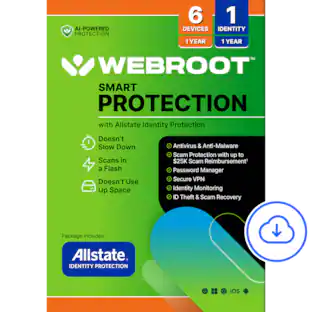
Webroot - Smart Protection (6 Device) with Allstate Identity Protection (1 Identity) (1-Year Subscription) [Digital] - Android, Apple iOS, Chrome, Mac OS, Windows [Digital]
4.4(29)

Webroot Smart Protection is our most advanced all-in-one security solution, delivering smarter protection against today’s evolving cyber threats, including AI-scams. Stay confident online with AI-powered protection that helps stop viruses, malware, ransomware, and scams before they can impact you. It combines cybersecurity, privacy, and identity protection in one easy-to-use solution. Features include award-winning antivirus, scam protection, a secure VPN for safer browsing on public Wi-Fi, a password manager, and Allstate Identity Protection, with dark web and identity monitoring. If you fall victim to a scam, you can call our scam experts and claim up $25,000 in scam coverage*. If you experience identity fraud, you’ll have access to 24/7 U.S.-based recovery experts to help you get back on track.

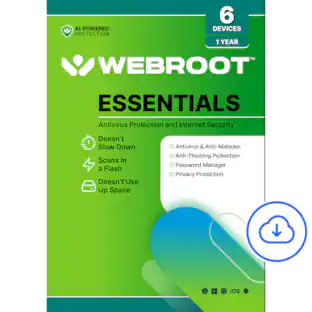
Webroot - Essentials Antivirus Protection and Internet Security (6 Device) (1-Year Subscription) [Digital] - Android, Apple iOS, Chrome, Mac OS, Windows [Digital]
4.4(31)

Webroot Essentials provides powerful, easy-to-use protection for your devices and personal information. It helps keep you safe from viruses, ransomware, phishing scams, and other online threats, whether you're browsing, shopping, banking, or working online. Designed to run quietly in the background, Webroot Essentials delivers fast scans and real-time protection without slowing down your device. It continuously identifies and blocks new threats as soon as they emerge, helping you stay protected against the latest cyber risks. Webroot Essentials also includes a secure password manager that makes it easy to create, save, and access strong, unique passwords for your online accounts, helping you keep your personal information safer and more secure.
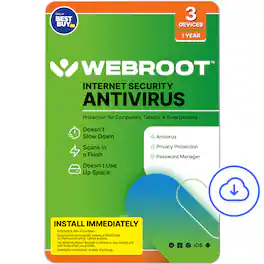
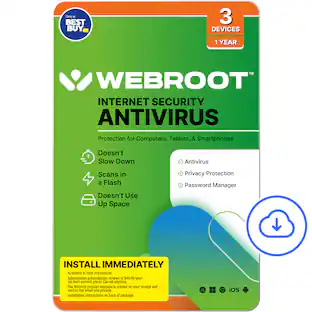
Webroot - Internet Security with Antivirus Protection (3 Devices) (1-Year Subscription – Auto Renewal) - Android, Apple iOS, Chrome, Mac OS, Windows [Digital]

Real-time protection for PC, Mac, Chromebook Android and IOS devices.Cloud based Webroot Internet Security Plus with Antivirus proactively shields households from the latest malware, phishing scams and other cyberattacks—all without slowing down your computer.We continuously analyze and classify billions of apps, files, websites and more so you bank, shop and browse online worry-free. Our leading rollback technology automatically returns infected devices to their original state.Installing in seconds and designed to work with any software, the full package features Chromebook security and system optimizer. Webroot empowers you with peace of mind without slowing you down.

Pros for Webroot - Total Protection (5 Device) with Allstate Identity Protection (1 Identity) (1-Year Subscription) [Digital] - Android, Apple iOS, Chrome, Mac OS, Windows [Digital]
There were no pros for this product—There were no pros for this product—There were no pros for this product—Overall Performance, Protection, Ease of Use, Installation, Antivirus Performance

Specs

Be the first to ask a question.

We’ll try to get your question answered within 24 hours by a Best Buy customer or brand representative.

No content
Sponsored