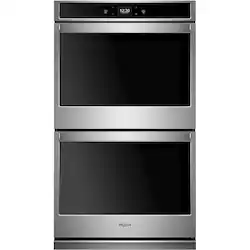
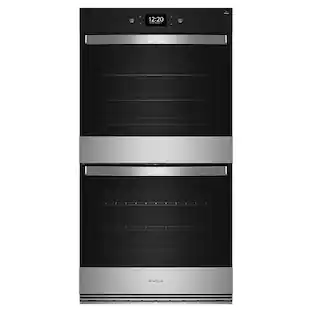
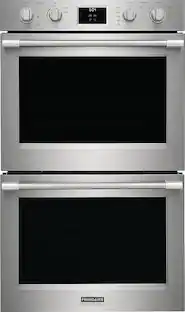
Whirlpool - 30" Built-In Double Electric Wall Oven - Stainless Steel
- Key Specs
- Color Finish: Stainless steel
- Product Height: 51 1/2 inches (The out of box height of the item. Height is measured as the vertical distance from the bottom of the item to the top as it would be primarily used or placed.)
- Product Width: 30 inches (The out of box width of the item. Width is measured as the horizontal distance from one side of the item to the other as it would be primarily used or placed.)
- Product Depth: 26 7/16 inches (The out of box depth of the item. Depth is measured as the distance from the front of the item to the back as it would be primarily used or placed.)
- Depth Without Handle: 24 1/2 inches (Measurement from the back of the product to its front (with door closed), not including handle.)
- Depth With Handle: 26 1/2 inches (Measurement from the back of the product to its front (with door closed), including the handle.)
- Oven 1 Convection: false (A fan and exhaust system that circulate air to heat the entire oven interior consistently for baking and roasting.)
- Oven 2 Convection: false (A fan and exhaust system that circulate air to heat the entire oven interior consistently for baking and roasting.)
- App Compatible: true (The product can be connected to a program or software application on a mobile device, which then receives collected data from the product.)
- Works With: Google Home, Amazon Alexa (Compatible with or able to be connected to other smart devices or applications.)
- General
- Brand: Whirlpool
- Model Number: WOD51EC0HS
- Product Name: 30" Built-In Double Electric Wall Oven
- Color: Stainless Steel
- Color Finish: Stainless steel
- Dimensions
- Product Height: 51 1/2 inches (The out of box height of the item. Height is measured as the vertical distance from the bottom of the item to the top as it would be primarily used or placed.)
- Product Width: 30 inches (The out of box width of the item. Width is measured as the horizontal distance from one side of the item to the other as it would be primarily used or placed.)
- Product Depth: 26 7/16 inches (The out of box depth of the item. Depth is measured as the distance from the front of the item to the back as it would be primarily used or placed.)
- Standardized Width: 30 inches (An approximated measurement (exact width may differ slightly) determined by the manufacturer in accordance with industry standards. Standardized sizes are intended to assist consumers when purchasing appliances and planning for installation.)
- Depth Without Handle: 24 1/2 inches (Measurement from the back of the product to its front (with door closed), not including handle.)
- Depth With Handle: 26 1/2 inches (Measurement from the back of the product to its front (with door closed), including the handle.)
- Depth With Door 90 Degrees Open: 42 3/4 inches (Measurement from the back of the product to its front, with the door open at a 90-degree angle.)
- Product Weight: 243 pounds (The out of box weight of the item.)
- Cut-Out Dimensions
- Cut-Out Height: 50 1/4 inches (Minimum required height of the installation location for a standard installation of the product. This measurement will help you determine if the appliance will fit into the desired space and have the clearance necessary for proper operational use. Please refer to the manufacturer’s installation documentation for detailed measurement requirements.)
- Cut-Out Width: 28 1/2 inches (Minimum required width of the installation location for a standard installation of the product. This measurement will help you determine if the appliance will fit into the desired space and have the clearance necessary for proper operational use. Please refer to the manufacturer’s installation documentation for detailed measurement requirements.)
- Cut-Out Depth: 24 inches (Minimum required depth of the installation location for a standard installation of the product. This measurement will help you determine if the appliance will fit into the desired space and have the clearance necessary for proper operational use. Please refer to the manufacturer’s installation documentation for detailed measurement requirements.)
- Capacity
- Oven 1 Capacity: 5 cubic feet
- Oven 2 Capacity: 5 cubic feet
- Features
- Oven Type: Double wall oven
- Oven Power Source: Electric
- Fingerprint Resistant: false
- Auto Shut-Off: false (Feature automatically turns off the product.)
- Control Type: Touchscreen, Touchscreen, Touchscreen
- Clock Display: true
- Lock Type: Self-cleaning mode lock
- Oven Light: true
- Wireless Connectivity: Wi-Fi (The manner in which a device sends data to another device over a short distance without the use of wires or cables.)
- Design
- Display Type: LCD
- Functions
- Sabbath Mode: false (This mode complies with the rules of Halakha and allows Shabbat-observant people to use the appliance on the Shabbat and other Jewish holidays.)
- Hidden Bake Element: true (This feature provides more space within the cooking cavity and allows for cleaning without navigating around an exposed heating element.)
- Keep Warm Setting: true
- Timer: true
- Time Bake: true (Allows you to program the appliance to run at a pre-determined time and automatically turn off when baking time is finished. Plan for mealtime or entertaining by setting your oven to start baking at a convenient time and reduce the worry of overcooking your food with the automatic shut off feature.)
- Rapid Preheat: true
- Oven 1
- Oven 1 Location: Lower
- Oven 1 Interior Height: 18 inches
- Oven 1 Interior Depth: 19 inches
- Oven 1 Cavity Material: Porcelain
- Oven 1 Convection: false (A fan and exhaust system that circulate air to heat the entire oven interior consistently for baking and roasting.)
- Oven 1 Window: true
- Oven 1 Cleaning Method: Self-Steam Cleaning (There are several ways to clean the inside of your oven. Depending on the model, it might require manual cleaning or have a self-clean function. Self-clean functions use either high heat or steam to break down grease and food debris within the cooking cavity.)
- Number of Oven 1 Rack Positions: 3
- Number of Oven 1 Racks: 2
- Oven 1 Bake Element: 2800 watts
- Oven 1 Broil Element: 3600 watts
- Oven 2
- Oven 2 Location: Upper
- Oven 2 Interior Height: 18 inches
- Oven 2 Interior Depth: 19 inches
- Oven 2 Convection: false (A fan and exhaust system that circulate air to heat the entire oven interior consistently for baking and roasting.)
- Oven 2 Window: true
- Oven 2 Cleaning Method: Self-Steam Cleaning (There are several ways to clean the inside of your oven. Depending on the model, it might require manual cleaning or have a self-clean function. Self-clean functions use either high heat or steam to break down grease and food debris within the cooking cavity.)
- Number of Oven 2 Rack Positions: 3
- Number of Oven 2 Racks: 2
- Oven 2 Bake Element: 2800 watts
- Oven 2 Broil Element: 3600 watts
- Electrical
- Amperage: 40 amperes (Strength of electrical current.)
- Voltage: 230 volts (Amount of power needed to support an electrical current.)
- Wattage: 3600 watts (Measurement of electrical power.)
- Included
- Power Cord Included: true (Connects your product to an electrical outlet, allowing for immediate use (provided that other installation requirements are met).)
- Certifications Listings & Approvals
- ADA Compliant: false (Meets standards set by the Disabilities Act (ADA) Standards for Accessible Design)
- Chemical Disclosures: This product may contain one or more regulated perfluoroalkyl and polyfluoroalkyl substances or PFAS. Mandatory reporting is not required until January 1, 2025. Whirlpool Corporation is in the process of gathering more information on PFAS use across our supplier base, and will update this disclosure as we learn more. For more information about chemicals in this product, visit www.whirlpool.com/regulatory.html. [Este producto puede contener una o más sustancias perfluoroalquilo y polifluoroalquilo reguladas o PFAS. No se requieren informes obligatorios hasta el 1 de enero de 2025. Whirlpool Corporation está en el proceso de recopilar más información sobre el uso de PFAS en nuestra base de proveedores y actualizará esta divulgación a medida que sepamos más. Para obtener más información sobre los químicos en este producto, visite www.whirlpool.com/regulatory.html.] (The disclosure of Per- and Polyfluorinated Substances (PFAS) and/or other chemicals.)
- Warranty
- Warranty - Parts: 1 year limited
- Warranty - Labor: 1 year limited
- Compatibility
- App Compatible: true (The product can be connected to a program or software application on a mobile device, which then receives collected data from the product.)
- Works With: Google Home, Amazon Alexa (Compatible with or able to be connected to other smart devices or applications.)
- Other
- UPC: 883049444604
Bring smart technology into the kitchen with this Whirlpool double wall oven. Menu controls are accessed by lightly pressing a keypad on the touch panel. Manage the console of this 10 cu. ft. Whirlpool double wall oven with your voice for hands-free operation.
- Smart Appliance: Care smarter with connected features that let you send cooking instructions to the oven from your smartphone, control your kitchen with voice commands through a smart home assistant or skip preheating.
- Touchscreen: Get instant access to the settings you use most with an all-new touchscreen that learns, adapts and suggests customized presets based on your family's routines.
- Voice Control with the Google Assistant: Control your kitchen no matter what you’ve got on your hands using simple voice commands with the Google Assistant.
- Multi-Step Cooking: Make multi-step meals more simple. Use your smartphone or tablet to send multiple cooking instructions to the oven all at once.
- Frozen Bake Technology: Skip preheating and cook frozen favorites like pizza and lasagna faster with preprogrammed settings that automatically adjust cooking times for you.
- Remote Start: With remote start enabled, use your smartphone or tablet to remotely turn your oven on so it's heated up and ready to cook meals when you are.
- Party Mode: Start preparing for guests from your smartphone or tablet. With remote start enabled, this mode automatically turns on the Keep Warm setting so dishes stay ready to serve.
- Keep Warm Setting: Keep dishes from getting cold with this setting that delivers low heat to the oven. Control it remotely or manually so food stays warm and ready to serve whether you're home or away.
- Enhanced Troubleshooting: Get immediate support for quick solutions by using your smartphone or tablet to access troubleshooting videos.
- Guided Service: Keep track of scheduled appointments and make sure issues are known using the mobile app to send data from the appliance directly to Whirlpool brand customer service.
- Temperature Sensor: Get evenly baked food with a sensor that monitors oven temperature and adjusts the cooking elements.
- Rapid Preheat: Save time with 20% faster preheating. A rear fan combined with the use of all of the elements helps to heat the oven quickly.
- Control Lock Mode: Use your smartphone or tablet to remotely disable the control panel to avoid unintended use.
- Tap Touch Controls: Clean these controls as easily as you use them.
- 10.0 cu. ft. Total Capacity: Cook more dishes at once with 10.0 cu. ft. total capacity.
- FIT System: Whirlpool wall ovens come with the parts to fit, right out of the box, guaranteed. If your new wall oven doesn’t fit, Whirlpool brand will pay up to $300 toward cabinet modification.
- Extra-Large Window: Keep an eye on your meal through the extra-large oven window.
- Scan-to-Connect Technology: You don't need to be a tech expert to connect your new appliance. Simply open the Whirlpool app, add your appliance and follow the guided experience to get up and running quickly.
- No Flush Kit Required for Flush Install: These wall ovens can be installed flush, creating a seamless visual line with cabinetry, without a separate accessory flush kit.
Whats Included
- Whirlpool 30" Stainless Steel Built-In Double Electric Wall Oven
- Owner's Manual
Q: Does this oven have a temperature sensor?
A: Yes, this oven has a temperature sensor that monitors oven temperature.
Q: Is rapid preheat available on this electric wall oven?
A: Yes, rapid preheat is available to save time with 20% faster preheating.
Q: How many oven racks are included in the upper oven?
A: There are two oven racks included in the upper oven.
Q: Does this wall oven have a self-cleaning option?
A: Yes, this wall oven has a self-steam cleaning method.
Q: Does this wall oven have a keep warm setting?
A: Yes, this wall oven has a keep warm setting to keep dishes from getting cold.
Q: Is it possible to remotely start this double wall oven?
A: Yes, you can remotely start this double wall oven with your smartphone or tablet.
Q: Can I control this oven using voice commands?
A: Yes, you can control this oven with voice commands using the Google Assistant.
Q: Where is the cancel button for the oven
A: Hello Lori, the oven doesn't have a button that displays "cancel". If you are done with a cooking cycle and want to turn off the oven, you would press the upper/lower oven button 2x depending on what oven you are using and it will cancel the oven and return you to the default screen displaying the date/time. We hope this helps.
People also viewed
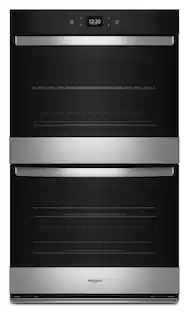 $2,499.99The price was $2,699.99
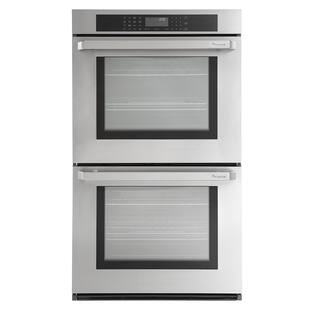 $1,699.00The price was $2,299.00
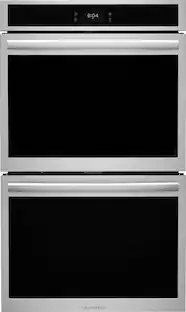 $2,799.99The price was $4,299.99
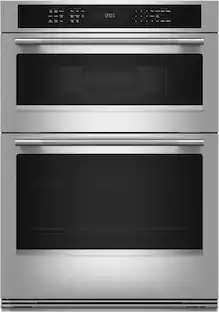 $3,199.99The price was $4,319.99
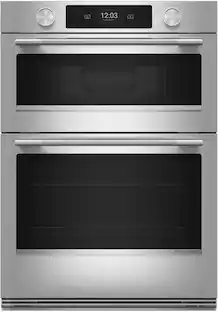 $3,599.99The price was $4,499.99
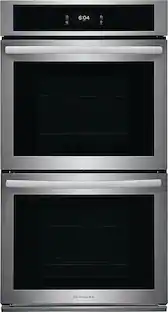 $2,099.99The price was $2,799.99
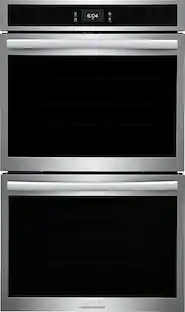 $2,499.99The price was $3,599.99
 $3,599.99The price was $4,599.99
 $3,299.99The price was $4,139.99

Today's top picks
- $3,199.99The price was $4,319.99
- $2,099.99The price was $2,799.99
- $2,799.99The price was $4,299.99
 $2,899.99The price was $4,769.99
- $3,599.99The price was $4,499.99
 $3,499.99The price was $4,999.99
- $2,499.99The price was $2,699.99
- $2,499.99The price was $3,599.99
 $2,699.99The price was $3,999.99