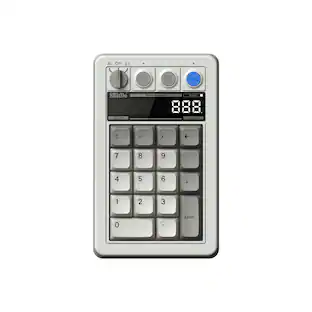
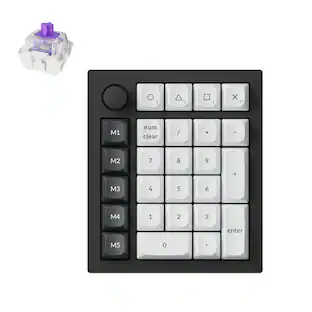
Womier - SK30 Mechanical Numpad, Mini Keyboard,Macro Software RGB Number Pad Hotswap with Screen & Knob for Mac Windows - Black
About this product
Wireless Gaming Mechanical Numpad,30-key Numeric, Backlit Creamy Keyboard
Color
BlackWireless Multi-function 30-key Numeric keypad
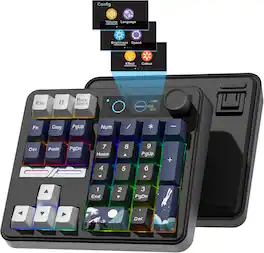
30-key kanagawa mechanical numpad with fully Programmable Keys, you can remap your numpad by your willing with NumLock/ESC/FN/Delete/Copy/Paste/Pgup/Pgdn and a shortcut key which can open the computer calculator directly. This number keypad is very easy to use.
Tri-mode Wireless Mini Keyboard
Work with Bluetooth 5.0, 2.4GHz,USB-C wired connection. Womier SK30 rechargeable numpad is equipped with a 3000mAh battery ensures extended use can be connected to PC, laptop, tablet, gaming console and mobile phone to meet the needs of work, game and study.
Colour Multimedia Big Display Screen & Metal Knob
The DIY multimedia display screen design in the upper right corner of the keyboard allows you to visualize in custom gif image, caps lock, connection mode, WIN/MAC, system, backlit brightness/speed, RGB mode/color, volume & language and more. Enjoy the fun of Custom your own unique keypad. Smart rotary knob to multimedia mode for volume control and mute.
Dynamic RGB Backlight & Programmable Software
RGB wireless mechanical numpad has with 1680 million colors. A variety of dynamic RGB effects, monochrome, full-color modes, and musical rhythm mode, the playability is doubled, so that you can experience the unlimited fun of RGB. You can customize RGB modes and colors through software.
Hot-Swappable Keyboard & Full POM Switches
Hot swap gasket mount keyboard. Have fun customizing the acoustic performance and typing feeling on your own preference. Hot-swap PCB allows you to replace 3 pins/5 pins switches. The keyboard is pre-installed with high-quality POM linear switch
- Lighting TypeRGBForm Factor40%Keyboard TechnologyMechanicalConnection TypeWired, Wireless
Reviews
Rating 5 out of 5 stars with 1 review
Customer Images
The vast majority of our reviews come from verified purchases. Reviews from customers may include My Best Buy members, employees, and Tech Insider Network members (as tagged). Select reviewers may receive discounted products, promotional considerations or entries into drawings for honest, helpful reviews.





Compare similar products
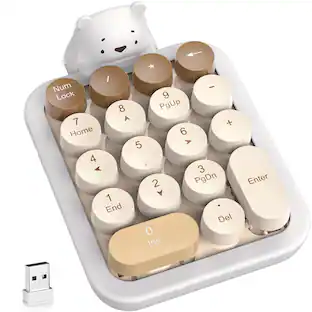
Wireless Gaming Mechanical Numpad,30-key Numeric, Backlit Creamy Keyboard
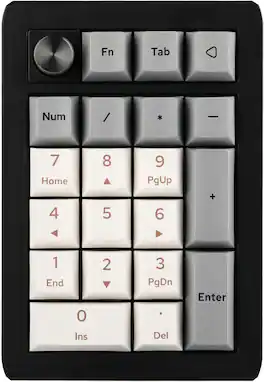
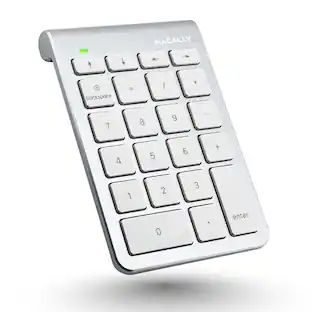
EK21 VIA Gasket Numpad: Elevate your typing experience with the EK21 VIA Gasket Number Pad, a versatile and highly functional numeric keypad perfect for professionals and gamers alike. Featuring an advanced layout with 20 keys and a premium aluminum alloy knob, this hot-swappable numpad excels in both performance and aesthetics.

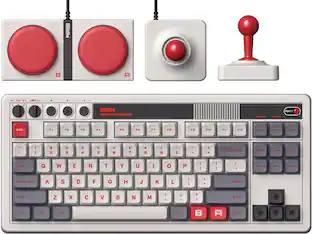
Meet the 8BitDo Mechanical Keyboard. Packed with programmable keys and an intuitive control panel. Meticulously crafted offering the perfect balance of quality and functionality. Compatible with Windows and Android.

Meet the Q0 HE, a full-metal custom number pad equipped with Gateron double-rail magnetic switches. These switches provide a distinct advantage due to their unique mechanism, offering faster feedback, dynamic rapid triggering, and adjustable actuation points, resulting in epic enhancements for the gaming experience tailored to your individual preferences.
| Pros for Womier - SK30 Mechanical Numpad, Mini Keyboard,Macro Software RGB Number Pad Hotswap with Screen & Knob for Mac Windows - Black | |||
|---|---|---|---|
| There were no pros for this product— | There were no pros for this product— | Calculator Functionality, Connectivity, Battery Life, Key Feel, Overall Performance | There were no pros for this product— |
Specs
Customers often buy these together





![esc 1 ! 2 @ 3 # 4 $ 5 % 6 ^ 7 & 8 * 9 ( 0 ) - = | F1 F2 F3 F4 F5 F6 F7 F8 F9 F10 F11 F12 tab Q W E R T Y U I O P [ ] { } | caps A S D F G H J K L : : enter shift Z X C V B N M , < > ? shift ctrl alt fn ctrl](https://pisces.bbystatic.com/image2/BestBuy_US/images/products/bc5bce35-ca08-45da-bcc3-8d6fb215154b.jpg;maxHeight=232;maxWidth=233?format=webp)
![Sure, here is the corrected and grouped text from the image:
**Top Row:**
- ESC
- F1
- F2
- F3
- F4
- F5
- F6
- F7
- F8
- F9
- F10
- F11
- F12
- PRTSC
- DEL
**Number Row:**
- 1
- 2
- 3
- 4
- 5
- 6
- 7
- 8
- 9
- 0
- -
- =
- \
**Letter Row:**
- TAB
- Q
- W
- E
- R
- T
- Y
- U
- I
- O
- P
- [
- ]
- \
**Letter Row:**
- CAPS
- A
- S
- D
- F
- G
- H
- J
- K
- L
- ;
- '
**Letter Row:**
- SHIFT
- Z
- X
- C
- V
- B
- N
- M
- ,
- .
- /
**Function Row:**
-](https://pisces.bbystatic.com/image2/BestBuy_US/images/products/9be10b95-8e90-4a5d-b85f-cbc6a7d8e8df.png;maxHeight=232;maxWidth=233?format=webp)

![esc F1 F2 F3 F4 F5 F6 F7 F8 F9 F10 F11 F12 1 2 3 4 5 6 7 8 9 0 - = backspace tab Q W E R T Y U I O P [ ] \ caps lock A S D F G H J K L ; ' shift Z X C V B N M , . / shift ctrl alt logi](https://pisces.bbystatic.com/image2/BestBuy_US/images/products/6411/6411501_sd.jpg;maxHeight=232;maxWidth=233?format=webp)
![esc ~ ! 1 tab caps lock shift ctrl F2 Fl # 2 3 Q W A S Z start opt L F3 $ 4 E D X alt cmd3 ) FS F4 A % 5 6 R T F G V C logi 44 HI & F9 FID FB F7 F6 * ) - - & 0 8 9 7 O P U I Y K L H J > < N M 1 B PM + = { [ : I ; ? I alt cmd D 2 4 300 3 1 F12 . * page I insert home up clear backspace 8 9 + 7 page A pg up end down home } I delete ] / 6 4 5 4 enter 2 3 enter 1 dn Pg end shift = 0 del ins etrl fn opt](https://pisces.bbystatic.com/image2/BestBuy_US/images/products/6539/6539505_sd.jpg;maxHeight=232;maxWidth=233?format=webp)
![Sure, here is the corrected and grouped text:
```
ESC F1 F2 F3 F4 F5 F6 F7 F8 F9 F10 F11 F12 1 2 3 logitech - - 1 2 # $ 4 % 5 6 & 7 8 9 0 - - back insert home page up num lock clear / . tab Q W E R T Y U I O P { [ } ] / delete end page down 7 home 8 A 9 P9 up + caps lock A S D F G H J K L : ; a enter 4 5 6 shift Z X C V B N M < > ? shift 1 end 2 3 pg dn enter ctrl fn start alt opt alt crnd x alt cmd x fn ctrl alt opt 0 ins del 1 logitech
```](https://pisces.bbystatic.com/image2/BestBuy_US/images/products/5761/5761911_sd.jpg;maxHeight=232;maxWidth=233?format=webp)


![Esc F1 F2 F3 F4 F5 F6 F7 F8 F9 F10 F11 F12 Print Screen Scroll Lock Pause Break 1 2 3 4 5 6 7 8 9 0 - + = Backspace Insert Home H Page Up A Num Look 1 I Tab Q W E R T Y U I o P { [ } ] I I Delete End IN Page Down 7 Home 8 9 Pg Up Caps A Lock A S D F G H J K L ; : DE g Enter 4 5 6 Shift Z X C V N M < > ? I Shift 1 End 2 3 Pp Dn Enter Ctrl Alt Alt Ctrl 0 Ins Del](https://pisces.bbystatic.com/image2/BestBuy_US/images/products/a588d446-5678-40ae-86b8-1f15e0026e66.jpg;maxHeight=232;maxWidth=233?format=webp)
![Sure, here is the corrected and grouped text from the image:
---
**Top Row:**
- Esc
- F1 F2 F3 F4 F5 F6 F7 F8 F9 F10 F11 F12
**Second Row:**
- 1 ! 2 @ 3 # 4 $ 5 % 6 ^ 7 & 8 * 9 ( 0 ) - _ + =
**Third Row:**
- Tab Q W E R T Y U I O P [ { ] } \
**Fourth Row:**
- Caps Lock A S D F G H J K L ; ' Enter
**Fifth Row:**
- Shift Z X C V B N M , . / Shift
**Function Keys:**
- F1 F2 F3 F4 F5 F6 F7 F8 F9 F10 F11 F12
**Right Side:**
- Insert Home Page Up Delete End Page Down
**Bottom Row:**
- Ctrl Alt Spacebar Alt Ctrl
**Additional Keys:**
- Logi
- Scroll Lock
- Pause Break
---
This should match the layout of the keyboard in the image.](https://pisces.bbystatic.com/image2/BestBuy_US/images/products/0ce0f170-380c-41e4-8d6a-fa0aadbd534c.jpg;maxHeight=232;maxWidth=233?format=webp)
Customers ultimately bought
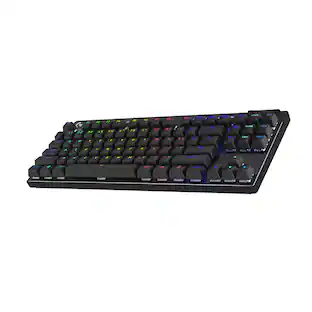 $145.99The price was $219.99
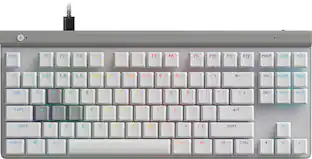 $149.99The price was $169.99
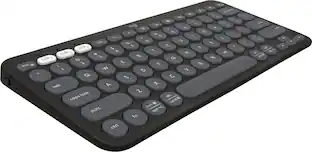 $37.99The price was $39.99