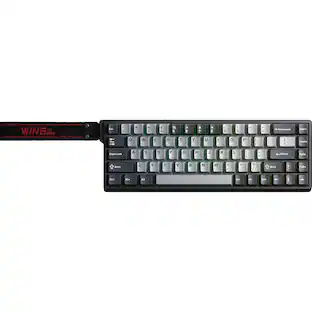
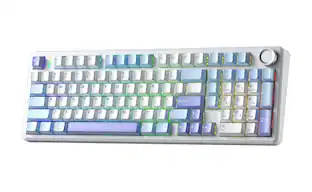
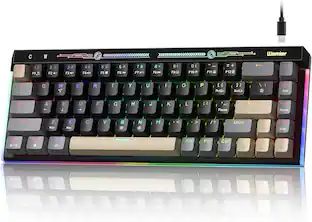
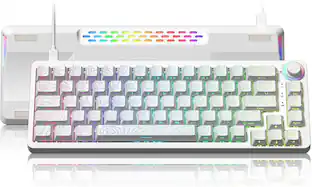
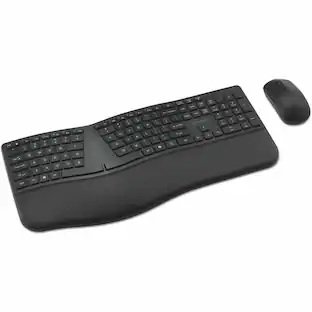
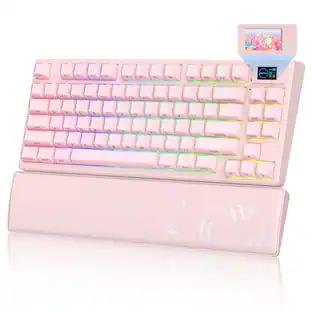
Womier - Wireless Gaming Keyboard, 75% Mechanical Keyboard with Smart Display and Knob Gasket Mount RGB Backlit for PC Mac - Pink
Reviews coming soon
About this product
Tri-Mode BT/2.4GHz/USB-C 75% Mechanical Keyboard,Hot Swappable Gaming Keyboard
Color
PinkFeatures
【Triple-Mode Wireless, 3 Devices Connected Without Re-Pairin
Switch between your work PC, home tablet, and gaming rig without touching a settings menu. The L80 wireless mechanical keyboard supports BT5.0, 2.4GHz, and USB-C wired connections, memorizing up to 3 Bluetooth devices simultaneously — one tap switches between them, and it auto-reconnects to the last-used device on power-up. In 2.4GHz and wired modes, a 1000Hz polling rate keeps every keystroke registered instantly, so combo inputs and f
【75% Layout: Reclaim Your Desk Without Losing a Single Key】
The L80 drops the redundant numpad to shrink its footprint by roughly 35%, freeing up meaningful mouse room without sacrificing any frequently used functions. For FPS gaming, that extra space means unrestricted mouse movement. For long work sessions, your right hand rests more naturally. All the while, the TFT screen and smart knob give this compact gaming keyboard a distinct, tech-forward look that fits equally well on a battle station
【Hot-Swappable Switches, Full RGB, and Plug-and-Play on Wind
With per-key RGB backlighting across 15+ preset dynamic effects and dual M1/M2 custom lighting zones, the L80 lets you tune every key's color to match your setup or mood. Hot-swappable switch slots accept 3-pin and 5-pin mechanical switches — swap in your preferred feel without soldering. The full FN multimedia shortcut layer is mapped for both Windows and Mac out of the box, the Win-key lock prevents accidental Start Menu interruptions
【Smart Screen & Knob, Zero Software Needed】
Forget digging through settings menus — the L80 wireless mechanical keyboard puts full control at your fingertips. The TFT color screen displays connection mode, pairing status, and battery level in real time, while the dedicated smart knob handles volume by default: scroll to adjust, press to mute, hold 3 seconds to enter the on-screen settings menu. Every keyboard parameter — lighting, connection, shortcuts — is adjustable directly on
【Up to 38 Hours Wireless Battery Life — RGB On or Off】
Battery anxiety has no place here. The L80 delivers up to 38 hours of use with RGB off, and up to 18 hours with full lighting on — outrunning most single-mode keyboards at this price point. Intelligent power management handles the rest: backlight auto-dims after 1 minute idle, Bluetooth sleeps after 10 minutes, and the keyboard reconnects to its last paired device on wake-up without any manual steps
Specifications
- Lighting TypeRGBForm Factor75%Keyboard TechnologyMechanicalKey Switch BehaviorLinearConnection TypeWireless, Wired
Reviews
This product doesn't have any reviews yet.

Compare similar products
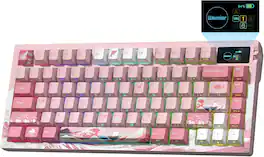
Tri-Mode BT/2.4GHz/USB-C 75% Mechanical Keyboard,Hot Swappable Gaming Keyboard
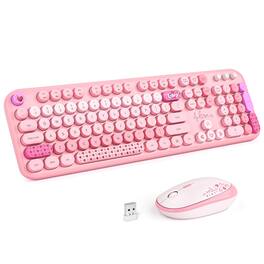
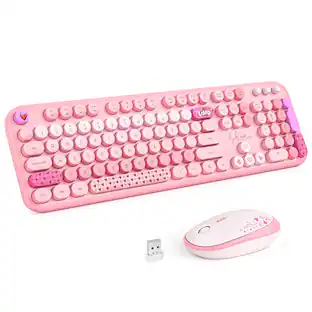
Brighten up your desk with this colorful full‑size wireless keyboard and mouse combo. It connects instantly via 2.4GHz – just plug the USB receiver (stored inside the mouse) into your PC, laptop, or desktop and enjoy stable wireless freedom up to 33 feet. The keyboard includes a number pad, a folding stand for a comfortable slope, and removable keycaps for easy cleaning. The contoured mouse fits your hand naturally. Both devices run on one AA battery each, and auto‑sleep after 8‑10 minutes to extend battery life up to 18 months. Comes in vibrant colors – a great gift for home or office, backed by a 30‑day money‑back guarantee and 12‑month warranty.
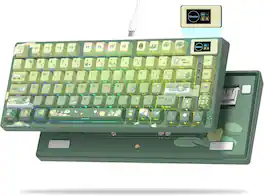
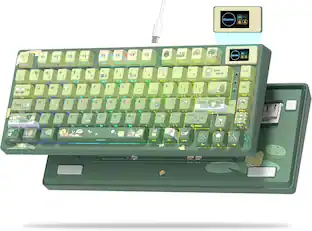
75% layout, Color OLED Screen,Mechnical Gaming Keyboard, Hot-Swappable,Gasket Mount RGB Custom Key Board
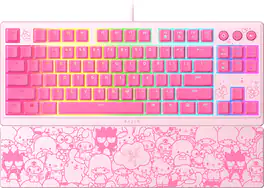
Master both worlds with the Razer Ornata V3 TKL—a low-profile tenkeyless ergonomic gaming keyboard powered by Razer Chroma RGB. Armed with an ultra-slim form factor and unique Razer Mecha-Membrane Switches, dominate your work and play with a compact hybrid keyboard that punches above its weight.
| Pros for Womier - Wireless Gaming Keyboard, 75% Mechanical Keyboard with Smart Display and Knob Gasket Mount RGB Backlit for PC Mac - Pink | |||
|---|---|---|---|
| There were no pros for this product— | There were no pros for this product— | There were no pros for this product— | Overall Performance, Key Feel, Design |
Specs
Be the first to ask a question.
We’ll try to get your question answered within 24 hours by a Best Buy customer or brand representative.
Customers often buy these together
![esc 1 ! 2 @ 3 # 4 $ 5 % 6 ^ 7 & 8 * 9 ( 0 ) - = | F1 F2 F3 F4 F5 F6 F7 F8 F9 F10 F11 F12 tab Q W E R T Y U I O P [ ] { } | caps A S D F G H J K L : : enter shift Z X C V B N M , < > ? shift ctrl alt fn ctrl](https://pisces.bbystatic.com/image2/BestBuy_US/images/products/bc5bce35-ca08-45da-bcc3-8d6fb215154b.jpg;maxHeight=232;maxWidth=233?format=webp)
Razer - Huntsman Mini 60% Wired Optical Clicky Switch Gaming Keyboard with Chroma RGB Backlighting - Black
$69.00The price was $119.99





![Sure, here is the corrected and grouped text from the image:
**Top Row:**
- ESC
- F1
- F2
- F3
- F4
- F5
- F6
- F7
- F8
- F9
- F10
- F11
- F12
- PRTSC
- DEL
**Number Row:**
- 1
- 2
- 3
- 4
- 5
- 6
- 7
- 8
- 9
- 0
- -
- =
- \
**Letter Row:**
- TAB
- Q
- W
- E
- R
- T
- Y
- U
- I
- O
- P
- [
- ]
- \
**Letter Row:**
- CAPS
- A
- S
- D
- F
- G
- H
- J
- K
- L
- ;
- '
**Letter Row:**
- SHIFT
- Z
- X
- C
- V
- B
- N
- M
- ,
- .
- /
**Function Row:**
-](https://pisces.bbystatic.com/image2/BestBuy_US/images/products/9be10b95-8e90-4a5d-b85f-cbc6a7d8e8df.png;maxHeight=232;maxWidth=233?format=webp)

![esc F1 F2 F3 F4 F5 F6 F7 F8 F9 F10 F11 F12 1 2 3 4 5 6 7 8 9 0 - = backspace tab Q W E R T Y U I O P [ ] \ caps lock A S D F G H J K L ; ' shift Z X C V B N M , . / shift ctrl alt logi](https://pisces.bbystatic.com/image2/BestBuy_US/images/products/6411/6411501_sd.jpg;maxHeight=232;maxWidth=233?format=webp)


![Esc F1 F2 F3 F4 F5 F6 F7 F8 F9 F10 F11 F12 Print Screen Scroll Lock Pause Break 1 2 3 4 5 6 7 8 9 0 - + = Backspace Insert Home H Page Up A Num Look 1 I Tab Q W E R T Y U I o P { [ } ] I I Delete End IN Page Down 7 Home 8 9 Pg Up Caps A Lock A S D F G H J K L ; : DE g Enter 4 5 6 Shift Z X C V N M < > ? I Shift 1 End 2 3 Pp Dn Enter Ctrl Alt Alt Ctrl 0 Ins Del](https://pisces.bbystatic.com/image2/BestBuy_US/images/products/a588d446-5678-40ae-86b8-1f15e0026e66.jpg;maxHeight=232;maxWidth=233?format=webp)
![Sure, here is the corrected and grouped text:
```
ESC F1 F2 F3 F4 F5 F6 F7 F8 F9 F10 F11 F12 1 2 3 logitech - - 1 2 # $ 4 % 5 6 & 7 8 9 0 - - back insert home page up num lock clear / . tab Q W E R T Y U I O P { [ } ] / delete end page down 7 home 8 A 9 P9 up + caps lock A S D F G H J K L : ; a enter 4 5 6 shift Z X C V B N M < > ? shift 1 end 2 3 pg dn enter ctrl fn start alt opt alt crnd x alt cmd x fn ctrl alt opt 0 ins del 1 logitech
```](https://pisces.bbystatic.com/image2/BestBuy_US/images/products/5761/5761911_sd.jpg;maxHeight=232;maxWidth=233?format=webp)
![Sure, here is the corrected and grouped text from the image:
---
**Top Row:**
- Esc
- F1 F2 F3 F4 F5 F6 F7 F8 F9 F10 F11 F12
**Second Row:**
- 1 ! 2 @ 3 # 4 $ 5 % 6 ^ 7 & 8 * 9 ( 0 ) - _ + =
**Third Row:**
- Tab Q W E R T Y U I O P [ { ] } \
**Fourth Row:**
- Caps Lock A S D F G H J K L ; ' Enter
**Fifth Row:**
- Shift Z X C V B N M , . / Shift
**Function Keys:**
- F1 F2 F3 F4 F5 F6 F7 F8 F9 F10 F11 F12
**Right Side:**
- Insert Home Page Up Delete End Page Down
**Bottom Row:**
- Ctrl Alt Spacebar Alt Ctrl
**Additional Keys:**
- Logi
- Scroll Lock
- Pause Break
---
This should match the layout of the keyboard in the image.](https://pisces.bbystatic.com/image2/BestBuy_US/images/products/0ce0f170-380c-41e4-8d6a-fa0aadbd534c.jpg;maxHeight=232;maxWidth=233?format=webp)

More to consider
 $112.99The price was $119.99
 $175.99The price was $219.99


Explore tech essentials Sponsored
 Top Deal$129.99The price was $159.99
 $139.99The price was $179.99



Keep exploring
 $129.95The price was $159.95
 $199.95The price was $299.95